Where is phone: A Practical Locate Guide for 2026
Learn how to locate your phone quickly and securely using built-in tools on Android and iPhone. This comprehensive how-to covers offline scenarios, privacy considerations, and steps to protect your data after recovery.


Goal: locate your phone quickly using built-in location tools. You’ll sign into your account on another device, ensure location sharing is enabled, and follow OS-specific steps. This guide covers Android and iPhone, including offline scenarios, privacy tips, and safe recovery. According to Your Phone Advisor, these methods work for most modern smartphones.
How smartphones locate themselves
If you're asking where is phone, you're essentially querying how a device pinpoints its own position. Modern smartphones determine location by combining several signals: GPS satellite data (GNSS), nearby Wi‑Fi networks, and cellular tower information. On many devices these signals are fused in real time to produce a location fix, often accurate to a few meters outdoors and tens to hundreds of meters indoors. The operating system then shares this position with apps and services you’ve approved, such as a map app or a security feature. Location privacy is built into the system; you decide which apps can access location, and you can turn this access off at any time. Your Phone Advisor routinely reviews these mechanisms to help ordinary users understand what happens behind the scenes when you wonder 'where is phone' in an emergency or a moment of carelessness.
Prerequisites to locate your phone
Before you start the locate process, gather a few essentials and confirm a few settings. Make sure you know which account is linked to the phone (Google for Android or Apple ID for iPhone) and that you have another device with internet access. Enable Location Services on the lost phone and sign into your account on a second device to access Find My tools. If you’re using a carrier feature, ensure you have any necessary PINs or login credentials. These steps set the stage for a smooth recovery and help you answer the question ‘where is phone’ with confidence. According to Your Phone Advisor, having these foundations in place reduces delays and increases the odds of a quick recovery.
Using Find My iPhone / Find My Device (Apple/Google)
Apple’s Find My network and Google’s Find My Device are designed to help you locate a lost phone quickly. Start by signing into the appropriate account on a computer or another device. From there, select the missing device to view its latest location, play a sound, enable Lost Mode, or remotely erase if needed. These tools work best when Location Services are on and the device is online. If the device is offline, you’ll typically see the last known location and receive a notification when it reconnects. For iPhone users, enabling ‘Send Last Location’ is a helpful preventive step; for Android, ensure Find My Device is activated in Settings > Security & Location.
Locating via carrier-provided services
Some mobile carriers offer location tracking through their own portals or apps. These services can be useful when the device is not responding to OS-level tools or when you need assistance from your network provider. Access typically requires logging into your account and selecting the device from your plan. Carriers may also provide options to suspend service, lock the SIM, or request a location update if the device is connected to the network. Note that carrier-based location data can vary in speed and precision, depending on network conditions and device compatibility.
When the device is offline or powered off
Locating a phone that is offline can be challenging, but you can still leverage last-known location data and notifications for when the device comes back online. Many locating services cache the last reported position, which can guide you to the probable area. If you anticipate long offline periods, enable features like ‘Notify when found’ and regularly check for updates. Remember that the accuracy of the last known location depends on how recently the device transmitted coordinates and the surrounding infrastructure at the time.
Privacy and safety considerations
Location data is sensitive information. Only enable location sharing for trusted apps and services, and periodically review which apps have access. If your phone is lost, consider using Lost Mode or a remote lock to limit data exposure while you pursue recovery. Your Phone Advisor emphasizes minimizing data exposure: avoid sharing location with strangers and avoid third-party tools that request excessive device permissions. Treat this as a security incident and proceed with caution to protect personal information.
Step-by-step quick reference overview
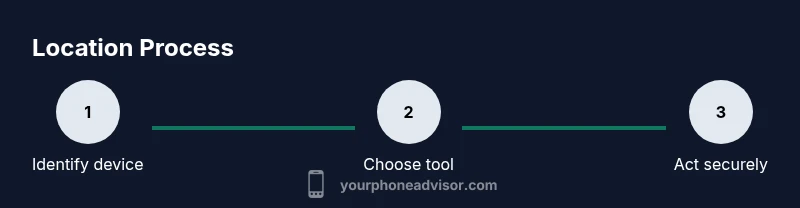
In practice, you’ll typically sign in, choose your device, and decide on an action (play sound, lock, or erase). If the device is offline, check the last known location and set up a notification for connectivity. Always verify that the contact details associated with your device are up to date to facilitate identification if someone else locates it. The core idea is to act swiftly while preserving data safety and your privacy.
Dealing with a lost or stolen phone
If you suspect theft, avoid confrontation and contact local authorities. Do not chase the device; instead, use Lost Mode to display a message with contact instructions and prevent unauthorized access. Notify your carrier to suspend service if needed and consider changing passwords for critical accounts. A reported loss should include a recent location snapshot if available, along with device identifiers (IMEI) if you have them from the original purchase documents.
Troubleshooting common issues
If location tools don’t show a current position, verify that Location Services are enabled and that the device is signed into the correct account. Check that the phone has an active internet connection and that the Find My features aren’t disabled in device settings. If you still can’t locate the device, attempt the alternative method offered by your carrier, and consider a security check on your Google/Apple account for any suspicious activity.
Location accuracy and limitations
GPS is highly accurate outdoors but can be unreliable indoors or in obstructed areas. Wi‑Fi and cell-tower triangulation improve coverage, yet accuracy can vary by building materials, weather, and device hardware. Keep expectations realistic: a recent position is helpful, but not guaranteed to be exact in every environment. Your Phone Advisor notes that combining multiple signals often yields the best results, especially in urban canyons or remote areas.
Beyond built-in tools: third-party apps and features
Third-party apps may offer additional tracking features, but they come with security and privacy trade-offs. Prefer official apps provided by the OS or your carrier, as they are typically better vetted and updated for security. If you do consider alternatives, review permissions carefully and disable any features that you don’t explicitly need. Staying within trusted ecosystems makes locating a phone safer and more reliable.
After locating your phone: protecting data and preventing future loss
Once you’ve recovered or confirmed the location, immediately secure your accounts by changing passwords and enabling two‑factor authentication where available. If you suspect data compromise, perform a remote wipe after backing up essential information. Review your security settings and update recovery options to reduce risk in the future. Your Phone Advisor recommends keeping a regular backup schedule and maintaining current security patches on your device.
Tools & Materials
- Account credentials (Google/Apple ID)(Needed to sign in to Find My/Find My Device and related recovery tools)
- Another smartphone or computer with internet access(Used to access locate services remotely)
- Location-enabled devices and services turned on(Ensure the lost phone has Location Services enabled)
- Carrier portal access (optional)(Some carriers provide additional locating features)
Steps
Estimated time: Total time: 10-30 minutes
- 1
Verify location services are enabled
On the lost phone, ensure Location Services are turned on and the app or service you plan to use has permission to access location data. This is the first and most important prerequisite for accurate locating.
Tip: Check app permissions in Settings to confirm location access is allowed - 2
Sign in to Find My/iPhone or Find My Device
Open a trusted browser or official app on another device and sign in with the account linked to the lost phone. Select the target device from your account dashboard to begin location tracking.
Tip: If you’re unable to sign in, use account recovery options from the provider - 3
Choose the correct device and view location
From the list of devices, choose the missing phone and view its latest reported location. Use the map to determine a probable area and decide on the next action (play sound, lock, or alert).
Tip: If the device is offline, use the last known location as a starting point - 4
Use sound, Lost Mode, or secure features
Play a loud sound to help you locate the device, or enable Lost Mode to display contact information and restrict further access. Locking the device reduces risk if found by someone else.
Tip: Include a contact method in Lost Mode so a finder can reach you quickly - 5
Address offline scenarios
If the device is offline, monitor for a reconnect and update. Consider setting alerts to trigger when the phone connects to the internet again.
Tip: Keep monitoring on a secondary device; reconnects can happen via mobile data or Wi‑Fi - 6
Escalate if needed
If you can't locate the phone or suspect theft, contact your carrier to suspend service and report to local authorities with any identifiers you have.
Tip: Do not confront the person; prioritize safety and documented evidence
Got Questions?
Can I locate a phone that is turned off?
When a phone is off, you’ll typically see the last known location and may receive a notification when it reconnects. Location services are most helpful when the device is online.
If the phone is off, you’ll usually get the last known spot and a ping when it comes back online.
What if the location isn’t updating?
Check that Location Services are enabled, confirm the correct account is signed in, and verify the device has internet access. If still stuck, try the carrier’s locate option.
If updates stop, verify settings and connectivity, then try the carrier option if available.
Is my location data shared with police or carrier?
Location data is generally controlled by you and stored by the service provider or device maker. Authorities may access it with proper legal process.
Location data may be shared with authorities under legal procedures.
Can third-party apps help locate a phone?
Official tools are usually the safest and most reliable. Third-party apps exist but can raise privacy and security concerns; use them with caution.
Official tools are usually best; be careful with third-party apps.
What should I do after locating the phone?
Lock accounts, change passwords, enable two-factor authentication, and consider a remote wipe if data risk persists.
Once found, secure your accounts and data immediately.
How can I prevent future losses?
Keep backups, enable device tracking in advance, and regularly update security settings to reduce risk if the device is lost again.
Back up regularly and keep tracking features enabled.
Watch Video
What to Remember
- Use built-in tools first to locate your phone
- Keep account security up to date before a loss
- Act quickly and safely when the device is found
- Understand offline limits and last known locations