What to Do When Your Phone Is Lost: A Step-by-Step Guide
Learn a practical, step-by-step plan to protect your data, locate a lost phone, and recover it safely with clear guidance from Your Phone Advisor.


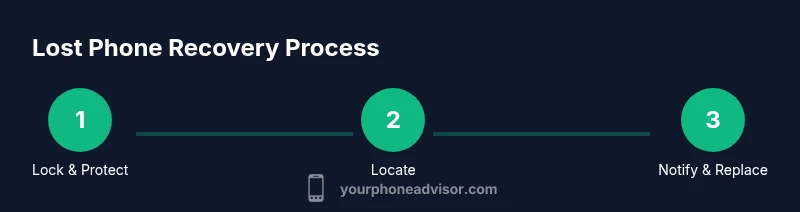
If your phone is lost, act quickly: remotely lock it, sign out of accounts, and suspend service. Then try to locate it via Find My iPhone or Find My Device, notify your carrier, and prepare for a possible remote wipe if needed. This quick sequence minimizes data risk and increases recovery chances.
Immediate first steps after losing your phone
According to Your Phone Advisor, the moment you realize your phone is missing, you should act calmly and decisively to limit data exposure while maximizing recovery options. Begin by recalling the last known location and preparing a clear plan for the next actions. If you have another device, open Find My iPhone or Find My Device and begin four core actions: lock the device, disconnect from sensitive apps, notify your carrier, and prepare for a potential remote wipe if needed. These steps protect your data, preserve evidence if the device was stolen, and reduce the risk of unauthorized purchases or access. As you proceed, monitor your other accounts for unusual activity and be ready to contact support teams with your device’s identifiers, like the IMEI, if needed. Stay focused on security and logistics, and avoid sharing sensitive information on public networks or with unfamiliar contacts.
Secure access: lock, sign out, and change credentials
Once you’ve located your options, the next priority is to secure data by locking the device and signing out of critical accounts. Use Find My iPhone or Find My Device to enable a passcode lock, display a message with your contact method, and keep the device from auto-signing into apps. Then, from another trusted device, change passwords for your Apple ID/Google account and enable two-factor authentication where possible. Review active sessions in your accounts and sign out on any device you don’t recognize. If you can’t sign in to certain services, consider temporarily revoking access or removing linked devices. This step reduces the risk of data compromise while the device remains missing. Pro tip: enable automatic alerts so you’re notified of new sign-ins and attempts to access sensitive apps.
Try to locate the device: using Find My iPhone / Find My Device
Sign into Find My iPhone (iOS) or Find My Device (Android) using your account. If the device is online, you can view its location, put it in Lost Mode, display your contact information on the lock screen, and force a lock. If the device isn’t visible, enable Last Known Location and set up a notification when it comes online. Avoid relying on crowd-sourced location data; use the official tools and verify the location at a safe time. If the phone is recovered by someone else, coordinate with authorities or the carrier rather than approaching the finder directly. This step often leads to quick recovery or, at minimum, helps you track activity that could prevent abuse.
Contact your carrier and suspend service
Reach out to your wireless carrier as soon as possible to suspend service and prevent unauthorized charges. Provide your account details, the IMEI, and the device’s status; ask the agent to place a temporary suspension or lock the device at the network level. Request a SIM replacement if needed and consider asking for a device blacklist to deter theft. If you expect to recover the device, avoid suspending services for too long, since some features (like location updates) rely on active service. Keep notes of any recent charges to report to the carrier and your bank, and ask about any protections the carrier offers for lost or stolen devices.
If the device is found: Lost mode, remote lock, or wipe
If the device is located while you’re near another trusted device or network, engage Lost Mode and display your contact information so the finder can reach you. If you’re certain the data is at risk or the device won’t be recovered, you can remotely wipe the device to protect sensitive information. A wipe will erase data and prevent further misuse, but you’ll lose access to location history and stored credentials on that device. Document the location data, the steps you took, and who you spoke with and when. After a wipe or lock, re-secure your accounts and monitor for unusual activity.
Prevent future losses and report
After the event, bolster security to reduce future risk. Use a strong passcode or biometrics, review app permissions, and enable Find My/Find My Device on the new phone. Turn on automatic location sharing with trusted devices, if available. Notify trusted contacts that your number may have been compromised and update passwords across essential services. If theft is suspected, file a police report and report the incident to your carrier and bank, providing proof of ownership like the IMEI, purchase receipts, or account information. Finally, set up a replacement device and a robust backup plan to minimize disruption from future losses.
Tools & Materials
- Smartphone (lost device)(If available, note model and SIM status)
- SIM ejector tool or paperclip(To access SIM tray if needed)
- Charged spare phone or computer(Access Find My/Find My Device and carrier portals)
- Account credentials(Apple ID / Google account and backup emails)
- IMEI/serial numbers(Found on original box or carrier account)
- Proof of ownership(Receipts or device packaging)
Steps
Estimated time: Estimated total time: 25-40 minutes
- 1
Lock the device remotely
Open Find My iPhone or Find My Device and immediately lock the phone with a new passcode, display a contact message, and prevent automatic sign-in to apps. This reduces the chance of data exposure while you decide on next steps.
Tip: If you cannot lock it remotely, sign out of accounts from another device and enable two-factor authentication where possible. - 2
Sign out of accounts and update passwords
From a trusted device, sign out of critical apps and services (email, cloud storage, banking apps). Change passwords for your Apple/Google accounts and enable two-factor authentication to block unauthorized access.
Tip: Check active sessions and revoke access on unfamiliar devices. - 3
Locate the device and set Lost Mode
Sign into Find My iPhone/Find My Device to check location. If online, enable Lost Mode and display your contact details to the finder. If the phone is offline, enable notifications for when it comes online.
Tip: Do not confront a potential finder; coordinate with authorities if needed. - 4
Contact your carrier to suspend service
Call or chat with your carrier to suspend service and prevent fraudulent charges. Provide the IMEI and device status; ask to place a hold or lock at the network level and request a SIM card replacement if necessary.
Tip: Ask about temporary protections for lost devices and possible device blacklist options. - 5
Decide whether to wipe or monitor
If you’re unable to recover the device or suspect data compromise, consider remotely wiping the device. If recovery is likely, balance the risk of data loss with locating the device by delaying a wipe.
Tip: Document all actions for future reference and potential police reports. - 6
File reports and monitor accounts
If stolen, file a police report and report the incident to your carrier and financial institutions. Monitor all accounts for unusual activity and set up alerts for new logins or payments.
Tip: Keep a record of timestamps, IMEI, and case numbers for reference. - 7
Plan for replacement and prevention
Choose a replacement device with a solid backup plan. Enable regular backups, enforce strong security settings, and review safety measures like screen lock, app permissions, and Find My/Find My Device activation on the new device.
Tip: Establish a routine: monthly security checks and quarterly device audits.
Got Questions?
How do I lock a lost iPhone or Android device remotely?
Use Find My iPhone or Find My Device to lock the device, display a contact message, and prevent further access. This can be done from any trusted device with your account credentials.
You can lock your lost phone quickly from another device using Find My iPhone or Find My Device, which also shows a contact message for the finder.
What if I can't remember my Apple ID or Google password?
Use the account recovery options provided by Apple or Google from the login page. If you still can't access, contact support and prepare proof of ownership.
If you can't sign in, use the password recovery flow or contact support with proof of ownership.
Should I suspend service immediately after a loss?
Yes. Susp enjoying service quickly prevents unauthorized use and charges. You can usually request a temporary hold and later reinstate service if the device is recovered.
Yes—contact your carrier asap to suspend service and avoid charges, then reassess if you recover the device.
Is remote data wipe safe to perform?
Remote wipe protects your data if recovery seems unlikely, but it erases stored data and may disable location history. Only wipe if necessary.
Wipe is a strong security step if you won’t recover the device; it erases data to protect you.
What evidence should I gather for reporting?
Collect the IMEI, model, carrier name, purchase receipts, and any relevant timestamps. These help in reports to the carrier, police, and banks.
Gather the IMEI, model, carrier, receipts, and timestamps to support reports.
Watch Video
What to Remember
- Lock the device immediately to protect data
- Use official services to locate or wipe the device
- Notify the carrier to suspend service quickly
- Monitor accounts for suspicious activity
- Prepare for replacement and strengthen security