How to Find My Phone: A Practical Recovery Guide for Lost Devices
Learn practical steps to locate your missing phone quickly, protect your data, and recover it using built-in tools, carrier options, and smart security tips.


To find your missing phone, start by using built‑in locating services: iPhone users use Find My iPhone, Android users use Find My Device, or similar. If that fails, check Google Location History, then contact your carrier to ping the device and freeze it if needed. Act quickly to protect data and privacy.
Why quick recovery matters
Losing a phone can expose personal data, financial information, and access to online accounts. The faster you react, the higher the chance you’ll recover the device and minimize risk. According to Your Phone Advisor, acting quickly when a phone is misplaced increases the chance of recovery and protects personal data. The Your Phone Advisor team found that leveraging built‑in locating tools and security features early often leads to faster results and reduces the window for misuse. In practice, this means turning on or confirming location services, enabling Lost/Missing modes, and having your identify verification ready. By framing the process as a short, purposeful sequence rather than a panic sprint, you’ll maintain control and increase the odds of a positive outcome.
Platform-agnostic locating mindset
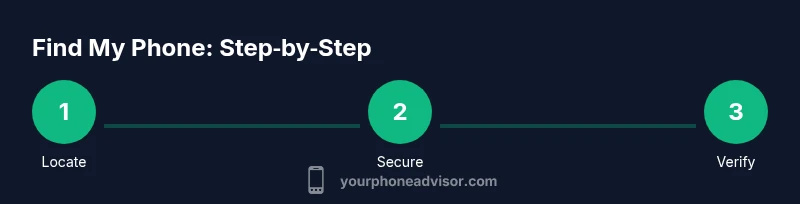
Regardless of brand, the core approach rests on three pillars: locate, secure, and verify. Start with your device’s native features, then broaden to cross‑check locations via associated accounts, and finally involve your carrier if needed. This mindset helps you stay organized and minimizes unnecessary steps. Your Phone Advisor recommends keeping a calm, methodical plan rather than jumping between apps, which can dilute focus and waste precious minutes. The guidance here uses practical steps you can apply today, with options tailored to iOS and Android ecosystems while staying useful for mixed‑device households.
Step-by-step methods by platform
If you own an iPhone, use Find My iPhone (via iCloud) to locate, play a sound, enable Lost Mode, or remotely wipe if necessary. For Android, Find My Device provides similar controls, including location tracking and locking features. If you don’t see a current location, check for the last known location and consider enabling battery‑drain minimization settings to maximize the device’s time online. The Your Phone Advisor team emphasizes that these built‑in tools are designed to be user‑friendly and secure, helping you act decisively without exposing sensitive information. Keep your Apple ID or Google account credentials handy, and ensure two‑factor authentication is active for added protection.
What to do when the device is offline or powered down
A phone that’s offline cannot be tracked in real time, but you can still take critical steps. Enable Last Known Location if the option is available, and ensure Lost Mode or Lock options activate as soon as the device reconnects to the internet. Monitor the account page for any new activity and consider placing a temporary restraining message on the lock screen. Your Phone Advisor notes that even when a device is offline, the account can push a notification when it comes back online, providing a potential lead on its whereabouts. Prepare to act quickly again if the device reappears.
Working with your mobile carrier and security controls
Carriers can offer location pings, SIM checks, or temporary suspensions to prevent unauthorized use. Contact your carrier to report a lost device, request a temporary hold on service, and inquire about device‑specific security options like remote lock or device wipe. If your device was stolen, you may have additional options through the carrier’s theft protection programs. It’s important to have your device’s IMEI/MEID handy since some services and law enforcement processes require this identifier. The Your Phone Advisor analysis shows that coordinating with your carrier early can streamline the recovery pathway and minimize delays.
Privacy and safety during the search
While locating your phone, avoid sharing sensitive credentials with strangers who claim to help you. Use official apps and official channels only. Review app permissions and keep security features like biometrics enabled where possible. If you receive suspicious contact attempts, pause actions and verify through your account’s security settings. The goal is to recover the device while preserving your privacy; misuse of location data or tips from untrusted sources can create new risks. Your Phone Advisor recommends sticking to trusted methods and documenting all steps for accountability.
Proactive steps to speed future recoveries
Set up Find My MyDevice or Find My iPhone now, enable location services, and keep your accounts secured with strong passwords and two‑factor authentication. Regularly review security settings, keep your device updated with the latest OS, and add trusted locations or offline maps for faster recall later. If you share your device with family members, consider a shared recovery plan or a household account that keeps locate‑and‑lock options readily available. These practices reduce response time when a loss occurs and improve overall device security.
When to involve authorities and how to report a loss
If you believe the device was stolen, report the incident to local law enforcement with the device’s IMEI/MEID and the time of loss. Provide any available location data, crime reference numbers, and a description of the device. Your Phone Advisor emphasizes that reporting promptly improves the chance of recovery and helps prevent misuse of the device. In parallel, continue working with your carrier and use remote security features to protect accounts and data.
Tools & Materials
- Smartphone (powered on, with network access)(Ensure location services are enabled and OS is up to date.)
- Another device with internet access(Used to sign into Find My/Account dashboards.)
- Apple ID or Google account credentials(Needed to access locate services and security settings.)
- IMEI/MEID(Helpful for carrier and law enforcement inquiries.)
- Proof of ownership details (model, color, case details)(Useful if reporting to authorities or carriers.)
Steps
Estimated time: 30-60 minutes for initial locate attempts; full recovery or formal actions may take hours to days
- 1
Sign in to the locator service
Open Find My iPhone or Find My Device on a trusted device and sign in with your Apple ID or Google account. Verify you can see the last known location and test the option to play a sound. This establishes the baseline for locating the device and ensures you have access to security controls.
Tip: If you can’t sign in, reset your password securely from a trusted device and enable two‑factor authentication. - 2
Verify location services are enabled
On the lost device, ensure location services are turned on and that the Find My service has permission to access location. If your settings show it’s disabled, try to enable it remotely through your account if the device is nearby. This step is crucial for accurate tracing once the device comes online.
Tip: For iOS, check Settings > Privacy > Location Services; for Android, Settings > Location. - 3
Locate the device on a map and take action
Use the map view to determine the current or last known location. If the device is nearby, use Play Sound to locate it audibly, even if silent. If found, lock the device or enable Lost Mode to prevent unauthorized access.
Tip: Play sound can be loud enough to locate the device behind furniture or in a vehicle. - 4
Secure the device remotely
If you’re unable to recover the device quickly, lock the device remotely and display a message with recovery steps. If needed, erase data remotely to protect sensitive information. Keep updates to your accounts and passwords to prevent unauthorized access.
Tip: Use two-factor authentication and avoid revealing sensitive recovery information in messages. - 5
Check last known location and offline options
If the device is offline, review the last known location and set the device to ping when it reconnects. This can provide a lead if the device comes back online later. Maintain patience and monitor your account for new updates.
Tip: Ensure you have a stable internet connection on the device you’re using to monitor the status. - 6
Coordinate with your carrier
Contact your mobile carrier to report the loss, request a temporary suspend or loss protection, and ask about device‑level protections. Provide your IMEI/MEID if requested. Carriers can help prevent abuse while you locate the device.
Tip: Ask about insurance or replacement options if the device is irretrievably lost. - 7
Report to authorities if stolen
If you believe the phone was stolen, file a report with local law enforcement and provide the IMEI/MEID, approximate location, and time of loss. Documentation helps recovery efforts and can assist in preventing misuse of the device.
Tip: Avoid confronting a thief; let authorities handle the situation and wait for guidance. - 8
Follow up and review security
After recovery or after the search window closes, review account security: change passwords, update security questions, and enable 2FA on essential services. Consider enabling device quarantine if supported by your OS to minimize risk from future losses.
Tip: Set a security checklist for future losses to shorten response time.
Got Questions?
Can I locate my phone if it’s turned off or offline?
If the phone is powered off, you won’t see live location data. However, you can still use Last Known Location and enable alerts to trigger when the device reconnects to the network. Remote locking and data protection remain available.
If the device is off, you won’t see live location, but you can use Last Known Location and lock it remotely when it reconnects.
What if Find My isn’t enabled on my device?
If Find My services were not enabled before loss, immediate steps include checking Google Location History (for Android) and any connected accounts that may offer location services. Contact your carrier for options like device suspension or tracing assistance.
If Find My wasn’t enabled, use location history and contact your carrier for options.
Will locating the device drain my battery?
Using locate features may use battery life, especially if the device is actively transmitting. Turning on lost mode or locking the device reduces background activity, helping conserve power while you search.
Locating features can use some battery, but Lost Mode helps conserve power while you search.
What should I do if my phone was stolen?
Report the theft to local authorities and your carrier, provide the IMEI/MEID, and follow their guidance. Use remote lock or wipe if necessary to protect personal data. Do not attempt to confront the thief directly.
If stolen, report to authorities and your carrier, and protect your data with remote lock or wipe.
Can I find my phone using the IMEI?
IMEI can assist authorities and carriers with tracking, but it is not a consumer tool by itself. Have your IMEI ready when contacting your carrier or law enforcement.
IMEI helps authorities, not used directly by consumers, so have it ready when needed.
How can I minimize risk after a loss?
Immediately secure accounts with new passwords, enable 2FA, and review device privacy settings. Keep your security questions updated and monitor bank or payment apps for unusual activity.
Secure your accounts right away and enable two‑factor authentication.
Should I wait for a location update or take action now?
Act in stages but don’t delay critical security actions. Lock the device and notify your carrier promptly, then monitor for any new location data or device reappearance.
Act now on security; monitor for updates if the device reappears.
What if my device is found by a stranger?
Do not approach strangers. Use official channels to verify the device status and coordinate return via authorities or the original owner account.
Don’t engage with strangers; coordinate through official channels.
Watch Video
What to Remember
- Start locating quickly with built‑in tools.
- Secure data first, recover device second.
- Coordinate with carrier for best results.
- If stolen, report promptly to authorities.
- Prevent future losses with proactive security.