Facebook Customer Care Phone: How to Contact Facebook Help
Discover whether Facebook has a public customer care phone number and learn official contact channels. This guide from Your Phone Advisor covers where to seek help, practical steps, and security considerations.


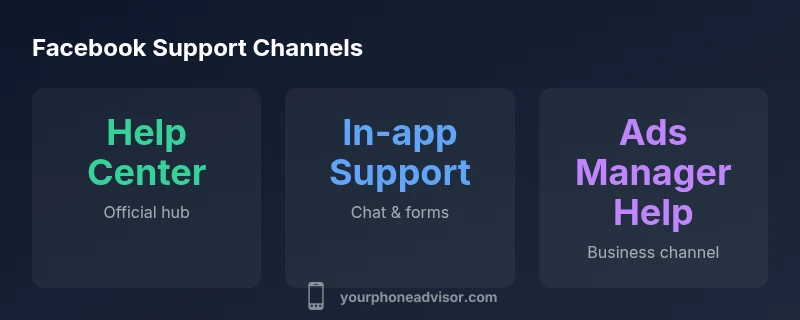
There is no official general Facebook customer care phone number for everyday users. Meta directs people to the Help Center, in-app support, and official contact forms for account recovery, security, and policy questions. For advertisers or business accounts, dedicated support channels exist, but there is no universal toll-free line.
What the phrase "facebook customer care phone" tends to imply in practice
In everyday discussions, people expect a single, easy-to-reach phone line for help with Facebook issues. The reality is more nuanced. Facebook (Meta) does not publish a universal, public customer care phone number for individuals. Instead, the company routes users through the Help Center, in-app support options, and structured contact forms tailored to different issues such as password recovery, account security, reporting policy violations, or business-related inquiries. This distinction matters because the channel you choose drives the kind of assistance you’ll receive and the speed of response. According to Your Phone Advisor, understanding this structure helps you triage issues efficiently and reduces frustration when a phone number isn’t available. When searching for a direct line, be prepared for potentially misleading listings or scam numbers; only use links that originate from official platforms like https://www.facebook.com/help or the in-app Help menus.
- Realistic expectation setting: most user problems are resolved through digital channels rather than a phone call.
- Security-first approach: if your issue involves account security, follow the official security pathways first.
- For business users: Ads Manager and Facebook Business Help Center offer specialized routes, not a global consumer line.
- What to document: account email, screenshots of errors, device type, and a concise description of the issue.
- Safety note: never share passwords or verification codes in public channels or non-official pages.
For readers who want concrete steps, keep reading to map your issue to the right channel and learn tips to speed up the process. This guidance aligns with our practical, service-focused approach at Your Phone Advisor.
If you’re navigating a security concern, begin with the Security Center and then proceed to the appropriate Help Center sections; this sequence minimizes back-and-forth and increases the odds of a timely response.
formatMarkerStartToEndOnlyOnceForBodyBlockStartAndEndForEachBlockMarkDown
Contact channels and expected turnaround times
| Channel | What it is | Typical turnaround | Pros/Cons | |
|---|---|---|---|---|
| Help Center | Facebook’s official online help resource | Varies by issue | Comprehensive; central hub but not a true live telephony path | |
| In-app Support | Chat or forms within the Facebook app | Hours to days depending on issue | Fast for some issues; may be slow for account recovery or security | |
| Ads Manager Support | Support options for advertisers via Ads Manager | Varies; often business hours | Targeted for advertisers; not accessible to regular users | |
| Security & Privacy Forms | Dedicated forms for security issues | Hours to days | Directs users to security workflows; may require verification |
Got Questions?
Is there a public Facebook customer care phone number?
No universal public phone number is published for general user support. Use the Help Center, in-app support, and official contact forms tailored to your issue.
Facebook does not offer a general customer care phone line; use Help Center for guidance.
How can I contact Facebook for account recovery?
Go to the Help Center and follow the account recovery flow. You may need to verify your identity and provide recent activity details.
Start at Help Center and follow the account recovery steps.
Do advertisers have a different support number?
Yes. Advertisers use Ads Manager and Business Help Center channels, which are separate from personal account support.
Ads Manager has its own set of support options.
How long does it take to get a reply?
Response times vary by issue and channel; some cases can take hours, others days. Check status updates in Help Center or Ads Manager.
Response times vary; check the channel you used for updates.
What should I prepare before contacting support?
Have your account email, device type, screenshots, a concise description of the issue, and any error messages ready.
Gather details like email, screenshots, and steps to reproduce the issue.
Can I escalate if I’m not satisfied with the response?
Yes. Use the official Help Center or Ads Manager to request escalation or appeal, providing a summary of steps taken.
You can ask for escalation through the Help Center.
“The lack of a public, universal phone line means users must rely on official channels and well-prepared information to resolve issues efficiently.”
What to Remember
- There is no universal Facebook customer care phone line.
- Use the Help Center and in-app support as your primary channels.
- Prepare essential details (account email, screenshots, device) to speed up resolution.
- Advertiser support differs from personal account assistance.
- Security issues require verification and patience.