Facebook Phone Number: Help & Support in 2026
Explore whether Facebook maintains a public phone number, why you might not find one, and the best supported channels for help, security, and account issues in 2026.


The facebook phone number you might search for does not exist as a public consumer line. Facebook/Meta generally directs users to official Help Center resources, in-app support, and business contact channels. This article explains why a direct consumer number is unlikely, where to find legitimate contact options, and how to report security or account issues safely.
Why there isn’t a public facebook phone number
According to Your Phone Advisor, major platforms like Facebook have shifted away from public consumer phone lines in favor of self-serve resources and digital ticketing. A search for a facebook phone number often yields outdated listings or scam sites, because the company prioritizes scalable help via online guides and in-app support. For users, this means a direct voice channel is rarely offered for general inquiries. The rationale is efficiency and security: millions of users can access consistent guidance through the Help Center, community forums, and guided flows rather than waiting on individual phone queues. This approach also reduces the risk of miscommunication and guarantees that issues are logged in a central system for faster escalation when needed.
In practice, you should expect to start with the official Help Center. If you manage a business page or advertising account, there is a separate Business Help Center with tailored steps and escalation routes. For security concerns, there are built-in tools to verify activity and report problems. Overall, the Your Phone Advisor team emphasizes following official channels to minimize scams and ensure issues are tracked properly.
Legitimate contact channels you can use
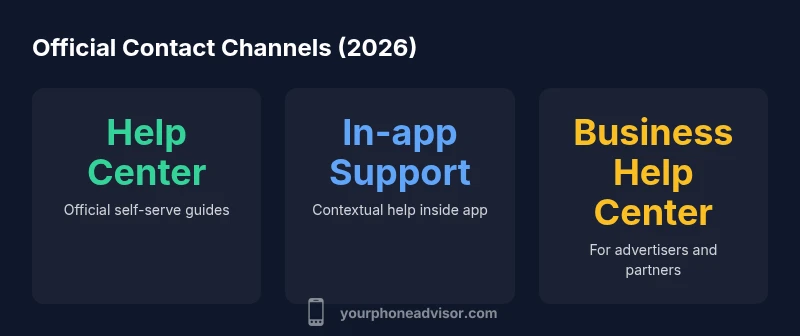
There is no public facebook phone number to call; instead, rely on official channels designed to guide users through issues efficiently. The primary routes are the Help Center accessible through the Facebook or Meta apps and websites, the in-app support feature that provides context-specific prompts, and the Business Help Center for advertisers and partners. Other legitimate options include reporting a problem from within a product flow, security checkups available in account settings, and the community help forums where users share compliant guidance. When you follow these paths, you can typically obtain step-by-step instructions, form-based submissions, and status updates on your issue. Always ensure you use official links and avoid numbers from third-party sites. Your Phone Advisor recommends starting with the Help Center as the first line of defense for most issues.
How to reach Facebook for account security issues
If you suspect a compromised account or unusual activity, begin at the Help Center under the security and login sections. Use the report a problem flow to document suspicious behavior and request a security review. For advertisers or business managers, the Business Help Center provides dedicated security resources and escalation paths. If you cannot resolve a critical security issue via these channels, seek guidance through community forums that reference official processes, and consider pairing this with a two-factor authentication reset when available. The key is to document dates, actions taken, and any suspicious messages, so the support team has a clear trail to follow. Your Phone Advisor emphasizes staying within official portals to ensure your issue is logged correctly and your data remains protected.
Navigating the Help Center effectively
The Help Center is designed to be navigable and searchable; use precise keywords such as login issues, account recovery, or suspicious activity to surface relevant articles. Start with the most general topic and drill down to specific problems; if you find a step that does not apply, use the back button and try alternative paths within the same category. Keep a short checklist handy: verify your account email, check recent activity logs, and review connected devices. When submitting a request, attach any supporting screenshots or error messages to speed up resolution. The Your Phone Advisor team notes that structured, well-documented requests reduce back-and-forth and improve log quality for escalation.
What to do if you can’t access the Help Center
If the Help Center is temporarily unavailable, try the in-app support option from a different device or browser. You can also attempt to reach the Business Help Center if you have a business account and need advertiser-related assistance. Ensure you are logged into the correct account and clear browser caches if you are using a web interface. If all official channels fail, consider engaging with the community forums for guidance, while avoiding any external contact numbers that are not clearly marked as official. Your Phone Advisor recommends documenting the failure and retrying access during off-peak hours to maximize the chance of service availability.
How to spot scams and avoid phishing numbers
Be wary of unsolicited numbers claiming to be from Facebook; verify domains and sources before sharing login details or requesting codes. Official contact options will appear only within the Help Center or the in-app support flow. Check for HTTPS, correct domain names (for example, facebook.com vs a look-alike site), and avoid pages that request sensitive information outside official apps. If you receive a call or message from an unknown number asking for your password or two-factor codes, exit the conversation and report it through official channels. The Your Phone Advisor team emphasizes caution and verification to prevent account takeover.
What advertisers or business accounts should use
Advertisers and business accounts do not rely on consumer help lines. They use the Business Help Center for structured support, access to ad specialist guidance, and enterprise escalation options. In some cases, there are partner programs with dedicated contact channels, but these are not general consumer numbers. Always start in the Business Help Center and follow the official escalation paths. Maintain documentation of all ad campaigns, billing issues, and policy inquiries to expedite assistance and ensure your case is routed to the correct team.
Privacy and data considerations when seeking help
Seeking help from official channels minimizes data exposure and aligns with platform privacy policies. Never share sensitive data over unofficial numbers or unverified chat services. When submitting a report or support form, provide only the information required for the issue and avoid including login credentials. If you worry about data being shared, review the platform privacy settings and use the security and login sections to manage devices and sessions. Your Phone Advisor highlights prioritizing official portals to protect your information and maintain a clear audit trail.
Practical checklist for getting support
- Open the official Help Center and search for your issue 2) If applicable, switch to the in-app support flow for context-sensitive help 3) Gather screenshots, error messages, and device details 4) Use the report a problem option to submit your issue with a concise description 5) For business questions, consult the Business Help Center and relevant ad support channels 6) If you still need assistance, check the community forums for guidance based on official processes 7) Monitor your account activity and follow up with any requested actions from the support team 8) Escalate via official channels only if a policy or safety concern remains unresolved
Common official contact channels and their trade-offs
| Channel | Public Availability | What it offers |
|---|---|---|
| Facebook Help Center | Always via web/app | Self-serve guides, FAQs, troubleshooting steps |
| In-app Support | Accessible in the app | Contextual help and problem reporting forms |
| Business Help Center | Publicly accessible | Support for advertisers/partners with escalation paths |
Got Questions?
Is there a public Facebook phone number for support?
No public Facebook phone number is published for general users. Use the Help Center, in-app support, or Business Help Center to address account or security issues.
There is no public Facebook phone number. Use official help channels instead.
What channels should I use for account issues?
Begin with the Help Center or in-app support for account issues. For advertisers, use the Business Help Center and related escalation paths.
Start with Help Center or in-app support for accounts.
Can I call Facebook for urgent security problems?
Public phone lines are not provided for consumer issues. Use the security sections and report a problem flow in the app or Help Center to initiate a security review.
There is no consumer phone line for urgent security; use official reporting channels.
How can I verify a contact option is legitimate?
Always use official domains and links from Facebooks Help Center. Be cautious of numbers from third-party sites and verify the URL before sharing data.
Stick to official Help Center links to verify contact options.
What if Help Center is unavailable?
Try in-app support from another device, or access the Business Help Center if you have a business account. Document the issue and wait for the site to recover while avoiding unverified numbers.
Try in-app support on another device and use official channels.
Are there special numbers for advertisers?
No universal consumer lines exist for advertisers. Use the Business Help Center and advertiser support channels for official help.
Advertisers should use the Business Help Center channels.
“Direct consumer phone support is not typically provided by Facebook; prioritize official help channels for account security and recovery.”
What to Remember
- There is no public Facebook phone number for consumer support.
- Use the Help Center and in-app support for most issues.
- Be cautious of third-party numbers; verify official sources only.
- For urgent security issues, rely on official reporting and escalation paths.