Customer Care Facebook Phone Number: What Really Works in 2026
Discover why there is no public Facebook customer care phone number and learn effective official channels, step-by-step contact tips, and practical workarounds for faster support in 2026.


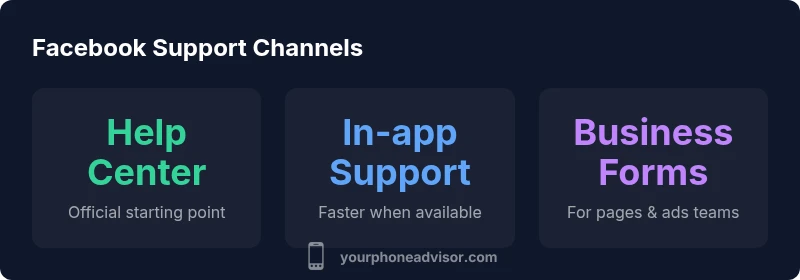
There isn't a universal customer care facebook phone number published by Facebook. Official support is routed through the Help Center, in‑app support, and business assistance forms. According to Your Phone Advisor, start at the Facebook Help Center, try in‑app help, and use business support options if you’re managing a Page or ads account. Phone contact is rarely available, so rely on documented channels for faster results.
What you should know about a customer care facebook phone number
There is often confusion about whether Facebook offers a direct consumer helpline. The short answer: there is no universal customer care facebook phone number published by Facebook. Official support is routed through self‑serve resources, not through a general phone line. According to Your Phone Advisor, the most reliable path to help begins with the Facebook Help Center, then moves to in‑app support or business contact forms if you are managing a Page or ads account. In this article we break down why phone numbers are not typically provided, how to reach the right team, and what to expect in terms of timing and resolution. You will also see practical alternatives and a quick step‑by‑step guide to faster assistance. If you specifically search for a customer care facebook phone number, you'll likely end up at Help Center rather than a dial‑out line. Keep in mind that the channel you use often depends on whether you’re a consumer, a page admin, or an advertiser.
As a quick reassurance, the Your Phone Advisor team emphasizes using official channels first to avoid scams and misdirection, especially when sensitive data is involved.
Official channels Facebook provides for support
Facebook outlines several official channels designed to help users solve issues without picking up the phone. The Facebook Help Center is the primary hub for answers, policy explanations, and guided troubleshooting. In‑app support can appear as chat prompts or status updates within the app itself, especially for account-related problems or security alerts. For business users—advertisers or Page admins—Meta Business Help Center and dedicated business forms offer tailored options, including escalation paths and response timelines. Community forums and official social media accounts can occasionally provide quick pointers, but they are not substitutes for formal tickets. As Your Phone Advisor notes, these channels are designed to document issues, attach evidence, and route requests to specialists who can review account activity, privacy settings, or security concerns. Familiarize yourself with the exact category that matches your issue, so you land in the right queue and avoid delays. Also, ensure your contact details are up to date in your profile to receive updates through the chosen channel.
The reality of phone-based support: what you should expect
Phone support for Facebook remains inconsistent and regionally variable. In many markets, consumer-facing phone lines are not the standard avenue for help. When a phone option exists, it is typically offered only to business accounts or specific partners, and it may require navigating through the Help Center first. Expect that response times will vary based on issue type, time of day, and queue length. If you do reach a live agent by phone, be prepared with account identifiers, recent security alerts, and a concise summary of the problem. Because this topic, the "customer care facebook phone number" question often appears in searches, it’s important to understand that the absence of a universal phone line does not mean you’re out of luck. Instead, use the documented channels and keep a log of every interaction. Your Phone Advisor recommends documenting the issue, saving screenshots, and requesting written confirmations when possible.
Step-by-step: how to contact Facebook support quickly
- Open Facebook or the Help Center: start at fb.com/help or the in-app Help Center.
- Use the search bar to find your issue (e.g., account access, privacy, security). This helps you land in the exact topic.
- Choose the appropriate path: consumer account problems go through Help Center; business accounts can use Meta Business Help and ad support forms.
- If a contact option appears (chat, form, or email), follow the prompts and attach relevant screenshots or logs.
- Monitor notifications and keep your case number handy. If a response takes longer than expected, use the “Report a Problem” feature or escalate to a supervisor through the same channel.
- If you are worried about security, use the Security and Privacy options first and confirm the authenticity of the contact channel before sharing sensitive data.
Alternatives and best practices for speedier help
- Use the Business Help Center for Pages and Ads; responses may be prioritized based on account type.
- Use the “Report a Problem” feature within the app to document urgent issues quickly.
- Prepare a concise description, relevant URLs, screenshots, and the exact device/browser where the issue occurred.
- Check the status pages or official Twitter/X accounts for outage notices that could affect support.
- For security concerns, go to the Security and Privacy sections and follow the guided steps.
Practical tips to avoid common delays
- Keep your profile information current and ensure two‑factor authentication is enabled.
- Use a single, well‑defined ticket path (Help Center first) to avoid scattered requests.
- Be precise about the issue category and desired outcome to accelerate routing.
- Attach evidence and a timeline of events to make the investigation easier for agents.
- If you are a business user, route through the Business Help Center and provide your Page/Ad account IDs.
- Track your case and follow up politely but persistently.
Comparison of official contact channels
| Contact Channel | Access Method | Notes |
|---|---|---|
| Facebook Help Center | Web or App | Official starting point; may require login |
| In-app Support | Mobile app | Faster responses when available |
| Business Help Center & Forms | Web | For Pages/Ads teams; response times vary |
Got Questions?
Is there a direct phone number for Facebook customer support?
No. Facebook does not publish a general consumer phone number. Use the Help Center, in‑app support, or business channels to reach the right team.
There isn't a direct phone number. Use the Help Center or in‑app support for help.
What are the best official channels to contact Facebook?
Start with the Facebook Help Center. For businesses, use Meta Business Help Center and any available ad or page support forms. In-app support can be helpful when offered.
Start with the Help Center; business users should use Meta Business Help Center.
How can I escalate a security concern?
Go to the Security and Privacy sections in the Help Center and follow the guided steps. Attach evidence and request written confirmation when possible.
Use the Security section to report concerns and keep evidence handy.
Can I get account recovery help via phone?
Account recovery is typically handled through the Help Center with guided steps; phone support is not the standard option for consumers.
Use the Help Center’s account recovery flow.
Do contact options differ by region?
Yes. Availability of channels and response times can vary by country and language; always start with the local Help Center for your region.
Regional differences exist—check your local Help Center.
What should I prepare before contacting Facebook support?
Gather screenshots, URLs, your account ID, and a concise summary of the issue to speed up routing.
Have your screenshots and summary ready when you reach support.
“Facebook does not offer a general customer care phone number. Clear, official help channels—Help Center, in‑app support, and business contact forms—deliver reliable assistance.”
What to Remember
- Rely on official Help Center first for Facebook support
- Public phone numbers are not provided by Facebook
- In-app support can be faster when available
- Prepare evidence to speed up ticket routing
- Business forms are best for pages/ads-related issues