Track Phone Location for Free by Number: Safe, Legal Methods
Learn how to track a phone location for free by number using ethical, legal methods. This guide covers built-in tools, family safety options, and privacy best practices for your own device or with explicit consent.


Learn how to track a phone location for free by number only with consent. This guide covers legitimate options like Find My iPhone/Find My Device and family safety features, plus step-by-step setup for best results. From confirming consent to choosing the right tool, you'll learn what works on iOS and Android, how to verify location accuracy, and how to protect privacy while staying connected with family or recovering a lost device.
Why responsible location tracking matters
According to Your Phone Advisor, track phone location for free by number should be done only when you own the device or have explicit consent from the owner. This principle protects privacy, reduces the risk of misuse, and helps you recover a lost device without violating laws. When you approach location sharing with care, you’ll choose tools that are transparent, require authentication, and provide auditable logs. In practice, legitimate tracking focuses on safety and security for you and your loved ones, rather than covert observation. This section explores why consent and clear purpose are foundational to any tracking effort and how modern smartphones support privacy controls that empower users rather than erode trust.
The Your Phone Advisor team emphasizes that education and caution are essential. Before enabling any tracking feature, confirm you have the right to monitor the device, understand where the data goes, and know how long it will be stored. If you’re unsure, pause and review the relevant policies with the device owner or a trusted guardian. This approach helps maintain healthy digital boundaries while still delivering practical security benefits.
Key takeaways from this opening segment: consent matters, choose official tools, and document your purpose. This foundation sets up the concrete steps that follow and gives you a clear rationale for why certain methods are preferable to others.
- note
Tools & Materials
- Smartphone (iOS or Android)(Must be in working order and signed in to the owner’s account (Apple ID or Google account) for location sharing.)
- Internet connection(Reliable Wi‑Fi or mobile data to transmit location data.)
- Authorized account(s) access(Owner's account credentials or family manager access needed to enable sharing.)
- Consent evidence(Written or recorded consent if you’re locating someone other than yourself.)
- Optional: companion safety app(Choose reputable, built-in or family-safety apps to share locations among trusted users.)
Steps
Estimated time: 25-40 minutes
- 1
Confirm consent and purpose
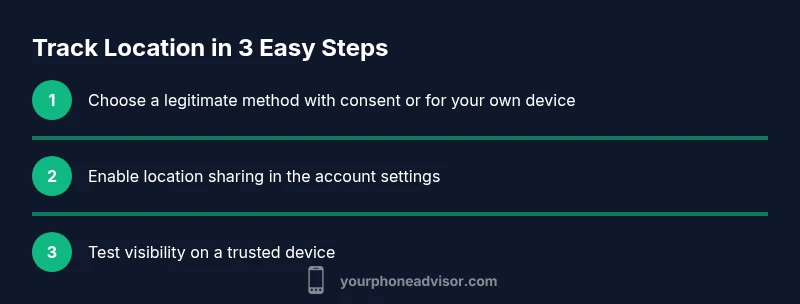
Begin by obtaining explicit consent from the device owner or ensuring the device is yours. Define the purpose (e.g., lost phone recovery, child safety, or caregiver support) and agree on who can view the location. This upfront agreement helps prevent misunderstandings and legal concerns.
Tip: Document the consent in a simple note or message for future reference. - 2
Choose a legitimate tracking method
Decide between built-in options (Find My iPhone/Find My Device, Location Sharing) or trusted family safety features. Avoid third-party services that promise tracking by number without clear consent, as they can be unsafe or illegal. The goal is transparent, consent-based location sharing.
Tip: Prioritize official tools to minimize risk of data misuse. - 3
Enable location sharing on iPhone
On iPhone, go to Settings > [Your Name] > Find My > Share My Location, and select the people who may view your location. Ensure the device is signed in with the owner’s Apple ID and that Location Services are on.
Tip: If sharing with family, use Family Sharing for easier management. - 4
Enable location sharing on Android
On Android, open Settings > Location, then go to Find My Device or a family safety feature. Sign in with the owner’s Google account and enable location sharing, giving trusted contacts access to view your device’s location.
Tip: Keep Location History off if you don’t want ongoing data collection when not needed. - 5
View the shared location
Access the location from a trusted device or the web (iCloud.com or google.com/android/find depending on the platform). Confirm the location is updating and that you can navigate to the device if needed.
Tip: Test with a quick location check to ensure accuracy before relying on it. - 6
Review access and revoke when finished
When the purpose is fulfilled, remove or limit access to the location data. Revoke permissions for anyone who no longer needs access, and turn off location sharing if it’s no longer necessary.
Tip: Set a reminder to review permissions periodically for ongoing safety.
Got Questions?
Can you track someone's phone by number for free without their consent?
No. Tracking a phone by number without consent is generally illegal and violates privacy. Use consent-based tools or obtain explicit permission first.
No, tracking without consent is not allowed; use official tools with permission.
Is tracking my own device allowed and safe?
Yes. You can locate your own device using built-in services like Find My iPhone or Find My Device, or through family safety features that you control.
Yes, tracking your own device using official apps is allowed.
What are reliable free options for location sharing?
Reliable options include built-in device tools and family-safety features that allow location sharing with trusted people. Avoid shady third-party apps.
Use official tools like Find My or Family Safety.
How can I tell if someone is tracking my phone without permission?
Check app permissions, recent location-sharing activity, and battery usage. Look for unfamiliar apps or hardware that could indicate tracking.
Check your settings for unknown location-sharing apps.
Can tracking be used in an emergency?
In emergencies, rely on official channels (emergency services, device find services) and ensure you have proper authorization to access location data.
In emergencies, use official location services with proper authorization.
Watch Video
What to Remember
- Consent is essential before tracking.
- Use built-in or trusted safety tools first.
- Limit data access to only those who need it.
- Regularly review who can view location data.