How to Track Location by Phone Number Free: A Legal, Step-by-Step Guide
Learn legitimate, consent-based methods to locate a device without breaking privacy rules. This guide covers built-in tools, family sharing, and carrier options to track location responsibly.


You cannot legally track someone’s location by just their phone number for free. Instead, use consent-based methods like Find My iPhone, Find My Device, or family sharing, along with carrier options. This guide explains safe, legal steps, common limitations, and privacy considerations so you can locate a device without breaching trust or law.
What tracking location by phone number free really means
The phrase track location by phone number free is a common search, but there is no universally available free service that reliably locates a device just from a number without consent and proper authorization. According to Your Phone Advisor, legitimate location sharing hinges on explicit consent, authenticated accounts, and respected privacy boundaries. In practice, you should view location sharing as a permission-based tool rather than a magic button for real‑time tracking. If you need to locate a device, ask for consent first and use official features designed for safety and transparency. Remember that privacy laws vary by country and even by state, so staying within permitted uses protects you and the person being located. The goal is to reduce risk, not to bypass safeguards that protect personal data.
When people ask about tracking location by phone number free, they often encounter scams or vague services that promise free results but demand risky permissions. A trustworthy approach centers on consent, owner control, and documented access through reputable platforms. Your Phone Advisor recommends starting with the simplest, built‑in options that require minimal setup and provide clear opt‑in indicators to all parties involved.
Why free tracking by number is often unreliable and potentially illegal
Free or third‑party services that claim to locate someone by number typically rely on questionable data sources, questionable consent, or outright misinformation. In many regions, actively tracking a person without explicit consent can violate privacy laws and may expose you to civil or criminal penalties. Even when consent is involved, data access may be limited to the device owner or require authentication on both ends. The safest path is to use official tools that are designed for transparency and control by the device owner. Your Phone Advisor emphasizes sticking to methods that preserve trust and legal compliance rather than chasing free hacks that compromise privacy.
This is also why many carriers and device manufacturers restrict location access to registered accounts. Free claims often omit critical details like who can see the location, how long data is stored, and what happens if access is revoked. If you need to locate a device, plan a consent-based workflow and rely on built‑in services that log actions for accountability.
Legitimate, consent-based options to locate a phone
There are several legitimate paths to locate a phone with consent. Built‑in features such as Find My iPhone and Find My Device provide map views, live status, and remote options like sound or lock. Family sharing and trusted contacts enable location sharing within a controlled group. Carriers often offer family or device‑share plans that let a payer or designated family member see a device’s location with user consent. Third‑party apps exist, but they require explicit permissions and ongoing user authorization. Always inform the person whose device is involved and obtain clear consent before enabling any tracking feature. Your Phone Advisor strongly recommends using official tools rather than unverified services.
Step-by-step setup for Find My iPhone / Find My Device
To begin, ensure the target device has location services enabled and that the owner is signed into the correct account. On iPhone, open Settings, tap the user name, then Find My, and turn on Find My iPhone. On Android, go to Settings, Google, then Find My Device, and enable location access. Confirm that the device is associated with your account or with a family group you legitimately belong to. If you’re sharing with a family member, enable location sharing in Family Link or Google Family Safety as appropriate. Finally, test the feature by locating the device from another trusted device to verify accuracy and permissions.
Tip: keep your own devices updated so you see accurate locations and maintain secure authentication to prevent unauthorized access.
How to set up carrier and family sharing options
If you’re not using built‑in device features, contact your mobile carrier to explore location sharing options that are designed for family safety and device recovery. Many carriers support family plans that allow a designated member to view the location of other family devices after proper consent and authentication. Always ensure explicit user approval before enabling carrier location sharing and review the settings regularly to revoke access when it’s no longer needed. This helps maintain privacy while providing a practical recovery option for lost devices.
Privacy, security, and best practices for location sharing
Location sharing should be treated as a sensitive capability. Always obtain explicit consent, limit access to verified contacts, and regularly review who can see the location. Use long, unique passwords and enable two‑factor authentication for the accounts involved. Keep devices updated with the latest OS and security patches. Be mindful that sharing a location can reveal sensitive patterns, so only enable sharing for as long as needed and disable it afterward. Your Phone Advisor recommends documenting consent and establishing a clear purpose for location sharing to minimize risk.
Common scams and red flags you should ignore
Beware of services that promise free tracking by number without requiring consent or authentication. These often ask for sensitive data, request full access to your accounts, or offer suspicious guarantees. Legitimate tools will always show who is sharing location and provide an audit trail of access. If something feels off or requires unusual permissions, stop and reassess. Your safety and privacy come first, and sticking to official tools reduces exposure to fraud.
Tools & Materials
- Smartphone with location services enabled(Both devices should have location services turned on and be connected to the internet.)
- Active Apple ID or Google account(The account should be the owner’s, or you must have explicit consent if sharing with family.)
- Explicit consent from the device owner(Consent should be documented and revocable at any time.)
- Stable internet connection(Needed for real-time location updates and verification steps.)
- Access to official location-sharing tools(Use built-in tools (Find My, Find My Device) or carrier family sharing features.)
Steps
Estimated time: 45-60 minutes
- 1
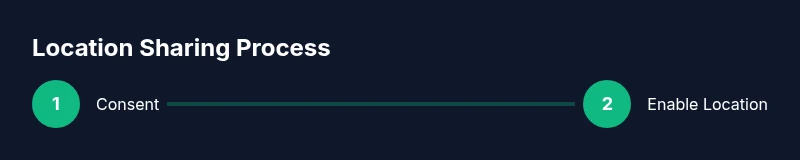
Confirm consent and intent
Clarify with the device owner why you need location access and obtain explicit permission in writing or via a documented setting. This ensures ethical use and reduces privacy risk.
Tip: If in doubt, pause and discuss the purpose before enabling any tracking feature. - 2
Verify device accounts
Make sure the target device is linked to an account you are authorized to access (owner’s Apple ID or Google account). Cross-check that the device is listed in the correct account’s account settings.
Tip: Only proceed if you have explicit authorization from the owner. - 3
Enable location services
On the device, ensure location services are turned on and that the correct permissions are granted to the locating service. This step is essential for accurate tracking.
Tip: Keep permissions for location active only while needed. - 4
Use Find My/Find My Device
Access Find My iPhone or Find My Device from another trusted device or browser. Verify the device appears on the map and test functions like Play Sound or Lock.
Tip: If the device is offline, you can enable notifications when it comes online. - 5
Set up family or carrier sharing
If you aren’t using built‑in find tools, configure family sharing instructions or carrier-based location sharing, ensuring you’ve got consent and proper authentication.
Tip: Regularly review who has access and why it’s needed. - 6
Test the setup with a trusted contact
From a second trusted device, verify that location updates appear as expected and monitor the accuracy for a short period.
Tip: Document the test results for accountability. - 7
Review privacy settings
Audit permissions, revoke access when it’s no longer required, and ensure you’re complying with applicable privacy laws.
Tip: Set a reminder to re-evaluate permissions periodically. - 8
Follow legal and ethical guidelines
Always adhere to laws and platform policies. If uncertain, consult legal guidance or switch to non‑tracking alternatives like mutual check-ins.
Tip: When in doubt, prioritize privacy and consent above convenience.
Got Questions?
Is it legal to track someone's location by their phone number for free?
Generally no. Tracking someone without explicit consent may violate privacy laws. Use consent-based methods and official tools instead.
Tracking someone without consent is usually illegal. Use consent-based methods and official tools to stay compliant.
What are legitimate ways to locate a phone with consent?
Use built-in tools like Find My iPhone or Find My Device, enable family sharing, or use carrier location sharing with proper permission.
Legitimate ways include built-in tools, family sharing, and carrier options with consent.
Can I track my own phone if it is lost or stolen?
Yes. Use Find My services to locate or remotely secure the device. If necessary, contact your carrier for help.
Yes, use Find My services; if needed, contact your carrier for assistance.
Are there risks to enabling location sharing?
Yes. Sharing location can expose sensitive data; share only with trusted contacts and review permissions regularly.
There are privacy risks; share with trusted people and review often.
What should I do if tracking doesn’t work as expected?
Check that location services are enabled, permissions granted, and that the accounts are correctly linked. If still failing, consult official support resources.
Verify settings and permissions; if needed, reach out to official support.
Watch Video
What to Remember
- Use consent-based methods for location sharing
- Rely on official tools rather than third-party sites
- Regularly review and revoke permissions when not needed
- Keep privacy and legality at the forefront of each step