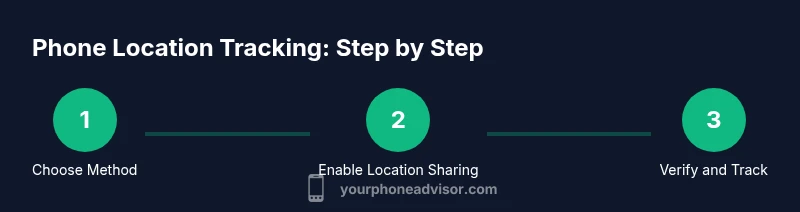
How to Track a Cell Phone Location: A Practical How-To
Learn safe, legal ways to track a cell phone location using built-in tools, consent-based sharing, and practical steps to protect privacy and security.


Quick Answer: You can track a cell phone tracking location legally and safely for purposes like security or recovery by using built-in tools with consent, family sharing, or verified third‑party apps. Always obtain explicit permission, review privacy settings, and be aware of regional laws. This guide shows how to enable location sharing and locate a device on iOS and Android.
Why Location Tracking Matters and Legal Boundaries
Tracking location can be a powerful tool for recovering a lost device, coordinating family safety, or protecting company assets. However, it also touches personal privacy and civil liberties. According to Your Phone Advisor, any form of location tracking should be done with clear consent from the person being tracked and within the bounds of applicable law. In many places, consent is the fundamental requirement, and unauthorized tracking can expose you to civil or criminal consequences. Before you enable any tracking feature, confirm the purpose, scope, and duration of data collection, and document the agreement if possible.
Location data can reveal sensitive information, such as daily routines, travel patterns, and personal contacts. This means you should only share location data with trusted individuals, use short retention periods, and disable sharing when it is no longer needed. For personal devices you own, like a phone you use yourself, you still owe yourself basic privacy rights—regularly reviewing permissions, understanding what data is collected, and how long it is stored. If you are managing devices for others (children, employees, or vulnerable adults), implement policy-based controls, limit who can view data, and set automatic expiration for shared access. The overarching goal is to balance safety and privacy, ensuring tracking is useful without becoming intrusive. This is why a cautious, informed approach is essential, and why Your Phone Advisor emphasizes legal compliance and ethical use as the foundation of any tracking plan.
Methods for Location Tracking on Modern Smartphones
Smartphones offer a mix of built‑in tools and third‑party options to locate a device. Core technologies include GPS, Wi‑Fi positioning, and cellular network data. When used responsibly, these methods help you recover a device, confirm a loved one’s safety, or manage assets in a business context. The most reliable options are built into the device’s ecosystem (e.g., Find My on iOS and Find My Device on Android), which are designed to respect privacy controls and consent settings. Third‑party apps can extend functionality, but they often require broader data access and may raise privacy concerns. Always choose reputable, consent‑based solutions and review what data is collected, how long it is stored, and who can view it.
From a privacy perspective, tracking should be limited to essential cases and should not replace other safety practices. The Your Phone Advisor team recommends starting with native tools, as they typically offer clearer permission controls and simpler revocation. If you must use a third‑party option for a specific scenario (such as family safety for minors or business device management), implement strict access controls, establish retention windows, and frequently audit shared access.
Setting Up Location Sharing on iOS (Find My) and Sharing with Trusted People
On iOS, the most privacy‑preserving route is to enable Find My and share your location only with trusted contacts. This approach uses built‑in controls to reduce risk and simplify revocation. Start by turning on Find My iPhone, then enable Location Sharing with the people you trust. You can tailor who can see your location and for how long. Remember, you control the sharing settings and can disable them at any time. The process is designed to minimize data exposure while still providing a path to recovery if a device is lost.
For organizations or families using a shared account, consider adding a governance layer—document who has access, under what circumstances, and when access should be removed. The goal is to maintain transparency and reduce the chance of misuse.
Setting Up Location Sharing on Android (Find My Device) and Cross‑Platform Considerations
Android’s Find My Device service provides a parallel workflow to iOS. Enable Find My Device, grant necessary permissions for location access, and share access with trusted contacts as appropriate. Android users should be mindful of app permission requests and ensure that sharing is limited in scope. If you’re coordinating across platforms (iOS to Android or vice versa), rely on the platform‑specific tools for the best balance of accuracy and privacy, and keep all devices updated to the latest software version for the strongest protections.
Cross‑platform setups require clear boundaries: assign a well‑defined purpose for location data, limit visibility to essential participants, and revoke access when no longer needed. This approach reduces the risk of over‑sharing and protects the privacy of everyone involved.
Third‑Party Solutions and When to Use Them
In some cases, built‑in tools may not meet all needs, especially in scenarios like family safety or workforce device management. Third‑party location sharing apps can offer features such as geofencing, historical location logs, or batch device monitoring. When evaluating these options, prioritize apps that emphasize explicit consent, transparent data policies, and strong access controls. Always review data retention policies and ensure there is a clear mechanism to revoke access. Avoid apps with opaque data practices or vague privacy terms. If you do choose a third‑party solution, limit its use to the intended scope and regularly audit who can view location data.
Privacy, Security, and Best Practices for Location Tracking
Location data is sensitive, and misuse can cause real harm. Best practices include obtaining explicit consent, using location sharing only for defined purposes, and keeping permissions limited to minimal necessary access. Regularly review which contacts or devices have access, and revoke permissions when they are no longer needed. Enable automatic deletion windows where possible, and maintain a clear record of who authorized sharing. For personal devices, consider enabling additional privacy settings such as optional data minimization or reporting only when needed. Your Phone Advisor emphasizes balancing practicality with privacy, especially in educational or familial contexts where trust and transparency matter most.
Troubleshooting Common Issues and Troublesome Scenarios
If a location feed isn’t updating, verify that location services are enabled, that the device is connected to the internet, and that the correct account is used for the service. Check permission prompts and ensure that privacy settings aren’t blocking data sharing. In some cases, battery saver modes or network constraints can reduce accuracy or delay updates. Indoor environments and dense urban areas can also degrade signal quality. If you’ve recently revoked access, reauthorize sharing and verify that the intended recipients can view the data. Persistent problems may require restarting devices or updating the OS.
Real‑World Scenarios, Limitations, and Ethical Considerations
In practice, location sharing is a powerful tool but not a perfect solution. GPS signals can be obstructed indoors, and historical data requires sufficient storage and retention policies. When tracking, stay within the legal framework and respect the privacy boundaries of others. If used responsibly for safety or recovery, provide clear explanations to the involved party, document consent, and ensure data is not exploited for non‑essential purposes. This measured approach helps preserve trust and reduces the risk of misuse.
Tools & Materials
- Smartphone with internet connection(Wi‑Fi or cellular data; ensure device is powered during setup)
- Apple ID (iOS) or Google account (Android)(You’ll need this to access Find My or Find My Device)
- Location services permission(Enable on device; grant only to trusted apps/services)
- Trusted contacts (optional)(For sharing access with family or guardians)
- Access to device power(Keep devices charged during testing to avoid data gaps)
Steps
Estimated time: 30-60 minutes
- 1
Assess legality and obtain consent
Clarify the purpose of tracking, obtain explicit permission where required, and document the agreement. This helps protect privacy and reduces legal risk. If you are managing devices for children or employees, set clear boundaries and a defined scope.
Tip: Document consent in writing or via a formal approval flow. - 2
Choose a tracking method
Decide whether built-in tools (iOS or Android) meet your needs or if a third‑party app is necessary for features like geofencing or cross‑platform viewing. Start with native methods for better privacy controls.
Tip: Prioritize methods with clear revocation options and visible audit trails. - 3
Enable location sharing on iOS
Go to Settings, enable Find My iPhone, and turn on Share My Location. Select trusted contacts and set a reasonable sharing window. Test by asking a trusted contact to check if they can see your location.
Tip: Use the minimum necessary sharing window and review permissions regularly. - 4
Invite trusted contacts
Share access only with individuals who truly need it, such as family members or guardians. Limit scope to specific devices if possible, and revoke access when it’s no longer needed.
Tip: Consider setting an expiry for shared access where supported. - 5
Enable location sharing on Android
Activate Find My Device, grant location permissions, and invite trusted contacts as appropriate. Verify that the target device is visible from the chosen account.
Tip: Keep Android devices updated to ensure the latest privacy protections. - 6
Test the tracking flow
From a trusted device, initiate a test locate to confirm that location data appears correctly and in a timely manner. Check both live location and any historical data retention settings.
Tip: If updates are slow, check network connectivity and disable power saving modes temporarily.
Got Questions?
Is it legal to track someone's location?
Location tracking is legal when you have explicit consent or own the device. Always check local laws and obtain clear permission before tracking.
Location tracking is legal with consent or ownership; otherwise it can be illegal.
Can I locate my own phone without permission?
If the device is yours and you are the owner, you can locate it. For others, you must obtain consent and follow applicable policies.
If it’s your own device, you can locate it; for others you need consent.
Will location tracking drain my battery?
Location services can use more power due to GPS and data use. Balance accuracy with battery life and disable sharing when not needed.
Location services can drain battery; adjust settings to balance needs.
What should I consider before sharing my location?
Think about who can view the data, how long it is stored, and how you revoke access. Limit sharing to essential situations.
Be mindful of who sees your location and for how long.
How accurate is location data from these tools?
Accuracy depends on GPS, Wi‑Fi, and cellular data. Indoors or in dense environments, precision can vary and updates may lag.
Accuracy varies; indoor environments can reduce precision.
How do I stop sharing location after it’s no longer needed?
Turn off location sharing or revoke access from the managing app or settings panel.
Turn off sharing or remove access to stop tracking.
Watch Video
What to Remember
- Obtain consent before tracking any location data.
- Start with built-in tools to maximize privacy protections.
- Understand accuracy limits and potential battery effects.
- Review and adjust sharing settings regularly.