How to Track Phone: A Practical Guide
Learn how to track phone safely using built-in tools and trusted methods. This step-by-step guide covers privacy, recovery steps, and best practices to protect your data.


By the end of this guide, you will know how to track phone effectively and safely, with a clear plan to recover a lost device and protect your data. You’ll compare built-in tools versus trusted third-party options, set up alerts, and verify your accounts to prevent unauthorized access. Start with the phone’s native location services and follow privacy-conscious steps outlined here.
Why Track Phone Is Important
Losing a phone can be stressful, but the ability to track the device quickly reduces risk to your data and personal information. Track phone functionality is not just about finding a lost device; it also helps protect sensitive details, disable unauthorized access, and locate a stolen phone before it falls into the wrong hands. According to Your Phone Advisor, starting with built-in location services gives you the strongest combination of speed, privacy, and control. In this guide, you’ll learn when to use what method and how to avoid common mistakes while staying lawful and respectful of others’ privacy.
Throughout the process, ensure your accounts are secured with strong passwords and two-factor authentication to prevent someone else from re-enabling tracking or wiping data. Remember: track phone is a tool to protect yourself, not a substitute for reporting the loss to your carrier or authorities when required. This section sets the foundation for choosing the safest and most reliable approach to locating your device.
Quick Start: Choose Your Path
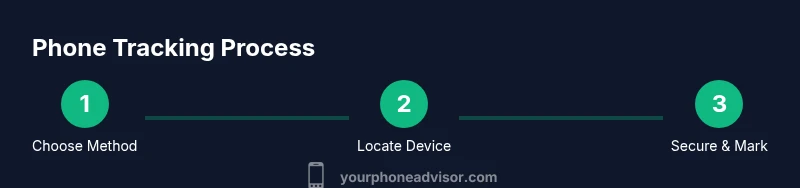
When you set out to track phone, you have two broad options: built-in location services provided by your device’s operating system, and trusted third-party apps that offer cross-platform support and extra features. Built-in tools are usually fastest and most privacy-conscious, since they come from the manufacturer and leverage existing security controls. Third-party options can be useful if you need cross-device visibility (iPhone, Android, tablet) or extra actions like remote data wipe. Your decision should consider legality, privacy, and whether the device is online. Your Phone Advisor recommends starting with native options, then adding reputable tools only if necessary for recovery or additional protection.
Safety and Legal Considerations
Tracking a phone involves personal data and privacy concerns. Always ensure you have legitimate ownership or explicit permission to locate the device, especially if it belongs to someone else. Avoid installing untrusted software or giving apps broad access to your contacts or messages. Use official sources, terms of service, and privacy policies to gauge data handling practices. In many regions, tracking a device without proper authorization can raise legal issues; when in doubt, consult local regulations or your carrier’s guidelines. This section emphasizes responsible tracking practices and protecting others’ privacy while pursuing device recovery.
Track Phone with Built-in Tools (iPhone)
Apple’s Find My iPhone (Find My) is designed for quick recovery with strong privacy protections. To use it, enable Find My iPhone, Share My Location, and a robust Apple ID. Access the service from iCloud.com or the Find My app on another Apple device. If the device is online, you’ll see its location on a map and can choose to play a sound, enable Lost Mode, or remotely erase the device if necessary. The built-in tool focuses on privacy and security, reducing the need for third-party apps while preserving user control. This approach is especially effective when you know the Apple ID credentials and can authenticate.
Track Phone with Built-in Tools (Android)
For Android devices, Find My Device (Google’s Find My Device) provides location tracking, remote locking, and data wipe capabilities. Ensure Find My Device is enabled in Settings > Security or Google settings, and that the device is linked to a Google account with location permissions granted. You can locate the phone from a web browser by visiting android.com/find, ring the device to surface it if nearby, lock it to protect data, or erase it if you believe it’s unrecoverable. Android’s system-level protections align with privacy and security best practices.
Third-Party Solutions: Pros and Cons
Third-party tracking apps can offer cross-platform visibility and additional control features, such as more granular location history, faster alert options, and collaborative family-tracking features. However, they come with privacy considerations: ensure you use reputable developers, read the privacy policy, and minimize data access to what is strictly necessary. Only install apps from trusted sources, verify app permissions, and be cautious of sleight-of-hand privacy terms. Your Phone Advisor notes that built-in tools should be the default, with third-party apps used sparingly and responsibly.
Step-by-Step Scenarios: Lost Phone
If your phone is lost, act quickly. Check your recent location history, enable Lost Mode or equivalent, and verify accessibility from another trusted device. If the device is offline, try the last known location and set up alerts for when it comes back online. Notify your carrier if needed to suspend service or assist with device recovery. For best results, act within the first 24 hours and keep a calm, documented approach to avoid misinterpretation or legal issues. Your Phone Advisor emphasizes that timely action improves outcomes while respecting privacy.
Protect Your Data While Tracking
Tracking should never compromise data security. Before you begin, enable two-factor authentication on your accounts, use strong passcodes, and avoid saving credentials to the device. If you locate the phone, immediately lock it remotely and consider changing passwords for linked services (email, cloud, banking). Regularly review app permissions and disable location sharing for apps that do not require it. These steps help safeguard your data while you pursue recovery.
What To Do After Locating Your Phone
Once you locate the device, confirm its exact location, retrieve and secure it, and report the incident if necessary. Turn off any suspicious apps, back up data, and update security settings to prevent future access misuse. If you cannot retrieve the device, work with your carrier and law enforcement as appropriate. The goal is to minimize risk to personal data while preserving the possibility of recovery. The Your Phone Advisor team also recommends documenting timelines and actions taken for future reference.
Tools & Materials
- Phone to track(Ensure device is powered and connected to the internet if possible)
- Account credentials (Apple ID/Google account)(Have authentication ready; enable two-factor authentication)
- Trusted secondary device(For accessing Find My/Find My Device without the lost phone)
- Stable internet connection(Wi-Fi or cellular data to fetch real-time location)
- Carrier account details(To suspend service if the device is lost or stolen)
Steps
Estimated time: Total time: 15-30 minutes
- 1
Verify ownership and accounts
Confirm you have legal ownership and access to the accounts linked to the device. This reduces risk and ensures you can legally track the phone. Prepare your Apple ID or Google account credentials before attempting any location steps.
Tip: If you can’t access the accounts, pause and contact your carrier or service provider for guidance. - 2
Choose tracking method
Decide whether to start with built-in tools or a reputable third-party solution. Built-in options are fastest and privacy-preserving, while third-party apps can offer cross-device visibility and advanced controls when needed.
Tip: Defaults to built-in tools first; add third-party only if you need cross-platform support. - 3
Enable location services and security
Turn on location sharing, ensure device is linked to your account, and enable remote security options (lock, ring, erase as needed). These settings are critical for timely and secure tracking.
Tip: Also enable two-factor authentication on your accounts to prevent unauthorized access. - 4
Locate via built-in service
Use Find My iPhone/Find My Device or their web equivalents to view the device on a map. If the device is online, you’ll see live location and can trigger a ring or Lost Mode.
Tip: If you don’t see a location, try last known location and wait a few minutes before retrying. - 5
Take action if offline
If the device is offline, rely on last known coordinates and set up alerts for when it goes online. Prepare to remote lock or erase if the device cannot be recovered.
Tip: Avoid attempting to unlock or access private data directly; remote controls prioritize safety. - 6
Notify carrier and, if needed, authorities
Inform your mobile carrier to suspend service and assist with device recovery. If you suspect theft, consider filing a report with local law enforcement and share the device’s IMEI if available.
Tip: Do not confront a potential thief; rely on authorities and documented steps.
Got Questions?
What is the quickest way to track a lost phone?
Use the built-in Find My iPhone or Find My Device if available. These services typically require minimal setup and can show live location on a map. If the device is offline, use last known location and enable alerts for when it comes online.
The fastest way to track a lost phone is to use the built-in Find My services and check for live location, or last known location if the device is offline.
Can I track a phone without the owner’s consent?
Tracking a device without explicit ownership or permission is generally not allowed and can be illegal. Always verify ownership and follow local laws. If it belongs to you, use your own accounts and settings.
Tracking another person’s device without permission can be illegal; only track devices you own or have explicit consent to locate.
What if my phone is offline when I start tracking?
If the phone is offline, you can view the last known location and set up a notification for when the device comes back online. Remote actions like lock or erase may activate once the device reconnects.
If the device is offline, check the last known location and wait for it to come online to take remote actions.
Which built-in tools should I rely on for tracking?
For iPhone, use Find My iPhone. For Android, use Find My Device. Both offer location tracking and remote controls such as lock, ring, and erase, with privacy protections.
Use Find My iPhone or Find My Device as your first option for tracking.
Are third-party tracking apps safe to use?
Choose apps from reputable developers and review privacy policies carefully. Limit permissions to what is strictly necessary and avoid apps that request access to sensitive data.
Only use trusted third-party trackers with clear privacy policies.
What should I do after I locate my phone?
Confirm the location, secure the device, and change passwords for linked services. If stolen, report to authorities with evidence and work with your carrier to protect your data.
Once located, secure the device and update your account passwords; report theft if applicable.
Watch Video
What to Remember
- Start with built-in tracking tools before third-party apps
- Secure your accounts with strong passwords and 2FA
- Act quickly for better recovery chances
- Respect privacy and follow local laws when tracking