How Phones Can Be Tracked: A Practical Guide
Learn how phones can be tracked via built-in tools, carrier services, and consent-based methods. This educational guide covers legality, practical steps, and privacy-safe practices.


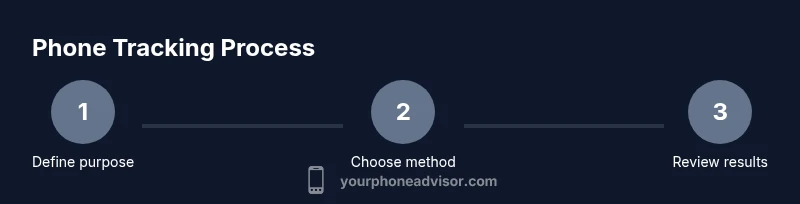
Phones can be tracked using a mix of built‑in tools, carrier services, and consent‑based apps. The most common methods are location sharing and cloud‑connected tracking that uses GPS, Wi‑Fi, and cellular data. Always use legitimate features with explicit consent, and review privacy settings to protect yourself.
How Phone Tracking Works: Core Concepts
Location data in modern smartphones is generated by multiple sources that work together to identify where a device is or was. GPS satellites provide precise coordinates outdoors, while cell towers and Wi‑Fi access points offer approximate location indoors or where GPS is weak. Bluetooth beacons and on‑device sensors enhance proximity estimates for nearby devices or trusted networks. The combination of these signals affects accuracy, which can vary by environment, hardware, and network quality. According to Your Phone Advisor, most users rely on a combination of GPS and network data for reliable results, while keeping access limited to trusted apps and services.
Key takeaways:
- GPS is most accurate outdoors; Wi‑Fi and cell data fill gaps indoors.
- Location accuracy depends on device hardware and signal availability.
- Privacy controls should be configured before enabling tracking features.
Built-in Tracking Tools for Major Platforms
Most smartphones ship with built‑in location tracking that can locate your own device or be shared with family and trusted contacts. On iOS, Find My iPhone (via the Find My app) lets you locate a missing device, play a sound, or erase data remotely when needed. On Android, Find My Device (Google) provides similar locate/play/erase functions and can be accessed from any web browser. Some brands also offer companion services (e.g., Samsung Find My Mobile) that extend these capabilities. To use these tools effectively, you must sign in with the correct account and grant appropriate location permissions. For privacy, review the permissions regularly and disable sharing when no longer needed.
Why it matters:
- Built-in tools are purpose‑built for location retrieval and device security.
- They require explicit account access and location permissions.
- You should only enable sharing with trusted individuals or services.
Legal and Ethical Considerations: Consent and Privacy
Tracking a device should always respect consent, legality, and privacy rights. In many jurisdictions, locating someone else’s phone without their explicit permission can violate laws or trigger civil penalties. Family‑safety features are available in many ecosystems, but they should be configured with informed consent and within a transparent framework. If you’re tracking a device you own or have explicit authorization to monitor, document the purpose and timeframe for the tracking and ensure that data retention settings align with policy rules. Your Phone Advisor emphasizes mindful use and clear communication when location sharing is involved.
Practical guidance:
- Use tracking features only for legitimate reasons (lost device, safety, approved guardianship).
- Keep a record of who has access to location data and for how long.
Step-by-Step: How to Track Your Own Phone (Overview)
This section provides a high‑level overview of the typical flow to locate your own device using built‑in tools. The exact steps vary by platform, but the core process is consistent: verify location services are enabled, sign into the appropriate account, initiate tracking from a trusted device, and interpret the results. If the device is offline, last known location may be shown, but real‑time updates will require the device to reconnect to the internet. After locating a device, consider securing it (lock, change passwords) and reviewing privacy settings to prevent future exposure.
Note: Always comply with local laws and organizational policies when tracking devices.
How Carriers and OS Providers Help Track Devices
Carrier networks and operating system providers play a critical role in enabling device tracking. Location data can be retrieved through cloud services once the device reports its position back to the account. This data may be used for lost‑and‑found services, account recovery, or family safety solutions. To leverage these capabilities, you typically sign into your account on a trusted device and activate location permissions. Carriers may supplement features with network‑based locating options, but these still require user consent and account authentication. Privacy settings and device encryption remain essential to reduce risk.
Key considerations:
- Tracking features are designed for legitimate purposes and require user authorization.
- Location data should be restricted to trusted apps and services.
- Regularly review who can access data and for how long.
Privacy, Security and Misuse: What You Should Know
Location data is highly sensitive. If misused, it can reveal personal routines, habits, and locations. Protect yourself by enabling two‑factor authentication, using strong passwords, and keeping devices updated. Be cautious about third‑party apps requesting location access, and review app permissions periodically. Your Phone Advisor highlights that awareness and proactive security are the best defenses against misuse, including the risk of stalkerware or malware that exfiltrates location data without consent.
Practical tips:
- Only enable location sharing with trusted apps and contacts.
- Audit permissions quarterly and remove unnecessary access.
- Enable device encryption and update software promptly.
Troubleshooting Common Issues When Tracking
Tracking is not always straightforward. If the device is offline, updates may be delayed or unavailable. If location accuracy seems off, verify satellite visibility, network conditions, and the latest map data. If a device has been reset or the account credentials were changed, re‑establish access and re‑enable tracking features. In some cases, location services may be disabled at the device level or restricted by enterprise policies. Troubleshooting steps include checking permissions, ensuring the device is signed into the correct account, and confirming the service is enabled on the target device.
Common fixes:
- Re‑sign into the account and re‑enable location permissions.
- Ensure the device is connected to the internet and powered on.
- Update to the latest OS and app versions.
Alternatives to Direct Tracking: Safety First
If direct tracking is not feasible, consider safety‑oriented alternatives. Contact authorities if there is a safety risk, use official lost‑and‑found services, and inform relevant parties of the situation. Family safety features can provide location sharing with consent, but they should never be used to surveil without permission. In all cases, prioritize privacy, consent, and lawful use, and avoid sharing location data with untrusted third parties. Your Phone Advisor recommends using tracking tools only as part of a transparent, rights‑respecting plan.
Practical Checklist for Responsible Tracking
- Confirm legitimate purpose and consent before tracking.
- Use built‑in tools with official accounts and permissions.
- Limit access to trusted contacts and apps.
- Regularly review privacy settings and data retention.
- If a device is lost, act quickly to protect data (lock, wipe, or disable access).
- Maintain up‑to‑date software and strong account security.
Tools & Materials
- Smartphone with location services enabled(GPS, Wi‑Fi, and cellular location features active)
- Associated account credentials(Apple ID or Google account signed in on the device and web)
- Active internet connection(Cellular data or Wi‑Fi to sync location data)
- Official tracking service access(Find My iPhone/Find My Device or Samsung Find My Mobile enabled)
- Two-factor authentication(Strong protection for your accounts)
- Consent documentation(Evidence of consent when tracking someone else)
Steps
Estimated time: 15-25 minutes
- 1
Define tracking purpose
Clarify whether you’re locating your own device, ensuring a family member’s safety, or recovering a lost device. Document the legitimate reason and the timeframe. Clear intent helps ensure legal compliance.
Tip: Keep a record of consent and the purpose for future reference. - 2
Verify location services and accounts
On the target device, ensure location services are enabled and that the correct account is signed in. This is essential for real‑time updates and accuracy.
Tip: Review app permissions to prevent unnecessary data access. - 3
Enable platform tracking features
Turn on Find My iPhone (iOS) or Find My Device (Android) and link it to the appropriate account. If available, enable 'send last location' for offline devices.
Tip: If the device is offline, last known location is the best available data. - 4
Track from a trusted device
Use a trusted computer or another phone to sign in to the tracking service and view the location on a map. Do not share credentials with others.
Tip: Enable notifications for location updates to stay informed. - 5
Interpret results and act
Interpret the location, check accuracy, and consider safety actions such as contacting authorities or remotely securing the device.
Tip: Remember that location data has limits in accuracy and timeliness. - 6
Secure or recover the device
If the device is lost, lock it remotely, change passwords, and review recently connected apps. If recovery seems unlikely, consider erasing sensitive data.
Tip: Keep your own accounts protected with strong authentication. - 7
Review privacy and compliance
After tracking, review who has access to location data and adjust permissions. Ensure ongoing compliance with laws and policies.
Tip: Disable unnecessary sharing to minimize future exposure.
Got Questions?
Is phone tracking legal without the owner's consent?
In most places, tracking a phone without explicit consent or ownership can violate laws. Use built‑in tools only for legitimate purposes and with clear permission.
Tracking a phone without consent is often illegal; use only for legitimate purposes with permission.
What is the quickest way to locate my lost iPhone?
Sign in to iCloud or use the Find My app on another Apple device to locate, play a sound, or lock the device. If offline, check the last known location.
Open Find My iPhone on another device to locate or lock the lost iPhone; offline location shows last known data.
Can someone track my phone without me knowing?
Malware or malicious apps can try to access location data. Protect yourself with trusted apps, updated software, and strong device security.
Yes, if malware is installed or apps misuse permissions; keep software updated and use trusted apps.
What if the device is offline or not connected to the internet?
Location updates may be delayed. Some services show the last known position; real-time tracking requires connectivity.
If offline, you may only see the last known location until the device reconnects.
How accurate is smartphone location tracking?
Accuracy varies by device and environment. Outdoors with GPS is typically best; indoors, Wi‑Fi and cell data help but are less precise.
Accuracy depends on GPS visibility and network data; expect some variability indoors.
Watch Video
What to Remember
- Understand multiple data sources (GPS, Wi‑Fi, cell) behind tracking.
- Use built‑in tools with explicit consent and account control.
- Respect legal boundaries and privacy when tracking others.
- Secure devices after locating them to prevent data breaches.
- Regularly review and tighten location permissions.