What Phone Number Is Calling Me: Troubleshooting Guide
Identify unknown callers, verify numbers, and block spam with practical, safety-focused steps. Learn how to use carrier tools and built-in filters to protect your privacy today.


The most likely culprits are spoofed numbers or robocalls. Quick fixes: enable your phone’s unknown-call filter, use built-in blocking, and don’t answer from suspicious numbers. If a number seems legitimate, verify it with a quick online search and your carrier’s caller-ID tools. According to Your Phone Advisor, combining verification with automatic blocks dramatically reduces nuisance calls.
Why Unknown Calls Happen
If you are wondering what phone number is calling me, you’re not alone. The rise of spoofed calls means scammers can display a local or familiar number while the real origin is far away. This technique makes it more likely you will answer or trust the caller, which is exactly what scammers want. Spoofing leverages telecom routing tricks that obscure the true origin, so even a number that looks familiar can be fake. Understanding this helps you stay safe: don’t rush to pick up; instead, verify through independent channels. Some calls are legitimate from new businesses or service providers, but most nuisance calls aim to harvest personal data. The best approach is a mix of quick checks, official tools, and careful judgment. Your Phone Advisor emphasizes that no single feature guarantees identity; a layered defense works best and reduces the chance you’ll disclose sensitive info.
How Caller ID and Spoofing Work
Caller ID is designed to show a dialing number, but scammers can manipulate the data or route calls through systems that evade verification. Spoofing often pairs with automated messages, which makes it hard to know who is really on the line. Legitimate numbers can appear unknown if you’re in a new region or if the caller uses a temporary line. The key is to treat any unfamiliar number with caution and to verify before sharing personal details. A quick online search can reveal if a number belongs to a business, a known contact, or a reported scam. If unsure, hang up and try alternate contact methods. This awareness aligns with Your Phone Advisor guidance on safer responses to suspicious calls.
Quick Checks You Can Do Right Now
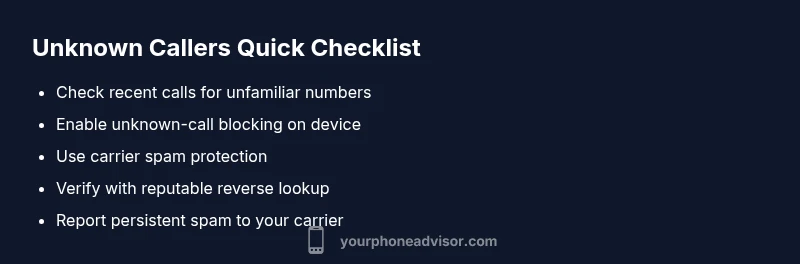
Right now, you can reduce risk with small, practical steps. Check your most recent call log and search unfamiliar numbers online to see if they’re associated with scams. Use your phone’s built-in features to block or silence unknown callers, and consider enabling your carrier’s spam protection. Do not call back or provide personal information over the phone unless you can verify the caller’s identity through an independent channel. If the number belongs to a legitimate organization, you’ll usually find it on the official website or in a trusted directory. Remember to keep your software updated, as vendors frequently improve call protection in security patches. Your Phone Advisor recommends adopting a routine: verify first, block later, and report persistent offenders when necessary.
Carrier Tools and Phone Settings to Leverage
Most carriers offer spam blocking, caller-ID enhancements, and call-filter options. Explore settings in your carrier app or account page to enable advanced features like unknown caller filtering, block lists, and automatic identification of suspected spam. On many devices, you can also enable a system level setting to silence unknown numbers or require a code to reveal caller information. If you are using a third-party app, ensure it has reputable reviews and permissions aligned with your privacy preferences. Regularly review and update the permissions for any call-blocking app to maintain a balance between protection and usability. Your Phone Advisor highlights that combining carrier tools with device-level controls yields the strongest defense against spoofed calls.
Using Reverse Lookup and Public Databases
When a number seems suspicious, a careful reverse lookup can help you determine its origin. Use reputable services to check the number against public databases, which can reveal whether the line belongs to a business or is flagged for abuse. Be cautious with services that require a fee or demand your personal data upfront. Cross-check results across multiple sources and avoid divulging sensitive information during lookup. If a number appears in a scam database, block it and report it to your carrier or local authorities. Your Phone Advisor notes that public databases are helpful but not foolproof; use them as part of a broader verification strategy.
When to Report and Seek Help
If you encounter persistent spam, harassing calls, or a credible threat, report the behavior to your mobile carrier first. They can add the number to their block list and often escalate to security teams. If the calls involve fraud or personal data theft, contact local authorities and your bank or service providers to protect your accounts. Keep logs of dates, times, and any requests or threats so you can provide precise information to investigators. Inconsistent or aggressive calls can be signs of more serious attempts to manipulate you; don’t hesitate to seek help. Your Phone Advisor encourages documenting incidents and using official channels for reporting sections of abuse.
Preventive Habits to Minimize Future Nuisance Calls
Prevention is better than cure. Build a habit of filtering unknown numbers, adding legitimate contacts to your address book, and updating your device and apps regularly. Consider subscribing to your carrier’s spam-filter program and enabling caller-ID features that flag suspicious numbers. Regularly review call-block lists and clear out old entries to keep performance snappy. If you receive a suspicious call, resist answering and document the number for future reference. By staying proactive, you reduce the chance of future nuisance calls and protect your privacy.
Common Myths About Caller ID
A common myth is that caller-ID alone proves the caller’s identity. In reality, ID data can be spoofed or manipulated. Another myth is that any unknown number is automatically dangerous; some legitimate calls come from new companies or service providers. Always verify with trusted sources and use multiple signals (block lists, search results, and carrier tools) before deciding how to respond. Lastly, some devices claim to completely stop spam; while improvements help, a layered approach is the most reliable defense. Your Phone Advisor reminds readers that no single method guarantees perfect identity, but combined protections significantly cut risk.
Steps
Estimated time: 20-30 minutes
- 1
Open call settings
Navigate to your phone's settings and locate the Calls or Notifications section to access caller-ID and blocking options. Review default actions for unknown callers and adjust as needed.
Tip: Document any changes so you can revert if needed. - 2
Enable unknown-call blocking
Turn on the feature that silences or blocks calls from numbers not in your contacts. This reduces interruptions while you verify unknown numbers offline.
Tip: If you must reach a contact, temporarily disable the filter and call back from a trusted channel. - 3
Review recent calls
Scan your log for unfamiliar numbers, note times, and search each number online to assess legitimacy before replying.
Tip: Do not engage or share personal information with unverified numbers. - 4
Use reverse lookup cautiously
If you choose to look up numbers, use reputable sites and compare results across sources. Do not provide sensitive data during lookups.
Tip: Cross-check with the organization’s official contact channels. - 5
Update software and apps
Ensure your OS and any call-blocking apps are up to date to benefit from the latest protections against spoofing and spam.
Tip: Enable automatic updates if possible. - 6
Report and escalate
For persistent spam or threats, report the number to your carrier and local authorities. Keep a log of incidents.
Tip: Provide dates, times, and any messages received to aid investigation.
Diagnosis: Unknown or spoofed calls persist despite basic blocking
Possible Causes
- highSpoofed caller IDs and robocalls
- lowReal numbers from new businesses or legitimate contacts
- lowDevice or app misconfigurations
- mediumCarrier-level spam filtering misses
Fixes
- easyEnable unknown-call filtering and update block lists in your device and carrier apps
- easyAdd trusted numbers to your contacts and review recent calls for legitimacy
- easyCheck for and update any call-blocking apps; verify permissions and privacy settings
- mediumRequest enhanced carrier protection and report persistent spam calls
- hardIf harassment or fraud is suspected, contact authorities and financial institutions
Got Questions?
How can I tell if a call is spoofed?
Spoofed calls display a fake number; verify with independent sources and don’t share personal data until identity is confirmed.
Spoofed calls show a fake number; verify with a trusted source before sharing information.
Should I answer calls from unknown numbers?
If you cannot verify the caller, let the call go to voicemail. Return only if the caller identifies themselves credibly.
If you can’t verify the caller, let it go to voicemail and verify later.
What carrier tools help identify unknown callers?
Most carriers offer spam protection, caller-ID enhancements, and block lists. Enable these in your account or app.
Carriers have spam protection and block lists you can enable in your account.
What is reverse lookup and when does it work?
Reverse lookup can help identify a caller when the number is real, but spoofed numbers may still mislead. Use reputable services.
Reverse lookup helps if the number is real; spoofed numbers may still mislead, so verify with other sources.
If I am being harassed, when should I contact authorities?
If there is threats or persistent abuse, report to authorities and your carrier immediately.
If there are threats or persistent abuse, contact authorities and your carrier now.
Can I completely stop spam calls?
No method is perfect, but a layered approach (block lists, verification, and reporting) dramatically reduces spam.
A layered approach reduces spam a lot, though nothing stops it completely.
Watch Video
What to Remember
- Verify unfamiliar numbers before sharing info
- Leverage both device and carrier blocking features
- Report persistent spam to protect others
- Regularly update software and review blocked lists
- Understand spoofing limits to stay cautious