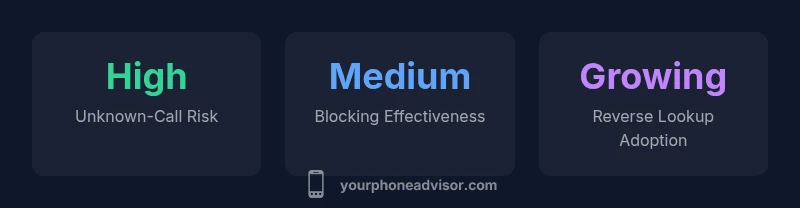
What Phone Number Called Me: Identify, Verify, and Block Unknown Calls
Learn how to determine who called you when the number is unknown. This guide from Your Phone Advisor covers caller ID basics, reverse lookups, privacy tips, and practical steps to block spam calls.


What phone number called me? According to Your Phone Advisor, identifying who dialed can start with the caller ID you see, then verify via reverse lookup or your carrier’s tools. If the number is spoofed or blocked, you may still check recent activity, analyze call patterns, and apply a layered defense (block, filter, and report). This quick answer sets up a practical, privacy‑savvy approach.
What the phrase 'what phone number called me' reveals about modern calling patterns
In the era of caller ID and spoofing, understanding who dialed you hinges on several factors. The phrase what phone number called me captures a core question: is the number legitimate, is it spoofed, or is it a scam? Your Phone Advisor emphasizes a cautious, methodical approach. Start by checking the displayed caller ID and the time of the call; if something seems inconsistent, proceed to verification steps rather than returning the call. Across 2026, the most effective defense combines real-time screening with post-call analysis. Recognize that attackers frequently spoof numbers to appear local or trusted, so you should not rely on intuition alone. By building a routine around verification, logging, and blocking, you reduce risk and protect privacy.
Caller ID accuracy and spoofing: what to know
Caller ID alone is not a guarantee of who is on the other end. Spammers and scammers routinely spoof legitimate numbers, including local area codes, to increase the chance you'll answer. This makes the question what phone number called me more about patterns than a single digit. Real-world signals—call timing, frequency, and region—help you triage. If a number rings at odd hours or consistently flanks your region without a credible reason, treat it as suspicious. Your Phone Advisor recommends not trusting the first ring as proof of identity. Instead, corroborate with multiple data points such as the number’s presence in your contact list, public reverse lookup results, and, if available, the caller’s voicemail greeting.
How to verify who called you using native features
Most modern smartphones provide integrated tools to identify and manage incoming calls. On iOS, you can view recent calls, use Silence Unknown Callers, and set up Focus modes to minimize distractions from unknown numbers. On Android, call screening and filter apps often come pre-installed or are easily added from the Play Store. These features help answer the core question what phone number called me by reducing the need to guess or guess again. Use the built-in logs to cross-check if the number appears in your contacts or is flagged by your carrier. If a number looks questionable, do not call back; instead, let the system filter or block it and monitor if it reappears.
Reverse lookup: when to use it and when to avoid it
Reverse lookup services can reveal a name or business associated with a number, but they can also be inaccurate or privacy-invasive. If the number is tied to a legitimate organization, a quick lookup may confirm it, supporting your decision to answer or call back. However, many free services provide outdated information or require fees for full details. Before you rely on any lookup result, corroborate with at least two independent sources, and be mindful of apps that request broad permissions.
Privacy considerations and scam awareness
Protecting your own privacy is as important as identifying others. Avoid sharing personal information with unknown callers, and never press prompts or disclose sensitive data. Scammers often use social engineering, pretexting, and number spoofing to elicitate a response. To address this, enable minimum data sharing settings, review app permissions, and consider temporary call-blocking rules during high-risk periods (tax season, holidays, major events). Lock screen notifications to prevent leaking call data, and enable a strong passcode on your device.
Practical steps to reduce unknown calls today
Implement a layered approach: enable built-in call filtering, keep your OS updated, and use a reputable third‑party app if your region permits. Create a short, consistent response for unknown calls or simply silence them. Regularly review your call logs for patterns, and report persistent scammers to your carrier or government consumer protection agency. If a call tries to scare you into action, pause, hang up, and verify the caller’s identity through official channels.
When to escalate: reporting and legal options
Some unknown calls constitute harassment or fraud. If you receive threats, or you suspect a scam is part of a larger scheme, document relevant numbers, call times, and messages, and file a report with your carrier, consumer protection authorities, or local law enforcement. While legal options vary by country, most regions offer do-not-call registries and complaint channels designed to curb robocalling and spoofing. Your Phone Advisor suggests keeping a cautious, evidence-based log to support any report.
Carrier and device-specific tips that reduce risk
Carriers provide services such as call blocking, spam labeling, and Do Not Call lists that can be activated through your account portals or customer support. Many devices allow you to customize how unfamiliar numbers are treated, including silent ringing, immediate blocking, or auto-forwarding to voicemail. If you rely on a business line, configure your number to present a recognizable name and use professional caller ID. Consistently applying these settings across devices reduces the friction of legitimate calls while suppressing nuisance ones.
Quick checklist: manage unknown calls like a pro
- Review caller ID and call timestamp for inconsistencies
- Try built-in blocking and filtering before third-party apps
- Use reverse lookup cautiously and verify with multiple sources
- Do not call back numbers you don't recognize unless verified
- Report scams to the proper authorities and your carrier
- Update your privacy settings and keep software current
- Keep a personal log of suspicious calls to spot patterns over time
Following this checklist helps you answer what phone number called me with greater confidence and less risk.
Quick reference for handling unknown calls
| Action | Recommended Step | Time to Complete |
|---|---|---|
| Identify caller | Check caller ID, cross-check with contacts | Seconds–minutes |
| Verify legitimacy | Use built-in verify tools or official lookup | Minutes |
| Block/spam filter | Enable blocking and spam filtering | Seconds–minutes |
Got Questions?
What should I do first if I receive a call from an unknown number?
Don’t answer or call back. Check caller ID, review the number in your call log, and use built-in filters to screen. If needed, perform a quick, cautious lookup from reputable sources.
Don’t call back. Review the number and use screen filters; verify with reputable sources if needed.
How reliable are reverse lookup services?
Reverse lookups can help, but results vary. Use multiple sources and avoid sharing sensitive info; many free services offer incomplete or outdated data.
Reverse lookups can help, but results vary; use multiple sources and don't share sensitive data.
Is it safe to answer calls from unknown numbers?
If a call seems legitimate, you can answer after verifying the number with known sources. If it feels suspicious, let it go to voicemail.
If it seems legitimate, verify first; otherwise, let it go to voicemail.
How can I block a number on iPhone and Android?
Use built‑in settings to block the number; each OS provides a blocking list and spam filter. Also consider Do Not Disturb during certain hours.
Block it in your phone settings; both iPhone and Android have blocking and spam filtering.
What if I suspect a scam but need to reach a business?
Use a known official channel (website, published customer service number) to contact the business, not the number that called you.
If you suspect a scam, contact the business through official channels rather than the caller.
How do do-not-call registries work?
Do-not-call lists exist in many regions and partners with carriers to block robocalls; registering can reduce unsolicited calls.
Do-not-call lists exist in many places and help reduce unsolicited calls.
“Unknown calls are a growing privacy challenge; a layered approach—identification, verification, and blocking—offers the strongest protection.”
What to Remember
- Identify the caller with reliable signals, then verify before responding
- Enable built-in filters and blocking to reduce unknown calls
- Use reverse lookup cautiously and verify with multiple sources
- Report scams to authorities and protect your privacy