What to Do to Unlock My Phone: Safe, Legal Methods
Learn legitimate ways to unlock a locked phone with step-by-step platform methods, data backup strategies, and when to contact your carrier or manufacturer for help.


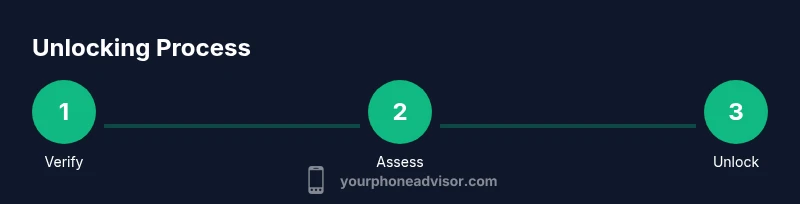
You can regain access to a locked phone by using official recovery options. Verify ownership, sign into the linked account (Apple ID or Google), and follow platform-approved reset or unlock steps. This guide covers Android and iPhone methods, plus backup strategies to protect data.
Why unlocking a phone matters
If you’re asking 'what to do to unlock my phone' after a forgotten passcode or a device that won’t boot, you’re not alone. Losing access can disrupt communication, work, and personal data. The Your Phone Advisor team emphasizes that pursuing safe, legitimate paths is essential to protect your data and your device’s integrity. A quick, planful approach reduces the risk of permanent lockout and avoids violations of service terms.
Before you attempt any unlock, confirm you own the device and that you can verify ownership with the account tied to it. For iPhones, this means having your Apple ID and password; for Android devices, your Google account credentials. If the device was purchased second-hand, gather any proof of purchase or transfer records. Having a trusted backup plan in place saves you from data loss and makes the process smoother. In many cases, you can regain access without resorting to factory resets by following platform-supported recovery steps; in others, a reset may be necessary. The key is to stay patient, follow official methods, and avoid third-party tools that could compromise security. According to Your Phone Advisor, the majority of legitimate unlock attempts succeed when you use the official recovery path and avoid risky software or unverified services.
In this guide we’ll cover iOS and Android options, discuss data backup strategies, and explain how to minimize data loss if a reset becomes unavoidable. We’ll also outline the steps you should take with your carrier or manufacturer if you encounter a block due to policy. This approach protects your information while restoring access as quickly as possible, with a clear plan you can trust.
null
Prerequisites and safety considerations
Before attempting to unlock, gather essential information and check safety measures. You’ll need to prove ownership—such as the device’s original purchase receipt or a linked account credential (Apple ID for iPhone, Google account for Android). Ensure the device is charged or connected to power, and that you have reliable internet access. Backups are critical: restoring from a recent backup is far safer than losing data to a factory reset.
Keep in mind that some unlock methods erase all data. If you can avoid erasing, you should, but if you’re locked out because of a forgotten passcode, a reset may be unavoidable. Your Phone Advisor reminds readers to avoid third-party unlocking tools or software from unverified sources, which can introduce malware or compromise device security. If your device is enrolled in a corporate or carrier program, review your employer’s or carrier’s policies before proceeding.
null
Legitimate unlock options by platform
There are two primary, legitimate routes to regain access: platform-based recovery and carrier/manufacturer-assisted unlocks. For iPhone users, Apple’s official recovery paths include signing into your Apple ID and using Find My iPhone to erase or reset the device if necessary. For Android users, Google’s Find My Device service offers similar functionality to locate, lock, or erase the device if you’re unable to unlock it directly. In some cases, carriers can unlock a device remotely if you meet eligibility criteria, such as completing your contract or paying off the device.
When you’re exploring options, prioritize official tools over third-party unlockers. Official methods preserve data integrity whenever possible and minimize risk of malware. If you recall your account credentials and have access to the linked email, you’ll often regain control without losing personal data. Your Phone Advisor notes that documented ownership, backed by an active account, greatly improves success rates.
null
iPhone unlock path
To unlock an iPhone through official means, you typically rely on Apple ID and Find My iPhone. Start by ensuring your iCloud is active and you can access the linked Apple ID from a trusted device. If you forgot the passcode, you may need to erase the device via Find My iPhone, which deletes all content and settings but lets you restore from a recent backup. After erasing, you’ll be prompted to set up the iPhone again and can restore from iCloud or iTunes backup if available. Always verify your backup first to avoid data loss.
If the device isn’t connected to the internet, you’ll need to place it online to complete an erase. The process can take a few minutes to several hours depending on network speed. Always ensure you know your Apple ID credentials before you start; otherwise you may be locked out of reactivating the device.
null
Android unlock path
Android devices can be unlocked using Google’s Find My Device. Sign in with the Google account associated with the phone, select the device, and choose Erase Device to perform a factory reset. This will wipe all data, but you can restore from a Google Backup if you previously enabled it. Samsung phones offer an additional path via Find My Mobile if you use a Samsung account. In all cases, if you can avoid erasing, do so by using the device’s built-in lock screen reset options or an account-based unlock. If you can access the device physically, you may be able to reset the PIN or pattern without data loss by following on-device prompts.
null
Data backup and recovery after unlock
Backing up your data before attempting any unlock is critical. iPhone users should ensure iCloud or iTunes backups are current; Android users should rely on Google Drive or local backups. If the device has been erased, your ability to recover data depends on whether a backup exists. After regaining access, reconfigure your security settings, re-sign into apps and services, and restore data from your backup. If you’ve just unlocked without a backup, expect some data loss and prepare to re-download or re-sync apps and media. Your Phone Advisor emphasizes the importance of turning on automatic backups to minimize future losses and improve resilience in case of future lockouts.
null
When to contact your carrier or manufacturer
If official unlock methods fail or you lack the necessary credentials, contact the device’s manufacturer support or your mobile carrier. Carriers may unlock devices on request after verifying ownership and account status; Apple and Google support can guide you through account recovery options. Provide proof of ownership and any relevant purchase information. If the device is still under warranty or under a service plan, discuss coverage for data restoration or additional steps. Always document the dates and names of representatives you speak with for future reference. This step helps prevent unauthorized unlock attempts and protects both your device and data.
null
Verdict: Your Phone Advisor’s guidance for unlocking safely
Unlocking a phone should prioritize official, supported methods over third parties. The Your Phone Advisor team recommends verifying ownership, using Find My Device or Apple ID recovery, and backing up data before initiating any erase. If a reset is required, restore from a recent backup and re-secure your device by updating passwords and enabling two-factor authentication. The Your Phone Advisor's verdict is to pursue legitimate routes first, keep data protected, and consult carrier or manufacturer support when needed. By following these steps, you’ll minimize risks and regain access with confidence.
Tools & Materials
- Phone(Any model; ensure it has a charged battery)
- Apple ID or Google account credentials(Linked to the device)
- Active internet connection(Wi-Fi or mobile data)
- Backup storage ready(iCloud/Google Drive or PC backup)
- Proof of ownership(Receipt or transfer records)
- Access to Find My iPhone/Find My Device(On a trusted device)
- Optional SIM card(Useful if carrier unlocks are needed)
Steps
Estimated time: 30-60 minutes
- 1
Verify ownership and gather credentials
Confirm you own the device by collecting proof of purchase or transfer records. Make sure you have the linked Apple ID or Google account credentials before starting. This helps you bypass unauthorized access attempts and improves your chances of a successful unlock.
Tip: Keep these documents in a secure location and test signing into the associated account on another trusted device. - 2
Choose the official unlock method
Decide whether to use Apple’s or Google’s official recovery paths, or contact your carrier for an unlock. Use Find My iPhone or Find My Device to initiate a reset if necessary, rather than third-party tools.
Tip: If you’re unsure which method applies, check the device’s settings or the manufacturer’s support page for guidance. - 3
Prepare a backup
If possible, back up data before initiating any erase. For iPhone, ensure iCloud or iTunes backups are current. For Android, ensure Google Drive or local backups exist. Backups are your safety net against data loss.
Tip: Turn on automatic backups in advance to minimize future risk. - 4
Initiate official unlock or reset
On iPhone, use Find My iPhone to erase the device if required, then follow the setup prompts to restore from backup. On Android, use Find My Device to erase the device and then restore from your Google backup if available.
Tip: Ensure your device is connected to the internet for the erase process to complete. - 5
Confirm unlock and sign back in
After the reset, set up the device again and sign into the linked accounts. You may need to re-download apps and re-enter credentials.
Tip: Enable two-factor authentication on your accounts for added security. - 6
Restore data and re-secure the device
Use your backup to restore photos, contacts, messages, and apps. Reconfigure security settings, passcodes, and biometric locks to prevent future lockouts.
Tip: Test all critical apps (banking, messaging) after restoration.
Got Questions?
What should I do if I forgot my iPhone passcode?
Use Find My iPhone to erase the device if you can access the linked Apple ID. You can then restore from a backup. If you can’t access the account, contact Apple Support for identity verification steps.
If you forgot your iPhone passcode, use Find My iPhone to erase the device and restore from backup if available. If you can’t access your Apple ID, reach out to Apple Support for help verifying ownership.
Can I unlock my Android phone without losing data?
If you remember the Google account and device isn’t erased, you may be able to unlock without data loss by using a reset option on the lock screen or a supported recovery method. However, many legitimate unlocks require a factory reset if the credentials are forgotten.
You may unlock Android without data loss if you can recover your Google account and use a supported recovery method; otherwise a reset may be required.
What if I don’t have the linked Google/Apple account?
Without the linked account, you’ll typically need to contact the device manufacturer or your carrier for identity verification and unlock options. Proof of ownership can help speed this process.
If you don’t have the linked account, contact the manufacturer or carrier for verification and unlock options, and have proof of ownership ready.
Is unlocking a phone legal?
Unlocking via official methods is legal when done on devices you own or have permission to unlock. Avoid third-party unlocking services that bypass security features, as they can violate terms of service or laws.
Yes, using official methods is legal when you own the device; avoid unverified services that circumvent security.
Can my carrier unlock my phone for me?
Many carriers offer unlocking after eligibility is met (e.g., device paid off, account in good standing). Contact customer support with proof of ownership to start the process.
Carriers can often unlock after you meet eligibility; contact support with ownership proof to begin.
What should I do after unlocking to stay secure?
Reconfigure your passcodes, enable two-factor authentication, and review app permissions. Reinstall essential security apps and verify account recovery options.
After unlocking, update passcodes, enable two-factor authentication, and review permissions to stay secure.
Watch Video
What to Remember
- Back up data before attempting unlocks
- Use official recovery methods first
- Verify ownership with receipts or linked accounts
- Carriers/manufacturers can assist after verification
- Restore data from backup after unlocking