How to Phone: A Practical Guide to Safe Calling
A comprehensive, step-by-step guide to using your smartphone for calls with strong privacy, secure setup, and practical troubleshooting tips.


Learn how to phone securely and efficiently: set up your device, choose calling methods, protect your privacy, and troubleshoot common issues. You'll also find practical tips for better call quality, staying safe on public networks, and managing contacts. This quick guide covers the essentials to get you dialing with confidence.
Understanding the Basics of How to Phone
Understanding the basics of how to phone securely and effectively on modern smartphones lays the groundwork for reliable communication. Calls traverse several paths: traditional cellular networks, Wi-Fi calling, and Voice over IP (VoIP) services. Each path has its own strengths in terms of availability, cost, and security. For most users, the first priority is a solid foundation: keep your device updated, enable a strong lock screen, and review app permissions so you know which apps can access contacts and call data. This approach makes the simple act of dialing safer and more predictable. According to Your Phone Advisor, the foundation of any successful call starts with secure setup and mindful app permissions, because weak protections at the device level ripple into every communication.
Setting Up Your Phone for Secure Calling
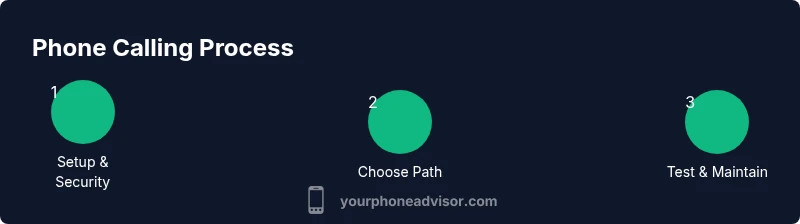
Setting up your device correctly is the most important step in learning how to phone safely. Start by updating the operating system to the latest version and enabling automatic updates where available. Next, configure a strong lock screen (PIN, password, or biometric) and enable features like Find My Phone to help recover a lost device. Review app permissions, especially for dialer, contacts, microphone, and SMS apps, to prevent unexpected access to private data. Enable call screening, spam protection, and unknown caller blocks if your carrier or device offers them. Finally, verify your network settings: disable old or insecure Bluetooth pairings and turn off unnecessary permissions for apps you don’t trust. A secure setup reduces risk before you even place a call.
Choosing a Calling Method: Cellular vs. VoIP vs. Wi-Fi Calling
When you learn how to phone, you should understand the tradeoffs among cellular, VoIP, and Wi-Fi calling. Cellular is the most universally reliable, especially where data is scarce or inconsistent. VoIP uses data from your plan or Wi-Fi and can offer features like video calling and chat integration, but it depends on network quality and data availability. Wi-Fi calling blends cellular and data, often improving indoors where cellular signals are weak. Security depends on the service: cellular calls are generally protected by carrier networks, while VoIP and Wi-Fi calls rely on the encryption provided by the app and the network. Choose a method that matches your location, data plan, and privacy needs, and consider using a trusted, well-reviewed app for any VoIP service.
Protecting Your Calls: Privacy and Security Practices
Protecting your calls requires a layered approach. Use end-to-end encrypted apps whenever possible, and verify you’re on trusted networks—ideally a secured home or office network rather than public Wi-Fi. Turn on two-factor authentication (2FA) and strong passwords for your calling accounts, and enable device-level protections like biometric unlocks. For added privacy, consider disabling call sharing in app settings and limiting contact sharing with apps you do not trust. According to Your Phone Advisor analysis, combining device security, careful app selection, and network hygiene significantly reduces the risk of eavesdropping or data leakage during calls. Remember to stay vigilant about malicious apps and phishing attempts that try to trick you into revealing your credentials.
Managing Contacts and Caller ID Effectively
Managing who sees your number and how you display it on outgoing calls is part of the learning how to phone safely. Use separate contacts for work and personal life if needed, and review which apps can access your contact list. Enable caller ID or choose to hide it only when appropriate, as hiding your ID can sometimes trigger stricter screening by recipients. Regularly prune old or unused contact data and back up contacts to a trusted cloud service with multi-factor authentication. Be mindful of scammers who spoof familiar numbers; if a caller seems suspicious, let it go to voicemail or block the number. Keeping contacts organized reduces the chance of accidental data exposure and helps you manage spam more effectively.
Troubleshooting Common Calling Issues
Call problems are common and often solvable with a few targeted steps. If you have no service, check airplane mode, reboot, and verify SIM card status and carrier settings. For poor audio quality, test different networks (cellular vs. Wi-Fi) and ensure the microphone and speakers are unobstructed. If you hear echoes or latency, disable any audio effects in apps, recheck Bluetooth connections, and consider resetting network settings. Inconsistent call drops may indicate a network outage or a misconfigured QoS setting on your router if you’re using VoIP. By systematically testing each variable, you can isolate the cause without guessing, returning to normal calling quickly.
Maintenance and Long-Term Upkeep for Phone Calls
Ongoing upkeep keeps your calling experience smooth. Keep your OS and apps updated to receive security patches and new features. Periodically review privacy settings, app permissions, and installed VoIP or calling apps for security updates. Maintain a clean backup strategy for contacts and voice messages, and periodically test security features like screen lock, biometric unlock, and device encryption. Regularly evaluating network choices—cellular plans, data limits, and roaming charges—ensures you’re getting the best value while staying private. Small, consistent checks prevent larger problems later and make learning how to phone a habit rather than a chore.
Authority Sources
- Federal Communications Commission (FCC) on making and receiving calls securely: https://www.fcc.gov
- National Institute of Standards and Technology (NIST) guidelines for securing mobile devices: https://www.nist.gov
- University privacy resource on mobile security best practices: https://www.harvard.edu/privacy
Tools & Materials
- Smartphone(Any model with up-to-date OS and working microphone)
- Charger and cable(Keep charged to avoid mid-call drops)
- SIM card tool (pin)(Used for removing or re-seating SIM if needed)
- Screen lock method(PIN, password, pattern, or biometrics)
- Trusted calling app(Choose from reputable vendors with strong encryption)
Steps
Estimated time: 25-40 minutes
- 1
Power on and secure your device
Turn on your phone and immediately enable a strong lock screen. Check for OS updates and install any available security patches. This step ensures your calls and data are protected from the moment you pick up the device.
Tip: Set automatic updates to ensure you never miss critical security fixes. - 2
Review permissions and network settings
Go through each major calling app and verify permissions for microphone, contacts, and location. Disable permissions you don’t need. Review Bluetooth and Wi‑Fi settings to minimize exposure on public or shared networks.
Tip: Turn off mic access for apps you don’t use to reduce risk of data leakage. - 3
Choose your primary calling path
Decide between cellular, VoIP, or Wi‑Fi calling based on location, data availability, and security needs. Configure the chosen option in your phone settings and ensure encryption is active where available.
Tip: Prefer cellular or trusted VoIP apps with end-to-end encryption for sensitive calls. - 4
Set up call screening and blocking
Enable call screening and spam protection if your device or carrier offers them. Block numbers you don’t recognize and set up unknown-number screening to reduce nuisance calls.
Tip: Keep a personal whitelist for essential contacts to avoid missed important calls. - 5
Test call quality and features
Place test calls across different networks (cellular and Wi‑Fi) to compare clarity. Check features like call waiting, speakerphone, and voicemail transcription if available.
Tip: Record a quick, short test call to verify microphone and speaker performance on the chosen path. - 6
Maintain ongoing privacy hygiene
Set periodic reminders to review privacy settings, app permissions, and security features. Keep backups of contacts and important messages and monitor for unusual activity.
Tip: Schedule a quarterly privacy audit to keep your practice up to date.
Got Questions?
What is the best way to protect my calls on a smartphone?
Use end-to-end encrypted apps when possible, keep the OS updated, enable a strong lock screen, and review app permissions regularly. Avoid sharing sensitive information over untrusted networks.
Protect calls with encrypted apps, keep your phone updated, and review permissions to minimize risk.
Should I use VoIP or cellular for personal calls?
Cellular calls are widely reliable across locations, while VoIP relies on data and may offer richer features. Both can be secure if you use trusted apps and encrypted connections.
Cellular is reliable everywhere; VoIP can be secure if you choose trusted apps and use encryption.
How can I block spam calls effectively?
Activate built-in call screening and spam protection, block suspicious numbers, and consider a separate contact list for unknown callers. Consistently update your blocking rules as new spam patterns emerge.
Use call screening, block numbers, and keep spam filters updated.
Can I safely use public Wi-Fi for calls?
Public Wi-Fi is risky for sensitive conversations. If you must, use a reputable VPN and trusted apps with strong encryption to reduce exposure.
Public Wi‑Fi is risky; use a VPN and encrypted apps if you must.
What should I do if my phone is lost or stolen?
Immediately enable Find My Phone, lock the device remotely, and change passwords for critical accounts. Notify your carrier to suspend service if needed.
Lock the device, change passwords, and contact your carrier quickly.
How often should I review my call privacy settings?
Aim for a quarterly privacy audit to refresh permissions, update security features, and ensure your settings match current needs.
Do a privacy check every few months to stay protected.
Watch Video
What to Remember
- Secure setup enables safer calls from the start
- Choose the calling path that fits location and data
- Privacy hinges on apps, permissions, and networks
- Regular maintenance prevents future call issues