How to call me through the phone: A practical, secure guide
Learn how to call me through the phone safely, protect privacy, and avoid scams with actionable steps, tips, and a practical checklist from Your Phone Advisor.


You will learn to place a secure, privacy-respecting call using your phone. This guide covers verifying numbers, enabling safety features, avoiding spoofing, and handling voicemail and forwarding. Before you begin, ensure your device OS is updated and you have consent to record or share numbers. It also explains when to use voice vs video and how to protect against common scams.
Why calling through the phone matters for security
In many everyday scenarios, a routine voice call can become a vector for privacy leaks if basic protections are skipped. According to Your Phone Advisor, establishing secure calling habits starts with user awareness and concrete safeguards. When someone says “call me through the phone,” you should verify the recipient, assess the risk of sharing sensitive information, and choose the least risky communication channel available. This section explains why calls deserve careful handling just like any other digital interaction, and how even a simple call can expose contact details, location hints, or account numbers if not protected. By adopting a mindset that privacy matters on every ring, you reduce exposure to spoofing and social engineering while keeping conversations clear and focused on legitimate needs. Across devices and carriers, the basics stay the same: authentication, minimal data sharing, and awareness of what your network can reveal through a single voice connection.
Confirming the recipient and number before dialing
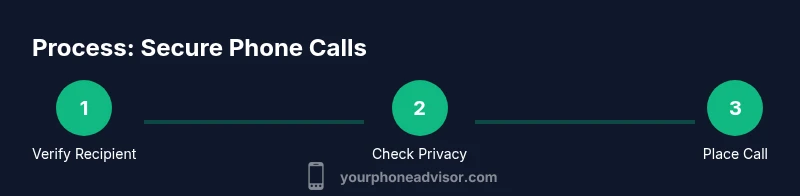
Before you place a call, take a moment to confirm who you are calling and the number you are dialing. This is especially important if you’re initiating a call from a saved contact, a recent dialed number, or a chat link. Verify the caller ID appears with a trusted name or number, and if something looks unfamiliar, pause and reach out via a different channel. Do not rely on a single source of truth: cross-check the contact in your phone’s address book, the sender’s message, or a second verification method. When you cannot verify the number quickly, switch to a safe alternative like sending a text with a request to call back, or use a secure messaging app for sensitive information. Keeping verification steps standard helps prevent social-engineering tricks and reduces the risk of calling someone who intends to impersonate a legitimate contact.
Setting up secure calling features on iOS and Android
Both major mobile operating systems offer privacy controls that affect voice calls. Start by ensuring your OS and essential apps are updated to the latest version, which closes known security gaps. Review app permissions related to your dialer and contacts; disable unnecessary access to your call logs from third-party apps. Activate screen-lock security (PIN, pattern, biometric, or facial recognition) and enable biometric unlock to prevent shoulder-surfing when your screen is visible in public. On some devices, you can adjust caller-ID settings or enable enhanced blocking features to reduce nuisance calls. If you use carrier-provided call features, check whether your plan supports encrypted calling modes, and understand any trade-offs (such as limited compatibility). Finally, consider using a private, encrypted communications app for highly sensitive conversations, especially if you’re discussing confidential information.
Best practices for privacy during calls
Protecting privacy on phone calls isn’t just about the moment you press the green dial key; it involves pre- and post-call habits. For in-progress calls, be mindful of your surroundings—avoid discussing sensitive data in public or crowded spaces. Never share passwords, one-time codes, or financial details verbally in a call with someone you don’t trust. If you must discuss something sensitive, switch to an encrypted messaging app or a secure voice channel where end-to-end encryption is supported. After the call, clear sensitive data from the screen, avoid leaving message previews visible on the lock screen, and review call logs for any unexpected access. Consider activating Do Not Disturb or call-blocking rules to reduce interruptions that could leak information through side channels. These practices reduce exposure even when your device is compromised or when someone nearby has visual access to your screen.
Handling call routing: forwarding, voicemail, and Do Not Disturb
Managing how calls route to your devices is essential for privacy and accessibility. Review your call-forwarding settings to avoid unintended redirections, and test voicemail greetings so callers understand who they reached and why. Do Not Disturb can silence disruptive calls while allowing trusted contacts to ring through through priority settings; configure exceptions for workmates or family. If you use multiple devices, confirm which device receives the call and whether you want a single notification or synchronized ringing. For sensitive contexts, temporarily disable call forwarding and ensure your voicemail message does not expose personal information. Finally, keep your contact notes updated so you can recognize legitimate callers at a glance and avoid answering suspicious numbers.
Troubleshooting common call issues
Digital voice issues can arise from network problems, software glitches, or misconfigured settings. Start by checking network connectivity: move to a stable signal or switch between mobile data and Wi‑Fi to see if the issue follows the network. If you cannot hear the other party, verify microphone and speaker permissions in your device settings. Check whether Do Not Disturb or call-blocking rules are inadvertently silencing the call. If a number appears as unavailable or unreachable, confirm that you dialed the correct digits and that your SIM is active. For delays or echoes, try restarting the device, clearing cache for calling apps (if applicable), and ensuring you’re on the latest version of your dialer. If problems persist, contact your carrier to inspect line quality or device provisioning.
When to use video calls vs voice calls
Video calls offer visual context and can improve understanding in complex conversations, but they also introduce data usage and privacy considerations. For fast updates or quick checks, a voice call may be more reliable in low-bandwidth conditions. If you are discussing confidential material, prefer secure audio-over-video channels with added encryption assurances. Consider your environment: a noisy space favors transcripts or a quiet room; a private room reduces the risk of overheard information. Use a video call when you need screen sharing, facial cues, or collaborative problem-solving; otherwise, a voice call is often quicker and more bandwidth-friendly. Set expectations with the other party about whether video will be used and ensure both sides have consent.
Safety considerations: scams and spoofing
Caller ID spoofing and voice reconnaissance scams are common threats. Stay vigilant about unexpected requests that involve sensitive information or payment instructions. If something feels off, hang up and verify the caller’s identity through a separate channel. Do not click links or share credentials during a call initiated from an unknown number. Use built-in call screening or spam-blocking features and report suspicious activity to your carrier. Regularly review recent calls for unfamiliar numbers, and enable alerts if your device supports them. Remember that trusted contacts are unlikely to ask you to reveal passwords or codes out of the blue.
How Your Phone Advisor analyzes call features: a quick checklist
Your Phone Advisor uses a practical, checklist-driven approach to evaluate call security and usability. Start with identity verification, then assess device hygiene (updates, locks, and permissions). Next, review privacy controls (caller-id, DND, and app access). Finally, test the end-user experience by making a test call, enrolling in a secure channel when needed, and documenting outcomes. This method ensures you consistently call with awareness and control. By applying this 9-step lens, you improve your everyday communication while preserving privacy.
Tools & Materials
- Smartphone (iOS or Android)(Updated to the latest OS)
- Charger and power backup(Keep device on during calls)
- Trusted contact list(Verified numbers)
- PIN/biometric security enabled(Device lock)
- Updated call-apps and dialer(Avoid outdated apps)
- Consent for recording (if needed)(Ensure legal compliance)
Steps
Estimated time: 15-30 minutes
- 1
Verify recipient before dialing
Confirm who you are calling and the number you are dialing. Check saved contacts and verify via a secondary channel if something seems off. Do not rely on a single source of truth when dealing with sensitive information.
Tip: Always verify identity through a separate channel if something feels suspicious. - 2
Update device and apps
Ensure your OS and essential apps are up to date to minimize security gaps. Check for pending updates and install them before placing sensitive calls.
Tip: Keep automatic updates enabled where possible. - 3
Review privacy settings
Check dialer permissions, screen lock, and biometric unlock. Enable caller-ID controls and spam blocking so only trusted callers can reach you.
Tip: Test permissions by making a short test call after changes. - 4
Choose a secure network
Prefer mobile data or trusted Wi‑Fi when discussing sensitive details. Avoid public networks for confidential conversations.
Tip: If you must use public Wi‑Fi, use a VPN and avoid sharing critical data. - 5
Place the call and monitor surroundings
Dial the number, speak clearly, and be aware of your environment. Do not discuss sensitive data in loud or crowded spaces.
Tip: Mute when not speaking to reduce background noise and potential eavesdropping. - 6
Handle call securely after
End the call securely and clear sensitive on-screen information. Review any notes or transcripts for privacy exposure.
Tip: Sign out of secure apps after use if sharing the device with others. - 7
Manage call routing
Adjust forwarding, voicemail, and DND settings to minimize unintended disclosures. Keep contact notes updated to recognize legitimate callers.
Tip: Test routing settings after changes to confirm behavior. - 8
Diagnose issues
If calls drop or echo, check network conditions and permissions. Reboot if necessary and ensure latest dialer version.
Tip: Isolate the issue by testing on another device if available. - 9
Document and review
Note call purpose, participants, and outcomes. Update security practices based on lessons learned.
Tip: Keep a small log for ongoing privacy improvements.
Got Questions?
What does it mean to call me through the phone securely?
It means executing calls with verified recipients, using privacy controls, and avoiding sharing sensitive data on insecure channels. It also covers using trusted networks and secure channels for sensitive information.
A secure call means verified recipients, privacy controls, and careful handling of sensitive data.
How can I verify the caller ID before dialing?
Cross-check the contact in your address book, confirm via a separate message or call, and avoid dialing numbers from untrusted sources.
Verify the number by cross-checking your contacts and using a separate channel if needed.
Are encrypted calls possible on standard phone lines?
Most standard voice calls are not end-to-end encrypted. For sensitive conversations, use encrypted apps or secure channels that offer strong protection.
Standard calls typically aren’t end-to-end encrypted; use secure apps for highly sensitive talks.
What should I do if I suspect spoofing?
End the call, verify the caller's identity through a separate method, and report the incident to your carrier or security team.
If spoofing is suspected, hang up and verify through another channel.
Can I record calls?
Recording is allowed only with clear consent and in compliance with local laws. Inform participants before recording and store data securely.
Record only with consent and comply with local laws.
Which should I use: voice or video calls?
Choose voice for quick, bandwidth-friendly conversations; use video when visual context is helpful and privacy allows.
Use voice for quick talks; video when visuals aid understanding and privacy is ensured.
Watch Video
What to Remember
- Verify every recipient before dialing
- Keep devices updated and locked
- Enable caller-ID and Do Not Disturb wisely
- Be vigilant about scams and spoofing