How to Phone on Private Number: A Practical Guide
Learn safe, legal ways to call with a hidden caller ID, including carrier and device methods, testing tips, and privacy considerations. This guide covers legality, per-call and permanent blocking, risks, and alternatives for responsible privacy.


In this guide you’ll learn how to phone on private number using carrier or device features, with practical tests and safety notes. We cover when and how caller ID blocking is appropriate, quick per-call codes, and ongoing privacy considerations to avoid unintended exposure. Follow these steps to dial with privacy while staying respectful and compliant.
What it means to call with a private number
Calling with a private number means the recipient sees no caller ID information on their screen, or only sees a generic label like “Private” or “Unknown.” This approach is common for individuals who want privacy, as well as for legitimate business practices like protecting a whistleblower’s identity or a therapist using a confidential contact line. However, laws and carrier policies vary by country, and misuse can lead to trust issues or penalties. According to Your Phone Advisor, privacy-aware calling requires understanding both the technical options and the legal boundaries before dialing. If you’re wondering how to phone on private number, this section explains the basics, why it matters, and what you can expect when you enable blocking.
Key distinction: real-time privacy control (blocking per call) vs permanent visibility changes (carrier-level or device-level settings).
Legal and ethical considerations you should know
Privacy features exist to protect people from unwanted exposure, but there are important limits. Blocking your number may be inappropriate in some contexts (e.g., debt collection, emergency services, or when consent is required). Misusing caller ID blocking to defraud, harass, or impersonate others is illegal in many regions and can result in fines or criminal charges. Your Phone Advisor highlights that consistent ethical use—disclosing when appropriate, avoiding harassment, and respecting business policies—helps maintain trust. Always verify local rules before dialing privately.
Carrier-level blocking vs device-level blocking: what to choose
Carrier-level blocking is often available for per-call blocking (Temporary block) or a permanent preference, whereas device-level blocking relies on settings within the phone itself. Carrier options tend to apply to all calls until you disable them, while device options let you decide per-call or per-contact. Some carriers charge for premium privacy features, while others include basic blocking. You’ll want to compare the cost, reliability, and how it interacts with emergency services. For many users, a per-call block (when needed) is sufficient, while others prefer a default hidden ID for sensitive uses.
Step-by-step overview: methods you can use today
Each method has pros and cons, depending on your device, carrier, and privacy goals. Device-based blocking is handy for ad-hoc privacy, while carrier-based options are better for consistent privacy across apps. There are also considerations about the recipient’s settings and network compatibility. In practice, many people use a quick dial code for per-call privacy and adjust device settings for longer-term needs.
Apps and services: private calls using second lines or numbers
If you want more control than a single-device solution provides, you can use a business number, temporary number apps, or VOIP services that offer separate caller IDs. These options can be useful for sales, freelancing, or experiments with privacy, but they require careful data handling and awareness of terms. When choosing a service, review data policies and whether the service stores call metadata. Your Phone Advisor recommends testing any new app with non-sensitive calls first and avoiding apps that request excessive permissions.
Testing, verification, and what to expect in the wild
After enabling privacy, make a test call to your own number from another line to confirm what the recipient sees. Some networks or apps still reveal caller information due to policy or technical constraints. If the ID remains visible, re-check the blocking method, restart the device, and verify the settings in both the carrier account and the device. Remember that emergency services may treat private calls differently and could bypass certain privacy features, so rely on privacy features for everyday calls rather than critical procedures.
Authority sources and further reading
For policy and guidance on caller ID practices, you can consult official sources from government and consumer protection agencies. These references help you understand legitimate use, limitations, and how privacy features interact with safety standards. See the cited authorities for deeper context and regional considerations.
Tools & Materials
- Smartphone with active calling plan(Needed to place calls and apply privacy settings.)
- Access to carrier account or device settings(Required to enable per-call or permanent blocking.)
- Temporary number app or secondary line (optional)(Useful for non-primary needs or testing privacy.)
- Privacy policy or local laws resource(Check legality in your region before hiding your number.)
Steps
Estimated time: 30-60 minutes
- 1
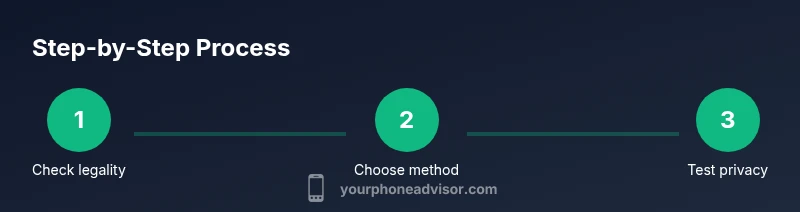
Check legality and intent
Review local regulations and confirm you have a legitimate reason for blocking your number in this context. If unsure, consult a legal resource or Your Phone Advisor guidance before proceeding.
Tip: If the call involves sensitive information, consider alternatives like a dedicated business line. - 2
Choose blocking method
Decide whether you’ll use carrier-level blocking for broad privacy or device-level blocking for per-call control. Evaluate costs, reliability, and impact on emergency services.
Tip: Per-call blocking is often best for occasional privacy needs. - 3
Enable per-call blocking (carrier or code-based)
If your carrier supports per-call blocking, turn it on via your account or dial a per-call code (e.g., a star code) before dialing the number. Test with a non-sensitive contact first.
Tip: Note that codes vary by region—verify with your carrier’s support pages. - 4
Enable device-level blocking (iPhone/Android)
For iPhone, go to Settings > Phone > Show My Caller ID and toggle off. For Android, open the Phone app settings and adjust Show My Caller ID or similar option. If your device or carrier disallows changes, use the app-based method instead.
Tip: If the option is unavailable, your carrier may override device settings. - 5
Test the privacy setting
Place a test call to a trusted contact or your own number from a separate line to verify the recipient sees the intended label (Private/Unknown) or no number.
Tip: If you see your number, revisit settings and restart the device. - 6
Decide on ongoing privacy strategy
Determine whether you want permanent blocking, per-call blocking, or a separate private-number line for ongoing needs. Align this decision with privacy goals and context.
Tip: Document your chosen approach to avoid confusion for others calling you.
Got Questions?
Is it legal to hide my caller ID for all calls in my country?
Privacy laws vary by country. In many places, blocking your number for routine calls is allowed, but there are restrictions for certain contexts like harassment or impersonation. Always check local regulations and carrier policies before using privacy features.
Laws differ by country and context. Check your local rules and carrier policies before hiding your number.
Will blocking my number affect emergency calls?
Emergency services may still receive caller information or locate you based on other data. Privacy features are not guaranteed to work during emergencies, so use them for non-emergency communications.
Emergency calls may bypass privacy features; don’t rely on hiding your number in emergencies.
Can I hide my number on a per-call basis without changing settings permanently?
Yes. Most carriers and devices support per-call blocking that applies only to the next call. This is useful for occasional privacy without altering default settings.
Per-call blocking lets you hide your number for just one call.
Why would a recipient still see my number after I enabled blocking?
Some networks, apps, or emergency services can override privacy settings. Also, misconfigured settings or older devices can leak identifiers.
Privacy sometimes fails due to network or device quirks; double-check settings and test.
Are there safer alternatives to hide my number for my business needs?
Using a separate business line or a reputable privacy-focused VOIP service can provide controlled privacy without risking impersonation or policy violations.
A dedicated business line or vetted VOIP service can protect privacy safely.
What is the difference between 'Private' and 'Unknown' on caller ID?
Both terms indicate limited caller information. 'Private' usually means the sender requested privacy, while 'Unknown' may occur due to network labeling or recipient settings.
Private and Unknown both indicate limited caller data; labels depend on networks and devices.
Watch Video
What to Remember
- Understand carrier vs device blocking options before dialing.
- Always verify local laws and service terms for private calls.
- Test privacy settings with non-sensitive calls first.
- Know that emergencies may bypass privacy features.