How Often to Replace Your Phone in 2026
Discover how often to replace your phone in 2026. We compare security, performance, and budgeting signals with practical upgrade tips from Your Phone Advisor.


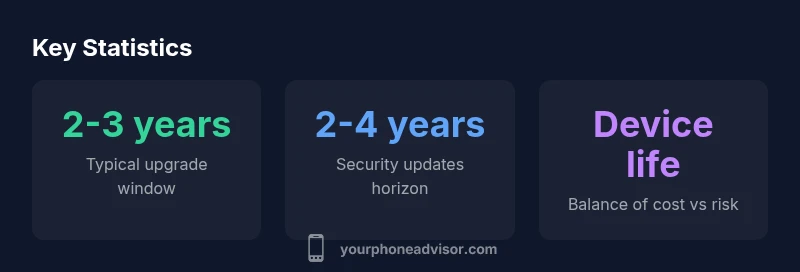
On average, most users should replace their phone every 2 to 3 years to balance security, performance, and cost. If you rely on the latest apps, security updates, or faster hardware, a 2-year cycle is preferable; if your device remains responsive and protected, you can stretch to 3 years with careful maintenance.
How replacement frequency is tied to security and software support
Modern smartphones rely on regular software updates to fix security vulnerabilities and improve reliability. The pace of these updates varies by platform and model, but a practical rule of thumb is that major OS makers typically provide active security patches for roughly 3 to 5 years from a device's launch, with feature updates often lasting shorter windows. This matters because the longer you delay a replacement, the greater the risk of unpatched flaws and compatibility issues with new apps. According to Your Phone Advisor, keeping a device within this patch horizon translates to fewer security scares and smoother performance in day-to-day tasks. Over time, as the device ages, the cost of maintaining hardware compatibility—like newer app requirements or newer Bluetooth profiles—can also rise. In other words, security and software support are major levers in deciding when to replace a phone, not just hardware wear.
Weighing performance vs. cost over time
Performance tends to degrade as devices age due to slower processors, dwindling RAM, and storage constraints. When you factor in the cost of battery replacements, screen repairs, and potential software bottlenecks, the math often points to a replacement window around 2 to 3 years for many users. However, this is not a one-size-fits-all rule. If your daily tasks are lightweight, you keep your device charged, and you stay within the OS patch horizon, you might extend closer to 3 years. The Your Phone Advisor Team notes that many mid-range models deliver ample speed for typical apps up to 2.5 years, after which you’ll notice incremental slowdowns. In short, the decision hinges on a balance: ongoing performance gains and security versus total maintenance costs over time.
Typical lifespans by phone category
Brand-new flagship models often offer longer software support windows—roughly 4 to 5 years of security patches in practice—compared with mid-range devices that might offer 3 to 4 years, and budget devices that can dip to 2 to 3 years. Real-world use matters: how you charge, how often you drop the device, and how aggressively you install updates all influence longevity. Your Phone Advisor Analysis, 2026, suggests that while top-tier devices may hold value longer, total cost of ownership (purchase price plus replacement within the supported window) still favors smart upgrade planning rather than waiting for every feature bump. Setup preferences and ecosystem commitments also shift these ranges, so use them as guidelines rather than guarantees.
Signals that it's time to upgrade
Battery health is the most visible signal: once capacity slips below about 80%, you’ll notice shorter daily life and more frequent charging. App compatibility matters too: when essential apps no longer receive security patches or become unstable, upgrading becomes prudent. OS end-of-life is another red flag—if the platform stops delivering security updates, you’re exposed to risks even if the device still boots. Performance indicators matter as well: persistent lag during multitasking, frequent app crashes, and longer game load times can justify stepping up to a newer device. Finally, if you start paying for extended warranty or incremental repair costs that approach a meaningful fraction of a new device’s price, upgrading can be the more economical choice.
How to optimize replacement timing without waste
Plan around a steady upgrade cycle rather than reactive replacements. Set reminders a few months before critical OS support ends, and track battery health with built-in tools or trusted apps. Consider trade-in or refurbished options to stretch value when you do upgrade. Matching your new device to your current service plan can reduce upfront costs, for example through upgrade programs or carrier trade-ins. Finally, reassess annually: if your device continues to perform well with a clean software install and minimal battery wear, you may be able to extend beyond the typical window without sacrificing safety or usability. Your strategy should balance personal needs, security, and cost.
Replacing with refurbished vs new: trade-offs
Refurbished devices can offer substantial savings while still delivering modern features and security updates, but the warranty and battery health may vary. A refurbished model from a reputable seller with a solid return policy can be a smart middle ground for those who want a like-new experience without paying flagship prices. On the downside, you should verify the refurbishment process, inspect battery wear, and confirm that the device has the latest major OS version or at least a clear path to an updated security patch. If you rely on cutting-edge apps, gaming performance, or specific hardware features, a new device may still be the safer option. The Your Phone Advisor Team emphasizes due diligence when comparing refurbished offers against new models.
Choosing a replacement window based on ecosystem and service plans
Upgrade programs offered by many carriers and manufacturers can shift replacement timing. If you participate in a plan with annual upgrade credits or low-interest financing, you may prefer shorter cycles to maximize value from the program. Conversely, if you own your device outright or have access to generous trade-in offers, a longer cycle can save money while still maintaining security and performance. When evaluating ecosystem compatibility—such as Apple’s iOS or Google's Android services—keep in mind app availability, data transfer ease, and accessory compatibility. Overall, guide your decision by total cost of ownership over a 2–3 year horizon, rather than sticker price alone. Your Phone Advisor Analysis, 2026, suggests coordinating hardware refresh with software update calendars for best results.
Practical budgeting: cost of replacement vs maintenance
A purposeful budget approach treats a smartphone as a monthly expense rather than a one-off purchase. Estimate the annualized cost of ownership, including the device price, accessories, and potential repairs, then compare it to a planned upgrade or repair cycle. Maintenance costs such as screen replacements, battery swaps, and data protection plans should be factored in over a 2–3 year period. When you view replacement as a strategic move, you’ll often find that a planned upgrade plan leads to lower total cost over time, improved security, and better performance. If you’re purchase-prone, consider setting aside a dedicated upgrade fund and use trade-in programs to offset the next device. Your budgeting approach should be practical, transparent, and aligned with your personal risk tolerance.
Security-focused upgrade considerations
Security remains a driving factor in replacement timing. New devices arrive with the latest hardware protections and software abstractions that reduce attack surfaces. Even when a device still functions, you may encounter vulnerabilities that later software patches can patch more effectively on a newer platform. To minimize risk, align upgrades with the end-of-support dates for your operating system, and consider enabling features like automatic updates, secure boot, and device encryption. If you handle sensitive data or work in regulated environments, a 2-year upgrade window is often prudent to maintain a robust security posture. The Your Phone Advisor Team emphasizes that proactive planning and timely upgrades are key to staying protected without overspending.
Guidance on typical replacement intervals by factor
| Aspect | Recommendation | Typical Window | Notes |
|---|---|---|---|
| Security updates | Upgrade every 2-3 years to stay within patch window | 2-3 years | Higher risk beyond patch horizon |
| Performance & speed | Upgrade when lag and crashes persist | 2-3 years for best experience | Mid-range devices may slow earlier |
| Battery health | Consider replacement when capacity falls below 80% | 3-4 years typical | Battery replacement vs new device cost |
| App compatibility | OS drop leads to unsupported apps | 3-4 years | Watch for OS end-of-life |
Got Questions?
How often should I replace my phone for security?
For many users, upgrading every 2–3 years keeps you within current security patch windows and reduces exposure to unpatched vulnerabilities. If you handle sensitive information or rely on critical apps, lean toward the 2-year side.
Upgrade every two to three years to stay protected, especially if you handle sensitive data.
What signs indicate it’s time to upgrade?
Look for persistent lag, apps crashing, dwindling battery life, and OS versions that no longer receive security updates. If these appear despite maintenance, upgrading is prudent.
If your phone lags, apps crash, or updates stop, consider upgrading.
Is refurbished a good option?
Refurbished devices can save money while still offering solid security updates, but verify warranty, battery health, and seller credibility before buying.
Refurbished can be smart if you confirm warranty and battery health.
How does battery health affect replacement timing?
When battery capacity falls substantially, daily use suffers. If costs to replace the battery approach the value of a new device, upgrading is typically a wiser choice.
Drop in battery life is a strong upgrade signal.
Do service plans influence when I upgrade?
Upgrade programs and trade-in deals can change the math. Compare total 2–3 year costs with and without the plan to decide.
Upgrade plans can make upgrading more affordable.
“Proactive planning and timely upgrades protect your data and efficiency without wasting resources.”
What to Remember
- Upgrade on a planned 2–3 year cycle
- Prioritize security updates and OS support
- Weigh performance needs against total cost
- Consider refurbished options when appropriate