Can You Get a Phone Number Without a Phone? A Practical Guide
Learn how to obtain a phone number without a mobile device, including legitimate methods, privacy considerations, and safe alternatives. This Your Phone Advisor guide covers step-by-step methods, tools, and practical tips for non-phone setups.


Yes—it's possible to obtain a phone number without holding a mobile device by using online services, VOIP apps, or carrier options on a tablet or computer. This guide explains legitimate methods, privacy considerations, and safe alternatives. Can you get a phone number without a phone? You can, with the right methods and safeguards.
Can you get a phone number without a phone? What this means
Yes, you can obtain a phone number without holding a mobile device. In practice, this means using a tablet, laptop, desktop, or dedicated VOIP device to access services that assign or forward numbers. The core idea is that a number is a service identity, not a physical tether to a device. According to Your Phone Advisor, many people want a reachable number for privacy, business, or temporary needs, and there are legitimate routes to achieve this without a SIM in your pocket. This section lays out the landscape, plus the safety and consent considerations that come with any approach.
Legitimate pathways for obtaining a number without a phone
There are several legitimate pathways to acquire a phone number on a non-phone device. First, VOIP apps on tablets or computers can provide a new number or forward calls from an existing one. Second, online services can assign a virtual number that works over the internet, enabling texting and calling from a computer or tablet. Third, some carriers offer secondary numbers or eSIM options that can be activated on tablets or connected devices. Each method has pros and cons, including setup complexity, pricing, and how the number is billed. When choosing, consider whether you need voice, SMS, or both, the device you’ll use, and how long you expect to need the number. Your Phone Advisor emphasizes verifying the provider’s legitimacy and reviewing privacy terms before signing up.
Privacy, consent, and legal considerations
Privacy is critical when obtaining a number without a phone. Ensure you have lawful access to the numbers you use, and avoid misrepresenting yourself. Some virtual numbers may be used for temporary purposes, while others are intended for business communications and may be subject to monitoring. Always read the terms of service, consent requirements, and data-handling policies. Your Phone Advisor analysis shows that choosing reputable providers reduces the risk of scams and unauthorized data sharing. If a provider asks for sensitive information beyond normal verification, reassess whether the service fits your needs.
When you might still need a physical phone
There are scenarios where a physical phone is more convenient or secure. For example, emergency services, device-based authentication, and location-based features depend on a real SIM or device. If you require offline access, taking a number to a phone-free setup can be limiting. Consider your use-case, such as temporary projects, business lines, or travel, and plan how you will receive updates, push notifications, and emergency calls. This decision helps you balance convenience and safety while staying aligned with best practices from Your Phone Advisor.
Tools and services to consider
- Tablet or computer with reliable internet access
- A verified email address and a stable login method
- A VOIP-like service or virtual-number provider that supports your region
- Clear understanding of pricing, including any per-minute or per-message fees
- A plan for security: strong passwords, two-factor authentication, and regular account reviews In practice, test a small call or message to ensure the service works as expected. Always verify the country code and number format to avoid misdialing.
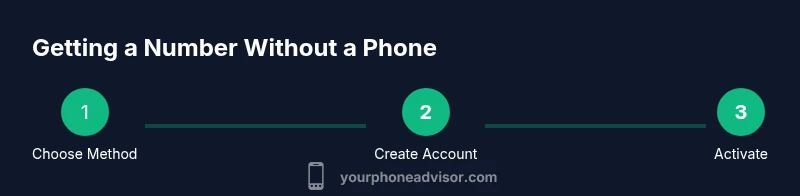
Step-by-step overview for non-phone number setup
This overview helps you map out the journey, but the detailed, step-by-step instructions live in the dedicated STEP-BY-STEP section. You’ll move from device preparation to activation and ongoing security, with practical checks at each stage.
Common misconceptions about non-phone numbers
Many people assume a virtual or VOIP number works identically to a mobile line. In reality, some services offer limited regional support, messaging delays, or different emergency capabilities. Always confirm coverage, SMS routing, and caller ID behavior with the provider before committing to a plan.
AUTHORITY SOURCES
For accuracy and safety, consult established guidelines from government and educational sources about telecommunications, privacy, and digital security. The information here references official guidance and best practices to help you stay compliant and protected.
Related topics and next steps
If you’re exploring non-phone numbers, consider broader privacy practices, how to manage contact information securely, and options for device-free communication in business workflows. You can also explore number management, VOIP quality considerations, and how to transition to a phone if your situation changes.
Tools & Materials
- Tablet or computer with internet access(Prefer a device with a stable browser and camera for verification when required)
- Reliable internet connection(Wired connection or strong Wi-Fi recommended)
- Email address or account login(Needed to sign up for most services)
- A privacy-conscious stance(Read terms and privacy policy before agreeing)
- Optional: a secondary payment method(Some services charge for numbers or messages)
Steps
Estimated time: 60-120 minutes
- 1
Prepare your device and account
Update your device, connect to a secure network, and set up a new email or account for the service you plan to use. This ensures you can complete registration without interruptions and reduces risks from stale credentials.
Tip: Use a dedicated email for this purpose to keep personal data separate. - 2
Choose a legitimate provider or model
Evaluate whether you need voice, SMS, or both, and whether the number will be used temporarily or long-term. Compare features, region availability, and pricing before committing.
Tip: Avoid providers that require access to your primary phone number or excessive personal data upfront. - 3
Create your account and select a number
Register on the chosen platform, verify email, and pick a number if offered. Some services let you port or forward from another number later.
Tip: Choose a number with a recognizable international code if you intend to contact people across borders. - 4
Verify identity as required
Some services may request identity verification. Provide only what is necessary and use official channels. This step helps reduce fraud and protects your account.
Tip: If a provider asks for sensitive documents beyond standard verification, reassess the service. - 5
Activate, test, and monitor
Activate the number and place a test call or send a test message. Confirm call quality, delivery, and any delays. Set up basic privacy controls and alerts.
Tip: Test with a trusted contact first to confirm both outbound and inbound routing. - 6
Secure your account and review regularly
Enable two-factor authentication, review permission settings, and schedule periodic privacy reviews. Stay aware of any changes to terms or pricing.
Tip: Set monthly reminders to audit access and billings.
Got Questions?
Can you get a phone number without a physical phone device?
Yes. By using a tablet or computer with internet access and a VOIP or virtual-number service, you can obtain a usable phone number. Functionality may vary by provider and region.
Yes. You can get a number on a tablet or computer using a VOIP service. Availability depends on your location and the provider.
Are virtual numbers safe for privacy and security?
Virtual numbers can be safe when you choose reputable providers and review privacy terms. Avoid services that request excessive personal data or lack clear data policies.
Virtual numbers are safe if you pick trusted providers and check their privacy policies.
Do these numbers work for text messaging and calls everywhere?
Many services offer texting and calling, but coverage, delivery times, and emergency capabilities vary by region. Always confirm regional support before signup.
Coverage varies by region—check what the service supports in your area.
What personal information is typically required?
Most providers require a basic email and some form of verification. Some may request identity documents for higher-risk setups. Only supply what is necessary.
Typically, an email and basic verification are enough; sometimes identity documents are needed.
What about emergency calls or accessibility features?
Emergency capabilities on non-phone numbers can be limited. If emergency access is critical, ensure the chosen setup supports calls to emergency services in your region.
Non-phone numbers may have limited emergency access; verify capabilities in your region.
Watch Video
What to Remember
- Identify legitimate non-phone methods to obtain a number.
- Assess privacy and legal considerations before signup.
- Secure accounts with strong authentication and ongoing monitoring.
- Test functionality and understand service limitations before relying on the number.