How to Make a Phone Number: A Practical Guide (2026)
Learn legitimate ways to obtain a new phone number, including traditional carriers, eSIMs, and virtual numbers. This educational guide covers steps, costs, privacy, and troubleshooting.


To make a phone number legitimately, you either obtain one from a mobile carrier (via a SIM or eSIM) or use a virtual/portable number service. You’ll need a compatible device, valid ID in many cases, and a payment method. The steps generally include choosing a provider, confirming your identity, selecting or porting a number, and activating the service.
What does it mean to "make" a phone number?
In everyday language, creating a phone number usually means obtaining a new dialable line from a provider, porting an existing number to a different carrier, or setting up a virtual/second number for privacy or business use. Each path has distinct benefits: traditional carrier numbers tend to be highly reliable for voice and SMS; eSIMs and virtual numbers offer flexibility, shorter setup times, and often lower ongoing costs. According to Your Phone Advisor, understanding your actual needs—whether reliability, privacy, or multi-line management—helps you pick the best route. This decision also affects what kind of identity verification, billing, and device compatibility you’ll encounter, so plan accordingly.
If you’re exploring a new line, you’ll also want to consider where the number will be used (domestic vs international), whether you need SMS for two-factor authentication, and how you’ll manage calls and messages across devices. The landscape includes traditional carriers, eSIM-based options, and virtual-number services, each with its own setup quirks and privacy considerations. The Your Phone Advisor team emphasizes starting with a clear purpose for the number – that clarity will guide your choice and reduce surprises later.
This block explores a broad understanding of the various pathways to obtain a phone number, including what each method means in practice and common trade-offs. It sets the stage for a practical, step-by-step approach that you can apply whether you plan to switch carriers, activate an eSIM, or start using a secondary number for privacy or business contexts.
Tools & Materials
- Phone with SIM/eSIM capability(Ensure your device supports eSIM if you plan to use a digital SIM; check carrier compatibility)
- Valid government-issued ID(Many carriers require identity verification; some services do not, depending on jurisdiction)
- Payment method(Have a credit/debit card or digital wallet ready for activation and plans)
- Personal details(Full name, address, and date of birth as requested by providers)
- Internet-enabled device(Needed for online signups, ID verification, and managing the number)
Steps
Estimated time: 25-60 minutes
- 1
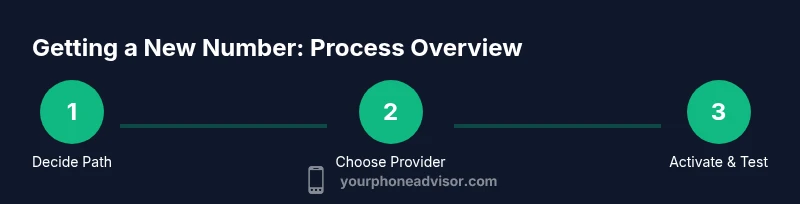
Decide method
Identify whether you want a traditional carrier number (physical SIM or eSIM), a virtual/secondary number, or to port your current number. Consider reliability, privacy, ease of use, and potential downtime during setup.
Tip: Start by listing your top three needs (calls, texts, privacy) to guide method choice. - 2
Choose provider or service
If you’re going with a carrier, compare plans, coverage, and device compatibility. For virtual numbers or porting, evaluate provider features (SMS support, call routing, app integration) and privacy controls.
Tip: Check if the service supports your country/region and desired number type (local, toll-free, or mobile). - 3
Prepare required documents
Gather identification, payment details, and any prerequisite information requested by the provider. Having everything ready speeds up verification and onboarding.
Tip: Keep a digital copy of your ID and a secure note of any verification codes you receive. - 4
Create account and verify identity
Sign up with the chosen provider and complete any required identity verification. This usually involves submitting documents or answering security questions, which protects against fraud.
Tip: Use a strong, unique password and enable two-factor authentication where possible. - 5
Select number or port your existing one
If starting fresh, choose a new number from the available pool. If porting, you’ll provide your current account number and PIN (if applicable) and initiate the porting request.
Tip: Avoid canceling your old service until the port completes to prevent downtime in service. - 6
Activate service
Activate the SIM/eSIM or virtual number according to the provider’s instructions. This often involves scanning a QR code, entering activation codes, or confirming via the provider’s app.
Tip: Restart your device after activation to ensure the number registers properly on the network. - 7
Test and configure
Make and receive calls and texts, test MMS if needed, and verify numbers for two-factor authentication on essential services. Configure call forwarding and voicemail as desired.
Tip: Test across multiple networks (Wi‑Fi and cellular) to confirm consistent performance. - 8
Secure and maintain
Review privacy settings, enable security features, and keep your device and apps updated. Periodically audit who can contact you and how your number is presented.
Tip: Limit app permissions that access your contacts and messages to reduce exposure.
Got Questions?
How long does it take to get a new phone number?
The timeline varies by method. Virtual numbers can be ready in minutes, while carrier provisioning or porting may take longer depending on verification and network availability.
It depends on whether you choose a virtual number or port a current one; virtual numbers are often instant, while carrier provisioning may take a bit longer.
Can I have two numbers on one phone?
Yes. Use a dual-SIM phone or a combination of a physical SIM and a separate virtual number app. You’ll manage them separately for calls and texts.
Yes, you can run two numbers on a dual-SIM phone or with a secondary number app.
Are virtual numbers private and safe?
Virtual numbers offer privacy by not exposing your primary line, but provider policies and app permissions affect privacy. Use reputable services and enable security features.
Virtual numbers can protect your main line, but privacy hinges on the provider and how you manage apps.
What identification is usually required?
Most providers require government-issued ID for regulatory reasons. Requirements vary by country and provider, so check what’s needed before starting.
You’ll likely need a government ID; exact requirements vary by provider and location.
What should I do if I want to port my old number?
Start the port with your new carrier, keep your old service active until the port completes, and provide the current account details and PIN if required.
If porting, keep your old line active until the port finishes and provide the necessary account details.
What costs should I expect?
Costs vary by provider and method. Expect upfront activation or setup fees with traditional carriers and recurring monthly fees. Virtual numbers often have lower base costs.
Costs differ by method; virtual numbers are usually cheaper upfront, while carriers may charge monthly fees.
Watch Video
What to Remember
- Decide the right path for your needs (carrier vs. virtual).
- Prepare documents to speed verification and onboarding.
- Test the number thoroughly before relying on it for critical tasks.
- Protect privacy and security through settings and authentication.