How to Phone Without Leaving Your Number
Learn practical methods to call without exposing your number. From built-in caller ID blocking to temporary numbers and privacy-friendly services, Your Phone Advisor guides you through safe, legal ways to stay reachable while protecting your privacy.


To call without exposing your number, enable caller-ID blocking or use a temporary number with a burner-style app or VoIP service. This guide walks you through private calling methods, setup steps, and best practices to stay reachable while protecting your privacy.
Why you might want to phone without sharing your number
In a world where your number can be used to track, spam, or confirm identity, many smartphone users want a way to call without exposing their private contact. According to Your Phone Advisor, preserving number privacy is a practical habit that reduces unwanted solicitations and protects sensitive contexts (like selling items, coordinating with service centers, or dealing with temporary gigs). This section explores scenarios, motivations, and the balance between privacy and legitimacy, plus what terms like 'caller ID', 'hide number', and 'private call' actually mean. By understanding these concepts, you can decide which method best fits your daily needs and risk tolerance.
How caller ID works and what masking is
Caller ID is the service that displays a caller's number to the recipient. Masking or hiding the number prevents that identifier from appearing, showing terms like 'Private' or 'Unknown'. Masking can be done per call or for all calls, depending on your device and carrier. Some networks always reveal the number for emergency services or certain government-required exposures. This section clarifies what you can expect so you can plan calls without unexpected disclosures.
Built-in options on smartphones to hide your number
Most phones offer two main pathways to privacy: per-call blocking and permanent masking via the carrier or device settings. On iPhone, enable Show My Caller ID (or lack thereof) in the Phone settings; on Android, look for Caller ID & spam or similar labels. Carrier options may include a toggle labeled 'Hide Caller ID' or per-call blocking accessible through your account. Some carriers default to showing your number; in others, you must opt in. Keep in mind that features vary by region and plan.
Using temporary numbers and privacy-preserving services
Temporary numbers, often called burner numbers, provide a disposable line for short-term needs. Burner apps and VOIP services can mask your real number while routing the call through a separate number. When choosing a service, read the privacy policy to confirm whether calls are logged, stored, or linked to your real number. For longer-term privacy, consider services that offer true anonymity or number recycling with clear terms. Note that some jurisdictions regulate or restrict the use of temporary numbers in certain contexts.
When you must be reachable but private: strategies for business calls
If you frequently need to be reachable without exposing personal lines, set up dedicated business lines or use dual-SIM devices. Use a business-specific number, a VOIP-based line, or a private-number setting for customer-facing calls. Route management and contact filtering can help ensure your private number is used only for approved recipients. Always communicate clearly when you’re using a non-personal line to avoid miscommunication.
Steps to test and verify privacy settings
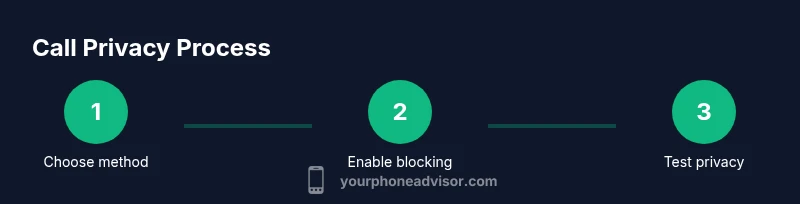
After configuring the privacy method, test the setup with a trusted contact. Have them call or you call them and verify what appears on their screen. If a number is shown, revisit settings or try an alternative method. Testing helps you catch inadvertently shared numbers, misconfigured apps, or carrier overrides before you rely on privacy in real-world calls.
Common pitfalls and caveats
Privacy features can fail in some circumstances: carriers may override, emergency services may require disclosure, and some apps may log numbers for analytics. Be aware that spoofing or misrepresenting a caller identity can be illegal in many places. Understand local laws, avoid deception, and always have a fallback method if privacy fails in important conversations.
Practical privacy hygiene: routine you can adopt
Make privacy checks part of your regular phone habits: review settings quarterly, test with a trusted contact, and maintain up-to-date apps with privacy terms. When you’re done with a private call, revert to your default privacy settings if you don’t want to maintain a private identity long-term. This habit minimizes leakage and reduces the chance of accidental exposure.
Quick reference checklist for privacy-minded calling
- Decide on your privacy approach for the call.
- Enable per-call blocking or use a temporary number when needed.
- Test privacy with a trusted contact before important calls.
- Be mindful of emergency calls and regional regulations.
- Keep privacy policies of any apps you use updated and respectful of user data.
Tools & Materials
- Smartphone(Any modern iOS or Android device with a dialer and internet access)
- Temporary-number app or service(Choose reputable service with clear privacy policy)
- Carrier privacy feature(Per-call blocking or account-level masking option)
Steps
Estimated time: 15-25 minutes
- 1
Decide on your privacy method
Assess the call type and duration to determine whether you will block per call, use a temporary number, or rely on a VoIP line for ongoing privacy.
Tip: Match the method to how sensitive the call is and how long you expect it to last. - 2
Enable device or carrier privacy
Open your phone settings or your carrier account to enable per-call blocking or hide your caller ID for all calls if available.
Tip: Check both device-level and carrier-level options, as some carriers override device settings. - 3
Set up a temporary number option
Install or configure a trusted burner/temporary-number app to use for short-term or one-off calls where privacy matters.
Tip: Choose apps with clear privacy terms and explicit data handling practices. - 4
Optionally add a VoIP-based privacy line
If you need longer conversations, set up a VoIP line that can mask your number while maintaining call quality.
Tip: Select a service with good security practices and plan visibility about data usage. - 5
Test privacy before important calls
Call a trusted contact to verify what the recipient sees and confirm privacy is functioning as intended.
Tip: If the number reveals itself, revisit the settings or try an alternative method. - 6
Understand emergency and legal considerations
Learn how emergency services handle caller information in your region and ensure you’re compliant with local laws.
Tip: Never rely solely on privacy features for sensitive or legally regulated communications.
Got Questions?
Can I hide my number for all calls, or only some?
Most devices and carriers offer per-call blocking or system-wide masking, but availability varies by country and plan. Check both device settings and carrier features to ensure consistent privacy.
You can usually hide your number per call or on a per-plan basis, but it depends on where you live and your carrier.
Will hiding my number affect emergency calls or 911?
Emergency services may still connect calls and can require disclosure in some regions. Always know how your local rules apply and keep a way to reach emergency services using your actual number if needed.
Emergency calls can override privacy in some places, so be aware of local rules and prepare accordingly.
Are temporary numbers safe to use for privacy?
Temporary numbers can protect privacy for short-term use, but choose reputable providers with clear data handling policies and understand that some providers may log usage.
Temporary numbers can help privacy for short-term needs, just pick a trusted provider and read their policy.
What about apps that spoof numbers?
Spoofing numbers can be illegal or violate terms of service in many jurisdictions. Avoid deception and use lawful privacy methods instead.
Be cautious with apps that claim to spoof numbers; many places prohibit this and it can land you in trouble.
How can I verify that my number is hidden?
Test by calling a trusted contact from a separate device or account to confirm what appears on their screen. If it shows your number, revisit settings.
Test by making a call to someone you trust to see what shows on their screen, then adjust if needed.
Watch Video
What to Remember
- Choose a privacy method that matches call type
- Test privacy before important conversations
- Be aware of emergency call rules and local laws
- Use trusted apps with clear privacy policies
- Regularly review and adjust privacy settings