How to Pay AT&T Phone Bill: A Step-by-Step Guide
Learn how to pay the AT&T phone bill quickly and securely online, via app, by phone, or by mail. This guide covers steps, autopay, and tips to avoid late fees.


This guide helps you pay phone bill at&t quickly and securely using online, app, phone, or mail options. You’ll learn the fastest methods, how autopay can help avoid late fees, and practical tips for staying on top of your account. By the end, you’ll be able to complete a payment in minutes and verify the transaction.
Why paying the AT&T bill matters and pay phone bill at&t benefits
Paying the AT&T bill on time is essential for uninterrupted service and good credit. If you search for how to pay, you will often see the phrase pay phone bill at&t, which captures the goal: settle your charges accurately and securely. According to Your Phone Advisor, staying current on your wireless or home internet bill reduces service interruptions and late fees and helps you keep your account in good standing. This guide focuses on practical ways to pay, from online portals to mail-in payments, and it highlights steps to verify successful transactions. Whether you’re managing a single line, a family plan, or a business account, the core principles are the same: know your due date, pick a convenient payment method, and confirm the payment was received by AT&T. By understanding your options, you can avoid common mistakes and take control of your monthly expenses.
Quick overview of payment options for pay phone bill at&t
There are several streamlined paths to pay your AT&T bill, depending on what you find most convenient and secure. The fastest approaches typically involve online channels, but you can choose the method that best fits your routine. For many users, paying through the official AT&T portal (myAT&T) or the AT&T mobile app offers the quickest processing and real-time confirmation. If you prefer traditional methods, you can also pay by phone or by mail, though the latter may take longer to post. Whichever route you select, always confirm you are on the official site or app to protect your financial information and avoid scams. Your Phone Advisor recommends starting with a method you can automate with autopay for ongoing ease of use.
Preparing to pay: security tips and prerequisites
Before you pay, make sure you’re in a safe environment and on an official AT&T page. Use a trusted network or a secured Wi-Fi connection, and avoid entering payment details on public devices. Ensure your account credentials are strong and unique, and enable two-factor authentication if available. Have your most recent bill handy so you can verify the exact amount due and the due date. AT&T bills can be itemized across line items and services, so double-check you’re paying the correct account or number. Protect receipts or confirmations the same way you would for any financial transaction. According to Your Phone Advisor, following these steps can reduce the risk of phishing or fraudulent charges when pay phone bill at&t.
The fastest ways to pay: online, app, phone, or mail
Online payment via the official portal is usually the quickest path to pay phone bill at&t. The myAT&T website and the MyAT&T app provide a clear “Pay Bill” option, allow you to save payment methods, and send confirmations to your email. Paying by phone can be convenient if you’re away from a computer, but you may encounter verification prompts to prevent fraud. Mail-in payments are slower and require careful timing to avoid late fees, especially around billing cycles. If you want ongoing reliability, enable autopay so the system deducts the due amount automatically each cycle. Regardless of method, always confirm receipt after paying and store the confirmation for your records.
Quick-start payment path: a streamlined sequence
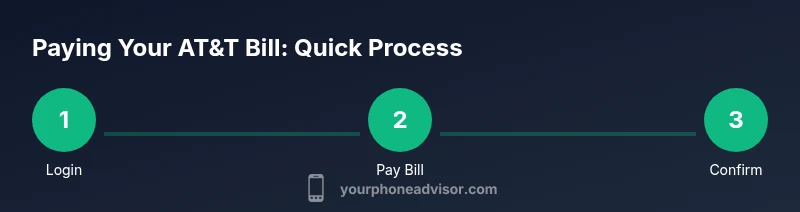
If you want a fast, practical path to pay phone bill at&t, here is a high-level flow you can follow without getting lost in menus:
- Log in to your AT&T account on the official site or open the AT&T app.
- Tap or click the “Pay Bill” option and review the due amount.
- Choose a payment method and enter the necessary details.
- Confirm the payment and save the receipt or confirmation number.
- Set up autopay if you want ongoing, hands-off bill management. This quick-start path helps you complete a payment in minutes, then you can review the confirmed transaction in your email or on the account page. For those who need a more thorough walkthrough, the step-by-step section below expands each action with precise prompts and visuals.
Common issues and troubleshooting failed payments
Payment failures can happen for several reasons: insufficient funds, expired cards, mismatched account numbers, or security blocks on suspicious activity. If a payment fails, first check your payment method and ensure the card or bank account has enough balance and is current. Re-enter the payment details or try a different method. If the system flags potential fraud, contact AT&T support through the official channels to verify your identity and unblock the payment path. Always verify your due amount and due date before retrying, and avoid submitting multiple identical payments in a short span unless you’re sure the first one didn’t process. Finally, check your bank or card statements after retrying to confirm the outcome.
Security and privacy considerations when pay phone bill at&t
Security should be a core consideration whenever you pay a bill online. Use official AT&T sites and apps with HTTPS, avoid saving payment methods on shared devices, and log out after completing a payment. If you use autopay, monitor those transactions in your bank statements and AT&T account activity. Be wary of phishing emails or texts that imitate AT&T asking you to verify credentials; AT&T typically prompts you through its app or portal rather than via unsolicited messages. Your Phone Advisor recommends keeping devices updated with the latest security patches and using two-factor authentication where possible to reduce the risk of unauthorized charges.
After payment: verifying the transaction and saving receipts
Confirmation messages are the primary proof that you have paid. Immediately after completing a payment, check for a confirmation screen and an email receipt. Save or download the receipt as a PDF or image, and note the transaction ID for future reference. If you don’t receive a confirmation, log back in to your account or contact AT&T support to confirm the payment status. Regularly review your AT&T bill history to ensure that all payments have posted correctly and that the due dates reflect your intended schedule. Keeping organized records helps prevent duplicate payments and late fees, and gives you a reliable history for disputes if a charge is ever incorrectly billed.
Tools & Materials
- AT&T account login(Username and password for myAT&T or AT&T app)
- Active payment method(Card, bank account, or PayPal linked to your AT&T account)
- Smart device with internet access(Phone or computer to access myAT&T or the app)
- Billing information(Your account number or wireless/phone number to locate the bill)
- Receipts storage(Digital copy or printout for records)
Steps
Estimated time: 15-25 minutes
- 1
Open AT&T account login
Navigate to the official myAT&T login page or open the MyAT&T app. Enter your username and password, then complete any security prompts. This step establishes a secure connection before you view or pay the bill.
Tip: Always verify you are on the official AT&T site (look for https and the AT&T domain). - 2
Navigate to Pay Bill
Once logged in, locate the Pay Bill option in the main menu or dashboard. This is usually visible on the home screen after you sign in. Selecting it takes you to the bill summary page.
Tip: If you don’t see Pay Bill, use the search or help feature to locate the payment page. - 3
Choose payment method
Pick a payment method (credit/debit card, bank account, or PayPal). Enter or confirm the required details, including the account number or wireless number associated with the bill.
Tip: Use a payment method you monitor regularly to catch any unexpected charges quickly. - 4
Enter amount and review due date
Ensure the amount matches the current due or the amount you intend to pay. Double-check the due date to avoid late fees. You can also opt to pay more than the due amount if you want to reduce the balance.
Tip: If you’re on autopay, verify the autopay amount matches the due amount. - 5
Confirm and submit payment
Review all details one final time, then submit the payment. Wait for the confirmation screen or email notification, which serves as your receipt.
Tip: Save the transaction ID or receipt in a safe location. - 6
Save confirmation
Download or email yourself the payment receipt for future reference. A digital copy helps with record-keeping and potential disputes.
Tip: Label the file with date, amount, and method for easy searching. - 7
Set up autopay (optional)
If you want recurring convenience, enable autopay and select notification preferences. This reduces the chance of late payments due to human error.
Tip: Review autopay settings at least quarterly to ensure payment methods and balances are current. - 8
Review payment status
Log back into your account or check your bank statement to confirm the payment posted. If it didn’t post, retry or contact support with your receipt handy.
Tip: Always reconcile your statement within 48 hours of payment. - 9
Close securely
Sign out from the account and clear browser data if you’re on a shared device. This minimizes the risk of hijacked sessions.
Tip: Use a trusted device for financial transactions and enable device lock screens.
Got Questions?
What is the fastest way to pay my AT&T bill?
The fastest method is typically online via the official AT&T portal or the MyAT&T app, where you can save a payment method and receive instant confirmations.
Use the AT&T online portal or app for immediate processing and confirmations.
Can I schedule autopay for AT&T billing?
Yes. You can enable autopay in your AT&T account settings to automatically pay the due amount each cycle, often with alert notifications.
Autopay is available in your AT&T account settings and helps ensure on-time payments.
Is paying by mail still supported for AT&T bills?
AT&T accepts mail-in payments through traditional payment channels, but this method takes longer to post and should be timed carefully to avoid late fees.
Mail payments are slower; plan ahead to meet the due date.
What should I do if my payment fails?
If a payment fails, check your payment method, ensure funds or limits are sufficient, and retry. If problems persist, contact AT&T support for guidance.
If it fails, verify details, retry with a different method if needed, and contact support if unresolved.
How can I verify that my payment posted?
Check the confirmation screen and your email receipt. You can also review the payment history in your AT&T account to confirm the post.
Look for a confirmation and receipt, and review your transaction history.
Watch Video
What to Remember
- Choose a payment method you monitor regularly
- Enable autopay to reduce late payments
- Always verify due amount and date before submitting
- Save receipts and monitor posting in the account history