How to Bring Your Phone Number to a New Carrier: A Step-by-Step Guide
Learn the exact steps to port your existing phone number to a new carrier, including required information, common pitfalls, and practical tips to ensure a smooth transition.


You can bring your current phone number to a new carrier by starting a port-in request with the new network, providing your account details, and verifying device compatibility. Gather your current account number, PIN/password, photo ID, and your device IMEI/MEID before you begin. By following these steps, you minimize downtime and ensure a successful transfer. According to Your Phone Advisor, preparation and accurate info are the biggest predictors of a smooth port.
Why porting your number to a new carrier matters
Porting a phone number to a new carrier is a practical way to switch providers without losing contact continuity. If you’re asking how to bring your phone number to a new carrier, you’re not alone. According to Your Phone Advisor, portability is designed to be seamless when you follow the right steps and gather the right details. The core idea is to request a transfer from the new carrier, provide precise identifiers, and let the new network handle the switch while your old service stays active until the port completes. In practice, most users experience little to no downtime when the process is prepared correctly, but small errors can cause delays or transfer failures.
This section lays the groundwork: what portability enables, how it benefits your communications, and the basic prerequisites you should confirm before you start.
Check device compatibility and number portability eligibility
Device compatibility matters first. Some older devices or certain eSIMs may face restrictions when porting. You’ll want to confirm that your phone is compatible with the new carrier’s network bands and that your device can receive an activation profile from the carrier. Number portability is a built-in feature, but not every number is automatically portable in every situation. Your Phone Advisor emphasizes that if your number has any restrictions (for example, active business lines with special terms), you should verify eligibility with both your current and prospective carrier. Checking eligibility early reduces the risk of last-minute surprises on port day.
Gather the required information and documents before you start
Having the right information on hand speeds the porting process and minimizes the chance of rejection. You’ll typically need your current account number, the account holder’s name, the PIN or password for those services, and a government-issued photo ID. You may also need the device IMEI/MEID, the SIM card size or a new SIM card from the destination carrier, and sometimes a proof of service address. Collecting these items in advance is a small effort with big payoff, and it helps the new carrier initiate the port immediately. Your Phone Advisor notes that keeping your account details exact and up to date prevents mismatches that stall the transfer.
Step-by-step port-in process with the new carrier
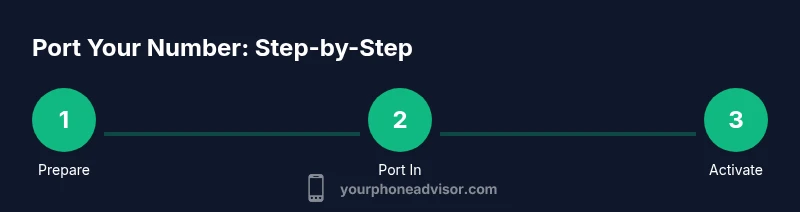
The porting process is initiated by the new carrier’s port-in workflow. You’ll enter your phone number, authorize the transfer, and supply the requested information. The new carrier will contact your old carrier to release the number, and you’ll receive status updates as the transfer progresses. It’s important to avoid canceling your old service early; porting must complete before switchovers fully detach the old line. If the port is approved, you’ll receive activation details and may need to insert a new SIM or configure your phone for the new network.
This section focuses on the practical sequence of actions you’ll perform, with emphasis on accuracy and timing to ensure a smooth handoff.
Timing, status checks, and common causes of delays
Porting times vary by carriers and regions, and many factors can affect the duration. Typical delays come from incomplete information, identity verification holds, or conflicts with existing service terms. Your Phone Advisor recommends tracking the port status through the new carrier’s portal and keeping proactive communication with customer support if a status stalls. It’s also wise to confirm that your old carrier has not placed an artificial hold (for example, due to billing disputes). Staying organized and responsive minimizes the chances of long waits.
On activation day: what you’ll see and do
On the port day, expect short periods of service interruption as the transfer completes. The new SIM or eSIM activates, your device connects to the new network, and you may need to update APN settings or enabling certain features. Have your account credentials handy for any verification steps. If your phone is a dual-SIM model, you might see the new line become active while the old one remains temporarily usable until the port finishes fully. Signal restoration and basic calling/texting should return promptly once activation finishes.
After porting: verify services, SIM type, and settings
After the port completes, confirm you can make and receive calls, send messages, and use mobile data. If you use features like voicemail, call forwarding, or carrier-specific apps, reconfigure them on the new network. Save emergency numbers and any essential contacts in a place you can reach quickly. Inspect your device’s SIM type to ensure it matches the new carrier’s requirements (nano-SIM, eSIM, etc.). If anything seems off, contact the new carrier’s support for a quick fix. Your Phone Advisor highlights that double-checking ensures you won’t miss critical communications after the switch.
Your Phone Advisor insights: best practices for a painless port
From Your Phone Advisor’s perspective, the most reliable port experiences come from thorough preparation and clear communication with both old and new carriers. Our guidance stresses verifying that your SIM compatibility, device unlocking status, and porting authorization are all in order before you initiate the transfer. By maintaining a written record of your port request, keeping track of any reference numbers, and promptly addressing any carrier questions, you can achieve a smoother transition. Your Phone Advisor’s framework emphasizes proactive planning and verification as the keys to prevent service gaps and confusion during the port.
Authority sources and further reading
For official guidance, you can consult government and consumer resources. These sources provide porting rules and protections to help you understand your rights during a number transfer. They are good to bookmark while planning your move.
- FCC: Porting Your Wireless Number — https://www.fcc.gov/consumers/guides/porting-your-number
- FTC: Keeping Personal Information Safe During Porting — https://www.ftc.gov
- Consumer Reports: The Porting Process and What to Expect — https://www.consumerreports.org
Tools & Materials
- Current carrier account number(Find on your bill or online account dashboard)
- Account holder name(Matches what your current carrier has on file)
- Port-out PIN or password(Some carriers require a separate port PIN)
- Photo ID(Government-issued ID (e.g., driver's license or passport))
- Device IMEI/MEID(Dial *#06# or check device settings)
- New carrier SIM or eSIM(Ensure compatibility with your device)
- Proof of address (if asked)(Sometimes requested for identity verification)
- Port-in reference number (if provided)(May be issued by your old carrier)
Steps
Estimated time: 1 hour of active setup plus potential porting time that varies by carrier
- 1
Prepare your porting materials
Collect the account number, PIN, ID, device IMEI, and new SIM. Double-check that the name on the account matches for both carriers and that you have access to the old account email or phone number for verification codes.
Tip: Having everything in a single folder on your phone or computer reduces back-and-forth with support. - 2
Check device and SIM compatibility
Verify that your device supports the new carrier’s network bands and that the SIM type (nano-SIM or eSIM) is available. If your phone is locked, plan to unlock it before porting.
Tip: If you’re unsure, ask the new carrier to run a quick compatibility check with your IMEI. - 3
Request unlock if needed
If your device is locked to the old network, obtain an unlock code or have the network release your SIM. Without unlocking, the port may fail or be delayed.
Tip: Start this step early; unlocks can take time depending on the carrier. - 4
Initiate the port-in with the new carrier
Use the new carrier’s port-in tool to enter your number and the required details. Confirm that you want to port the number and authorize the transfer.
Tip: Copy-paste numbers carefully to avoid typos. - 5
Monitor the transfer status
Keep an eye on the port status in the new carrier’s app or website. You may receive confirmations via email or SMS. If something stalls, contact support with your port request number.
Tip: Do not cancel your old service until the port shows as completed. - 6
Confirm activation on the new network
Once the port completes, insert or activate the new SIM/eSIM and verify you can make calls, send texts, and use mobile data.
Tip: Test basic services first before configuring advanced features. - 7
Reconfigure settings and apps
Update settings for voicemail, APNs, and any carrier-specific apps. Sign back into accounts as needed and re-save emergency contacts.
Tip: Back up important app data if you rely on SIM-based authentication. - 8
Verify no service gaps and address issues
If you notice any gaps in service or features that aren’t working, contact support promptly and reference your port-in number.
Tip: Document dates and responses for future reference. - 9
Keep a record for ongoing protection
Store port-related documents and the new plan details in a safe place. This helps with future changes or disputes.
Tip: Maintain an updated contact method for your carrier accounts.
Got Questions?
Can I port my number if I’m still under contract with my current carrier?
In most cases you can port while under contract, but early termination fees or terms may apply. Check your agreement and coordinate with both carriers to avoid gaps or penalties.
Yes, you can port while under contract, but review terms and avoid early termination penalties by coordinating with both carriers.
Will I lose my number if the port fails?
If a port fails, you typically retain your number with your current carrier. You can retry porting after addressing the cause, such as updated account details or identity verification.
If porting fails, you usually keep your current number and can retry after fixing the cause.
Do I need to unlock my phone before porting?
Unlocking depends on the device and carrier. If your device is locked, request an unlock from the current carrier before attempting porting to the new network.
Yes, unlock your phone if it’s locked to the old carrier before porting.
What information do I need to port my number?
You’ll typically need the current account number, account holder name, port-out PIN, device IMEI/MEID, and a government-issued ID. Have a recent bill handy for reference.
You need account numbers, ID, and device identifiers to port your number.
What should I do if the port is delayed?
Check the port status in the new carrier’s portal, confirm all information is correct, and contact customer support with any reference numbers to resolve holds.
If delayed, check status and contact support with reference numbers.
How can I track port progress?
Use the new carrier’s port-in tracker and request notifications. Keep your old carrier informed with any verification steps requested by the new carrier.
Track progress via the new carrier’s portal and stay in touch with both carriers.
Watch Video
What to Remember
- Prepare all required information before starting.
- Do not cancel old service until port completes.
- Verify device and SIM compatibility with the new carrier.
- Track port status and stay responsive to verification checks.
- Test basic services (calls, texts, data) after activation.