How to Change Your Phone Number: A Practical Guide
Learn how to change your phone number across carriers and devices with practical steps, security tips, and checks to ensure smooth transitions and uninterrupted access.


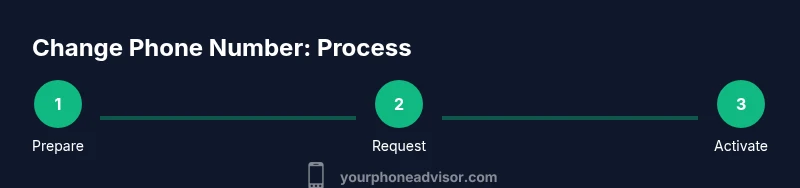
You can change your phone number by contacting your carrier to assign a new number, porting a number you own, or updating settings on your device. The exact steps vary by carrier and OS, but most users can complete the change in under an hour with identity verification and a quick verification call or code. Plan ahead to update linked services.
Why changing your phone number matters
If you're exploring how to change my phone number, you're addressing privacy, accountability, and data continuity across apps and services. A deliberate number change can reduce spam, limit exposure after a security incident, and help you separate personal and professional communications. According to Your Phone Advisor, the decision should be strategic and well-planned because a single number often ties into many accounts, providers, and verification flows. Before you begin, define your goal: do you want to reduce unwanted contact, improve security after a breach, or simply cleanly separate work from personal life? A clear objective helps you choose between a brand-new line, porting a number you already own, or using a virtual/private number for certain services. Consider timing as well: if you rely on two-factor authentication via SMS, you’ll need a plan to avoid account lockouts during the transition.
Common paths to change your number
There are several legitimate routes to change your phone number, and the best path depends on your situation, budget, and risk tolerance. The most common option is to request a change directly through your mobile carrier’s app or website, which usually requires identity verification and may involve a short activation window. Another option is porting a number you already own from one carrier to another, which preserves the same number but extends across a new network. Some people opt for a new number altogether, while others use a secondary or virtual number for business, online signups, or exposure to protect privacy. If you’re unsure, start by listing the services linked to your current number, then decide whether to port, reassign, or add a separate line for sensitive use.
Porting a number vs. getting a new one
Porting a number means moving your current phone number from an old carrier to a new one, keeping the same digits but shifting the underlying account. This process can take from a few minutes to a few hours, depending on the carriers and whether there are any holds on the account. In contrast, getting a brand-new number creates a fresh identity for your SIM/eSIM and associated accounts. This can be beneficial if you want to reset your contact footprint or reduce the risk of old data appearing in recovery options. Regardless of the route, you’ll want to update emergency contacts, banks, two-factor authentication providers, and critical apps with the new contact information.
Security and privacy considerations
Before changing your number, assess security implications: ensure you can still access your primary accounts, update two-factor options, and verify recovery email addresses or backup phone numbers. After the change, review and update all services that use your phone number as a recovery option or login credential. Turn on notifications for sign-in attempts and consider enabling app-based two-factor authentication where possible. If you’ve previously used SMS-based verification, plan to migrate to authenticator apps or security keys to reduce SIM-based risks. Your plan should minimize downtime and ensure you don’t lock yourself out of essential services during the switch.
How to prepare your devices and SIM/eSIM
Preparing your devices helps the transition go smoothly. If you’re changing your number, check whether your device uses a physical SIM or an eSIM. If you’re moving to a new carrier, you may need to obtain an eSIM QR code or a new SIM card. Backup important messages and contacts if possible, and note any critical apps you rely on for messaging or payments. After the number is changed, you may need to reconfigure messaging settings, iMessage/FaceTime or RCS configurations, and any carrier-specific features like VoLTE or Wi-Fi Calling. Finally, verify that your new number works for calls, texts, and data before ending the setup.
Update your linked accounts and services
A successful number change depends on systematically updating linked accounts. Start with your primary accounts (email providers, banking apps, social networks, and any apps that use SMS for verification). Update your phone number in the security settings and add backup recovery options like an alternate email. Don’t forget to update two-factor authentication methods: switch SMS-based 2FA to authenticator apps or hardware keys where available. Review apps that rely on SMS for alerts (delivery services, ride-sharing, financial apps) and re-authenticate or re-link as needed. Keeping a running checklist reduces the chance of missed updates.
Troubleshooting common issues
If you notice delayed SMS, failed token codes, or calls not routing to the right SIM, restart your device, reinsert the SIM/eSIM, and ensure the number is fully activated with your carrier. Check for pending carrier updates and verify that your device’s software is up to date. If services still fail, contact customer support with your account number, current and new numbers, and a summary of the changes. In some cases, you may need to temporarily re-enable old numbers for a brief overlap to ensure continuity.
Quick checks after the change
After completing the number change, run a quick audit: call and text your own number from another device, verify that key apps log in, and confirm that two-factor codes are received to the new number or through an alternative method. Make sure you can recover your accounts if needed and that all critical services function as expected. If you use devices such as smartwatches or tablets that receive SMS, update their settings as well. Finally, monitor for any unusual activity and keep a list of the steps you took in case you need to replicate the process later.
Tools & Materials
- Phone with SIM/eSIM(You may need to insert a new SIM or enable eSIM on your device.)
- Government-issued ID or account verification details(Needed to verify identity with your carrier.)
- Carrier account login (app or website)(You may be asked to log in during the process.)
- Notes of linked services(Prepare to update recovery options and login methods.)
- Documentation for porting (if applicable)(Some carriers require a port-in authorization code.)
- Backup contact options(Alternate email or recovery numbers can prevent lockout.)
Steps
Estimated time: 45-90 minutes
- 1
Identify your goal
Decide whether you want a brand-new number, to port an existing number, or to use a virtual number for privacy. A clear objective reduces downtime and confusion during the process.
Tip: Write down your goal and the deadline you want to meet. - 2
Check eligibility and collect documents
Verify that you can port or change numbers with your current and target carriers. Gather a government ID, account details, and any PIN or porting code the carrier requires.
Tip: Have your current account number and PIN handy before you start. - 3
Log in to your carrier account
Open the carrier app or website and sign in with your verified credentials. Navigate to the number management or phone plan section to begin the change.
Tip: Use biometric login if available for faster access and better security. - 4
Choose the change path
Select whether you want a new number, port-in, or a secondary line. Confirm any fees and the activation window the carrier provides.
Tip: If you need continuity, request a short overlap between numbers. - 5
Submit identity verification
Complete the carrier’s verification steps, which may include codes by SMS or a call, plus document upload if required.
Tip: Verify that the contact methods on file are accessible during verification. - 6
Activate the new number
Wait for activation and test both incoming and outgoing calls/texts. Ensure data service is working on the device.
Tip: If activation is delayed, contact support for a status check. - 7
Update devices and services
Reconfigure SIM/eSIM settings, messaging apps, and any services that rely on SMS verification or phone recovery.
Tip: Update backup options across critical accounts. - 8
Verify and document
Test essential sign-ins, re-link apps, and record the steps you took. Create a simple checklist for future reference.
Tip: Keep a copy of the final configuration in a secure note.
Got Questions?
Can I change my phone number without getting a new SIM card?
In many cases you can change your number and keep your existing SIM, but you may need a new SIM or an eSIM for activation with the new number. Check your carrier’s options before starting.
Yes, if your carrier supports eSIM or SIM-based changes, you can often switch without a new physical card, but verify activation requirements first.
Will changing my number affect two-factor authentication?
SMS-based 2FA will switch to the new number if you update it in each service. For better security, migrate to authenticator apps or hardware keys where possible.
Yes, you’ll need to update your 2FA methods on services you use, and consider stronger options like an authenticator app.
How long does the number change process usually take?
Activation times vary by carrier and method (new number vs port). Most changes complete within a few hours, but some can take longer during peak periods.
Most changes complete within a few hours, but delays can happen depending on verification and activation.
What should I do if I can't verify my identity?
If verification fails, contact your carrier’s support with alternative verification methods and update any required documents. They can guide you through a different verification path.
If verification fails, reach out to support for alternatives and be ready with alternative IDs or security questions.
Is porting a number safer than getting a new one?
Porting preserves your existing number and can avoid updating multiple contact methods, but it may require more coordination. A new number reduces potential overlap but requires updating more services.
Porting keeps your current number but needs careful coordination; a new number reduces overlap but you must update more apps.
What if I forget to update something after the change?
Review a post-change checklist and re-check common services like banking, email, social apps, and messaging. Create a quick recovery plan if you notice issues.
Use a checklist to catch missed updates and set up a fallback option if you encounter problems.
Watch Video
What to Remember
- Plan your goal before starting the change.
- Porting preserves your existing number but may take longer.
- Update all linked accounts to prevent lockouts.
- Use stronger authentication methods after the change.
- Test critical services and keep a recovery plan.