Upgrade Your Phone with T-Mobile: A Practical How-To Guide
Learn how to upgrade your phone with T-Mobile, including financing vs trade-in, eligibility checks, and tips to maximize value for a smooth, cost-effective upgrade.


By the end of this guide, you’ll be ready to upgrade your phone with T-Mobile: pick a qualifying device, decide between financing or trade-in, and complete the upgrade in-store or online. You’ll need an active T-Mobile account, a device eligible for trade-in (if you choose that path), and access to your upgrade options.
Why upgrading with T-Mobile makes sense
Upgrading your device with T-Mobile can refresh your daily experience, boost performance, and keep you secure with the latest software. New models bring faster processors, improved cameras, longer battery life, and stronger 5G coverage. T-Mobile also frequently runs promotions, financing options, and trade-in programs that can reduce the upfront cost. According to Your Phone Advisor, upgrading thoughtfully helps you avoid surprise bills and ensures your device matches your usage patterns. By planning ahead, you can pick a device that fits your budget and long-term needs, rather than making a rushed choice in-store.
Assess your current phone and plan
Start by evaluating the health and capabilities of your current device and how it fits your plan. Check battery health, screen condition, and whether the OS is receiving current updates. If you’re considering a trade-in, confirm the device is paid off and that you can reset it to factory settings. Review your current plan’s data allotment, device compatibility with 5G, and any ongoing promotions or discounts. This assessment helps you determine if you should trade in now, wait for a promo, or buy outright. Your Phone Advisor emphasizes documenting your device’s condition and keeping proof of purchase handy when negotiating upgrades.
Financing vs trade-in: how to pay
Financing spreads the cost of a new device over months, which can lower upfront expense but may include interest. Trade-in programs let you exchange your old device for credit toward a new one, potentially reducing the monthly bill or upfront price. Compare the total cost, including taxes, fees, and any required down payments, across both options. Your Phone Advisor analysis shows that similar devices often appear in promotions that can affect the final price, so review current offers on the official site and in-store. Choose the path that aligns with your budget, repayment comfort, and timeline for upgrades.
Choosing the right device for your needs
Identify priorities before you shop: camera quality for social media, battery life for heavy use, storage for apps and media, or durability for rugged environments. Consider the size and weight you prefer, software support life, and ecosystem (Apple vs Android) to ensure long-term satisfaction. If your current SIM supports eSIM, you may benefit from easier carrier switching or multi-device setups. Look for devices with strong security features, regular security updates, and good repair options. A wise upgrade balances performance, longevity, and total cost of ownership.
How to maximize trade-in value and avoid scams
Prepare your device for trade-in by backing up data, wiping the device, signing out of accounts, and restoring to factory settings. Photograph the device’s condition from multiple angles and include serial numbers when possible. Only use official channels (T-Mobile trade-in portal or in-store) to submit devices and never accept third-party offers that require you to ship to unknown addresses. Avoid dumping devices with hidden defects by evaluating their working status honestly. Honest, transparent submissions typically yield better trade-in values and reduce post-submission disputes.
How to prepare and complete the upgrade in the My T-Mobile app
Start by signing into the My T-Mobile app, then navigate to the upgrade or device trade-in section. Follow the on-screen prompts to select a device, choose financing or trade-in, and review terms. You may need to verify your identity, confirm your carrier plan, and accept promotional terms. After submitting, you’ll receive a confirmation and an estimated delivery date. Activate the new device once it arrives and ensure services, numbers, and voicemails port correctly.
Authority sources and protective steps
For consumer rights and device safeguards, rely on established authorities. Official resources from government and major publications provide guidance on unlocking, trade-ins, and data privacy. Consider checking resources from the FCC, FTC, and other trusted outlets for up-to-date policies and best practices. These sources help you stay informed about rights and protections during the upgrade process and help you avoid common scams.
Tools & Materials
- Active T-Mobile account(You need an account in good standing to upgrade.)
- Current device for trade-in (if applicable)(Should be paid off and factory reset for best results.)
- Government-issued ID(Required for identity verification during upgrade or trade-in.)
- Device details (IMEI/ESN, SIM status)(Helpful to have on hand when comparing devices.)
- Charge cable and charger(Useful if you’re evaluating a device in-store or receiving a loaner.)
Steps
Estimated time: 20-40 minutes
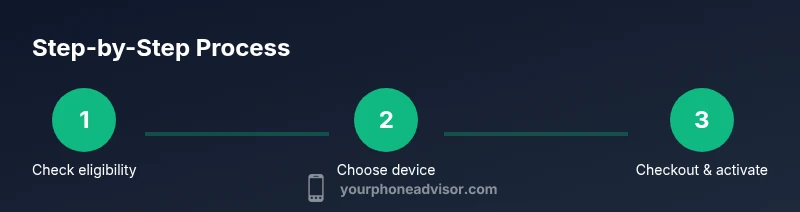
- 1
Check eligibility and gather items
Review your account status, confirm upgrade eligibility, and collect your ID, device details, and current device for trade-in (if applicable). Verify that your contact information is up to date.
Tip: Having your account PIN or password handy speeds verification. - 2
Compare devices and current promos
Browse the latest models, focusing on features you need (camera, battery, software updates). Check current promotions, financing terms, and trade-in offers to estimate total cost.
Tip: Note promo windows; offers change monthly. - 3
Decide financing vs trade-in
Choose the path that fits your budget and timeline. Financing spreads payments, while trade-in reduces upfront cost; factor taxes and fees in your math.
Tip: If you plan to switch carriers soon, consider ESIM compatibility. - 4
Prepare your old device
Back up data, sign out of accounts, and perform a factory reset after removing security features and unlocking if needed. Photograph the device condition for your records.
Tip: A clear photo helps avoid disputes about condition. - 5
Initiate upgrade in My T-Mobile app
Open the app, select the upgrade or trade-in option, pick a device, and review the terms. Confirm identity and review the price, taxes, and delivery estimates.
Tip: Use app notifications to track your order in real-time. - 6
Activate and verify services
Receive the new device, activate it, and confirm number porting if needed. Test calls, data, and messaging to ensure everything works.
Tip: If porting fails, contact support immediately with reference numbers. - 7
Finalize trade-in payoff (if applicable)
Submit trade-in details and ship the device if required by the program. Await confirmation of credit applied to your purchase or bill.
Tip: Keep tracking numbers and confirmations until credit is received.
Got Questions?
What is the quickest way to upgrade my phone with T-Mobile?
The quickest path is usually using the My T-Mobile app to select a device and choose financing or trade-in, then complete verification and activate the new device. In-store options are similar but may require an appointment.
You can upgrade quickly online via the My T-Mobile app or in-store with an associate to guide you through the steps.
Can I upgrade without trading in my old phone?
Yes. Financing alone is available and you can upgrade by paying the upfront price or applying a promo. Trade-in is optional but can reduce the overall cost.
Upgrading without a trade-in is possible through financing or paying upfront for the new device.
Will I keep my phone number after upgrading?
Yes. Number portability is supported when you upgrade, provided you request a transfer as part of the process.
Your number can stay the same when you upgrade; just request porting during the process.
Do I need to unlock my current phone to upgrade with T-Mobile?
Most upgrades within the same carrier don’t require unlocking. If you’re switching carriers or using a device not tied to your current account, unlocking requirements may apply.
Unlocking depends on your device and plan; check the current policy in My T-Mobile or with support.
How can I protect myself from trade-in scams?
Use official channels, verify device condition with photos, and avoid third-party offers that request payment or shipping to unfamiliar addresses.
Stick to official trade-in portals and document the device condition to avoid scams.
What if I experience issues with activation after upgrading?
Verify SIM enrollment, confirm coverage in your area, and contact support if calls, messaging, or data don’t initialize after activation.
If activation fails, recheck SIM and network settings, then contact support with your order details.
Watch Video
What to Remember
- Assess device and plan before upgrading
- Choose financing or trade-in based on budget and timing
- Prepare device properly to maximize trade-in value
- Use official channels to complete upgrades
- The Your Phone Advisor team recommends comparing financing vs trade-in to maximize savings