Why Your Phone Won't Charge: Urgent Troubleshooting Guide
Struggling with charging issues on your phone? This urgent guide explains common causes and fixes, plus when to seek professional help for why your phone won't charge.


Most often, a phone won't charge because the charger, cable, or charging port is damaged, or the battery is degraded. First, inspect the port for lint, test with a known-good charger, and try a different outlet. Reboot the phone and check for OS updates. If charging still fails, contact support or visit a service center.
Why charging failures happen: a practical overview
Charging problems usually stem from a few common causes. Debris in the charging port, a damaged charging cable or adapter, a worn battery, or a software glitch can stop power from reaching the battery. Understanding these culprits helps you pick the right fix quickly and avoid unnecessary replacements. Remember: even small issues can block charging, and many fixes are simple, safe, and reversible.
Quick checks you can do right now
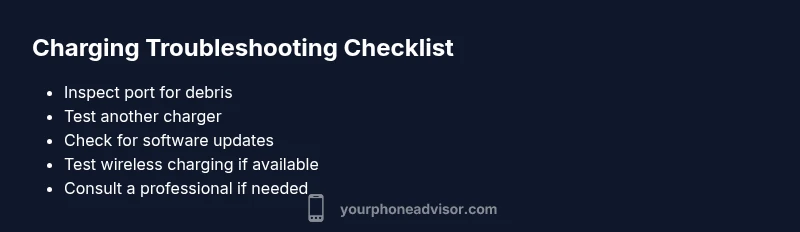
Start with the easiest wins. Look for lint or corrosion in the port and remove gently with a wooden toothpick or soft brush. Try a known-good charger and a different outlet. If you have a wireless charger, test that method as well. Reboot the device and ensure the OS is up to date. If the phone still won't charge, proceed to more advanced steps or seek help.
How software and firmware affect charging
Your device's software can misreport charging status or even block charging in certain states. Ensure you have the latest OS version and security patches, reset app caches if needed, and perform a soft reset if the device is responsive. Some phones include a battery health or diagnostic screen—use it to spot abnormal readings.
Safety precautions and common mistakes to avoid
Never attempt to disassemble the phone or use metal tools to pry the port. Do not rely on non-certified chargers or USB hubs that distract the power path. Avoid exposing the device to extreme heat or moisture while charging. If you smell burning, hear buzzing, or observe heat, unplug immediately and seek professional help.
When to seek professional help
If basic checks and replacement of the charging cable do not fix the issue, the fault could be in the port, battery, or charging IC. A qualified technician can diagnose battery health, inspect the port for damage, and replace components safely. If your device is under warranty, contact the manufacturer or authorized service center first.
Prevention tips to reduce future charging problems
To extend charging life, keep the port clean, use certified chargers, avoid bending cables, unplug devices by the plug, and store devices in moderate temperatures. Regular health checks via the device's built-in diagnostics can catch issues early.
Steps
Estimated time: 60-90 minutes
- 1
Inspect charging port for debris
Power off the device if possible. Use a flashlight to look into the port for lint, dust, or corrosion. Gently remove debris with a non-metal tool such as a wooden toothpick or a soft brush. Do not poke hard or use metal objects that could bend pins.
Tip: Keep a small cleaning brush in your toolkit for regular port maintenance. - 2
Test with different chargers/cables
Plug in a charger you know works with another device and try a different outlet or USB port. If charging behavior changes with different accessories, the issue is likely the accessory rather than the phone itself.
Tip: Prefer official or certified chargers to avoid further damage. - 3
Attempt wireless charging (if supported)
If your device supports wireless charging, place it on a compatible pad. If it begins charging, the issue could be with the wired port or cable. If wireless charging also fails, continue with software and battery checks.
Tip: Remove any phone case that might interfere with the wireless coil. - 4
Restart and update software
Restart the device to clear temporary glitches. Check for system updates and install them if available, as firmware fixes can restore charging behavior. After updating, re-test charging with the original factory charger.
Tip: Back up data before major OS updates when possible. - 5
Check battery health and diagnostics
Use built-in diagnostics to check battery health (where available). If the battery reports poor health, consider a replacement by a professional. For some devices, a battery replacement may be covered under warranty.
Tip: Document symptoms and test results for the service appointment. - 6
Seek professional repair if needed
If none of the above steps fix the issue, the port, battery, or charging IC may require professional replacement. Schedule a repair with an authorized technician and review your warranty options.
Tip: Avoid self-repair attempts that could void the warranty.
Diagnosis: Phone won't charge
Possible Causes
- highDirt, lint, or debris in the charging port
- highDamaged or frayed charging cable or adapter
- mediumDegraded or failed battery
- mediumSoftware issues or outdated OS
- lowHardware fault in the charging port or charging IC
Fixes
- easyClean the charging port gently with a dry brush or wooden pick; avoid metal tools
- easyTest with a known-good charger and a different outlet
- easyTry wireless charging if available and supported by the device
- easyRestart the device and check for OS updates
- mediumIf issues persist, replace the cable/adapter or seek professional diagnostics
Got Questions?
Why won't my phone charge even when plugged in?
Commonly this happens due to a dirty port, damaged cable, worn battery, or a software glitch. Start with port cleaning, try a different charger, and reboot the device before seeking repairs.
A dirty port, bad cable, worn battery, or software glitch are the usual culprits. Begin with cleaning, try another charger, and reboot before seeking help.
How can I check battery health on Android and iPhone?
iPhone users can view Battery Health in Settings. Android devices vary by manufacturer but typically show a Battery or Device Care section with health indicators.
On iPhone, check Battery Health in Settings; on Android, look under Battery or Device Care for health indicators.
Is it safe to use wireless charging if wired charging fails?
Yes, if your phone supports wireless charging. If both wired and wireless fail, the issue is likely software or hardware related rather than charging method.
Wireless charging can work if supported; if both fail, the problem is likely hardware or software related.
When should I replace the charging port or battery?
If cleaning and new cables don't help and the port shows visible damage or the battery health is poor, professional replacement is usually needed.
If cleaning and new cables don’t help, and the port or battery looks worn, replace it professionally.
Can a bad charger harm my phone?
Uncertified or defective chargers can damage the battery and charging circuits. Always use official or certified accessories.
Bad chargers can harm your battery; use official or certified accessories.
Watch Video
What to Remember
- Start with simple hardware checks before replacing parts
- Keep ports clean and use certified chargers
- Software updates can affect charging behavior
- Seek professional help for hardware faults