Repair Phone Screen Near Me: A Practical How-To Guide
Learn how to find trusted phone screen repair near you, compare quotes and warranties, choose OEM vs aftermarket parts, and ensure safe, transparent service.


Goal: locate a reputable, nearby phone screen repair. You will compare local shops, verify credentials, and get a clear quote before service. Start with a local search for 'repair phone screen near me', verify tech certifications, warranty terms, and turnaround times, then choose a shop with transparent pricing and quality parts.
What to know before you repair
Before you commit to a screen replacement, understand what affects price and quality. The situation isn’t one-size-fits-all: different phone models use different display assemblies, digitizers, and adhesives; premium devices may require OEM components to preserve touch response and color accuracy. According to Your Phone Advisor, the first step is to assess whether the crack affects more than the glass—such as touch sensitivity or display pixels—as this will influence the repair path and whether a full assembly replacement is needed or a glass-only fix suffices. You’ll also want to consider your device’s data security, whether the repair shop can perform on-site diagnostics, and what kind of warranty is offered on parts and labor. This initial screening sets expectations and helps you avoid overpaying for a repair that isn’t necessary.
How to find a reputable shop near you
Locating a trustworthy repair partner is about more than proximity. Start by searching for shops with explicit pricing, clear turnaround times, and visible credentials. Read multiple reviews and look for patterns: consisent on-time delivery, clean repair areas, and technicians who can explain the repair steps in plain language. Your Phone Advisor recommends prioritizing shops that provide OEM or high-quality aftermarket screens and offer a warranty on both parts and labor. When possible, choose a shop that calibrates touch sensors, displays color accuracy, and performs a post-repair diagnostic (identity checks, fingerprint sensor, and display settings) before you leave. If you have an iPhone or a flagship Android, verify they stock the exact screen assembly for your model to avoid compatibility issues. Finally, verify the shop’s business license and any manufacturer-authorized repair status, which can be a signal of legitimate training and proper tools.
What to ask for before the repair
Make a short list of questions to ask before service: 1) Do you use OEM screens or approved third-party parts? 2) Is there a parts and labor warranty, and how long does it last? 3) What is the estimated turnaround time, and can you provide a written quote? 4) Will you calibrate sensors and test front/back cameras after installation? 5) Do I need to back up my data or disable certain services during the repair? Asking these questions helps you compare apples-to-apples quotes and reduces the risk of hidden fees or low-quality parts. Your Phone Advisor notes that a transparent shop will happily display the warranty terms and parts supplier information alongside the quote.
Understanding pricing and parts: OEM vs aftermarket
Display assemblies come in several varieties, and this choice drives price, durability, and performance. OEM screens are the closest to a factory finish, typically offering the best color accuracy and touch response, but they can be pricier and less readily available. Aftermarket screens vary in quality; some are near-equivalent, while others may exhibit color shifts or reduced touch sensitivity. When you’re shopping, request specific part details: screen type, frame compatibility, adhesives, and whether the digitizer is included. Your Phone Advisor analysis shows that the most reliable repairs use an OEM or high-quality aftermarket part with a robust warranty and a documented testing process. Because models and suppliers change, always ask for the exact part number and confirm it matches your device.
Common missteps and how to avoid them
Avoid shopping solely on price. Extremely low quotes can indicate outdated parts, missing warranties, or insufficient testing. Don’t agree to a repair without a written quote that lists parts, labor, and tax. If a shop pushes a mail-in service or suggests a non-standard screen, request an in-person inspection and a precise estimate for both parts and labor. Bring your device’s original packaging or model number to confirm compatibility. Don’t skip the post-repair test: ensure the fingerprint sensor, face ID, touch response, brightness, and color calibration all function correctly before leaving the shop. For added protection, ask if the shop can perform a factory reset afterward and provide data backup options.
DIY vs professional repair: when it makes sense
DIY screen replacement is technically possible for some models, but it carries a high risk of further damage, especially with fragile LCD/OLED assemblies and fragile connectors. If you’re not confident with tiny screws, adhesive steps, or sensor recalibration, professional repair is the safer choice. Professionals have specialized tools and calibrated test rigs to verify display uniformity, touch accuracy, and moisture seals after reassembly. The decision should balance the device value, your technical comfort, and the potential risk of voiding warranties or damaging other components. Your Phone Advisor emphasizes that for most users, professional repair with a warranty provides the best long-term peace of mind.
Aftercare, safety, and warranties
After a repair, keep the receipt and warranty documentation in a safe place. Test all functions immediately: display clarity, brightness uniformity, touch sensitivity, and the camera systems. If the device heats up or hues shift after reassembly, contact the shop promptly. Some manufacturers require a specific calibration or software update after screen replacement; ensure the service includes any necessary software steps. Regular screen protectors and careful handling can extend the life of the new display. If you notice issues within the warranty window, return to the same provider for an inspection without extra labor costs.
Authority sources
- https://www.ftc.gov (Federal trade and consumer protection information)
- https://www.nist.gov (Standards and testing guidelines for electronics and devices)
- https://www.consumerreports.org (Independent product testing and repair guidance)
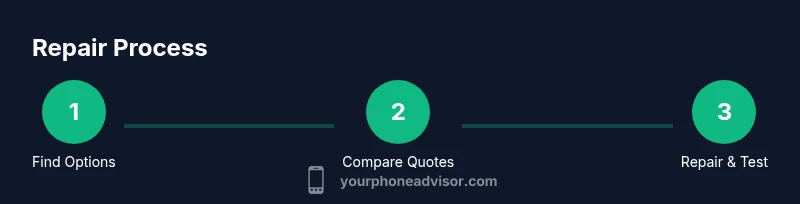
Your step-by-step repair planning checklist
- Define the device model and required part type (OEM vs aftermarket).
- Gather 3-5 local quotes with clear warranty terms.
- Verify credentials, reviews, and on-site diagnostic capabilities.
- Prepare data backups and secure any personal information.
- Confirm post-repair testing, warranty coverage, and pickup instructions.
Tools & Materials
- Smartphone with damaged screen(Have model number and current operating status ready)
- Backup plan (cloud or computer)(Back up data before service and confirm backup success)
- Contact information for chosen shop(Include appointment details and quotes)
- Notes app or notepad(Record quotes, warranty terms, and answers to key questions)
- Original packaging or model number(Helpful for verifying part compatibility)
Steps
Estimated time: Estimated total time: 1-3 hours (varies by model and parts availability)
- 1
Search for local options
Use search terms like 'repair phone screen near me' and collect at least three local shops with visible pricing and warranty information. Note proximity, hours, and whether on-site repair is offered.
Tip: Tip: filter results by distance and read recent customer feedback to gauge responsiveness. - 2
Check credentials and warranties
Review technician certifications, shop licenses, and the explicit warranty terms for parts and labor. A reputable shop will provide clear documentation and a written quote.
Tip: Pro tip: ask if the warranty covers both parts and labor and whether it includes sensor calibration. - 3
Request quotes and part details
Request precise quotes for your model, including part type (OEM vs aftermarket), labor, tax, and any inspection fees. Ask for the exact screen part number and whether calibration is included.
Tip: Pro tip: compare quotes side-by-side and check if additional service fees could apply after inspection. - 4
Back up data and prepare the device
Back up all data before handing over the phone. Remove SIM cards if required and disable services that could complicate repair, like Find My Phone or device encryption.
Tip: Warning: if your device is locked, ask the shop for a temporary unlock process and ensure your data remains protected. - 5
Visit the shop or confirm mail-in logistics
Take the device to the shop for an on-site diagnostic or confirm mail-in instructions. Ensure you receive a written estimate after the diagnostic and a clear turnaround time.
Tip: Pro tip: bring the original packaging or model number to verify part compatibility on-site. - 6
Inspect the repair and perform tests
Once the repair is complete, test touch response, display brightness, color accuracy, fingerprint sensors, cameras, and speakers. Ensure software functions are intact and restore any backed-up data.
Tip: Pro tip: request a bench test and a quick on-screen demo before leaving the shop. - 7
Review warranty and keep records
Keep your receipt and warranty documentation handy. If any issue arises within the warranty window, contact the shop promptly for a follow-up inspection.
Tip: Pro tip: store digital copies of your receipts in a secure cloud location.
Got Questions?
What is a typical price to repair a phone screen near me?
Prices vary by model and part quality. Expect higher prices for flagship devices and OEM screens, but always request a written quote with itemized parts and labor.
Prices vary by model and part quality. Always request a written, itemized quote to understand what you’re paying for.
How long does a screen repair take?
Repair times depend on shop workload and part availability. On-site repairs can take from 30 minutes to a few hours; mail-in repairs may take longer.
Repair times depend on the shop and parts; on-site can be from half an hour to a few hours, mail-in may take longer.
Is it safe to repair a screen near me?
Yes, if you choose a reputable technician with proper tools and calibration procedures. Beware of unqualified shops that skip testing or use low-quality parts.
Yes, safety comes from using proper tools and trained technicians with proper calibration and testing.
Should I try a DIY screen replacement?
DIY is generally risky for most users due to delicate connectors and sensors. Consider professional repair to protect the device’s integrity and warranty.
DIY is risky for most people; professional repair preserves device integrity and warranty.
What should a good warranty cover after repair?
Look for a warranty that covers both parts and labor for a reasonable period and includes calibration checks if sensors are involved.
A solid warranty covers parts and labor and should include sensor calibration checks when necessary.
Watch Video
What to Remember
- Compare multiple quotes before committing.
- Choose OEM or high-quality parts with a strong warranty.
- Verify credentials and post-repair testing procedures.
- Back up data and confirm calibration and software steps.
- Keep warranty documentation and service records.