If Phone Goes Straight to Voicemail: What It Means and What to Do
Struggling with calls going straight to voicemail? This urgent guide walks you through quick checks, common causes, and step-by-step fixes to get you connected again with Your Phone Advisor.


Several things can cause a phone to go straight to voicemail: the caller's network can't reach the phone, the phone is off or in airplane mode, or the voicemail box is full. It can also be on Do Not Disturb, or a call-forward setting. Start with basic checks and if needed contact your carrier.
Understanding what it means when a phone goes straight to voicemail
If you wonder, you might ask yourself, "if phone goes straight to voicemail what does that mean?" In practical terms, the call never reaches the device to ring, so the system routes it directly to voicemail. According to Your Phone Advisor, this often signals one of several quick-root causes: the device is asleep or offline, the network can't reach the phone due to weak signal or a temporary outage, or the phone is configured to divert or silence incoming calls. The result is a reliance on voicemail as the fallback channel, rather than a live connection. Understanding this helps you triage quickly: focus on device status, network health, and voicemail settings before exploring provider-related problems.
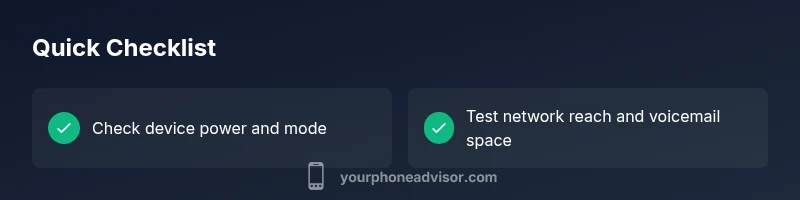
In the same breath, remember that not every straight-to-voicemail event is a fault. Sometimes the caller has their own restrictions (like do-not-disturb or call forwarding), or the recipient has recently updated settings. By framing the issue as a triage: power and presence, network reach, and settings, you can narrow down the root cause in minutes and avoid unnecessary steps.
To help you stay focused, here are the most common scenarios you’ll face:
- The device is off, asleep, or in airplane mode.
- You’re in an area with poor coverage or a carrier outage.
- Do Not Disturb or focus modes mute incoming calls.
- Voicemail inbox is full or misconfigured to send calls elsewhere.
- Call forwarding or carrier-level blocks divert the call to voicemail.
Address each scenario in order to minimize friction and restore normal calling behavior as quickly as possible.
Steps
Estimated time: 20-40 minutes
- 1
Verify device power and mode
Ensure the phone is awake and not in airplane mode. If the screen is on but it’s quiet, try a quick restart. This clears transient network issues that can cause calls to slip into voicemail.
Tip: If the device is old, a simple restart can resolve stuck radio states. - 2
Check Do Not Disturb and Focus
Open the settings panel and review Do Not Disturb or Focus modes. Make sure allowed interruptions include calls from your contacts. A strict rule here often explains the sudden voicemail route.
Tip: Temporarily disable DND to confirm if calls ring again. - 3
Assess network signal
Move to a location with better reception or try a different network (Wi‑Fi calling if available). Network hiccups or outages commonly push calls to voicemail when the device can’t reach the carrier.
Tip: If you notice frequent drops, test with another SIM or device. - 4
Check voicemail and call routing
Log into voicemail, delete old messages, and review any call forwarding rules. Ensure that calls are not being automatically sent to voicemail due to settings or space constraints.
Tip: Clear voicemail storage and disable forwarding if you don’t intend to use it. - 5
Test from another line
Have a trusted friend call your number and observe whether it goes to voicemail. If they hear your voicemail, the problem may be on your device or account; if they reach you, the issue is likely on the caller’s side or network.
Tip: Note the time of day and location to spot patterns like outages. - 6
Contact carrier support
If the problem persists, contact your wireless carrier. Inquire about outages, account blocks, or service settings that could route calls to voicemail. They can run diagnostics or reset network paths on their end.
Tip: Have your account number and recent test results handy when you call.
Diagnosis: Phone goes straight to voicemail when receiving calls
Possible Causes
- highDevice powered off, asleep, or in airplane mode
- highWeak signal or carrier outage
- mediumDo Not Disturb or focus mode enabled
- mediumVoicemail box full or misconfigured
- lowCall forwarding or carrier-level block
Fixes
- easyCheck if the device is on and not in airplane mode; toggle airplane mode off and on, then restart the device
- easyTest the line in a different location or with another number to check network reachability
- easyReview Do Not Disturb/focus settings and allow calls from your contacts or favorites
- easyLog in to voicemail and verify space availability; delete old messages or increase capacity if possible
- mediumContact your carrier to verify there are no outages, blocks, or misrouting on the account
Got Questions?
Why does my iPhone go straight to voicemail?
Common causes include Do Not Disturb, voicemail box space, or a network issue. Check settings, voicemail status, and nearby coverage before escalating to support.
Usually it’s a settings or network issue. Check DND, voicemail space, and coverage to fix quickly.
Why does my Android phone go straight to voicemail?
Android devices share similar root causes: DND, signal problems, and voicemail capacity. Verify settings and test in different locations, then reach out to your carrier if the issue persists.
Likely a settings or network problem. Check DND, signal, and voicemail, then contact your carrier if needed.
How can I tell if my voicemail is full?
Open your voicemail app or dial your voicemail box to review message count and storage. Delete old messages or archive them to free space.
Check the voicemail box and clear space if full.
Could a carrier outage cause this?
Yes. If the carrier is experiencing an outage or maintenance, calls may be redirected to voicemail. Check service notices or contact support for status updates.
Outages can push calls to voicemail. Check carrier status and follow their guidance.
What should I do if it keeps happening?
Follow the diagnostic flow: check device, network, and voicemail settings; test with others; and contact your carrier for a network reset if needed.
Run through the checks and if needed ask your carrier for a reset.
Watch Video
What to Remember
- Check device status first: power, mode, and restarts
- Confirm network reach and location-based outages
- Review DND and call-forward settings promptly
- Test with another line and review voicemail capacity