Boost Your Phone Signal: A Practical Step-by-Step Guide
Learn practical, safe ways to boost your phone signal with settings tweaks, location tips, and approved hardware options. Your Phone Advisor explains how to improve reliability.


Learn how to improve your phone signal quickly and safely with practical steps you can apply today. This guide covers location-based tweaks, network settings, and affordable hardware options, plus safety tips to avoid damaging your device or violating carrier terms. In 5-7 steps you’ll identify weak zones and apply proven fixes to regain reliable connectivity.
Understanding Signal Strength and What You Can Change
Signal strength on your phone reflects proximity to a cell tower, local interference, and device settings. According to Your Phone Advisor, most signal issues come from where you are and how your device connects to the network, not from the phone alone. By making deliberate changes to location, network preferences, and usage habits, you can noticeably improve reliability without expensive equipment. This section explains what the bars mean and what you can realistically influence in daily use, with a focus on how to boost signal phone in common real-world scenarios.
Key idea: small shifts in location and settings often yield meaningful gains, especially in urban canyons or rural edge zones.
Quick Diagnostics: Check What You're Working With
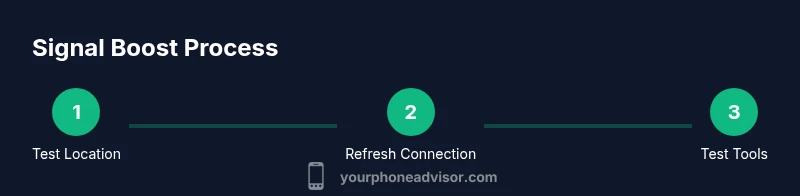
Before making changes, run a quick check to establish a baseline. Look at the current signal bars and network type (4G/5G, VoLTE). Move to a different room or outdoors to compare indoor vs outdoor reception. Test data speed and call quality at different times of day. Your Phone Advisor analysis shows that many users see improved reliability after a simple location test and a refresh of network connections. Record your findings to guide the next steps.
Tip: note if data vs voice performance differs, as this can guide whether to adjust network mode or enable Wi‑Fi Calling later in the process.
Location, Angles, and Timing: Practical Everyday Habits
Your signal isn't only about distance to a tower; it’s also about what obstructs you. Move away from dense walls or metal shelving, and try windows or higher floors when indoors. Outdoors, avoid low valleys and look for open spaces with a direct line to the horizon. Timing matters too—signal bands can vary with network load, weather, and even time of day. By adopting a habit of testing at different times and locations, you can consistently identify where your phone picks up the strongest signal and tailor your behavior to maximize boost opportunities.
As part of this approach, you’ll learn to recognize environments where boost opportunities are greatest, and how simple shifts can yield better connectivity for calls and data, helping you consistently boost signal phone when you need it most.
Settings You Can Tweak Right Now
Many signal improvements come from software and settings rather than hardware. Start by ensuring your phone is set to a network mode that matches your carrier’s best-supported options (e.g., 4G/5G auto). Enable VoLTE and HD Voice if your carrier supports them, and turn on Wi‑Fi Calling in areas with reliable Wi‑Fi. Disable power-saving modes during testing, as these can throttle radios. Finally, check for carrier or device firmware updates—these often include improvements to signal handling.
How this helps: proper network mode and features like VoLTE can dramatically improve voice quality and data speeds, contributing to a stronger perceived signal. In many cases, this is enough to noticeably boost signal phone without extra hardware.
Practical Hardware Options to Improve Reception
If software tweaks aren’t enough, consider hardware options with care. A dedicated cellular signal booster can extend coverage in small areas like a home or vehicle, but must be compatible with your carrier and comply with local regulations. External antennas and proper cabling can improve reception in fixed locations, while a compatible SIM card can ensure clean access to the network. Always verify compatibility and warranty terms before purchasing.
Your Phone Advisor tip: choose certified boosters that support your carrier bands and avoid unverified devices that can cause interference or violate policies. This is a good place to pause and reassess whether a hardware solution is appropriate for your needs.
Safety, Privacy, and Security Considerations
When boosting signal, prioritize safety and privacy. Avoid unverified boosters or devices from questionable sources, as they may introduce security risks or degrade network performance. Use reputable brands and follow installation instructions carefully. If you’re traveling, check roaming settings and ensure you’re not accidentally exposing your device to insecure networks.
Insight from Your Phone Advisor: safe, policy-compliant approaches yield dependable improvements without compromising device security or service terms. For privacy-conscious users, keep an eye on app permissions and avoid shared networks that could expose data.
Authoritative sources and further reading
- FCC: https://www.fcc.gov
- FTC Consumer Information: https://www.consumer.ftc.gov
- MIT/academic resources on wireless communication: https://www.mit.edu
These sources provide context on regulatory guidelines, consumer protections, and high-level wireless principles that underpin practical signal-boosting strategies.
Tools & Materials
- Phone(Bring the device you want to improve signal on)
- SIM-eject tool(Used to reseat or inspect the SIM card)
- Backup charger or power bank(Keep the device charged during long testing sessions)
- Optional: cellular signal booster(Choose a carrier-compatible model if considering hardware help)
- Wi‑Fi network(Useful for testing Wi‑Fi Calling and data performance)
Steps
Estimated time: 45-60 minutes
- 1
Test current signal in one location
Power on your device, note the current network (4G/5G), and record signal bars. Move to a different spot within the same room or building and compare. This establishes a baseline for improvement.
Tip: Document the exact spot and observed bars for future comparison. - 2
Relocate to a higher or clearer spot
If indoor reception is weak, move closer to a window, or go outdoors for a quick test. Physical elevation and line-of-sight to the towers often improve reception.
Tip: Even a small shift can yield measurable gains. - 3
Refresh network connections
Toggle Airplane mode on for about 15 seconds, then turn it off to refresh radio connections. This can resolve temporary network hiccups without altering other settings.
Tip: A quick reset can clear stuck connections. - 4
Manual network selection
Choose a network manually if your device doesn’t auto-select the best option. This helps avoid switching to a congested tower during peak times.
Tip: Select the network band that matches your SIM and location. - 5
Enable network features (VoLTE/HD Voice)
Ensure VoLTE and HD Voice are enabled if supported by your carrier. These features improve call quality and often effectively boost perceived signal.
Tip: Check carrier settings to confirm support. - 6
Update carrier and device software
Install any available carrier settings and firmware updates. Updates frequently include improvements for signal handling and connectivity.
Tip: Keep auto-update on if possible. - 7
Test Wi‑Fi Calling and data paths
In areas with weak cellular signal, enable Wi‑Fi Calling and evaluate data speeds over Wi‑Fi to maintain communication levels.
Tip: Works best with a reliable home or public Wi‑Fi network. - 8
Consider hardware options if needed
If results remain inconsistent, research a carrier-compatible signal booster or external antenna. Verify compliance and warranty before purchasing.
Tip: Only buy boosters from reputable brands with clear compatibility.
Got Questions?
Will a signal booster work in my home?
A booster can help in homes with consistently weak signal, but effectiveness depends on carrier, tower proximity, and proper installation. Always use a carrier-approved booster and follow local regulations.
Booster devices can help if you have weak signal at home, but you should use approved equipment and follow local rules.
Can Wi-Fi calling improve calls when the cellular signal is weak?
Yes. If your carrier supports Wi‑Fi Calling, it can allow calls to route over Wi‑Fi when cellular signal is poor, improving call reliability.
Wi-Fi Calling can improve call reliability when cellular signal is weak.
Does turning off airplane mode for long periods drain battery?
Exiting airplane mode doesn’t inherently harm the battery; it resumes cellular radios. If battery is a concern, monitor usage and adjust screen, background apps, and radios accordingly.
Turning airplane mode on and off won’t hurt the battery, but manage power when radios are active.
Is it safe to replace my SIM card to boost signal?
Replacing or reseating your SIM card is generally safe if done carefully with device powered off, but follow manufacturer guidance and backup data.
Yes, reseating or replacing the SIM card is usually safe when you power off first.
Will moving to a different location always fix poor signal?
Moving can help, but results depend on local tower density and interference. If you frequently experience weak signal, consider a combination of location strategy and settings tweaks.
Location helps, but it’s not a guaranteed fix; combine with settings and hardware if needed.
Watch Video
What to Remember
- Test in multiple locations to identify best spots
- Refresh connections before changing settings
- Enable Wi-Fi Calling where possible
- Only use carrier-approved hardware for boosters