Phone Number Tracker Locator: A Practical How-To Guide
Learn how to locate a phone you own or have permission to track using legitimate tools and services. This educational guide covers built-in features, carrier options, and privacy safeguards for responsible tracking.


Learn how to locate a phone you're authorized to track using built-in tools and legitimate services. This guide covers safe, consent-based methods on iOS and Android, plus how carriers offer location features. You’ll find step-by-step instructions, important privacy reminders, and alternatives for sharing location with trusted contacts.
Understanding the concept of a phone number tracker locator
A phone number tracker locator is a set of tools and services designed to determine the approximate location of a phone device, typically with the owner's consent. It is most commonly used to locate a lost or stolen phone, keep family members safe, or monitor a device used in a managed, enterprise setting. Importantly, the term does not guarantee perfect precision; location accuracy depends on the device’s connectivity, location services permissions, and the network's ability to triangulate the phone's signal. For everyday users, starting with built-in options is usually the safest and most reliable approach. These tools rely on the device's own location data and policy-based sharing settings, not on random third-party trackers. By understanding the ecosystem—iOS, Android, and carrier-level services—you can choose the method that respects privacy while delivering actionable information. In addition, remember that the legal framework around location tracking varies by country and often requires explicit consent from the device owner before data can be accessed.
Legal and ethical considerations
Tracking a phone number or device carries significant privacy and legal implications. Always obtain explicit consent from the device owner before enabling any location-tracking feature. Use official tools provided by the platform or carrier, and avoid third-party apps that promise location data without transparent privacy policies. Educate family members or colleagues about how location sharing works and under what circumstances data can be accessed. If you are an employer or caregiver, implement clear policies that comply with local laws and protect employee or dependent privacy. The Your Phone Advisor team emphasizes ethical use: location data should be accessed only when it serves safety, security, or agreed-upon care, and should be removed or disabled when no longer needed.
How built-in location services work on iOS and Android
Modern smartphones offer integrated location services designed to balance usefulness and privacy. On iOS, Find My locates devices by combining GPS, Wi‑Fi positioning, and cellular data, with control under Settings > [your name] > Find My. You can share your location with trusted contacts, view a device's last known position, and remotely lock or wipe if necessary. On Android, Find My Device performs a similar role, using Google’s location services, device visibility, and a connected Google account. Enabling location history and sharing in Google Maps provides additional context for family safety. In both ecosystems, ensure Location Services are enabled, permissions are granted, and devices are online for the best accuracy.
Carrier-based location services and steps to use them
Carriers also offer location-based features that can help locate a device—often through your account portal or through a family safety plan. These services usually require consent from the device owner and are less precise than native OS solutions, but can be useful when the device has limited connectivity or when you need assistance from the carrier’s network. To use carrier location tools, log into your account, verify the device on your plan, and follow the prompts to view the last-known location or current status. Privacy terms vary by carrier, so review the policy and enable alerts only for trusted devices.
Third-party apps and privacy risks
Some third-party apps advertise location-tracking capabilities. Exercise caution: many require broad access to personal data, may lack transparent privacy policies, and could be used maliciously. Prefer official apps from the platform makers or trusted partners (e.g., family safety apps) that offer clear permission controls and user-consent trails. Before installing any tracker, read reviews, check data collection statements, and confirm that the app can be uninstalled easily. If in doubt, skip the third-party option and stick with built-in solutions.
Step-by-step scenarios and best-practice choices
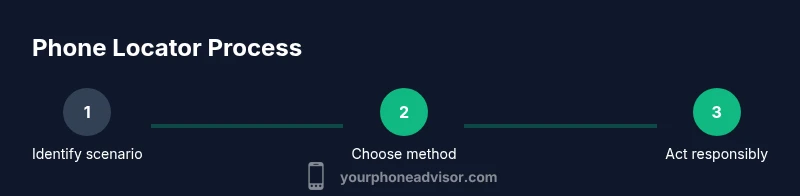
When you need to locate your own device or a device you have explicit permission to track, start with built‑in tools to minimize risk and maximize reliability. If your device is offline, most services will offer last-known location data and may allow you to set up alerts once the device is back online. In urgent situations (e.g., a lost phone or a security concern), contacting your carrier or enabling remote wipe from a trusted account can provide additional safeguards. The guiding principle is to use consent-based, reputable methods first, and to document every action for accountability.
Ongoing privacy and security practices
After locating a device, review security settings to protect accounts and data. Change passwords if there is any sign of account compromise, enable two‑factor authentication, and review which apps have location access. Consider turning off location sharing if the device is recovered or if there is no ongoing safety need. Regularly auditing who can see your location helps prevent unintended data exposure and keeps your smartphone ecosystem safer for everyone involved.
Tools & Materials
- Smartphone with internet access(Ensure location services are enabled within the device settings)
- Accounts logged into your own device (iCloud, Google)(Needed to access Find My/Location features)
- Explicit consent from the device owner when tracking someone else’s device(Always document consent in case questions arise later)
- Trusted contact support (optional)(Useful for family safety sharing or elder care)
- Carrier portal access (optional)(May be needed for carrier-based location features)
Steps
Estimated time: 30-60 minutes
- 1
Verify authorization and prepare accounts
Confirm you have explicit permission to locate the device. Sign into the relevant account (iCloud for iOS or Google for Android) and check that location services are enabled. If you’re assisting a family member, document consent and keep a record of it for accountability.
Tip: Keep written consent handy in case authorities request proof of permission. - 2
Choose the locator method
Decide whether to use built-in tools (Find My, Find My Device), carrier location services, or a trusted third-party app. Start with official options to minimize privacy risks and maximize reliability.
Tip: For urgent recoveries, prioritize OS-level Find My features first. - 3
Enable location sharing and verify device online status
Ensure location sharing is toggled on both the device and the account. Confirm the device is connected to the internet or has a recent location ping recorded; offline devices can still be located via last-known data.
Tip: Test a quick location ping before an emergency to verify accuracy. - 4
Locate the device
Use Find My iPhone/Find My Device or the carrier portal to view the current or last known location. Follow prompts to secure the device if necessary (lock, display message, or erase data).
Tip: If multiple locations appear, focus on the most recent, reliable ping. - 5
Take appropriate action after locating
If the device is found, consider locking it, changing passwords, and enabling alerts for future location updates. If lost or stolen, initiate remote lock or data wipe according to policy and safety considerations.
Tip: Avoid confrontations with a potential thief; prioritize personal safety.
Got Questions?
Is it legal to track someone else's phone number without their consent?
No. Tracking another person’s phone without explicit permission is generally illegal and unethical. Use consent-based, official tools and policies. If you’re unsure, consult local laws or seek legal guidance before attempting any tracking.
Tracking someone else’s phone without clear permission is not allowed in most places and can be illegal. Always obtain explicit consent and use official tools.
What’s the difference between a phone number tracker locator and a reverse phone lookup?
A tracker locator aims to determine the device’s location (with consent) using location data. A reverse phone lookup returns the owner’s identity or basic contact details, not the device’s location. They serve different purposes and have separate privacy implications.
A tracker shows where a device is; a reverse lookup shows who owns the number. They’re used for different goals and have different privacy rules.
What if the device is offline?
If a device is offline, you’ll typically see the last known location or receive a notification once it reconnects. Some services can alert you when the device comes online, but real-time tracking isn’t possible without connectivity.
If the phone is offline, you’ll get the last known location and can get an update when it connects again.
Can third-party apps replace built-in trackers?
Some third-party apps offer tracking but can pose privacy and security risks. Prefer built-in options or trusted partners with transparent privacy policies and easy opt-out features.
Third-party tracking apps can be risky; rely on official tools from the device maker or trusted partners.
How can I share my own location safely with family?
Use official location-sharing features in Find My or Google Maps Family Sharing, which provide clear controls, revocation options, and activity logs to protect privacy.
Use official sharing features that give you control and visibility of who has access.
What data is collected when tracking location?
Location services collect precise location data and usage metadata to function. Check each service’s privacy policy to understand data retention, sharing, and deletion options.
Location services collect location data for functionality; review privacy policies to understand data use.
Watch Video
What to Remember
- Use consent-based methods first.
- Rely on official tools for accuracy and privacy.
- Secure devices and accounts after locating.
- Treat location data as sensitive information.
- Document permissions and access for accountability.