How to Know If Your Phone Is Hacked: An Urgent Troubleshooting Guide
Urgent guide to determine if your phone is hacked, fix breaches quickly, and prevent future attacks with practical steps and smart security tips.


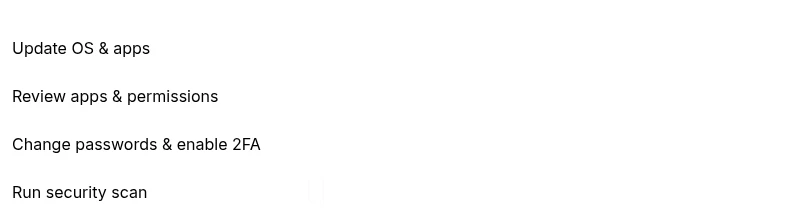
Immediate signs your phone may be hacked include sudden battery drain, unfamiliar apps, unusual data usage, overheating, and random popups. If you suspect compromise, act fast: update your OS, run a reputable security scan, revoke suspicious app permissions, and change passwords from a secure device. Enable two-factor authentication for critical accounts and review recent login activity.
Is your phone hacked? Signs to watch for
If you’ve ever wondered how to know if your phone is hacked, you’re not alone. Modern attackers can hide in plain sight, stealing data and monitoring your activity without obvious symptoms at first. Start by looking for concrete signs rather than rumors. Common indicators include sudden battery drain that doesn’t match usage, apps you don’t recall installing, and data spikes that your carrier doesn't explain. You may also notice unfamiliar pop-ups, stranger network activity, or the phone running unusually hot with no obvious cause. Some hacks involve stealthy background processes that persist after restarts, making the device feel slower or unstable. Finally, check for strange text messages or alerts from financial apps requesting re-authentication.
Quick checks you can do right now (no tools required)
- Review all installed apps and permissions for anything unfamiliar or suspicious.
- Verify device admin privileges and remove any apps you don’t recognize from the admin list.
- Check battery usage by app in Settings > Battery to spot stealthy background activity.
- Look at data usage per app; unexpected spikes may indicate data being sent in the background.
- Review recent login activity on important accounts from a secure device.
- Update the operating system and apps to the latest versions.
- Run built-in security features (Android/Mudge).
How attackers gain access: common vectors
Hackers commonly exploit outdated software, malicious apps, phishing, or credential reuse. A compromised account can give attackers remote control or monitoring capabilities. Mobile malware can masquerade as legitimate services, install persistence mechanisms, and avoid easy detection. Staying informed about these vectors helps you build defenses and respond quickly if you notice abnormal device behavior.
Verify accounts and secure passwords
Begin with your most sensitive accounts (email, banking, cloud services). Change passwords from a trusted device and enable two-factor authentication. Review connected apps and sessions, revoke access for unfamiliar devices, and enable alerts for new sign-ins. If you use password managers, ensure they’re updated and protected with a master password and biometric unlock where available.
Malware detection and removal steps
Use a reputable security app to scan for malware and remove any detected threats. If you cannot uninstall a suspicious app through the normal process, disable it from the app permissions and reboot into Safe Mode to remove it. For
Recovery path after a breach
If you confirm a breach, back up your data from a clean device, then wipe sensitive data and perform a factory reset if necessary. Reinstall essential apps from official stores, restore from known-clean backups, and monitor devices for re-infection signs. Notify relevant services about the breach and review security settings across accounts.
Prevention: best practices to reduce risk
Adopt strong passcodes, enable biometrics, and keep your OS updated. Install reputable security software and conduct periodic device health checks. Limit app permissions to what’s strictly necessary, and avoid public Wi-Fi for sensitive activities. Regularly review account recovery options and enable alerts for unusual login attempts.
Steps
Estimated time: Total: about 60-90 minutes for thorough at-home troubleshooting; longer if resets are needed.
- 1
Pause suspicious activity and secure the device
Immediately disconnect from unknown networks and avoid entering sensitive information. Put the device in a safer mode (airplane mode briefly or disable Wi-Fi) while you assess. This helps stop data flow to potential attackers during early troubleshooting.
Tip: Act quickly to minimize data exposure and prevent further transfers. - 2
Audit installed apps and permissions
Go through every app, especially ones you don’t remember installing. Remove or disable any that seem dubious. Revoke unnecessary permissions (location, microphone, contacts) for apps you trust less.
Tip: If in doubt, uninstall the app and re-check later after OS updates. - 3
Check account security and sign-ins
Review recent sign-in activity on critical accounts from a known clean device. Enable 2FA and revoke sessions on unfamiliar devices. Update recovery options to keep control of your accounts.
Tip: Use a password manager to generate and store unique passwords. - 4
Run malware scan and remove threats
Install a trusted security app and run a full device scan. Follow the app’s prompts to remove or quarantine detected threats. If nothing is removable, proceed to more secure remediation.
Tip: Only use security software from reputable developers. - 5
Patch and update all software
Apply OS updates and app updates as soon as they’re available. Patches often fix security flaws that hackers exploit. Restart the device after updates to ensure changes take effect.
Tip: Enable auto-update if possible to stay protected. - 6
Backup first, then reset if needed
Back up data from a clean device before any reset. If symptoms persist after remediation, perform a factory reset and reinstall only essential apps from official stores.
Tip: Verify backups for integrity before restoring. - 7
Re-establish accounts and monitor
Restore data selectively and monitor accounts for suspicious activity in the following weeks. Keep an eye on data usage, battery behavior, and app performance to catch anomalies early.
Tip: Set up account activity alerts and security notifications.
Diagnosis: Phone exhibits signs of compromise (unusual behavior, new apps, data spikes, or battery drain).
Possible Causes
- highMalicious apps or adware installed without your knowledge
- highOutdated OS or insecure software with known exploits
- mediumCompromised passwords or credential reuse
Fixes
- easyUninstall suspicious apps from Settings > Apps and revoke device admin access for unknown software
- easyUpdate the operating system and all apps to the latest versions
- mediumChange all critical passwords from a secure device and enable 2FA
- easyRun a reputable security scan and follow its remediation steps
- hardIf symptoms persist, perform a factory reset after backing up clean data
Got Questions?
What are the most common signs that indicate a phone is hacked?
Common signs include unusual battery drain, unfamiliar apps, unexpected data usage, random popups, and login alerts for accounts you didn’t access.
Look for unusual battery drain, new apps you don’t recognize, and odd account alerts on your devices.
Should I factory reset my phone if I suspect a hack?
A factory reset is a strong remedy when malware is deeply embedded. Back up only clean data, then reset and reinstall apps from official sources.
If malware seems deeply embedded, a factory reset can help, but back up clean data first and reinstall only apps from official stores.
Can hacked phones recover without professional help?
Many issues can be mitigated with at-home steps like updates, scans, and password changes. Some cases may require professional support for deep device rootkits.
You can often recover with updates and scans, but complex rootkits may need a pro.
Is malware on iPhone the same as Android?
Malware exists on both platforms, but the methods differ. iOS relies more on configuration profiles and app restrictions, while Android often involves sideloaded apps.
Malware shows up differently on iPhone and Android, with platform-specific methods.
How long does it take to recover after a hack?
Recovery time varies. A straightforward remediation may take a few hours, while full restoration and monitoring can span days to weeks.
Recovery can take hours to days depending on the breach.
When should I seek professional help?
If you suspect persistent rootkits, your accounts are heavily compromised, or the device cannot be cleaned, seek professional security support.
If problems persist after basic steps, get professional help.
What can I do to prevent future hacks?
Keep software updated, use strong passwords and 2FA, limit app permissions, avoid public Wi-Fi for sensitive tasks, and regularly review account activity.
Preventive steps include updates, strong credentials, and limited app permissions.
What happens if I ignore signs of hacking?
Ignoring signs can lead to data loss, financial risk, and ongoing surveillance. Early action minimizes damage.
Ignoring warnings can worsen risk and damage; act quickly.
What to Remember
- Identify signs early to prevent data loss.
- Prioritize OS updates and trusted security scans.
- Secure accounts with 2FA and unique passwords.
- Consider a factory reset if the breach persists.