Are My Phone Hacked? An Urgent Troubleshooting Guide
Urgent guide to diagnose if your phone is hacked, with quick checks, diagnostic flow, step-by-step fixes, and prevention tips from Your Phone Advisor.


Are my phone hacked? The most common causes are apps with excessive permissions, suspicious network activity, or phishing prompts. Start with a quick reality check: review data usage, battery drain, and recent installs. If you notice unfamiliar apps or strange messages, stop using public Wi‑Fi and run a reputable mobile security scan. According to Your Phone Advisor, quick checks catch most non‑malicious issues before you panic.
Are you worried about 'are my phone hacked'? The phrase often triggers immediate concern, but most symptoms come from misconfigurations or boring-but-noisy apps rather than a true breach. The Your Phone Advisor team emphasizes staying calm and following a clear checklist to avoid panic or unnecessary resets. In this section we unpack what counts as a breach, how to interpret warning signs, and how to separate real threats from harmless quirks. By the end you’ll know when a problem is urgent, and when it’s safe to methodically test before taking drastic steps.
Common signs that a phone may be compromised. Look for sudden battery drain, unusual data usage, unfamiliar notifications, or apps you don’t remember installing. Other red flags include devices running noticeably slower, apps crashing unexpectedly, or passwords changing without your action. While these can indicate hacking, they can also signal misconfigured settings or leftover beta software. The Your Phone Advisor analysis shows that many apparent hacks are symptoms of misbehavior rather than breaches, so verify before you panic and act.
Quick checks you can perform in the next 15 minutes. Start by opening data usage in your settings and looking for spikes not explained by your routine. Review recently installed apps and revoke permissions for anything unusual. Check for unknown device administrators and turn off remote access features you don’t recognize. If you’re connected to public Wi‑Fi, switch to a trusted network. Finally, run a reputable mobile security scanner and ensure your operating system is up to date.
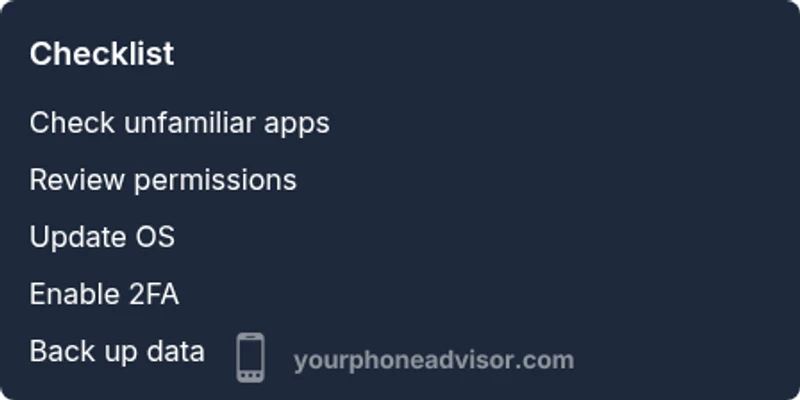
How to run a safe security sweep: apps, accounts, and networks. Begin by auditing all installed apps and removing anything unfamiliar. Inspect each app’s permissions and revoke any that aren’t essential. Sign out of accounts on the device and reset passwords from a trusted computer, enabling two‑factor authentication where possible. Review connected devices and Bluetooth pairings, and disable auto‑connect features you don’t use. If you suspect credential theft, immediately enable 2FA on critical services and monitor for changes.
When to escalate to professional help and what to expect. If you see persistent, unexplained behavior after basic checks, or if data loss occurs, consult a professional security service or your phone manufacturer’s support. A technician will typically verify malware presence, check recovery options, and help you reset or restore from a clean backup. Expect a process that may involve wiping the device, reinstalling the OS, and reconfiguring accounts with enhanced security.
Prevention: steps to reduce future risk. Regularly review app permissions and only install apps from official stores. Keep your OS and apps updated, and enable automatic security updates. Use strong, unique passwords with 2FA and avoid tapping suspicious links. Enable Find My Phone or similar features for rapid recovery, and consider a security‑focused battery and data usage monitor to stay ahead of anomalies.
Steps
Estimated time: 30-60 minutes
- 1
Pause activity and back up data
If you suspect a compromise, start by pausing sensitive actions on the device and backing up essential data to a secure location. This minimizes data loss if you must reset. Ensure you only backup to trusted sources, not to cloud services that may be compromised.
Tip: Back up locally to a computer or encrypted external drive before any major changes. - 2
Review installed apps and recent installs
Go through the list of installed apps and identify anything unfamiliar. Uninstall apps you don’t recognize or that were installed recently without your knowledge. If you see something suspicious, note its name for further checks and remove it first.
Tip: Don’t rush to delete multiple items at once; research each unfamiliar app to confirm legitimacy. - 3
Check permissions and revoke suspicious ones
Open the app permission settings and inspect mic, camera, location, and device administrator rights. Revoke permissions that aren’t essential for each app’s function. Disable any device administrator privileges you don’t recognize.
Tip: If an app asks for broad permissions that don’t fit its purpose, remove it immediately. - 4
Update OS and run a reputable scan
Install the latest OS updates and security patches. Run a trusted antivirus or mobile security app and review the results. Treat any flagged items with caution and follow recommended actions from the security tool.
Tip: Keep security apps up to date and perform scans regularly, not just after a scare. - 5
Check accounts and enable 2FA
Log out of accounts on the device and reset passwords from a secure device. Enable two-factor authentication on all critical services and review account activity for unfamiliar logins.
Tip: Use unique, strong passwords and consider a password manager. - 6
Factory reset as a last resort
If symptoms persist after all checks, perform a factory reset to restore the device to factory settings. Restore data only from trusted backups and re‑install apps selectively.
Tip: After reset, install only essential, trusted apps and reconfigure security settings promptly.
Diagnosis: Phone shows unusual behavior such as battery drain, data spikes, unfamiliar apps, or odd messages
Possible Causes
- highMalicious or poorly behaving app with hidden permissions
- mediumPhishing or credential theft leading to account compromise
- lowSystem glitch after a software update
Fixes
- easyUninstall suspicious or recently installed apps
- easyReview app permissions and revoke unnecessary ones
- easyUpdate OS and apps to latest version and restart device
- hardIf unresolved, perform a factory reset after backing up data, then restore carefully and change passwords
Got Questions?
Are there warning signs that clearly indicate 'are my phone hacked' is real?
Common signs include unexplained data spikes, rapid battery drain, unfamiliar apps, and strange popups. However, these can also result from misconfigurations. Use a methodical check to confirm before taking drastic steps.
Look for data spikes, new apps you didn’t install, and odd messages. If you’re unsure, run a security scan and verify with trusted sources.
Can a hacker access my camera or microphone without my knowledge?
Yes, in some cases. Keeping apps updated and reviewing permissions reduces this risk. If you notice strange indicators, review app access and reset sensitive permissions.
Some hacks try camera or mic access through apps. Update, check permissions, and run security scans.
Is a factory reset always the best solution for potential hacks?
A factory reset is a strong option when you can’t identify or remove the threat. It’s not always necessary if you can remove the offending apps and secure accounts. Back up your data first.
Factory reset is powerful, but you may not need it if you can clean the device and secure accounts.
Do antivirus apps really protect phones from hacks?
Antivirus apps can help detect malware and monitor behavior, but they’re not a silver bullet. Use reputable tools and combine with safe practices like updating software and avoiding risky apps.
Antivirus helps, but you still need safe practices and updates to stay protected.
What should I do if my accounts are breached but the phone looks normal?
Change all affected passwords from a trusted device, enable 2FA, and monitor for unauthorized activity. Notify important services and consider credit monitoring if financial data is involved.
Change passwords from a safe device, enable 2FA, and monitor for unauthorized access.
How can I reduce the chances of future hacks on my phone?
Keep software updated, limit app permissions, avoid shady links, use strong passwords, enable 2FA, and enable remote wipe and device tracking features.
Update, secure accounts, and use strong authentication to prevent future threats.
Watch Video
What to Remember
- Identify suspicious behavior and verify with trusted tools.
- Back up before drastic changes and enable 2FA on accounts.
- Only reinstall apps from official stores and keep software updated.
- If in doubt, seek professional help and document changes.