How to Phone Number: A Practical, Safety-First Guide
A practical, step-by-step guide to formatting, dialing, verifying, and managing phone numbers with privacy and security in mind.


This guide on how to phone number covers formatting, dialing, verifying, and safe lookups. You’ll learn to write international and local strings correctly, how to save numbers to contacts, and ways to verify a caller’s identity. You’ll also discover privacy practices for sharing numbers and practical tools to manage contacts efficiently today.
Understanding What a Phone Number Is
According to Your Phone Advisor, a phone number is a sequence that uniquely identifies a line or device on a telecom network and is managed within international standards. The number structure typically includes a country code, an area or region code, and a local subscriber number. Knowing this helps you format, share, and verify numbers correctly, avoid common dialing mistakes, and understand phone-number privacy implications. In this section we explore the fundamentals, including how numbers are assigned, how callers transition across networks, and what the digits imply about origin and service type.
How to Format Local vs International Numbers
Formatting varies by region, but the core principle remains the same: write numbers in a way that conveys location, service, and reachability. For domestic calls in the United States, many apps and devices accept numbers with or without punctuation (e.g., (555) 012-3456 or 5550123456). For international dialing, include the leading plus sign followed by the country code and national number (for example, +1 555 012 3456). The E.164 standard recommends a maximum length of 15 digits, excluding the plus sign. Always check your device’s formatting rules, because some apps enforce stricter patterns. Use the plus prefix for international calls to ensure compatibility across networks.
Dialing and Connecting: Step-by-Step Dial Plan
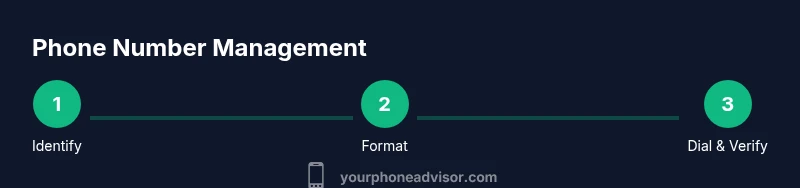
Dialing correctly prevents misdials and failed connections. Start by identifying the destination country, then gather the necessary pieces: country code, area code, and local number. If you’re dialing internationally, dial your country’s international access code (for the US, that’s 011, or simply press and hold for the plus sign on mobile). Then enter the destination country code and local number, pausing briefly if needed to allow automatic formatting. If the call fails, re-check digits, ensure a working SIM or network connection, and try again. The goal is a clean sequence that the network can route without ambiguity.
Safe Lookups: Verifying a Phone Number
Before saving or contacting a new number, verify its legitimacy through reliable sources and direct confirmation when possible. Use official channels and avoid shady websites that request sensitive information. If you receive an unknown number, let it ring once and check the caller ID, use a reputable directory service, or ask the caller to identify themselves. Do not rely on third-party apps that promise free lookups without privacy protections. Be mindful of scams and respect consumer privacy laws in your jurisdiction.
Saving, Organizing, and Labeling Contacts
After you confirm a number, save it with meaningful labels to reduce confusion later. Create a short name (e.g., Jane Doe – Work) and use groups or tags to categorize by relationship (family, work, service provider). Add notes with context such as a recent conversation or the person’s role. Regularly review your contacts to remove duplicates and outdated numbers. Back up your address book periodically if your device supports it.
Privacy, Security, and Ethical Sharing
Phone numbers are sensitive personal data. Share numbers only with explicit consent and through secure channels when possible. Enable privacy protections on your device, such as caller ID, spam filtering, and end-to-end encrypted messaging where appropriate. Consider using aliases or burner numbers for temporary contexts, especially in public or high-risk environments. If a number must be stored in a cloud service, ensure strong authentication and device protection against unauthorized access.
Tools, Apps, and Resources for Managing Phone Numbers
Practical tools can simplify how you handle phone numbers day-to-day. Use your device’s built-in contacts app to store, group, and search numbers. Consider secure note-taking apps for quick drafts of new numbers before saving. For international needs, explore VOIP apps or local SIM options with favorable rates. Finally, stay informed about privacy and security best practices through reputable sources and ongoing learning.
Authority Sources and Legal Considerations
To support responsible handling of phone numbers, refer to established authorities. For consumer guidance on telemarketing and privacy, consult official sources such as the Federal Communications Commission and the Federal Trade Commission. The Do Not Call Registry and related resources provide tools to reduce unwanted calls. Always stay up to date with your local laws and platform policies regarding personal data and contact management. Helpful starting points include https://www.fcc.gov/consumers/guides/are-you-getting-spam-calls and https://www.donotcall.gov/; for broader privacy guidelines, visit https://www.ftc.gov/business-guidance/privacy-and-security.
Tools & Materials
- Smartphone (iOS or Android)(Any current model supports standard dialing and contact management)
- Contacts app or address book(Built-in or third-party, ensure backup is enabled)
- Note-taking app or notebook(Draft new numbers before saving to avoid errors)
- Internet connection or VOIP service(Needed for lookups and international dialing if no SIM available)
Steps
Estimated time: 30-60 minutes
- 1
Identify destination and number type
Confirm whether you’re dialing locally or internationally. Gather the country code, area/region code, and the local number. Double-check that you have the correct digits to avoid misdialed connections.
Tip: Always verify country code before entering digits to prevent international misdials. - 2
Prepare the number components
For local numbers, include area code if required by your country. For international numbers, ensure you have the plus sign or international access code in front of the country code.
Tip: Using the plus sign (+) is the most compatible method for international dialing. - 3
Dial using the proper sequence
On mobile, press and hold to enter the plus sign, then enter the country code and national number. On landlines, start with the international access code for your country, then the country code and local digits.
Tip: Pause briefly after country code for devices to format automatically if needed. - 4
Confirm the connection
If the call connects, listen for a prompt or ring tone and verify that you reached the intended recipient. If you hear a busy signal or error, recheck digits and retry.
Tip: If you’re unsure of the number, hang up and verify through a known, trusted source. - 5
Save and label the number
Add the number to your contacts with a clear label (name, relation, business or personal). Include a note if there was a recent context or purpose for the call.
Tip: Use meaningful labels to prevent confusion later during urgent calls. - 6
Review privacy settings and sharing
Ensure you’re not sharing sensitive numbers without consent. Enable spam filters and confirm any sharing via secure channels if needed.
Tip: periodically audit contact sharing permissions and backup settings.
Got Questions?
What is the best way to format a domestic phone number?
Most locations accept digits with or without punctuation. Use standard local conventions (area code + local number) and follow your device’s formatting rules to ensure readability and dialing accuracy.
For domestic numbers, use the local format with an area code and the local number, following your device’s rules.
How do I dial an international number from the US?
Dial the international access code (011) or press and hold for the plus sign, then enter the country code and local number. Include the area code if required by the destination.
To call abroad from the US, use 011 plus the country code and number, or press and hold for the plus sign on mobile.
How can I verify if a phone number is legitimate?
Use official directories or contact the person through a known channel to confirm their number. Avoid unverified third-party services, and be cautious of scaminishing prompts requesting private data.
Check with trusted sources and confirm directly with the person if possible.
What should I do to protect my own number?
Limit sharing, enable spam and caller-ID protections, and consider using separate numbers for different contexts. Back up contacts securely and enable multi-factor authentication on any cloud storage.
Share numbers only when necessary and keep them protected with strong security settings.
Is there a difference between mobile and landline numbers when dialing internationally?
International dialing applies the same rules regardless of the device, but some carriers treat mobile numbers differently for roaming or rate plans. Always check current tariffs and dialing patterns with your provider.
The dialing sequence is generally the same, but carrier policies can affect rates or accessibility.
Watch Video
What to Remember
- Format numbers with country codes for global reach.
- Dial using correct sequences to avoid misdials.
- Verify unfamiliar numbers before saving.
- Protect privacy through careful sharing and backups.
- Use authoritative sources for number lookups.