When to Change Phone Tempered Glass: A Practical Guide
Learn when to replace your phone tempered glass and how to tell it’s worn or cracked. Practical signs, DIY replacement steps, and maintenance tips for 2026.


In this guide you’ll learn when to change phone tempered glass and how to tell it’s worn or damaged. You’ll evaluate visible cracks, chips, bubbles, lifting at the edges, and touch sensitivity. We cover practical signs, DIY replacement steps, and maintenance tips to help you protect your screen now and in the long run.
What tempered glass does for your phone
Tempered glass screen protectors provide a sacrificial barrier that absorbs scratches and minor impacts, helping keep your actual display pristine. If you’re wondering when to change phone tempered glass, you’re not alone. This guide helps you read wear signals, understand practical timelines, and decide when replacement is due rather than waiting for a visible crack to form. By the time you notice edge peeling, clouding, or reduced touch accuracy, protection may be compromised and your screen at risk. Regular inspection during cleaning routines keeps you in the know and prepared to act. In practice, most users find it wise to re-evaluate every few months, especially if you carry your phone in pockets or bags with keys or coins that can abrade the surface. When you avoid dust, keep fingers clean, and handle the device gently, tempered glass can deliver reliable protection for a long time.
Signs it's time to replace tempered glass
Several clear indicators suggest you should replace your tempered glass protector. Cracks that run across the surface, chips that catch on your finger, or pieces that flake at the edges are hard signals you’re beyond simple maintenance. Bulging or peeling along the sides means the adhesive layer is failing, making it easier for dust to get underneath. Persistent bubbles that won’t settle out after a thorough cleaning often point to a subpar seal. Dullness, clouding, or fingerprints that won’t wipe away can also indicate degraded clarity. According to Your Phone Advisor, these wear patterns are the most reliable wake-up calls, especially when you notice a change in touch responsiveness near the edges. If any of these appear, plan a replacement before you risk the underlying screen.
How to inspect wear without removing the protector
Removing a protective layer may expose the screen to dust and damage, so learn to assess wear without dismantling the shield. Start by lighting the display from the side to reveal micro-scratches that catch the light. If you can see faint lines or specks on glass that aren’t present on a new screen protector, that’s a sign of wear. Inspect the edges for lifting, where a tiny gap can collect dust or moisture. Gently run a clean finger along the border; if you feel a noticeable edge gap or air pockets persist, it’s time to consider replacement. Another quick check is to clean the surface with a microfiber cloth; if the cloth leaves streaks or you observe new smudges after cleaning, the protector’s surface may be degraded. With curved screens, edge coverage matters more; ensure the protector truly adheres to the display around the perimeter rather than leaving visible gaps.
Practical scenarios that mandate replacement
Certain real-world scenarios almost always warrant replacing tempered glass. If your phone has survived a notable drop that cracked the protector, even if the underlying screen is fine, replace the shield to maintain protective performance. Prolonged exposure to moisture or sweat can loosen adhesive, inviting fogging and hazy areas. If you notice frequent bubbles that return after re-cleaning, or if the protector begins peeling at the corners after a few weeks of use, it’s time for a new one. Finally, after a screen replacement, install a fresh protector to guarantee a clean, residue-free interface. These practical checks help you avoid risking the display and keep touch accuracy consistent.
Replacement guidance: choosing the right protector and when to DIY vs professional
Selecting a replacement tempered glass protector requires checking for device compatibility, edge coverage, coating quality, and lift-free installation. Look for protectors with an oleophobic coating to resist fingerprints and an easy-alignment design to ease application. If you own a phone with curved edges, opt for a protector designed for curved screens to minimize overhang and lift. If you’re nervous about DIY installation or if the screen has been recently replaced, consider professional installation to ensure a precise seal and to minimize dust capture. For many users, DIY replacement is perfectly adequate when done in a clean room with good lighting and careful dust removal. Remember, a poor seal reduces protection and can hamper touch sensitivity.
Maintenance tips to extend tempered glass life
Keep your screen protector in good condition by cleaning it regularly with a soft microfiber cloth and only light cleaning solutions. Avoid aggressive solvents, abrasive wipes, or direct moisture that can weaken the adhesive. Store a spare protector and kit in a dust-free case so you can swap quickly after heavy use or a noticeable impact. If you carry your phone in a bag with keys, consider a two-protector approach to minimize wear. Finally, check alignment after a few weeks of heavy use, especially if you update your device case or accessories; a misaligned protector can crack or peel unexpectedly.
Authority sources and safety notes
For reference, here are reputable sources that cover general smartphone care and screen protection best practices:
- https://www.ftc.gov
- https://www.nist.gov
- https://www.consumerreports.org
Tools & Materials
- Soft microfiber cloth(Non-abrasive; for dry/cleaning)
- Isopropyl alcohol wipe (70%+)(For initial screen cleaning; use sparingly)
- Dust removal sticker or tape(To lift dust before applying)
- New tempered glass screen protector(Compatibility check with model)
- Suction cup or soft plastic card (optional)(Assist in dust removal around edges)
- Lint-free gloves (optional)(Minimize fingerprints during application)
Steps
Estimated time: 15-25 minutes
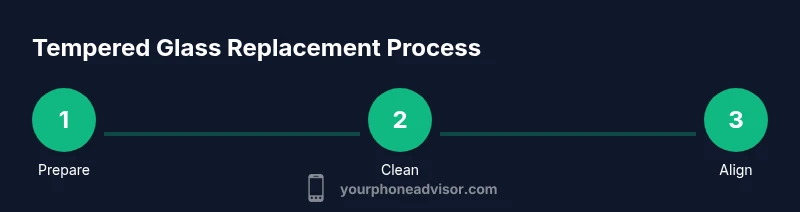
- 1
Prepare your workspace
Set up a clean, dust-free area with good lighting. Gather tools, power off the phone, and remove any case or accessories that might trap dust.
Tip: Work on a flat surface and avoid windy rooms. - 2
Power down and remove case
Power off the device completely to prevent accidental touches. Remove the case and any screen covers that could interfere with alignment.
Tip: A quiet, static-free environment helps prevent dust. - 3
Clean the screen thoroughly
Wipe the screen with an isopropyl wipe, then dry with a microfiber cloth. Ensure there is no lint or streaks before proceeding.
Tip: Let the screen dry completely to avoid moisture pockets. - 4
Remove dust and align
Use a dust removal sticker to lift remaining particles. Gently align the new protector with the device cutouts before sticking.
Tip: Start from the top edge and work downward to minimize air pockets. - 5
Apply protector and remove bubbles
Apply the protector slowly, then press from center outward to push out air. If bubbles appear, gently coax them toward the edge with a card.
Tip: Don’t rush; small air bubbles may disappear on their own. - 6
Test and finalize
Turn on the device, test touch responsiveness, and inspect for dust in cracks along the edges. Re-press edges if needed.
Tip: Check corners; misalignment is easier to rectify before the adhesive fully sets.
Got Questions?
How do I know when to replace tempered glass?
Look for visible cracks, chips, or peeling edges. If bubbles persist or touch becomes less responsive, replace the protector.
Look for cracks, peeling, or lingering bubbles; if you see wear, replace it.
Can I reuse a tempered glass protector after removal?
In most cases, it’s best to replace with a new protector, as reusability compromises adhesion and shielding.
Usually not; use a new protector for reliable protection.
Will applying a new tempered glass affect touch sensitivity?
A properly installed protector should preserve touch sensitivity. Misalignment can cause touch issues near the edges.
If installed correctly, touch stays responsive.
Is it safe to replace tempered glass if the screen is damaged?
If the underlying screen is damaged, seek professional service. Do not DIY if you suspect screen damage.
If the screen is damaged, get professional help.
How long does tempered glass typically last?
Durability depends on use and handling. Replace when you see wear signs or after a heavy impact.
It lasts as long as you care for it; replace when worn.
Watch Video
What to Remember
- Inspect wear signs weekly to decide replacement.
- Choose the right protector for your screen type and curvature.
- Follow a clean, dust-free process to maximize adhesion.
- Replace after a drop or wear signs to protect the underlying display.