When to Change Your Phone Screen Protector
Learn when to change your phone screen protector, how to spot wear, and a step-by-step replacement guide for tempered glass and film protectors. Practical tips to protect your display while keeping touch sensitivity intact.


You should change your phone screen protector whenever you notice significant wear that could compromise the screen: deep scratches, visible cracks, peeling edges, persistent air bubbles, or yellowing. Replace with a compatible protector (tempered glass or film) that matches your device and usage. Regular checks help maintain touch sensitivity and glare protection.
Why Wear Matters and What It Protects
Your phone screen protector is your first line of defense against scratches, oils, and minor impacts. When a protector is in good condition, it helps preserve screen clarity and touch accuracy. According to Your Phone Advisor, daily use in pockets, bags, and on rough surfaces accelerates wear, especially for cheaper films. The key is to recognize when the protector has done its job and when its time has come.
Protectors: Glass vs Film and How They Age
Tempered glass protectors generally resist scratches and cracks better than plastic films, but they can still crack after a heavy drop. Films stay flexible and whisper-thin, yet they are more prone to edge peels and micro-scratches. As you use your phone, exposure to oils, heat, and friction from swipes slowly wears down adhesive and clarity. Your Phone Advisor notes that age, temperature, and cleaning habits all influence longevity.
Visual Cues That Signal Replacement Is Needed
There are several telltale signs a replacement is due. If you see deep scratches that obscure icons, rainbow-like interference when you tilt the screen, peeling edges, bubbles that won’t disappear after cleaning, or yellowing around the edges, plan a change. Even minor gaps can trap dust and reduce touch accuracy. Regular checks help you catch wear early.
How Usage, Environment, and Phone Model Affect Replacement Timing
Active use in dusty environments, frequent drops, or using screen protectors with weaker adhesives accelerates wear. In hot climates or when devices heat up during charging, adhesives can soften, leading to quicker edge lift. Higher-end protectors often last longer, but no protector is foolproof against impact or improper application. Choose a protector type and thickness that suits your daily routine and phone model.
Tips for Choosing the Right Protector for Your Phone
When selecting a protector, consider compatibility with curved screens, edge design, and whether you want glare-reduction or privacy features. A 2.5D or 3D edge can reduce dust under edges, while an oleophobic coating helps minimize fingerprints. If you’re often outdoors, consider a protector with stronger impact resistance and higher scratch protection rating. Always verify case compatibility beforehand.
Maintenance and Replacement Mindset
Create a simple routine: inspect weekly or monthly, clean with a microfiber cloth, and replace immediately if you notice wear. Practicing careful removal and accurate alignment reduces the chance of dust sneaking in. Keeping a small kit ready — microfiber cloth, dust stickers, and a spare protector — makes timely replacements quick and stress-free.
Tools & Materials
- Screen protector (tempered glass or film)(Choose a protector compatible with your device model and screen curvature)
- Microfiber cleaning cloth(Lint-free for streak-free cleaning)
- Alcohol prep pad or 70% isopropyl wipe(Used to remove oils before application)
- Dust removal stickers(Keeps dust from getting trapped during application)
- Plastic card or applicator(Used to smooth out bubbles)
- Small scissors or knife (optional)(Trim edges if protector is oversized or misaligned)
Steps
Estimated time: 15-25 minutes
- 1
Inspect current protector
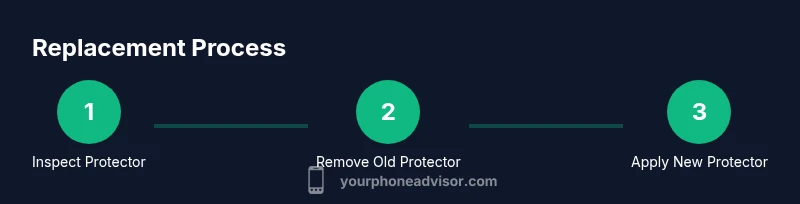
Examine the screen for deep scratches, cracks, peeling edges, or yellowing. Confirm whether the wear is affecting touch or viewing clarity and decide if replacement is needed.
Tip: Take a photo at an angle to better judge edge lift or micro-scratches. - 2
Gather tools and materials
Bring your chosen screen protector, cleaning cloth, alcohol wipes, dust stickers, and a smoothing card within reach to minimize disruption during replacement.
Tip: Set up a clean, dust-free area to prevent particles from sticking under the protector. - 3
Clean the screen thoroughly
Wipe the screen with the microfiber cloth, then use an alcohol wipe to remove oils. Allow the surface to dry completely before proceeding.
Tip: Avoid touching the adhesive area with fingers to prevent fingerprint oils. - 4
Remove the old protector
Gently lift a corner and peel the protector away from the screen, keeping the protector parallel to the surface to minimize dust fallout.
Tip: If shards are present from a cracked protector, wear eye protection and handle carefully. - 5
Apply the new protector
Align the protector with the top edge, camera, and speaker cutouts. Slowly lower it onto the screen while smoothing from center to edges to push out bubbles.
Tip: Apply light, even pressure with a smoothing card to prevent trapped air. - 6
Check fit and sensitivity
Inspect for dust or bubbles. Gently press to re-seat if necessary and test touch responsiveness along the edges.
Tip: Let the adhesive set for a few minutes before using heavily.
Got Questions?
What signs indicate it's time to replace my screen protector?
Look for deep scratches, cracks, peeling edges, persistent bubbles, or yellowing. If touch feels less responsive, replacement is advised.
Look for scratches, cracks, peeling, bubbles, or yellowing. If touch isn't as responsive, it's time to replace.
Can I replace a screen protector myself at home?
Yes. With the right tools and a clean surface, you can perform the replacement at home by following a step-by-step process.
Yes, you can replace it at home with the proper tools and careful steps.
Should I remove a cracked screen protector or replace it before it cracks?
If cracked, replace immediately to prevent further damage or injury and to maintain screen protection.
If cracked, replace right away to protect the screen.
Is it safe to reuse a protector after removing it?
Generally not recommended. Reuse depends on adhesive cleanliness and absence of dust; better to install a new protector.
It's usually best to use a new protector instead of reusing.
How do I avoid dust getting under the protector?
Work in a clean, dust-free area, use dust removal stickers, and wash hands before applying.
Work in a clean space and use dust stickers to prevent dust.
Watch Video
What to Remember
- Inspect protection regularly and replace when wear is evident
- Choose protector type based on usage and environment
- Follow clean-room steps to apply without dust
- Test touch accuracy after installation