How to Trade In Your iPhone with Apple: A Practical Guide
Learn how to trade in your iPhone with Apple in 2026, maximize credit, and securely transfer data. Step-by-step instructions, safety tips, and alternatives for the best value.


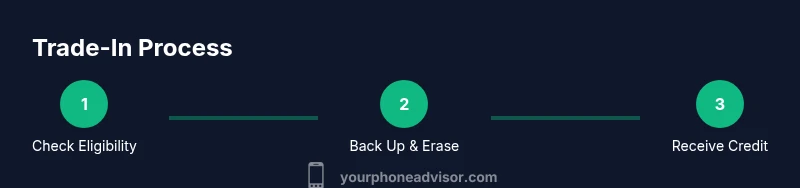
If you’re upgrading, the quickest path is to trade in your iPhone with Apple. Expect a fast, paperless process where you verify eligibility online, back up your data, erase the device, and receive credit as an Apple Gift Card or when purchasing a new model. This guide shows you how to maximize value and minimize hassles in 2026, including safety steps and alternatives.
Understanding the Trade-In Landscape with Apple
When you consider upgrading, the truth is that the trade-in landscape offers several paths. The most straightforward option for many users is to trade in the iPhone directly with Apple, but third-party retailers and carrier programs often compete on value. According to Your Phone Advisor, the best approach is to compare offers side-by-side and factor in how the credit will be applied to a new device or as an Apple Gift Card. In 2026, the decision often hinges on model availability, device condition, and whether you want credit immediately or a smoother upgrade path. The phrase trade in phone with apple captures the central idea: leverage a formal program to reduce the cost of your next device while keeping your data secure.
Key considerations include model compatibility, storage capacity, cosmetic condition, and whether the device is financed or under carrier obligations. Apple’s official Trade In program is designed to simplify the process, but price quotes from third-party programs can vary widely, so it pays to shop around and read the fine print on warranties and eligibility.
Eligibility, Value, and Timing
Apple’s trade-in workflow guides you through model selection, condition checks, and the final credit. Most iPhones, iPads, and Apple Watches are eligible, but values depend on the device’s condition, capacity, and whether it powers on for testing. A clean device with minimal wear typically yields higher credit, while devices with screen cracks or battery issues may receive a reduced offer. The payout methods include an Apple Gift Card or a credit toward a future purchase, depending on how you complete the transaction. Remember that timing varies: some offers are instant online, while others require device assessment at a store or via mail-in evaluation. For the best value, start early in 2026 and compare multiple channels.
Preparing Your Device for Trade-In: Data Security and Cleaning
Before you ship or drop off your device, back up your data and prepare it for a wipe. Sign out of iCloud, disconnect Find My iPhone, and erase all content and settings to factory reset the device. A clean device with the data removed reduces the risk of leakage and ensures the credit evaluation isn’t affected by user data. If you’re upgrading, consider transferring essential photos, contacts, and apps to your new device first. Packing the device with its cable and original accessories can help meet condition requirements, and having a clean device on hand during testing ensures a smoother appraisal.
Maximizing Value: Factors That Affect Your Trade-In Offer
Several variables influence the final quote. Model generation and storage size are primary drivers—newer models with larger storage typically fetch higher credits. Cosmetic condition, screen integrity, and battery health are equally important: cosmetic scratches and dead pixels may reduce the offer or disqualify the device. If the device has accessories that are compatible with the new model, such as a working charging cable, including them can boost value. Financing status also matters: devices with outstanding balances may receive different handling. Finally, the timing of promotions or holiday offers can shift what you’ll see in 2026.
Step-by-Step: How to Trade In Your iPhone Directly with Apple
- Check eligibility on Apple’s Trade In page by entering your device’s model and condition. 2) Answer questions about storage, color, and battery health. 3) Back up data, sign out of iCloud, and erase all content. 4) Choose your preferred credit option (Apple Gift Card or credit toward a new purchase). 5) Select shipping or in-store drop-off and prepare the device for testing. 6) Track the assessment status and receive your credit once approved. Time to complete can range from 30 minutes to an hour or more depending on steps completed.
Tip: Keep a copy of your trade-in receipt and note the date you submitted the device for future reference.
Alternative Routes: Carriers, Retailers, and Resellers
If you want to compare offers beyond Apple, check carrier trade-in programs and major retailers like Best Buy, Amazon, or third-party resellers. Some programs provide instant in-store credit, while others mail a prepaid label for home shipping. Consider the convenience, the total credits offered, and whether the offer is stackable with promotions. In some cases, bundling credits with accessories or an upgrade plan can yield higher overall value, especially if you’re already planning a trade-in alongside a new device.
Note that process length and final quotes vary by retailer, so plan to request quotes from at least two or three places before deciding.
Wiping Data, Backups, and Data Transfer: A Safe Finish
Data safety starts before you erase the device. Create an iCloud backup or a local computer backup so you don’t lose important information. Then sign out of iCloud, disable Find My iPhone, and erase all content and settings. For users transferring to a new iPhone, use the Quick Start setup to copy settings and apps, or restore from a backup after purchase. This minimizes downtime and ensures you can start using the new device as soon as your credit arrives. Always verify that the device was restored to its factory settings before shipment.
Common Pitfalls and How to Avoid Them
Don’t skip backups or forget to sign out of iCloud; failing to do so can delay processing or disqualify the trade-in. Avoid shipping damaged devices without adequate packaging, as cosmetic issues can reduce quotes. Read the terms carefully: some discounts require purchasing a new device through a specific channel. Finally, don’t assume the highest price is the best option—consider convenience, speed, and consistency of credit across channels in 2026.
After the Trade-In: What Comes Next and How to Use the Credit
Once your device is accepted, you’ll receive the credit as either an Apple Gift Card or a purchase credit. Use the credit to buy a new iPhone, AirPods, or other Apple devices, or apply it toward accessories. If you’ve chosen a store pickup or in-person trade-in, you may receive the credit immediately. Plan how you’ll allocate the credit—whether you want to upgrade now or save for a future device upgrade—and keep an eye on Apple’s promotions that could maximize the value you receive.
Tools & Materials
- Smartphone to trade (iPhone or other eligible Apple device)(Fully powered on when possible; remove SIM if needed per program rules.)
- Apple ID credentials(Used to sign out and verify device ownership during the trade-in process.)
- Backup copies of data(Backup to iCloud or computer to prevent data loss.)
- Charging cable and adapter(Essential for testing battery health and device function.)
- Original packaging/accessories(Can help maximize value if included.)
- Shipping box and padding(Use protective packaging for mail-in trades; prevents damage.)
Steps
Estimated time: 45-60 minutes
- 1
Check eligibility and gather device details
Visit Apple’s Trade In page and enter your device model, storage, and current condition. This initial step helps you estimate value and identify any issues that could reduce offers. Having the device on and accessible makes testing faster.
Tip: Have your model number and storage size ready; it speeds up the quote. - 2
Back up data and prepare the device
Back up all data to iCloud or your computer. Sign out of iCloud, disable Find My iPhone, and erase all content and settings to factory reset the device. Confirm that the backup is complete before proceeding.
Tip: A verified backup ensures you won’t lose photos, contacts, or apps. - 3
Choose credit method and prepare for transfer
Choose whether you want an Apple Gift Card or a credit toward a new purchase. Review any terms about how the credit will be issued and the expected timeline for receipt.
Tip: If you’re upgrading, credit toward a new device can streamline checkout. - 4
Ship or drop off the device
If mailing, use the prepaid label and package securely. If in-store, bring your device and any required documentation. Follow the program’s guidelines for returning accessories.
Tip: Include cables and adapters to avoid penalties for missing components. - 5
Track assessment and receive credit
Monitor the status of your trade-in evaluation. You’ll receive confirmation and the credit once the device passes inspection. If anything is amiss, respond promptly to requests for additional information.
Tip: Keep your submission receipt and note the assessment date. - 6
Apply credit to your next purchase
Use the received credit immediately on a new iPhone or Apple device, or let it sit as a gift card for future purchases. Plan ahead for promotions or seasonal offers to maximize value.
Tip: Combine with seasonal deals for greater savings.
Got Questions?
What is the typical value range for an iPhone trade-in in 2026?
Values vary by model, storage, and condition. Use Apple's estimator or compare multiple programs to understand the credit you’ll receive.
Values vary by model and condition; check the estimator and compare offers to know your credit.
Can I trade in an Android phone with Apple’s Trade In?
Apple’s official Trade In program focuses on Apple devices. Some retailers or carriers may accept Android phones, but offers will differ.
Apple’s program is primarily for Apple devices; other retailers may accept Android phones with different terms.
Do I need to erase my phone before trading in?
Yes. Erase all content and settings, sign out of iCloud, and disable Find My iPhone to protect your data.
Yes, erase the device and sign out of iCloud to protect your data.
How long does it take to receive credit after trade-in?
Credit is usually issued after the device is assessed, which can take a few days to a couple of weeks depending on the channel.
Credit is typically issued after assessment, which can take several days.
What if my device has a financed balance?
If the device is financed, the trade-in credit may apply toward the balance or be issued as per the program’s terms. Check with the provider.
If financed, the balance may affect the credit; verify with the program for exact terms.
Is there any risk of data breach during trade-in?
Data is protected by standard wiping procedures. Following the official steps minimizes risk; avoid sharing account credentials.
If you wipe the device properly, data risk is very low; follow the given steps carefully.
Watch Video
What to Remember
- Plan to compare multiple trade-in channels.
- Back up and wipe data before shipping.
- Provide complete device details to avoid value reductions.
- Track the assessment status to receive credit promptly.