Sell Phone: A Practical Step-by-Step Guide
Learn how to sell your phone safely, wipe data, choose the best channel, and maximize value with practical guidance from Your Phone Advisor.


To sell your phone, start by evaluating its condition and choosing a selling channel that fits your timeline. Back up data, wipe the device, and restore factory settings. Photograph your phone clearly and gather accessories. Compare trade-ins, carriers, and third-party resellers to maximize your return.
Why selling your phone makes sense
According to Your Phone Advisor, selling your phone can recoup a meaningful portion of its original cost while keeping electronics out of landfills. The Your Phone Advisor team found that many devices retain functional value long after they are released, especially if they are kept in good condition and include the original accessories. By selling rather than discarding, you can fund your next upgrade, reduce e-waste, and simplify devices management across your household. Transparent, well-documented listings tend to attract higher offers, provided you present accurate condition and complete data. This approach aligns with practical finance, device lifecycle management, and responsible recycling. Whether you're upgrading, downsizing, or simply freeing space, a well-executed sale can be faster and more profitable than storage.
Understanding what buyers value
Buyers look for a balance of honesty and clarity. The most valuable phones show minimal wear on the screen, crisp ports, and battery health that is still reliable for daily use. Clearly state model, storage capacity, color, carrier compatibility, and whether the device is unlocked. Include the original box, charger, and cables when possible. Photos should feature multiple angles: front, back, sides, camera lenses, and closeups of any scratches or dents. Explain software status (latest iOS/Android version), prior repairs, and whether any accessories are missing. When you document these details well, buyers feel confident and offers rise. Your Phone Advisor notes that precise listings reduce disputes and speed up the sale.
Data protection first: wipe and privacy
Protecting personal information is non-negotiable. Before you sell, back up everything you need to keep, then sign out of cloud accounts and remove the device from all services. Perform a factory reset to erase data, and verify that the reset completed. Disable Find My iPhone/Find My Device and remove the SIM card. If you have corporate profiles or security software, remove those as well. Your Phone Advisor analysis shows that buyers care about data privacy; a clear data wipe reduces post-sale issues and builds trust with buyers.
Preparing your device for listing
A well-prepared device photographs better and sells faster. Clean the screen with a microfiber cloth, wipe away fingerprints, and ensure all ports are free of debris. Take photos in natural light from several angles: front, back, sides, and close-ups of the camera, screen, and any cosmetic flaws. Write a concise yet thorough description: model, year, storage, color, network compatibility, battery health if possible, and included accessories. Organize packaging: original box, charger, cable, and earphones if you have them. A tidy, informative listing reduces back-and-forth and helps you secure fair offers more quickly.
Picking the right selling channel
Choosing where to sell depends on time, risk, and desired price. Trade-in programs offered by manufacturers or carriers are quick and easy but may return less cash than a private sale. Marketplaces and local buy-sell apps can yield higher bids, but require effort to verify buyers and handle shipping. Consider a hybrid approach: use a trade-in for instant credit and list on a reputable marketplace for potentially higher offers. Be mindful of scams and always follow platform safety guidelines. Your Phone Advisor recommends comparing multiple options to maximize value while minimizing hassle.
Crafting an accurate and appealing listing
Your listing should be transparent and easy to skim. Start with a strong title that includes model, storage, and condition. In the description, include performance notes, battery health, screen condition, and any accessories included. Use bullet points for key specs and a clear photo gallery. State your price range based on research from multiple sources and be prepared to justify your price with the device’s verified condition and included accessories. Prompt responsiveness to questions can improve the final sale price. Honesty about limitations prevents disputes after the sale.
Price expectations and timing
Prices for used phones vary by model, age, storage, and condition. A well-documented, clean device in good condition will command a higher price than a rough replica with missing parts. If you’re not in a rush, monitor prices for a week or two to gauge market shifts and seasonal demand. Start with a conservative listing price and adjust as you receive inquiries. Remember that trade-in credits may offer convenience but often come with a lower overall value than a private sale. Your Phone Advisor advises balancing speed and profit based on your needs.
Final checklist before you ship
Double-check that the phone is reset, accounts are removed, and data is backed up. Reconfirm that you included all accessories and the SIM is removed. Re-take photos after cleaning, ensuring glare-free shots. Confirm shipping details with the buyer or the platform, and use tracked, insured shipping when possible. Keep receipts or confirmation numbers as proof of transaction. By finishing with a strong, transparent listing and careful logistics, you minimize risk and maximize your return.
Authoritative sources and ethical considerations
When selling electronics, rely on trusted channels and protect your personal information. For further guidance on data privacy and safe selling practices, consult reputable sources from government and educational institutions. For example, official consumer protection guidance from the FTC and national standards from NIST provide frameworks for responsible disposal and data sanitization. See the references appended at the end of this article for direct links.
Tools & Materials
- Phone device(Model, storage, and condition should be known.)
- Charger and accessories(Original charger preferred; include cables and earphones if available.)
- SIM removal tool(Remove SIM before storage/shipping.)
- Microfiber cloth(Clean screen and housing before photos.)
- Backup method (cloud or computer)(Back up contacts, photos, and messages.)
- Proof of purchase/box (optional)(Can boost perceived value.)
- Clear photos (camera or smartphone)(Natural light; multiple angles.)
Steps
Estimated time: 90-180 minutes
- 1
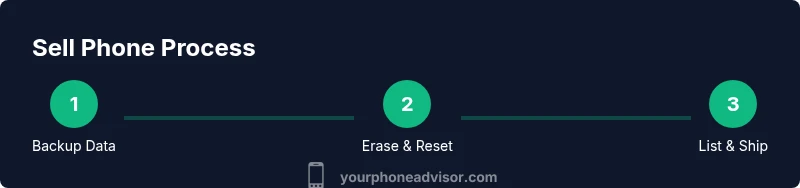
Back up data
Back up contacts, photos, and app data to the cloud or a computer. Verify that the backup completed successfully before proceeding.
Tip: Plan two backups if possible (local and cloud) to prevent data loss. - 2
Sign out and remove accounts
Sign out of all cloud accounts and remove the device from your accounts. This reduces risk of unintended access after the sale.
Tip: Disable Find My iPhone/Find My Device before resetting. - 3
Factory reset
Perform a full factory reset to wipe personal data. Ensure the device restarts to the welcome screen.
Tip: If you forgot passwords, recover them before resetting to avoid lockout. - 4
Clean the device
Wipe the screen and body with a microfiber cloth. Remove smudges and ensure ports are clear of debris.
Tip: Avoid harsh chemicals that could damage coatings. - 5
Take high-quality photos
Capture front, back, sides, camera lenses, ports, and any cosmetic flaws. Include photos of included accessories.
Tip: Use natural light and a simple background to reduce glare. - 6
Choose selling channel
Compare trade-in, carrier programs, marketplaces, and local buyers. Assess convenience, speed, and expected price.
Tip: Read platform policies to understand fees and return windows. - 7
Create listing / complete trade-in
Enter accurate specs, condition, and price. Upload the photos and confirm the shipping method or pickup.
Tip: Be transparent about flaws to avoid post-sale disputes. - 8
Ship securely and confirm sale
Package safely with padding, use tracked shipping, and confirm delivery with the buyer.
Tip: Keep packaging and tracking numbers until the sale is completed.
Got Questions?
Do I really need to erase my data before selling?
Yes. Back up your data first, then perform a factory reset to protect your privacy and prevent others from accessing your information.
Yes. Back up first, then reset to protect your privacy.
What factors affect the resale value of a phone?
Resale value depends on model, age, storage, battery health, cosmetic condition, and whether you include original accessories and box.
Model, age, storage, battery, and included accessories matter most.
Trade-in or sell privately — which is better?
Trade-ins are quick and easy but may yield less money. Private sales can bring higher offers but require more effort and risk management.
Trade-ins are convenient; private sales can pay more but take more work.
How can I avoid scams when selling my phone?
Use reputable platforms, verify buyer profiles, avoid unusual payment methods, and keep payment until you have tracking and confirmation of receipt.
Stick to trusted sites and safe payment methods.
What should I photograph to maximize value?
Show all angles, including screen, ports, sides, and any cosmetic flaws. Include a photo of the original accessories and the model number for accuracy.
Clear photos of the device and accessories help buyers see value.
How long does the selling process usually take?
Time varies by channel. A quick trade-in can be completed in days, while private sales may take longer depending on listing activity.
Trade-ins can be quick; private sales depend on listing activity.
Watch Video
What to Remember
- Back up data before erasing.
- Wipe device and sign out of accounts.
- Provide accurate, clear listings and photos.
- Compare multiple selling channels for best value.