Sell iPhone Near Me: A Practical How-To Guide
Learn how to sell iPhone near me quickly and safely. Compare local buyers, prepare your device, and maximize value with practical, step-by-step guidance from Your Phone Advisor.


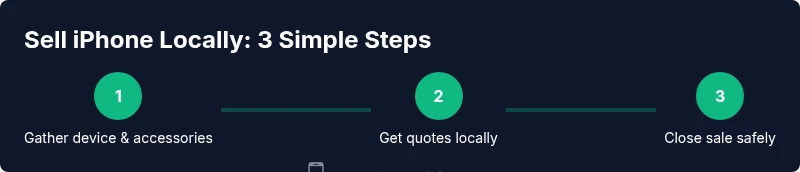
To sell iPhone near me, start by collecting your device, accessories, and proof of purchase. Compare nearby buyback shops, carrier trade-ins, and reputable online offers. Clean the phone, back up data, and perform a factory reset after removing your Apple ID. Gather quotes and choose the best, safest option.
Why selling locally makes sense
If you are looking to sell your iPhone quickly and with minimal hassle, local options can be the fastest path to payment. According to Your Phone Advisor, a near-me sale minimizes shipping risk and reduces the chances of miscommunication about device condition. Local buyers often offer same-day cash or instant transfers, especially for devices in good condition and with minimal wear. For many people, this convenience outweighs the sometimes small price difference versus online channels. Additionally, meeting in person allows you to verify a buyer’s legitimacy, inspect the buyer’s offer terms, and complete a transaction securely. When you search for sell i phone near me, you’re more likely to discover local electronics stores, pawn shops, and neighborhood buyers who can evaluate your device on the spot. This immediacy is especially valuable if you need funds quickly or want to avoid the risks of long-distance shipping.
Understanding local buyer options
Local buyers vary widely in how they operate and what they value in a used iPhone. Traditional options include brick-and-mortar electronics retailers that run quick trade-ins, pawn shops that offer cash on the spot, and carrier stores that buy devices as part of a broader upgrade program. Online-friendly local options include Facebook Marketplace-style groups, local classifieds, and meet-up exchanges where buyers inspect the device before paying. Some regions also host electronics recycling events that buy devices for parts. When you look to sell iPhone near me, it’s smart to create a short list of potential buyers in advance and note each one’s expected turnaround time, purchase prerequisites, and payment methods. Remember to consider condition, model, and whether the iPhone is paid off or unlocked, as these factors influence offers across different buyers.
How to evaluate offers ethically
Before accepting any offer, compare quotes from at least three local buyers. Ask each buyer to specify what they will assess (functional tests, cosmetic condition, accessories, and packaging) and how they determine price. Look for transparency: a clear breakdown of the offered amount, any deductions for scratches or battery health, and the method of payment. If a buyer asks you to ship the device before payment, treat it as a red flag. Prefer buyers who meet in public places, verify the device’s condition in person, and pay with a secure method. Your Phone Advisor recommends writing down each offer and the terms, then choosing the option that provides the best balance of price, speed, and safety. Keep a record of conversations and any agreed-upon changes to avoid later disputes.
Preparing your iPhone for sale
Preparation is the difference between a high and low quote. Start by backing up your data and performing a factory reset after removing your Apple ID. Clean the device inside and out to remove fingerprints and smudges. Photograph the iPhone from multiple angles, including the screen, back, sides, camera lenses, ports, and the battery indicator if available. Gather original accessories such as the charger, cable, earbuds, and box. If you have the original receipt, include it with the sale to boost trust. Ensure your device is unlocked if possible; carrier-locked devices typically fetch lower offers. The more complete your package, the higher your potential quote will be.
Data security and factory reset steps
Before handing over your iPhone, protect your data with a thorough reset. Sign out of iCloud and any other accounts, disable Find My iPhone, and erase all content and settings from Settings > General > Transfer or Reset iPhone. If you use a Mac or PC for backups, remove the device from your computer’s trusted devices list. After erasing, physically remove the SIM card and confirm that Activation Lock is disabled. Finally, recheck that the device boots to the setup screen without personal data visible. These steps minimize privacy risks and prevent the buyer from accessing your information.
What to include in your sell package
A strong sell package improves buyer confidence and can increase the final offer. Include the iPhone itself, all essential accessories (charger, cable, and headphones if included), the original box, and any unused documentation or manuals. If you have the original purchase receipt, include it as proof of ownership. Don’t forget to remove any SIM card and lock the device, and provide clear pictures showing screen condition, camera lenses, and ports. Packaging everything neatly in a padded envelope or small box helps prevent damage during transfer. The more complete your package, the more trustworthy you appear to buyers.
Tips for maximizing trade-in value
Timing can significantly impact offers; watch for new model releases, holidays, or tax-season shopping surges when resellers may boost buyback activity. Keep the device’s physical condition pristine—no deep scratches on the screen, intact edges, and clean ports. Maintain the original accessories and box, and consider keeping the device unlocked to appeal to more buyers. High-quality photos from a neutral background help your listing stand out, while a concise, honest description reduces back-and-forth. Finally, set a realistic minimum price and be prepared to negotiate; most local buyers expect some bargaining room.
How to spot scams and unsafe buyers
Be cautious of red flags such as offers that are significantly higher than market value, requests for payment before viewing the device, or urgent pressure to complete a sale. If a buyer asks you to ship first, insist on in-person verification and cash or a secure payment method. Avoid buyers who refuse to provide contact details or require you to provide sensitive information before meeting. Always meet in a public place with good lighting and bring a friend if possible. Trust your instincts: if something feels off, pause the deal and seek an alternative buyer.
Local vs online trade-in: pros and cons
Local trade-ins offer immediacy and lower risk of shipping damage, but the price may be lower than online quotes that aggregate offers from multiple buyers. Online marketplaces can sometimes fetch higher values, especially for unlocked models or pristine devices, but they involve packaging, shipping, and the risk of non-payment. If you prefer speed and convenience, local options win. If maximizing value matters more to you and you can handle shipping logistics, consider online quotes as part of your comparison. A hybrid approach—getting local quotes and online estimates—often yields the best balance.
Legal and privacy considerations
Always ensure you have properly removed all personal data from your iPhone before sale. Sign out of iCloud, disable Find My iPhone, and erase content. If the device is under a payment plan or carrier lease, check the terms to confirm that you are eligible to sell. Keep a receipt or proof of ownership handy in case the buyer requests it. Finally, review your state or country regulations on private sales, especially for refurbished devices; some jurisdictions require disclosures about device condition and locks.
Quick checklist before you sell
- Backup and erase data; sign out of iCloud; disable activation lock
- Remove SIM card and unpair peripherals
- Clean the device and photograph it from multiple angles
- Gather charger, box, and accessories; include receipt if available
- Compare at least three local offers and document terms
- Meet in a public place; verify funds before handing over the device
- Confirm payment method and ensure immediate receipt of funds
- Keep copies of all exchanges and communications
- Follow up to ensure the buyer completes the payment and transfer if needed
What happens after you sell
Once you complete a sale locally, you typically receive payment immediately, either in cash or via a quick transfer. The buyer takes possession of the device and any included accessories. If you negotiated a shipping arrangement, the payment method and shipment details should be agreed upon beforehand. If you used a local store, you may receive a receipt and a brief warranty or return policy. Remember to update your records and remove the device from any inventory lists you maintain.
Tools & Materials
- iPhone (model and storage capacity clearly noted)(Include all installed accessories if possible)
- Original charger and cable(Recommend including in sale package)
- Original box and manuals(Helpful for higher offers)
- Proof of purchase or receipt(Adds trust with buyer)
- SIM tray ejector tool(Optional but useful for removing SIM)
- Soft microfiber cloth(For cleaning screens and surfaces)
Steps
Estimated time: 30-90 minutes
- 1
Gather device, accessories, and records
Collect the iPhone, charger, box, and any receipts or proofs of ownership. This ensures you can present a complete package and maximize confidence with buyers.
Tip: Having all components ready minimizes delays and helps secure a better offer. - 2
Prepare the device for sale
Back up your data, sign out of iCloud, disable Find My iPhone, and reset the device to factory settings. Remove the SIM card and ensure the screen is clean and free of smudges.
Tip: A clean device with no accounts linked looks more trustworthy to buyers. - 3
Capture high-quality photos
Take clear photos from multiple angles: front, back, sides, and the camera lenses. Include close-ups of any scratches and the screen in a powered-on state to show honesty.
Tip: Natural lighting and a neutral background help the device stand out. - 4
Request multiple quotes locally
Reach out to at least three local buyers or stores. Ask for a written quote and understand any deductions for battery health or cosmetic flaws.
Tip: Document each offer in a simple spreadsheet for easy comparison. - 5
Choose the best offer and arrange transfer
Select the option that offers the best balance of value and safety. Confirm the payment method and meeting place before handing over the device.
Tip: Prefer cash or in-person secure payment methods over remote transfers. - 6
Complete the sale and verify the transfer
Meet in a public area, verify the payment received, and hand off the iPhone with accessories. Keep a quick note of the transaction for your records.
Tip: Ask for a quick receipt or written confirmation of the completed sale.
Got Questions?
Is it better to sell to a local store or online?
Local stores offer faster payment and in-person verification, while online quotes can sometimes fetch higher prices but require shipping. Compare at least three options before deciding.
Local stores pay faster; online quotes can pay more but involve shipping. Compare several options first.
What should I wipe before selling?
Back up data, sign out of iCloud, disable Find My iPhone, and erase all content and settings. Make sure Activation Lock is removed.
Back up, sign out, disable Find My iPhone, and erase all content and settings.
How do I verify a buyer's legitimacy?
Meet in a public place, bring a friend if possible, and insist on cash or a secure payment method. Check the buyer’s contact details and avoid overpayment scams.
Meet in public, bring a friend, and use cash or secure payment methods.
Can I sell a locked iPhone?
Carrier-locked iPhones typically fetch lower offers than unlocked devices. If possible, unlock the phone before selling to widen buyer options.
Unlocked phones usually get better offers; unlock if feasible.
What documents help in a private sale?
Include the original box, receipts, and proof of ownership if available. They boost buyer confidence and can speed up the sale.
Include the box and receipts to build trust quickly.
How long does payment take in a local sale?
In-person local sales usually provide immediate payment. Online quotes may require processing and shipping time.
Local sales usually pay immediately; online quotes take longer.
Should I negotiate the price?
Yes. Start with a fair listing price based on model and condition, then negotiate within a reasonable range to reach a final agreement.
Yes, negotiate to reach a fair final price.
What about privacy after selling?
Ensure all data is wiped, accounts signed out, and Activation Lock disabled. This protects your privacy and avoids future complications.
Wipe data and disable lock to protect privacy.
Watch Video
What to Remember
- Compare multiple local offers to maximize value
- Protect data with a proper reset and account sign-out
- Present a complete, tidy package to boost trust
- Prefer in-person payments for safety
- Document every step of the sale