Phone vs Ethernet Port: A Practical Comparison for Smartphones
Compare phone via USB-C Ethernet vs wireless connections. Learn about speed, reliability, setup, power, and security to decide when wired is worth it for your smartphone.


In the phone vs ethernet port debate, wired Ethernet can deliver lower latency and steadier throughput under load, but practicality and adapters limit everyday use. For most users, Wi‑Fi or mobile data are more convenient. This guide compares speed, reliability, power impact, setup effort, and security so you can pick the best option for your scenario.
Why the question matters
In a world where every smartphone sits at the edge of high‑speed networks, the choice between a wired Ethernet connection and wireless access is more than academic. For many users, the phrase phone vs ethernet port triggers images of desktop PCs, not pocket devices. Yet when you need consistent latency for video calls, online gaming, large file transfers, or live streaming from a desk, wired connectivity can deliver advantages that wireless networks struggle to match. According to Your Phone Advisor, understanding when to use a USB-C Ethernet adapter alongside your phone can unlock a more predictable network experience in home offices, hotel rooms, or studios. This section outlines why the topic matters, what changes in performance, and how the decision impacts battery life, security, and daily usability.
How wired Ethernet changes the math
Wired Ethernet shifts several fundamental aspects of mobile networking. When you connect a phone through a USB‑C Ethernet adapter, the device’s network stack interacts with a dedicated, stable link rather than sharing bandwidth over a wireless channel. The result is less variability in throughput as background tasks or other devices crowd the airwaves, and generally lower latency under sustained load. However, the practical benefit depends on your adapter, the phone’s capabilities, and the network you’re joining. Power delivery from the charger or hub can also influence performance, especially if you’re driving a high‑speed link. This section unpacks how the math changes and what that means for everyday tasks like conferencing, file transfers, and gaming.
Latency, jitter, and real-world performance
Latency and jitter describe how quickly and consistently packets arrive at the phone. On a wired link, jitter is typically lower because the path is less subject to interference and contention. In real-world tests, many users notice crisper video calls and steadier streaming when using a wired connection in busy environments—office networks, dense apartments, or hotel networks with many guests. Wireless networks can still outperform wired under ideal conditions, but the variability introduced by signal strength, channel congestion, and device power states can erode perceived responsiveness. For latency‑sensitive activities, wired connectivity often provides a meaningful edge.
Throughput and protocol support
Throughput on a phone over Ethernet is largely determined by the adapter, the phone’s network stack, and the network you connect to. Many adapters support full‑duplex operation and a variety of Ethernet standards, which translates into steadier throughput during long sessions or large transfers. Protocol support on modern phones is typically robust enough for common tasks—web browsing, video calls, cloud storage—but you may encounter compatibility quirks with some enterprise networks or captive portals. If you rely on VPNs or split tunneling, ensure your phone and VPN client cooperate with wired networking to avoid unexpected drops.
Power usage and heat considerations
Power use is an important but often overlooked factor when weighing wired vs wireless. A USB‑C Ethernet adapter draws power through the phone’s port, and some multiport hubs or higher‑speed adapters may increase overall consumption, especially during sustained data transfers. In many cases, the impact on battery life is modest, but in cramped hotel rooms or when you’re away from a charger, even small differences matter. If you plan to use Ethernet for long sessions, consider a powered hub or a charger that can deliver both data and power to the host device, while monitoring temperature to avoid throttling.
Setup and compatibility: adapters, cables, and USB-C
No longer reserved for IT pros, Ethernet on phones starts with choosing a compatible USB‑C to Ethernet adapter. Look for devices that support bus power or include a small power brick if you intend high speeds. The cable length matters for stability, as too long a run or poor connectors can reintroduce jitter. Some phones require enabling developer options or adjusting USB configurations for reliable networking; others simply work out of the box. If you’re using a dock or hub, verify that it passes through power and data cleanly to avoid boot or connection issues.
Security considerations: network exposure and mitigations
Security work applies equally to wired and wireless connections. A wired link reduces the risk of certain wireless attacks, such as interception over nearby airwaves; however, it does introduce the possibility of new attack surfaces through adapters and hubs. Always keep your device and VPN software up to date, use strong authentication, and rely on encrypted connections when transmitting sensitive data. If you’re connected to a corporate network, follow your organization’s security policies regarding network access and device management. You can further reduce risk by segmenting traffic, using a trusted DNS and VPN, and disabling auto‑connect features on Wi‑Fi when wired is active.
Use-case scenarios: when Ethernet helps
Not every mobile user will benefit equally from a wired link. Ethernet shines at a fixed desk in a home office or studio where the device remains plugged in for extended periods, supporting activities like high‑quality video conferencing, large file transfers, or real‑time collaboration with low jitter. In travel, gyms, or coffee shops, the added bulk of adapters and the need for reliable power can be a deterrent; here wireless remains the default. Consider your environment: what matters more—mobility or predictability? Your Phone Advisor suggests testing both options to see how they perform for your typical workloads.
Costs, value, and long-term considerations
The upfront cost of Ethernet on a phone includes the adapter, possibly a powered hub, and a capable USB‑C cable. Over time, the stability and predictability you gain can translate into reduced time wasted on lag, failed streams, or dropped connections, which has its own value. If your work relies on stable uploads, remote conferencing, or large data transfers from a phone, Ethernet may offer greater return on investment. For casual browsing or media consumption, the convenience of wireless often wins on cost and practicality. Your Phone Advisor analysis suggests weighing portability against reliability to determine total value.
Common myths and pitfalls
A common myth is that Ethernet is always faster than Wi‑Fi or cellular. In practice, the real-world speed depends on the network, adapter quality, and device configuration. Another pitfall is assuming every USB‑C port supports Ethernet; some devices require specific drivers or may limit features. Finally, people underestimate the complexity of power delivery when using high‑speed adapters or multiport hubs. By testing in your actual environment and following manufacturer guidance, you can avoid these misperceptions.
Best-practice checklist
- Confirm your phone supports USB‑C networking and identify a compatible adapter.
- Use a powered hub if you plan high‑speed transfers or long sessions.
- Test wired and wireless connections under the same workload to compare latency and stability.
- Secure the connection with VPNs and current OS updates.
- Keep cables short and high quality to minimize interference.
- Keep the setup portable but organized for quick switching between modes.
The evolving landscape and future-ready choices
The networking landscape continues to evolve toward faster, more flexible connections at the edge of mobile devices. USB‑C and USB‑4 standards, improved power delivery, and smart hubs enable more reliable Ethernet use on phones without sacrificing portability. At the same time, wireless technologies continue to close gaps in latency and coverage with 5G‑A and Wi‑Fi improvements. To stay future‑proof, choose adapters that support current standards, verify compatibility with your device, and be prepared to switch modes as environments demand. The trend is toward blending the best of both worlds: portable, reliable wired links when needed, paired with the convenience of wireless for mobility.
Comparison
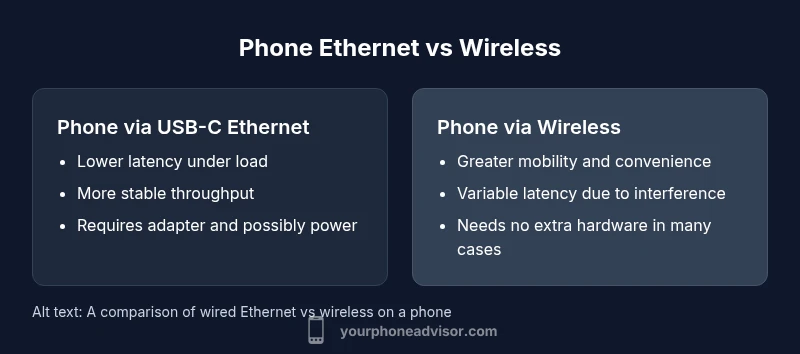
| Feature | Phone via USB-C Ethernet | Phone via Wireless (Wi‑Fi/Cellular) |
|---|---|---|
| Latency under load | Lower on wired | Higher on wireless |
| Stability across sessions | More consistent | More variable |
| Setup effort | Moderate; adapters required | Low; often plug-and-play |
| Security posture | Generally more predictable; fewer air-based risks | Depends on wireless networks and encryption |
| Power considerations | May draw power from host or require hub | Typically less power‑intensive if only wireless use |
| Cost | Accessory cost for adapter/hub | Primarily hardware-free, but data costs apply |
| Best for | Stationary, latency‑sensitive tasks | Mobility and convenience |
The Good
- Higher stability in congested networks
- Lower latency under sustained load
- Predictable performance once configured
- Useful for stationary workstations or studios
Drawbacks
- Requires additional hardware
- Less portable and less convenient for on‑the‑go use
Wired Ethernet is best for stability in fixed setups; wireless remains superior for mobility.
If you need consistent latency and predictable throughput at a desk, choose USB-C Ethernet. If you value portability and simplicity, wireless is usually the better default.
Got Questions?
Can a smartphone connect to Ethernet directly?
Not natively. Most phones need a USB-C to Ethernet adapter and sometimes a powered hub. Check your device’s USB networking support and drivers.
Not directly—use a compatible USB-C Ethernet adapter and, if needed, a powered hub.
Do I need a power source for Ethernet adapters?
Some USB-C Ethernet adapters are bus-powered and pull power from the phone, while others require external power for optimal performance, especially at higher speeds.
Some adapters get power from the phone; others need an external power source.
Is Ethernet faster than 5G for streaming?
Ethernet often provides more stable throughput and lower latency than mobile networks, which can improve streaming, but real-world results depend on network conditions and hardware.
Usually more stable, but it depends on your network and devices.
Does Ethernet drain phone battery faster?
Using Ethernet can affect power use, especially if the adapter or hub draws power. The impact varies by device and workload.
It can draw more power, but the effect is usually modest and workload-dependent.
Is Ethernet more secure than Wi‑Fi?
Wired connections can be less susceptible to certain wireless attacks, but security depends on device, network config, and protections used.
Generally more secure, but keep devices updated and use encryption.
What about using Ethernet while traveling?
Travel often limits practical Ethernet use due to adapters, power needs, and the availability of wired ports. Wi‑Fi tends to be easier on the road.
Not ideal while traveling; Wi‑Fi is usually the better option.
What to Remember
- Assess mobility needs before choosing
- Wired offers stability; wireless offers flexibility
- Adapters add setup steps and power considerations
- Security implications differ between wired and wireless
- Test in your real environment for best results