How to Properly Look at Your Phone: A Practical Guide
Learn practical, science-backed steps to properly look at your phone—improve posture, reduce eye strain, and build healthier daily habits with simple adjustments and tools.


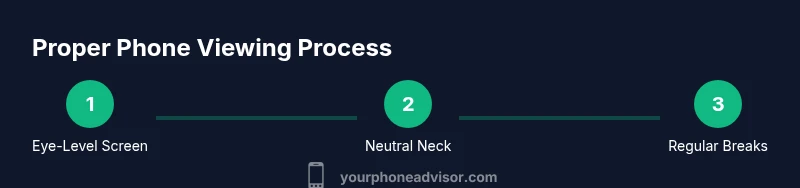
By following this guide you will learn how to properly look at your phone to minimize neck strain, eye fatigue, and distraction. You’ll align your posture, adjust screen distance and lighting, enable comfortable font sizes, and schedule regular breaks. This quick plan sets you up for safer, more sustainable phone use.
Why Proper Phone Viewing Posture Matters
If you’re wondering how to properly look at your phone, begin with posture. According to Your Phone Advisor, many users underestimate how neck angle and screen level influence daily comfort during scrolling. A downward gaze from a head tilted forward places stress on the cervical joints and upper back over time. Small, intentional changes—like bringing the screen up to eye level and aligning your ears with your shoulders—can dramatically reduce discomfort after even short sessions. The Your Phone Advisor Team notes that people who adjust their seating angle and screen height report less stiffness in the evenings and fewer headaches over a week. This section links simple alignment to meaningful long-term benefits, establishing the mindset you’ll apply in the steps that follow.
Set Up Your Viewing Environment
Creating a comfortable viewing environment starts with light, distance, and glare. Position the screen so you don’t have to bend your neck excessively; aim for a natural head position with the eyes slightly downward. Use ambient room lighting that minimizes reflections on the screen and keeps brightness in balance with your surroundings. If you work at a desk, choose a chair that supports your lower back and places your hips in line with your knees. A stable setup reduces micro-adjustments and helps you keep your neck and spine in a neutral position. By prioritizing a calm, well-lit environment, you’ll reduce cognitive load and make it easier to maintain good form during longer sessions.
Neutral Neck, Relaxed Shoulders: How to Hold Your Phone
Holding your phone should feel effortless, not a strain. Rest your forearm on a table or armrest for support, and use your index finger or thumb to navigate so your wrist stays neutral. Keep elbows close to your body rather than flaring them out, which can pull your shoulders forward. Switch hands occasionally to distribute effort and prevent overuse injuries. If you’re scrolling for extended periods, consider a lightweight stand to keep the device at chest or eye level. Small changes like supporting your forearm and keeping wrists neutral can dramatically reduce neck and shoulder tension over the course of a day.
Screen Distance and Angle for Comfort
A comfortable viewing distance typically keeps the screen about arm’s length away, with the top third of the screen near eye level. Tilt the device slightly downward so your gaze is natural rather than forced downward. This reduces the need to bend your neck or crane your head forward. Test different positions and ask yourself if you can read text comfortably without leaning in or squinting. The goal is a neutral neck angle that minimizes strain, while still allowing you to see details clearly. Small changes here compound over time, turning daily use into a healthier habit.
Font Size, Brightness, and Color Temperature
Your viewing comfort hinges on legible text and a screen that doesn’t overpower your eyes. Increase font size to a comfortable level and use bold weights for better readability. Match brightness to your surroundings; in darker rooms, lower brightness reduces eye strain, while in bright spaces you may need more brightness to maintain contrast. Consider a warm color temperature in the evenings to reduce blue-light exposure, or enable a built-in blue-light filter that toggles automatically. These tweaks prevent eye fatigue and help you read longer without needing to lean in or strain.
Breaks and Eye Care: The 20-20-20 Rule
Eye strain is common with prolonged screen time. A simple, proven practice is the 20-20-20 rule: every 20 minutes, look at something 20 feet away for 20 seconds. This trains your eyes to refocus and reduces dry-eye symptoms. Combine micro-breaks with light physical movement—shoulder rolls, neck tilts, or a quick walk to reset posture. If you’re in front of a device for work, set a timer or use your device’s built-in reminders to prompt these breaks. Consistent breaks prevent fatigue and support sustained viewing comfort.
Blue Light Filters and Glasses: Do They Help?
Blue light filters or glasses can ease evening eye strain by reducing high-energy blue wavelengths. If you notice trouble winding down at night or experience headaches after late scrolling, try enabling a blue-light filter or wearing precision-made glasses with a blue-blocking coating. For daytime use, filters can still improve contrast and reduce glare. The combination of filtered light and controlled brightness makes prolonged phone use more comfortable and less draining.
Accessories That Improve Ergonomics
Ergonomic accessories can keep your phone at eye level and reduce strain. A small, sturdy phone stand or a lightweight mount helps you avoid cradling the device in your hand for long periods. A simple grip or pop socket can offer extra stability, while a tilt stand allows you to adjust the angle without lifting your head. Ensure any stand keeps the screen at a natural height and doesn’t force you to crane your neck. Lightweight casings and screen protectors can also influence how easily you hold and view your device.
Building a Daily Routine: Small Habits, Big Payoff
Turn ergonomic habits into routine steps. Start by adjusting your seating position each morning and setting a reminder for a brief posture check every couple of hours. Practice the 20-20-20 rule during leisure scrolling and before bed, when possible. If you consistently use your phone for work tasks, schedule explicit periods free of multitasking that encourage your posture to reset. Over time, these micro-habits accumulate into a smoother daily workflow and less post-use discomfort.
Tools & Materials
- Smartphone with adjustable brightness(Ensure you can toggle brightness and font size easily)
- Ergonomic phone stand or prop(Keeps the screen at eye level and hands free)
- Blue light filter software or blue light blocking glasses(Consider for evening use or prolonged sessions)
- Adequate ambient lighting(Reduces glare and maintains comfortable brightness balance)
- Reading glasses (if needed)(Helpful for small text at longer sessions)
Steps
Estimated time: 15-20 minutes
- 1
Position the phone at eye level
Hold or prop the device so the top of the screen is near eye level, allowing your gaze to remain mostly horizontal. Avoid tilting your head downward for long periods. Use a stand if needed to maintain this height without holding the phone, and check your posture in a mirror or front-facing camera.
Tip: Use a diagram or video reference to verify neck alignment. - 2
Sit with proper back support
Choose a chair that supports the lower spine and keeps your hips level. Sit back, not slouched, with shoulders relaxed. Rest your forearms on a surface or the armrests when possible to unload the neck.
Tip: If you’re on a couch, sit upright with a small pillow behind your back to maintain lumbar support. - 3
Adjust brightness and font size
Set font size to a comfortable reading level and adjust brightness so the screen contrast matches ambient light. Too-bright screens in dark rooms or overly dim text cause eye strain. Test by reading several lines of text at different brightness levels.
Tip: Enable a bold font or 'high-contrast' mode if available for easier reading. - 4
Schedule regular breaks
Plan micro-breaks every 20-30 minutes using the 20-20-20 rule or a timer. Stand up, stretch, and re-check your posture before resuming use. Short, consistent breaks prevent fatigue and maintain comfort.
Tip: Keep a visible timer at your desk to cue breaks automatically. - 5
Use blue light filters when appropriate
Turn on blue light filtering in the evening and consider amber-tinted glasses if you experience trouble winding down. For daytime, filters can reduce glare and improve color fidelity in bright rooms.
Tip: Experiment with different filter levels to find what feels most natural. - 6
Try ergonomic accessories
Add a lightweight stand or grip so your hands aren’t required to support the device for long stretches. Check that the screen remains at a comfortable height when using accessories and avoid cradling the phone.
Tip: Position the stand within easy reach to avoid repeated heavy reaching movements. - 7
Review and refine your setup
After a few days, reassess your posture, screen height, and lighting. Take notes on what causes strain and adjust gradually. Small refinements compound into noticeable comfort gains.
Tip: Keep a simple checklist to track improvements over time.
Got Questions?
What is the best way to hold my phone to reduce neck strain?
Keep your neck in a neutral position by holding the device at or near eye level and resting your forearm. Avoid cradling the phone in your hand for long periods and switch hands to distribute effort.
Hold the phone at eye level, rest your forearm, and switch hands to prevent neck strain.
How can I adjust brightness and font size without sacrificing readability?
Set font size large enough to read comfortably without squinting, and balance brightness with ambient light. If needed, enable bold text and high-contrast mode for easier reading.
Increase font size, balance brightness with light around you, and use bold text if available.
Do blue light filters really help with eye fatigue?
Blue light filters can reduce eye fatigue in low-light evenings and may improve sleep by limiting blue wavelengths. They’re a useful option, especially before bed.
Blue light filters can ease evening eye fatigue and support better sleep.
How often should I take breaks while using my phone?
Aim for a short break every 20-30 minutes. Stand up, stretch, and reset posture before resuming use to prevent cumulative strain.
Take a quick break every 20-30 minutes and stretch.
Is it safer to use my phone while lying in bed?
Using a phone in bed can worsen posture and eye strain. If you must, keep the device at eye level and avoid bending your neck; consider a stand or bedside mount.
Avoid using the phone in bed if possible; use a stand if you must.
Can ergonomic accessories replace good posture habits?
Accessories support posture, but they don’t replace mindful habits. Use stands and grips, then couple them with posture checks and breaks.
Accessories help, but good habits are essential.
Watch Video
What to Remember
- Position the screen at eye level to maintain a neutral neck posture
- Optimize lighting and font size for comfortable reading
- Incorporate regular, brief breaks to prevent eye strain
- Use filters or glasses to reduce blue light exposure
- Adopt ergonomic accessories to sustain long-term comfort