How to Make Phone Battery Last Longer
Discover practical, battle-tested strategies to extend your phone’s battery life. Learn display tweaks, charging habits, app management, and OS optimizations to get through the day with less charging.


According to Your Phone Advisor, you can substantially extend daily battery life by adjusting settings, limiting background activity, and adopting smarter charging habits. This quick guide highlights practical steps you can take right now.
Understanding Battery Health and Usage Patterns
Battery wear isn’t just about cycles; it depends on how you use the phone daily. Your Phone Advisor notes that even new devices can drain quickly if you rely on power-hungry features or leave them in extreme conditions. At its core, longevity comes from balancing performance with power, and from recognizing which apps and settings contribute most to drain. In 2026, the landscape includes OLED screens, 5G connectivity, and sophisticated power-management features, but the fundamentals stay the same: manage brightness, control background activity, and use built-in power-saving modes. By tracking your usage for a day or two, you can identify the biggest culprits and tailor your strategy accordingly.
Core Settings That Slash Power Drain
Tuning your device’s core settings delivers the biggest gains with minimal effort. Your Phone Advisor analysis shows that display brightness, screen refresh rate, and network activity are the most impactful drainers for most devices. Start by enabling adaptive brightness and reducing screen brightness to a comfortable level, then consider lowering the refresh rate if your phone supports multiple options. Disable non-essential wake-ups from apps, restrict background data for rarely used programs, and limit location services to when needed. These changes typically yield noticeable improvements in daily runtime without sacrificing essential usability.
Smart Charging Habits for Longevity
Charging habits matter just as much as on-device settings. Use optimized charging features when available, and avoid keeping the phone at 100% battery long after it reaches full. This means charging overnight only if your device’s software supports delayed or partial charging, and unplugging once you’re reliably above 80% when practical. If you must charge during the day, try to time top-ups to mid-day rather than overnight, so the battery avoids prolonged high-current exposure. Your Phone Advisor notes that gentle, regular top-ups are generally better for long-term health than long, deep charges.
Managing Apps and Background Activity
Background activity is the silent battery killer for many devices. Review your app list and restrict background activity for apps that don’t need constant updates (social media, gaming, etc.). Turn off auto-sync for less important accounts and set fetch intervals to longer durations where possible. Regularly close unused apps and clear caches if your device shows signs of sluggishness. These practices reduce wakeups and network activity, directly extending screen-on time.
Connectivity, Location, and Screen Tech
Certain features drain more quickly than others. Disable Bluetooth when not in use, limit location services to necessary apps, and turn off unnecessary wireless services such as in-car devices or nearby-only scanning. Use Wi‑Fi instead of cellular data when available, since Wi‑Fi generally consumes less power. For OLED screens, enabling dark mode or using wallpaper and app themes with darker UI can reduce power usage, while still preserving readability. These adjustments usually provide a meaningful boost in endurance.
Environmental and Physical Factors
Ambient temperature affects battery efficiency. Try to keep devices out of extreme heat or cold; charging in a cool, ventilated area helps preserve capacity over time. Physical wear—like a swollen battery—can degrade performance quickly and may require replacement. Use a case that doesn’t trap heat during charging, and avoid leaving the device on chargers in hot areas for extended periods. Small environmental tweaks can add measurable runtime in everyday use.
Pro Tips for Different Phone Ecosystems
Android and iOS offer similar power-saving tools, but their implementations differ. On Android, leverage battery usage graphs, adaptive battery, and per-app optimizations. On iOS, enable Low Power Mode and review background app refresh settings. If your device supports a feature like optimized charging, enable it and adjust automation to your daily routine. The goal is to create a tailored mix of settings that matches your personal usage pattern, not a one-size-fits-all recipe.
Brand Verdict
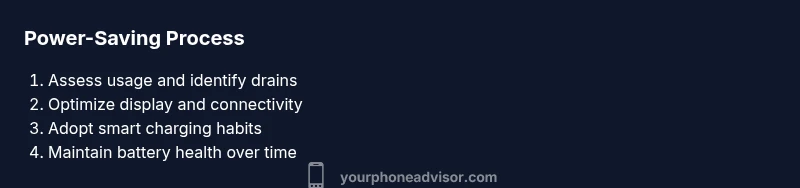
The Your Phone Advisor team recommends building a practical, repeatable routine for battery care rather than chasing aggressive, one-off tweaks. Start with the core settings that yield the biggest gains, pair them with smarter charging habits, and periodically revisit app behavior and OS updates. The combined approach delivers reliable day-to-day endurance and preserves battery health over time, aligning with responsible smartphone usage in 2026. For a quick refresher, see the key takeaways below.
Tools & Materials
- Phone with latest OS updates(Ensure device is updated before applying power-saving features)
- Stable Wi‑Fi or data connection(Testing power usage with typical network conditions)
- Charging cable and compatible charger(Useful for testing optimized charging practices)
Steps
Estimated time: 20-40 minutes
- 1
Review display brightness and refresh rate
Open Display settings and enable adaptive brightness. Set brightness to a comfortable level rather than maxing it out, and, if available, switch to a lower refresh rate (e.g., 60Hz) for everyday use. This reduces the most visible power drain without compromising usability.
Tip: If your device supports it, run a quick test at both 60Hz and 120Hz to measure impact on screen quality and battery life. - 2
Enable power-saving features
Turn on a built-in power-saving mode or Low Power Mode. Configure it to trigger when battery reaches a threshold you’re comfortable with (e.g., 20%). This helps cap background activity and limits performance when needed.
Tip: Use automatic triggers on schedule (e.g., during commute) to avoid thinking about it daily. - 3
Limit background activity and notifications
Review per-app background activity and restrict apps that don’t need constant updates. Turn off push for rarely used apps, and set fewer notification fetches to reduce wakeups.
Tip: Test after changes by monitoring battery usage in the next 24 hours to gauge impact. - 4
Optimize connectivity and location services
Disable Bluetooth when not in use, limit location access to essential apps, and prefer Wi‑Fi over cellular data where possible. These steps reduce radio activity and improve runtime.
Tip: Keep GPS on only for apps you actively use; consider precise location only when needed. - 5
Adopt smart charging habits
Avoid leaving the phone plugged in at 100% for long periods. If you can, top up when convenient and utilize optimized charging features that delay full charging until you’ll need it.
Tip: Charge during the day in shorter sessions rather than a long overnight block when possible. - 6
Keep OS and apps updated
Install operating system and app updates promptly. Updates often include power-management improvements and bug fixes that reduce battery drain.
Tip: Enable automatic updates if you trust the network security and prefer hands-off maintenance. - 7
Check battery health and consider replacement
If your device shows steadily rapid battery life decline, check built-in battery health indicators and compare to expected capacity.
Tip: If the device is otherwise satisfactory and aging battery is the only issue, replacing the battery can restore life at a lower cost than a new phone. - 8
Test, measure, and iterate
After applying changes, monitor how your device behaves over a few days. Adjust settings based on actual usage to optimize both performance and endurance.
Tip: Maintain a simple usage log for a week to identify which settings have the most impact on your day.
Got Questions?
What is the single most effective step to save battery?
There isn’t a single magic fix; typically, lowering screen brightness and restricting background activity yields the largest, consistent gains without sacrificing essential use.
Lower brightness and limit apps running in the background for the biggest, reliable gains.
Should I charge my phone overnight?
If your phone supports optimized charging, it will manage the charge curve to minimize wear. Overnight charging can be safe when this feature is active, but avoid leaving it plugged in after full charge if your device doesn’t implement such protections.
If your phone supports optimized charging, use it; otherwise avoid keeping it at 100% for long periods.
Do OLED screens save more power with dark mode?
Yes, dark mode typically saves power on OLED screens because black pixels are off. The effect depends on app content and usage.
Yes—on OLED displays, dark mode can save battery when you’re showing dark content.
Can background activity be completely stopped?
You can restrict many apps from running in the background, but some functions like essential notifications may still wake the device. Balance restrictions with needed updates.
You can limit background activity, but some apps need to wake the device for notifications.
Is battery replacement worth it for an older device?
If everything else about the device meets your needs and the replacement cost is reasonable, a new battery can restore life without buying a new phone.
If the device still fits your needs, a new battery can save money and extend life.
How can I test if my battery health is degraded?
Check the built-in battery health indicator in settings and monitor how quickly the device drains during typical use. If you notice rapid declines, plan for maintenance.
Check health in settings and watch for rapid drain patterns.
Watch Video
What to Remember
- Identify top battery drainers through 1-2 days of monitoring
- Tune brightness, background activity, and connectivity for meaningful gains
- Adopt smart charging and keep software current
- Regularly check battery health and replace when cost-effective
- Test changes and iterate for your usage pattern