Xfinity Billing Phone Number: Quick Access to Billing Support
Discover the official Xfinity billing phone number and fast alternatives for billing questions, payments, and disputes. Learn how to contact support, what to expect, and how to prepare for a smoother call.


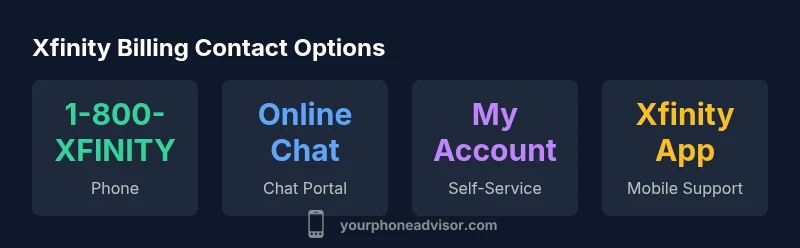
Contact Xfinity Billing at the official Xfinity billing phone number: 1-800-XFINITY (1-800-934-6489). Billing inquiries and payment assistance are typically available 24/7, though hold times can vary. If you can't reach by phone, you can use the My Account portal or Xfinity app chat, or request a callback from a billing specialist.
Understanding Why People Need the Xfinity Billing Phone Number
Most customers reach out to Xfinity billing to resolve payment issues, update service plans, clarify charges, or contest unexpected fees. The billing phone number is a direct lifeline for real-time assistance, but many users also turn to online self-service options for routine tasks. This section explains why you might need to call, what kinds of questions typically come up, and how the billing conversation generally unfolds. Expect an initial verification step, followed by a live agent who can review your account, explain recent charges, adjust payment dates, or set up payment plans. If you’re calling about a suspicious charge, have your recent invoices handy and be ready to provide the last four digits of your account number for quick reference.
Official Xfinity Billing Phone Number and Alternatives
The primary Xfinity billing phone number is 1-800-XFINITY (1-800-934-6489). This line is widely publicized and connects you with representatives who handle billing, payments, and disputes. If you’re in pursuit of alternatives, you can use the My Account portal, the Xfinity app’s chat feature, or the online chat on xfinity.com. For those who prefer self-service, the online portal allows bill viewing, payment scheduling, autopay adjustments, and plan changes without calling. Note that hours of operation can vary by region and time of day. When calling, keep your account details and recent invoices nearby to streamline the process.
How to Use Online Channels: My Account, App, and Chat
Online channels offer many same features as phone support, with the added benefit of text-based transcripts for record-keeping. The My Account portal enables viewing current charges, scheduling payments, updating autopay, and requesting plan changes. The Xfinity app mirrors most of these features and includes push notifications for due dates. Live chat on xfinity.com or within the My Account app can handle many questions, including trial charges, credits, or promotional discounts. For privacy, you may be asked to verify your identity by answering questions tied to your account. If your issue is urgent, a phone call may still provide the fastest resolution, especially when the chat bot cannot locate a specific charge or action history.
What to Prepare Before You Call
To keep the call focused and efficient, gather your account number, the last four digits of the primary payment method, recent invoices, and any related emails or texts. Note the date and amount of any charge you dispute, along with the date you last paid. Have a clear objective (refund, fee explanation, payment date change) and a preferred resolution. If you’re calling for a plan change, know the exact package name and any upgrade/downgrade terms. If you may need a callback, have your preferred contact method ready. A tidy workspace and a quiet environment help ensure the agent can hear you clearly, reducing back-and-forth.
Common Billing Scenarios and Practical Solutions
- Payment failures and autopay issues: verify card details, retry payments, and confirm autopay status.
- Late fees or credits: request fee waivers when appropriate and review recent promos or credits applied to your account.
- Plan changes or downgrades: confirm new pricing, promos, and any contract implications.
- Billing date misalignments: ask to adjust the due date or align with payroll or retirement benefits if applicable.
- Unauthorized charges: request a detailed charge breakdown and investigate potential fraud immediately.
Each scenario typically resolves faster when you have your latest invoice, account number, and a precise objective. Keep notes of transaction IDs or agent names for future reference.
Security Tips: Avoiding Scams While Handling Billing
Always use official channels listed on Xfinity’s site or within the My Account app. Do not share full social security numbers, passwords, or PINs over the phone to unsolicited callers. If you receive a call or text claiming to be from Xfinity billing, verify by hanging up and calling the official number yourself. Bookmark the official Xfinity billing page and avoid clicking links from unknown messages. These steps reduce exposure to phishing scams and protect personal data.
Escalation Path: When to Ask for a Supervisor
If you encounter repeated issues, refusal of a legitimate request, or inconsistent information, politely ask to escalate to a supervisor. Document the time, date, and issue, and request a reference number for the escalation. Most teams have an internal process to review billing disputes and credit adjustments within a defined window. If needed, you can also ask for a callback from a senior agent when call queues are long.
Proactive Billing Tips for Budgeting and AutoPay
Set up autopay to avoid missed payments and take advantage of any available autopay discounts. Review your charges monthly, enable due-date reminders, and track changes when promotions or plan adjustments occur. If you anticipate a temporary service change, discuss a flexible payment plan or temporary pause options with a billing specialist. Regular monitoring can prevent surprises at the end of the cycle.
Quick Pre-Call Checklist for a Smoother Experience
- Have your account number and the last four digits of the payment method ready.
- Gather recent invoices and any emails about the issue.
- Define a clear objective (refund, charge clarification, date change).
- Note preferred resolution and any constraints (time, budget).
- Ensure you’re in a quiet environment with good phone reception or internet connectivity.
- If you must call, consider calling during off-peak times to reduce hold times.
Comparison of Xfinity billing contact options
| Channel | What it offers | Pros | Cons |
|---|---|---|---|
| Phone | Direct access to a billing rep | Fast resolution | Possible wait time |
| Online Chat | Text chat with agents | Available 24/7 | May require account login |
| My Account Portal | Self-service billing and payments | No call needed | Limited complex issues |
| Xfinity App | In-app messaging with billing | Convenient | Might have limited features |
Got Questions?
What is the official Xfinity billing phone number?
The primary line is 1-800-XFINITY (1-800-934-6489). Availability can vary by time and service region. For other options, you can use the My Account portal or app chat.
The main billing number is 1-800-XFINITY. If you need more options, use the online portal or app chat.
Is Xfinity billing available 24/7 by phone?
Phone hours vary by region. Some channels offer around-the-clock support online (portal or app chat), while phone lines may have peak times. Check the official site for region-specific details.
Phone hours vary by region, but you can often access online options anytime.
Can I pay my Xfinity bill without calling?
Yes. Use the My Account portal or the Xfinity app to view charges, schedule payments, and manage autopay. These tools often cover most routine tasks without a phone call.
Yes—use the My Account portal or app to pay and manage billing.
What should I do if I think I’m talking to a scammer posing as Xfinity billing?
Hang up, verify the caller by calling the official number, and report the incident to Xfinity. Do not share sensitive information until you have confirmed the caller’s identity.
If you suspect a scam, hang up and call the official Xfinity number to verify.
How do I request a callback from Xfinity billing?
Use the My Account portal or Xfinity app chat to request a callback from a billing specialist. You can also ask the live agent to initiate one.
Request a callback via the My Account portal or app chat.
“Always verify the contact number on official Xfinity sites before sharing account information. Use the official 1-800-XFINITY line or the My Account channels for billing questions.”
What to Remember
- Call official numbers to avoid scams.
- Prepare account details before dialing.
- Use online portals for quick payments.
- Document each interaction for disputes.
- Check hours and service levels for support.