Why Is My Phone Overheating? A Practical Troubleshooting Guide
An urgent, step-by-step guide to diagnose why your phone overheats, safely cool it, fix common causes, and prevent future heat with practical tips for 2026.


Likely culprits for overheating are heavy background apps, a degraded battery, or charging with a nonstandard charger. Start by closing power-hungry apps, removing the case, and using the original charger in a cool area. Check for software updates and reduce brightness. If the phone still overheats, back up your data and consider a factory reset or professional service.
Why Phones Overheat and Why It Matters
According to Your Phone Advisor, overheating is a common but manageable problem that can affect performance, battery longevity, and safety. Phones heat up when processors work hard, sensors stay active, or charging creates extra energy loss. Environmental factors, such as direct sunlight or a hot car, compound the issue. Recognizing the signs early helps prevent permanent battery wear and unexpected shutdowns. By understanding the core causes—software, hardware, and charging practices—you can act quickly and reduce long-term damage. This guide combines practical steps with quick checks you can perform at home, emphasizing safety and data protection. The Your Phone Advisor team emphasizes a methodical approach: identify the symptom, rule out simple causes, and escalate only when needed.
Key takeaway: start with simple fixes, then move to deeper checks if needed.
Common Causes of Overheating in Modern Phones
At a high level, overheating happens when the device consumes more power than it can safely dissipate. The most frequent culprits include software running in the background (updates, syncing, or faulty apps), a wear-weakened battery that can’t hold charge efficiently, and charging with non-certified accessories or in heat-prone environments. Other contributors are prolonged gaming or video streaming, high screen brightness, and cases that trap heat. Temperature extremes, such as idle in a car on a sunny day, dramatically raise risk. The Your Phone Advisor analysis shows that battery health and power-hungry apps are the top two drivers in most scenarios. Understanding these categories helps you tailor your fixes without guessing.
Useful tip: identify whether heat spikes align with app usage, charging, or ambient temperature to narrow down the cause quickly.
Immediate Cooling and Safe Practices
When a device becomes uncomfortably hot, your first priority is safety and preserving components. Remove the phone from direct heat and, if possible, turn it off for a few minutes to cool. Avoid placing it in a freezer or applying ice directly, which can cause condensation and damage. Switch to a lower brightness setting, disable unnecessary connections (GPS, Bluetooth, Wi-Fi when not used), and close all nonessential apps. If charging, unplug and switch to the original charger in a cooler environment. Keep the device out of sun and avoid leaving it in hot cars. These steps are quick wins that prevent short-term damage and buy time for deeper diagnostics.
Safety note: never use a damaged charger or cracked cable; replace with certified accessories only.
Diagnosing the Root Cause: Software, Hardware, or Charging
A systematic approach helps you determine whether software, hardware, or charging is the primary offender. Start with software: check for OS updates, review battery usage by app, and reboot. If the problem persists, test in Safe Mode to rule out third-party apps. For hardware, inspect the battery’s health (where available) and watch for bulging or excessive warmth during light use. For charging, ensure you use the official charger, cable, and wall outlet; replace any degraded cables. If heat appears only during charging, the charger or port may be the culprit. This diagnostic flow mirrors professional best practices and minimizes unnecessary commitments.
Note: systematic testing reduces guesswork and helps you decide whether a reset or service is necessary.
Step-by-Step Fixes for the Most Common Causes
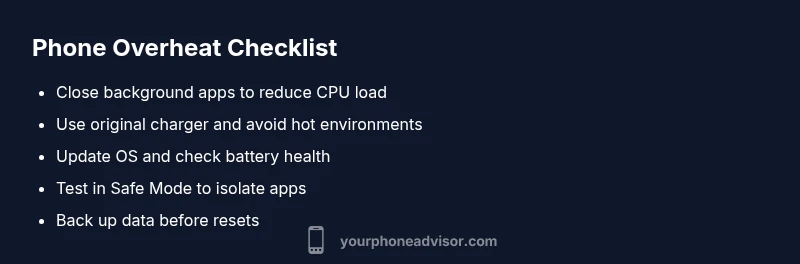
This section provides a practical sequence to fix overheating issues, starting with the easiest options. First, close background apps and reduce screen brightness. Then, verify you’re using the manufacturer-approved charger and cable. Update the OS and reset app permissions if needed. Check battery health and calibrate the battery by performing a full discharge-then-charge cycle. If heat persists, boot into Safe Mode and observe. If the phone still overheats, consider backing up data and performing a factory reset as a last resort before seeking professional service. Following these steps in order minimizes risk and downtime.
Important: back up data before factory resets and consult a technician if you notice swelling or persistent extreme heat.
Long-Term Prevention: Habits That Keep Your Phone Cooler
Prevention is better than cure for heat-related issues. Use official chargers and avoid rapid charging in hot environments. Keep the device out of direct sunlight, remove heavy cases when gaming or recording, and enable power-saving modes during extended sessions. Regular OS updates often contain battery and thermal improvements. Monitor apps that run in the background and disable unnecessary auto-synchronization. Finally, schedule battery health checks, especially for aging devices. By adopting these habits, you reduce overheating frequency and extend the device’s lifespan.
Steps
Estimated time: 60-120 minutes
- 1
Identify heat patterns
Observe when the phone gets hot (gaming, charging, or idle). Note ambient temperature and time duration. This helps pinpoint whether software or hardware is at fault.
Tip: Keep a simple log of heat times for 24–72 hours to detect patterns. - 2
Close background apps and reduce load
Swipe away or force-stop apps that run in the background. Lower brightness and disable nonessential features like location services when not in use.
Tip: Use battery or device care tools to see which apps consume the most power. - 3
Inspect charging setup
Ensure you use the original charger and cable. Avoid wireless chargers if they overheat; use a well-ventilated area during charging.
Tip: Inspect cables for wear; replace frayed or damaged accessories immediately. - 4
Update software and restart
Install any available OS updates. After updating, restart the device to apply changes that may reduce heat generation.
Tip: If feasible, perform updates over a stable Wi-Fi connection to avoid interruptions. - 5
Test in Safe Mode
Boot into Safe Mode to determine if a third-party app is causing heat. If the phone stays cooler, the culprit is likely a faulty app.
Tip: Uninstall recently added apps or perform a clean app profile review. - 6
Check battery health
Run built-in diagnostics (where available) or a reputable third-party app to assess battery health and charge cycles. Consider battery replacement if degraded.
Tip: Back up data before battery replacement or resets. - 7
Consider a factory reset
If heat persists after all checks, back up data and perform a reset to rule out software corruption.
Tip: Only do this after confirming no hardware failure is evident. - 8
Seek professional service
If swelling, persistent heat, or performance issues continue, contact a qualified technician or the device manufacturer for service.
Tip: Avoid DIY battery replacements unless you have proper tools and training.
Diagnosis: Phone gets very hot during use or charging
Possible Causes
- highHeavy background apps and increased CPU load
- highDegraded or aging battery
- mediumUsing non-certified charging accessories or charging in a hot environment
- mediumEnvironmental heat or direct sun exposure
- lowSoftware bugs or misbehaving apps
Fixes
- easyClose all background apps and reduce screen brightness
- easySwap to the original charger and ensure good ventilation while charging
- easyUpdate OS and reboot; check battery usage by app, and disable problematic ones
- easyTest in Safe Mode to rule out third-party apps
- mediumCheck battery health; calibrate or replace battery if needed
- hardFactory reset as a last resort after backing up data
Got Questions?
Can overheating damage my phone?
Yes, prolonged overheating can degrade battery health, reduce performance, and shorten device lifespan. It can also cause unexpected shutdowns and, in extreme cases, hardware damage. Address heat promptly to protect critical components.
Yes. Prolonged heat can damage the battery and other components, so fix overheating quickly to protect your phone.
Is it safe to use a phone while charging when it's hot?
If the device is only mildly warm, it can be acceptable for short periods. If it becomes very hot, stop using it while charging and unplug the charger. High heat during charging indicates a fault in the charging setup or battery.
If it's very hot, stop using it while charging and unplug. Seek safer charging conditions.
Do phone cases cause overheating?
Some cases can trap heat and reduce cooling efficiency, especially during gaming or charging. Try removing the case temporarily to test if heat decreases and choose breathable, heat-friendly cases.
A bulky case can trap heat; remove it to test if it cools down.
How do I check battery health on Android and iPhone?
Android devices offer battery usage stats and health indicators in Settings > Battery. iPhones provide a Battery Health screen under Settings > Battery. Look for maximum capacity and peak performance capability updates.
Check Battery Health in settings to see capacity and peak performance.
Should I reset my phone to fix overheating?
A factory reset can fix software issues but should be a last resort after trying other steps. Back up your data before resetting and ensure hardware symptoms don’t point to a replacement.
Only reset after other fixes fail and back up your data first.
When should I replace the battery?
If your battery health is degraded significantly (low maximum capacity or rapid discharge) and overheating persists, consider replacing the battery through a qualified technician or official service.
Consider a battery replacement if heat continues and health is poor.
Watch Video
What to Remember
- Close unused apps to reduce CPU load
- Use certified chargers and keep vents clear
- Update software and monitor battery health
- If heat persists, back up data and seek professional help
- Prevent heat with smart usage habits and environment control