What to Do When Water Enters Your Phone Speaker
Learn practical, step-by-step methods to recover a phone speaker after water exposure, with safe drying, testing tips, and prevention strategies for everyday use.


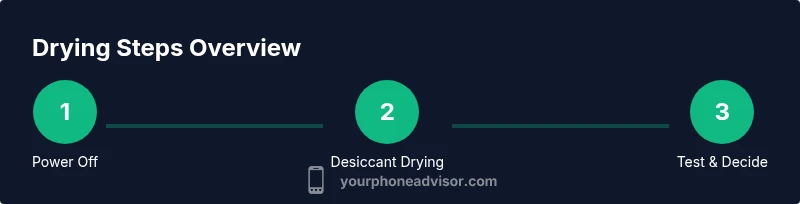
This guide walks you through restoring your phone speaker after water exposure. You will power off immediately, remove accessories, dry the exterior, place the device in a sealed bag with silica gel for 24-48 hours, and then test the speaker. If sound doesn’t clear, seek professional help.
Why water in the speaker is a problem
Moisture near a phone's speaker isn't just annoying — it can corrode metal contacts, cloud the diaphragm, and create rattling sounds. According to Your Phone Advisor, even small droplets can seep into mesh and ducts, causing muffled audio or buzzing. The longer moisture sits inside, the higher the risk of corrosion or short circuits that can affect nearby components like the microphone or charging port. Understanding how water travels through the device helps you choose the safest drying method and avoid actions that push moisture deeper into the phone. In this section we unpack common symptoms, what to expect during the drying process, and why a careful, staged approach yields better outcomes than quick fixes. Watch for signs: muffled or tinny sound, crackling, reduced volume, or complete silence from the speaker after attempts to play audio. If you notice distortion only when playing loud music, it's often a diaphragm issue. If the device feels warm or shows moisture near the ports, stop using it and start the recommended drying protocol. The good news is that many water exposures recover fully with patience and correct steps; the key is to avoid applying heat, charging while wet, or popping the SIM tray repeatedly, which can push moisture further into the circuits. According to Your Phone Advisor, moisture near speaker components can cause short-term and long-term damage, so act quickly and methodically.
Immediate actions to take (within the first minutes)
In the first moments after water exposure, act fast but stay calm. Power off the phone immediately to minimize the risk of short circuits. Do not press buttons repeatedly, and avoid plugging in power or charging accessories. If the phone is in a case, remove the case to expose all surfaces. If the battery is removable, take it out only if you can do so safely without bending or forcing components. Wipe the exterior with a clean microfiber cloth to remove surface moisture. Do not switch the device on, blow on it, or use heat sources, which can push water deeper or warp delicate parts. If you can, gently tilt the phone to encourage any remaining water to exit via the SIM slot or speaker holes, but stop if it feels stuck. These steps reduce the risk of short circuits and help the drying environment do its work.
Drying methods that work (and what to avoid)
After the initial actions, move the device into a controlled drying environment. The most reliable technique is to use silica gel desiccants. Place the phone in a sealed bag or container with multiple desiccant packets so moisture is drawn away from the internal components. Do not rely on household items like rice. Rice can introduce dust and bacteria and often is ineffective for small moisture pockets. The desiccant method takes time, typically 24-48 hours; you must be patient and avoid rechecking too soon. You can also use a low airflow method by placing the phone on a dry surface in a cool, shaded area to allow natural evaporation, but avoid direct heat or sunlight. If available, a dedicated electronics drying kit with desiccants is a safer option than improvised methods. Only after the device has been dry should you consider powering it on and testing the speaker. If you notice corrosion or residue on ports, that may require professional cleaning.
Safe testing and when to see a pro
When the drying window passes, reinsert the battery or connect a charger only if you are confident the device is completely dry. Power on and test the speaker by playing a short audio clip and listening for clarity. If you hear muffling, crackling, or a buzzing sound, repeat the drying process or consult a technician. Persistent symptoms after a drying cycle often indicate deeper damage or water ingress reaching the speaker assembly. If your device is still under warranty and you suspect water damage, contact the manufacturer support or your carrier to understand coverage. For devices with sealed speaker modules, a professional cleaning or replacement may be necessary. Early intervention can prevent corrosion, but do not attempt to disassemble the phone yourself; this could void warranties or cause further harm.
Prevention and readying your device for next time
To minimize future water incidents, consider protective steps: a rugged case with a waterproof seal, screen covers that limit water ingress, and avoiding exposure to heavy rain without protection. Be mindful when using phones near water, particularly in bathrooms, kitchens, or pools. If you must use your phone near water, dry hands first, keep it away from splashes, and store it in a dry pocket or bag. Regular maintenance like cleaning ports and checking speaker grills for debris can also improve performance and longevity. In addition, consider a moisture indicator sticker inside your case to alert you when humidity levels are high. These proactive steps reduce the risk of recurrent speaker issues and extend the device's life.
What to do if issues persist: service and replacement options
If the speaker remains muffled after drying and testing, you have options. On-device repair may be possible if the warranty or protection plan covers water damage; otherwise, a professional repair service may need to replace the speaker assembly or the entire device. Compare repair costs to the price of a replacement phone, especially for older models. If you rely on your phone for important calls, you may want to explore temporary alternative devices or service options while repairs are underway. Your Phone Advisor recommends evaluating the long-term value of repair versus replacement and choosing the option that minimizes downtime while preserving data and security.
How long to wait and what results to expect
Patience is essential when water exposure occurs. A drying window of 24-48 hours is typical, but some devices require longer depending on design and moisture depth. After the drying phase, test audio in a controlled manner and monitor for changes over a few days. If the issue gradually improves, you may not need professional service. If sound remains distorted, consider professional evaluation and data backup before any repair work. Remember that moisture can corrode contacts over time, so even if the sound returns, keep an eye on performance in the weeks after the incident.
Tools & Materials
- Silica gel desiccant packets(Use multiple packets; ensure the phone is surrounded but not buried in desiccant.)
- Sealable plastic bag or airtight container(Large enough to hold the phone and desiccant with space for airflow.)
- Microfiber cloth(Lint-free and dry for surface drying.)
- Soft brush or compressed air (optional)(Gently dislodge moisture from speaker grills without forcing liquid deeper.)
- Tweezers (optional)(For safe handling of tiny components like the SIM tray if present.)
- Isopropyl alcohol 70-90% (optional)(For light exterior cleaning after drying; avoid introducing liquid inside ports.)
- Spare power adapter or battery (only when completely dry) (optional)(Only reconnect power if you are sure the device is fully dry.)
Steps
Estimated time: 24-48 hours drying window plus prep and testing time
- 1
Power off immediately
Shut down the phone on the spot to minimize the risk of short circuits. Do not press multiple buttons or attempt to reboot. If the device is hot, move it to a safe surface and let it cool before proceeding.
Tip: Power off as soon as possible; timing improves drying outcomes. - 2
Remove SIM tray and accessories
Take out any SIM tray, microSD card, and protective cases if safe to do so. Removing barriers helps air reach all surfaces and reduces trapped moisture in gaps.
Tip: Keep removed parts in a dry area to avoid contamination. - 3
Wipe exterior and shake out moisture
Gently pat the exterior with a microfiber cloth and tilt the phone to encourage water to exit through the ports. Do not shake vigorously, as this can push liquid deeper into the device.
Tip: Avoid pressing buttons while moisture is present. - 4
Seal with desiccants
Place the phone in a sealable bag or container with multiple silica gel packets. Ensure the phone sits in a dry environment with moisture drawn away from internal components.
Tip: Do not overfill the bag; allow some airflow around the phone. - 5
Wait 24-48 hours
Keep the device in a cool, dry area away from heat or sunlight. Check for any signs of moisture before attempting to power on again.
Tip: Patience is key; rushing to power up often causes further damage. - 6
Remove desiccants and inspect
After the drying window, remove the phone and inspect ports. If you still see moisture or condensation, repeat the drying step or seek professional cleaning.
Tip: Inspect ports for corrosion or residue before powering on. - 7
Power on and test the speaker
Power the device, play a short audio clip, and listen for clarity. If muffling or crackling persists, do not force more power; repeat drying or consult a technician.
Tip: Test at low volume first to avoid stressing a damaged speaker. - 8
Assess need for professional service
If audio quality does not improve after drying, or there are signs of corrosion, seek professional evaluation for possible speaker replacement or module repair.
Tip: Avoid DIY disassembly; warranties may require authorized service.
Got Questions?
Can I use rice to dry out my phone after water exposure?
Rice is not recommended. It can leave dust and dust can clog ports, and it often isn’t effective at drawing moisture from small, critical areas inside the phone. Prefer silica gel desiccants for a safer, more reliable drying method.
Rice isn't recommended for drying phones; silica gel desiccants work better and reduce dust entering ports.
Will water in the speaker affect the microphone or other components?
Moisture can affect nearby components like the microphone and charging port if left too long. A prompt, careful drying routine reduces the risk, but deeper exposure may require professional cleaning.
Moisture near the speaker can reach the microphone and other parts; drying quickly helps limit damage.
How long should I wait before testing again after drying?
A minimum of 24-48 hours is recommended to ensure all moisture inside has evaporated. For some devices, longer drying may be needed depending on design and how deeply water penetrated.
Give it at least a day or two before testing; more time may be needed for deeper moisture.
Is it safe to use a hair dryer to speed up drying?
No. Heat can push moisture deeper into the device and warp components. Air drying with desiccants is safer and more effective.
Avoid heat; air drying with desiccants is the safer approach.
If water exposure happened while the phone is under warranty, what should I do?
Check your warranty or protection plan terms. Water damage coverage varies by manufacturer and plan; contact support to understand options for repair or replacement.
Check your warranty, as water damage coverage differs; contact support to explore repair or replacement options.
Watch Video
What to Remember
- Power off quickly after water exposure.
- Use silica gel, not rice, for drying.
- Dry for 24-48 hours before testing.
- Seek professional help if sound remains distorted.