Verizon Wireless Support Phone Number: How to Reach Help Fast
Learn how to contact Verizon Wireless support, including the official phone number, alternatives, and tips to reduce wait times. This guide covers steps, security tips, and what to expect when you call or use online options.


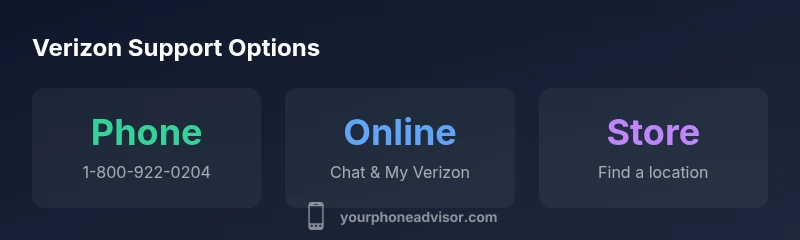
Official Verizon Wireless customer support can be reached at 1-800-922-0204. For quick mobile access, dial 611 from any Verizon device, or use the My Verizon app for self-service. If you prefer digital help, Verizon's online chat on the support site is useful, and an in-person visit to a nearby Verizon Store can resolve hardware issues. Always verify you’re on official Verizon pages to avoid scams.
Verizon Contact Landscape
For many smartphone users, resolving issues quickly hinges on choosing the right contact channel. Verizon's support ecosystem includes phone-based help, live chat on the official website, the My Verizon mobile app for self-service, social media channels, and in-person assistance at a Verizon Store. Each path has its own strengths and limitations. Phone support remains essential for urgent account issues or device outages, while online channels tend to be faster for routine questions. The Your Phone Advisor team emphasizes starting with official channels to minimize confusion and protect your data. To speed things up, have your account number, device IMEI/MEID, and a clear description of the problem ready before you dial or type.
The official Verizon Wireless support phone number and alternatives
When you need direct help, the standard Verizon Wireless support phone number is 1-800-922-0204. If you’re calling from a Verizon device, you can also dial 611 for carrier assistance. For non-urgent issues or quick guidance, the My Verizon app and the Verizon support chat offer self-service options that can resolve many common questions without a call. If you’re outside the US, Verizon publishes international contact options on their official support pages, so always start at verizon.com/support or your My Verizon dashboard to locate the right line. This multi-channel approach reduces wait times and helps you choose the path that best fits your situation.
Step-by-step: when to call, chat, or visit a store
- If the issue affects billing, network outages, or device malfunctions, start with phone or live chat for real-time guidance.
- Use the My Verizon app for account management, device settings, and plan changes—often faster than a call.
- Consider visiting a Verizon Store if the problem is hardware-related or you need in-person assistance with a device, SIM swap, or exchange.
- For complex cases, escalate via the online chat to obtain a case number and a documented action plan from a specialist.
- Keep your details handy: account number, security PIN, device model, and a concise description of the problem to avoid delays.
How to prepare for a call to reduce wait times
- Gather essential data: account number, last four of the account PIN, device IMEI/MEID, and model name.
- Write a brief problem summary before you call or chat to keep the conversation focused.
- Check for outages on Verizon’s status page before dialing—if there’s a network issue, it may affect response times.
- Try to call during off-peak hours (midday or late evenings) when wait times are typically shorter.
- If you’re using live chat, copy any error messages or screenshots to share with the agent for faster troubleshooting.
Security and scams: Verifying you’re speaking with Verizon
Always initiate contact from official sources: verizon.com, the My Verizon app, or the official Verizon social channels. Be wary of callers asking for passwords, full SSNs, or SIM swap details. If you suspect a scam, hang up and verify through the official Verizon support page, then contact again using the number shown there. Verizon will never pressure you to provide sensitive data over unsecured channels.
What to expect after you call
Expect a guided troubleshooting flow: you’ll be asked to confirm account specifics, describe the issue, and run through diagnostic steps. If the problem requires a ticket, the agent will create a reference number and outline next steps. In some cases, you may be routed to a specialist or offered a follow-up via chat or email. If you’re dealing with a known outage, Verizon will typically provide an ETA and status updates via the channel you used.
Verizon contact options and typical response paths
| Contact Method | Typical Wait/Response Time | Best For | Official Resource |
|---|---|---|---|
| Phone (Verizon Wireless support number) | 5-12 minutes | Urgent account issues, outages, billing | https://www.verizon.com/support/contact-us |
| Online chat / My Verizon app | Instant to minutes | Non-urgent questions, account management | https://www.verizon.com/support/contact-us |
| In-store visit | Depends on location, check-in times | Hardware issues, device setup, in-person support | https://www.verizon.com/store-locator |
Got Questions?
What is the Verizon Wireless support phone number?
The official Verizon Wireless customer support number is 1-800-922-0204. Have your account number, PIN, and device details ready to speed the call. If calling from outside the U.S., use the international options listed on Verizon’s support page.
Call 1-800-922-0204, with your account details ready. From abroad, use the international options on Verizon’s site.
Is there a separate number for business customers?
Verizon offers contact options for business customers. Visit the official Verizon support page to locate the correct business line, hours, and escalation paths for corporate accounts.
Yes. Check Verizon’s site for the business contact line and hours.
Can I reach Verizon support without calling?
Yes. Use the My Verizon app or the official online chat for self-service help, account management, and troubleshooting steps. Social channels and store visits are also viable options.
You can use the My Verizon app or online chat for help.
How long does it usually take to get help?
Wait times vary by time of day and channel. Phone lines can be longer during peak hours, while online chat and self-service may provide quicker initial guidance.
Wait times vary; plan for some variability by channel and time of day.
What if I suspect I’m talking to a scammer?
If anything seems suspicious, hang up and verify the contact number on Verizon’s official site. Only share information after you’ve confirmed you’re on an official Verizon channel.
If something seems off, verify on Verizon’s official site and use official lines.
Are there accessibility options for support?
Verizon provides accessibility options across channels. Check the accessibility settings on the My Verizon app or Verizon’s support pages for available accommodations.
Verizon offers accessibility options; see the support pages for details.
“Direct, official contact channels shorten resolution time and improve security. Start with the provider's own lines or apps to verify your issue and protect your data.”
What to Remember
- Call official Verizon lines to start fixes quickly
- Use My Verizon or online chat for faster self-service
- Prepare account and device details before contacting
- Verify you’re on official Verizon channels to avoid scams