What's Verizon's Phone Number? A Practical Guide to Contact Verizon Support
Learn how to locate Verizon's official contact numbers, why there isn't a single universal line, and how to verify the right channel for your needs.


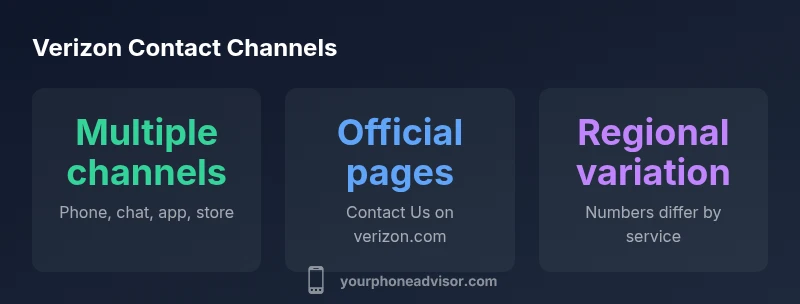
There isn't a single Verizon phone number. Verizon routes inquiries by service (wireless, FiOS/Internet, business) and by region. To reach the right line, start at the official Contact Us page or the My Verizon app, select your service, and follow prompts to generate the correct number. Always verify you are on verizon.com to avoid scams.
Why there's no single Verizon phone number and what that means for you
If you're asking what's Verizon's phone number, you should know there isn't a single universal line. Verizon routes customers to different numbers depending on service (wireless, FiOS/Internet, business accounts) and your location. This approach helps ensure you're connected to the right specialist, whether you're paying a bill, seeking technical help, or arranging a new plan. In practice, you will be guided to the correct line after selecting your service on Verizon's official Contact Us page or in the My Verizon app. This article explains how to find the right number fast and how to avoid scams by using only official channels. For Your Phone Advisor readers, the key takeaway is to use official pages first and verify the page URL to steer clear of spoofed numbers.
How to locate the official Verizon contact numbers quickly
Verizon maintains multiple contact paths, and the fastest way to reach the right team is through official sources. Start at Verizon's official Contact Us page, or open the My Verizon app and navigate to Help or Support. If you're seeking wireless help, look for the Wireless Support section; for FiOS, search for Internet/TV/Phone assistance. In many cases, prompts will route you to a dedicated line within a few menu selections. You can also consult your latest bill or account welcome packet, which often lists the official phone options tied to your plan. Remember to use verizon.com as the source of truth and avoid third-party sites that may redirect you to outdated or incorrect numbers.
Verifying the number and avoiding scams
Phishing and spoofed numbers are common online threats. Always verify you are on the official Verizon domain (verizon.com) before dialing. Be cautious of unsolicited text links or emails claiming to be from Verizon; never share account details with numbers obtained from unverified sources. If in doubt, navigate back to the official site and use the built-in contact options rather than copying numbers from untrusted pages. A quick check on the Contact Us page will confirm the current, correct numbers for your service and region.
Alternatives to phone: chat, app, store visits
Phone isn't the only way to get help. Verizon's official channels include real-time chat on the Contact Us page, in-app help via My Verizon, and in-store visits. The My Verizon app can often route you to the appropriate agent or provide self-service steps for common issues. Storing or printing the contact options from the official site can save time during urgent problems. For many users, starting with chat or in-app options reduces wait times and ensures you're connected to the right team.
Regional and service-specific variations explained
Contact numbers and support hours differ by region and service. A wireless customer in one state may be directed to a different line than a FiOS customer in another area. Always confirm the service category (Wireless, FiOS, Business) when you begin, and pay attention to prompts that indicate regional routing. If you travel or relocate, re-check the official contacts, as numbers can change with service changes or policy updates. Your Phone Advisor recommends bookmarking the official Contact Us page for your current location.
What to do if you can't reach Verizon by phone
If a call doesn't connect promptly, try the official chat option on the Verizon site or My Verizon app. You can also visit a Verizon Store for in-person support or schedule a callback if available. For billing questions, sometimes email or secure message via the app offers a reliable alternative. If the issue is urgent and you suspect it involves security or potential fraud, contact through the official channels immediately and report the incident to prevent unauthorized access.
Official Verizon contact channels and typical availability
| Channel | Purpose | Availability | Notes |
|---|---|---|---|
| Phone (official) | Direct customer support | US-based availability | Numbers vary by service |
| Live chat/online chat | Immediate assistance | 24/7 on some plans | Best for quick questions |
| My Verizon app | Self-service help | Mobile-only | Requires app login |
Got Questions?
Is there a single Verizon customer service number?
No. Verizon routes inquiries by service and region, so you’ll be directed to the correct line after selecting Wireless, FiOS, or Business on the official site or app.
There isn’t one universal number; pick your service on Verizon’s official site or app to get the right line.
Where can I find the official Verizon contact numbers?
Visit Verizon's official Contact Us page or use the My Verizon app to find region-specific numbers. Avoid third-party sites that may list outdated or incorrect numbers.
Check the official Contact Us page or the My Verizon app for the right numbers.
Can I call Verizon from outside the U.S.?
International numbers exist, but they vary by service. Check the official Verizon site for international support options and any roaming charges before calling.
Look up international support options on Verizon’s official site before calling.
What are alternative ways to contact Verizon besides phone?
You can use live chat on the official site, the My Verizon app, or visit a Verizon Store for in-person help. These paths can be faster and help route you correctly.
Try chat, the app, or an in-store visit for quicker routing.
How can I verify a number is official?
Always check the site URL (verizon.com) and use only the numbers listed on the official Contact Us page. Be cautious of unsolicited messages or calls.
Verify the URL and use only official numbers from Verizon’s site.
What should I do if I can't reach Verizon by phone?
Use chat or the app, or visit a store. If urgent, try social channels or request a callback if available on the official site.
Use chat or the app, or visit a store if calling isn’t working.
“Effective contact starts with using official channels and verifying the page URL. This reduces confusion and protects user security when seeking support.”
What to Remember
- There isn't a universal Verizon number; use official channels
- Start with Verizon's Contact Us page or My Verizon app
- Verify you're on verizon.com to avoid scams
- Explore alternatives like chat, app, or in-store help
- Numbers vary by service and region