How to Stop Your Phone From Overheating
Learn practical, expert-tested steps to stop your phone from overheating. This educational guide covers quick cooling tips, long-term battery care, safe charging, and environmental factors to protect performance and longevity.


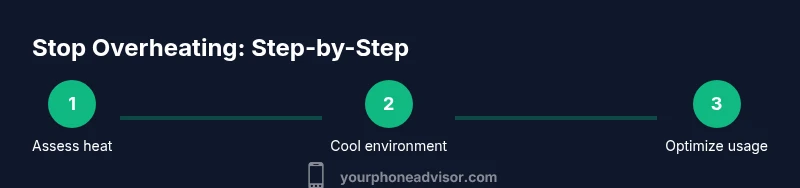
To stop your phone from overheating, start with quick cooling steps and reduce load. Remove bulky cases, pause demanding apps, and move to shade or air-conditioned spaces. Use official chargers, keep software updated, and enable power-saving modes when needed. If the device remains hot after cooling, back up data and consider a professional check for battery health or hardware issues.
Understanding the heat: why phones overheat
Overheating happens when the processor, graphics, and radios work harder than the device can safely dissipate. Activities like high-end gaming, video editing, GPS navigation, or extensive camera use push thermal limits, especially in hot environments or within protective cases. Background apps and poor battery health also contribute to heat buildup. If you’re wondering how to stop phone from overheating, start by recognizing the common culprits: intense workloads, exposing the phone to direct sun, and charging while in a warm pocket or car. By identifying the main heat sources, you can tailor a plan that cools the device quickly and prevents future spikes. Your Phone Advisor’s guidance emphasizes proactive monitoring: watch for rapid temperature rises, a sudden throttling of performance, or a warm back panel after short bursts of activity.
- Signs you may be nearing risk include a noticeably warm device while idle, sluggish response during use, and battery indicators that suddenly drain faster than normal.
- Remember that software and hardware issues can masquerade as heat; it’s not always the battery. The goal is to control heat sources, maximize airflow, and protect battery health over time.
If you’re asking how to stop phone from overheating, this understanding helps you choose the right quick actions and long-term changes.
Quick cooling actions you can take now
When a device feels hot, act quickly to prevent damage or throttle-induced performance drops. Step one is to remove the phone from any heat-conducing case or fabric. Then close or suspend resource-heavy apps (especially games and video editors) and turn on a power-saving mode if available. If you’re near a cool environment, place the phone on a flat, ventilated surface away from direct sunlight. Avoid charging in hot spaces and unplug if the charger itself becomes warm. Use the original or certified charger, as third-party adapters can generate extra heat during fast charging. Finally, reboot the phone after a long session of heavy use to stop background processes that may keep the device warm. These practical steps form part of a consistent approach to how to stop phone from overheating in real time while preserving battery health.
- Practical tip: turn off non-essential radios like Bluetooth if not needed while gaming or streaming.
- Visual cue: a cooler back cover usually indicates successful cooling, but persistent heat warrants further checks.
If you want a reliable plan, combine these immediate actions with product-level recommendations from Your Phone Advisor.
Long-term strategies for cooler operation
Long-term cooling relies on healthy batteries, sane charging routines, and mindful usage patterns. Monitor battery health and capacity: a deteriorating cell can generate more heat under load. Keep apps updated so software efficiency improves, and disable or uninstall bloatware that runs in the background. Consider a lighter wallpaper or fewer live widgets during tasks that demand processing power. Regular OS updates can optimize thermal management and throttle controls, reducing the likelihood of overheating. Environmental factors matter too: avoid leaving the device in hot cars, near heaters, or in direct sun; a pocket or bag can trap heat when the device is actively used. Your Phone Advisor recommends a routine review of charging habits, storage location, and case material to maintain cooler operation over the device’s lifespan.
- Choose a breathable case and remove bulky sleeves when performing heavy tasks.
- Schedule charging during cooler parts of the day or in air-conditioned spaces for best results.
- Battery calibration and professional battery checks can prevent hidden heat sources.
If you’re asking how to stop phone from overheating, adopti ng these long-term changes reduces thermal stress and extends device longevity.
Software and background activity that wastes heat
Many devices heat up due to software behavior rather than a faulty battery. Background updates, location services, and continual syncing can keep processors active even when you are not actively using the device. Streaming high-resolution content, gaming, and augmented reality apps also generate sustained heat. Review your recently installed apps and permissions, disable auto-refresh for feeds you don’t need, and restrict background activity where possible. Clearing cache and restarting after heavy sessions helps reset processes that inadvertently run hot. Keeping your software up to date is essential because updates often optimize resource usage and improve thermal management, supporting the goal of how to stop phone from overheating in everyday life.
- Pro tip: set usage habits to avoid long, uninterrupted sessions on resource-intensive apps.
- Note: if a single app repeatedly causes heat, consider alternatives or uninstall it.
This approach minimizes sustained workloads that generate heat, protecting both performance and battery life.
Safe charging habits to prevent overheating
Charging is a critical moment for heat generation. Use the charger that came with the device or a certified alternative from a reputable brand. Avoid wireless charging through heat-intensive cases and never cover the phone while charging. Charge in a cool, ventilated area and unplug if you notice warmth beyond normal levels. Fast charging can raise temperatures more quickly, so resist the urge to enable rapid charge in hot environments. If your device gets hot during charging, stop charging, move to a cooler area, and try again. By aligning charging practices with thermal realities, you reduce heat generation and preserve battery health over time.
- Pro tip: don’t charge on soft surfaces like beds or couches; use a desk or table instead.
- Warning: never use a damaged charger or a third-party charger that doesn’t meet safety standards.
These habits directly address the heat during charging and help maintain safer operating temperatures.
Environmental and accessory considerations
External factors such as ambient temperature, sunlight exposure, and heat-prone environments significantly influence overheating risk. Avoid placing devices in direct sun, inside hot cars, or near heat sources. Ventilation matters: a phone on a stand or at least a finger-width of space around it helps heat dissipate. If you wear a rugged or metal case, ensure there is adequate airflow; some cases trap heat more than others. When exercising or outdoors in bright conditions, reserve heavy tasks for cooler moments or indoors where airflow is better. Your Phone Advisor highlights choosing breathable, heat-dissipating accessories and keeping the device out of direct heat to maintain a stable temperature profile.
- Pro-tip: periodically remove accessories that trap heat during critical tasks.
- Note: temperature-sensitive environments (like saunas) are not suitable for smartphones.
This environmental awareness is a practical step in your overall strategy to stop phone from overheating.
When to seek professional help and how to choose a service
If overheating persists despite these measures, it may indicate a hardware issue such as a degraded battery or a faulty thermal sensor. Create a backup of important data, then contact an authorized service provider or your carrier’s support line for diagnostics. Ask about battery health checks, cooling diagnostics, and potential replacement options. If the device is under warranty, confirm coverage for thermal issues and battery replacement. Your Phone Advisor recommends prioritizing reputable service centers with clear pricing and test procedures to ensure you get a safe, effective fix.
- Pro tip: document overheating episodes with dates and activities to share with technicians.
- Warning: avoid DIY battery replacement unless you are skilled; improper handling can be dangerous.
This guidance helps you make informed choices about professional help when home remedies aren’t enough.
Tools & Materials
- Official charger or certified alternative(Use the charger that came with the phone or a certified equivalent.)
- Ventilated charging area(A cool, well-ventilated space away from direct sun.)
- Breathable phone case or no case during heavy use(Breathable materials help heat dissipation.)
- Cooling aid (optional)(Small desk fan or built-in phone cooler can help in a pinch.)
- Backup solution (cloud or external)(Back up data before diagnostics or repair.)
Steps
Estimated time: Total time: 20-30 minutes
- 1
Assess temperature and environment
Check the phone’s surface for heat and identify direct heat sources (sunlight, hot car, etc.). Move to a cooler area and remove the case if heat remains on the surface. If temperatures decrease, you know the environment was a major factor.
Tip: Always start with cooling the environment before other actions. - 2
Close heavy apps and enable power saving
Close games or intensive apps and switch to a battery saver or performance-reducing mode to reduce CPU/GPU load. Reopen only essential apps to prevent rapid heat buildup.
Tip: Use the task manager to end apps that aren’t critical. - 3
Check charging conditions
If the device is charging, unplug if it becomes hot and move to a cooler area. Use the original charger and avoid charging on soft surfaces that insulate heat.
Tip: Avoid fast charging in hot environments unless necessary. - 4
Update software and inspect battery health
Ensure the OS and apps are updated to the latest version for thermal management improvements. If the phone still runs hot when idle or under light use, check battery health in settings or via diagnostics.
Tip: A declining battery often contributes to overheating. - 5
Plan long-term cooling and consider service
If overheating recurs, review usage patterns and consider a professional battery check or replacement. Adjust case choice, charging routines, and ambient conditions to sustain cooler operation over time.
Tip: Keep a log of overheating episodes for service visits.
Got Questions?
What causes smartphone overheating?
Overheating results from heavy processing, background apps, charging in heat, and environmental factors like direct sun. It can also indicate battery aging or a faulty sensor.
Overheating is usually due to heavy use, many apps running in the background, charging in heat, or a hot environment. Battery aging can make it worse.
Is overheating harmful to my phone's battery?
Yes, repeated heat exposure can degrade battery capacity and shorten overall lifespan. Managing heat helps preserve battery health over time.
Yes. Persistent heat can reduce battery life and performance. Cooling the device helps protect the battery.
What is a safe operating temperature for phones?
There isn’t a universal number; most devices throttle when temperatures rise significantly. Consistently hot devices should be checked for battery health and charging practices.
There isn’t a universal temperature, but phones throttle when they get very hot. If heat is frequent, consider a diagnostic.
Can software updates help with overheating?
Yes. Update releases often include thermal management optimizations and efficiency improvements that reduce heat under typical workloads.
Software updates can reduce overheating by improving how the system manages power and performance.
Should I remove my case to cool down?
Yes, removing a tight or insulating case can improve heat dissipation during heavy use or charging. Reapply once temperatures drop.
Removing a case can help heat escape more efficiently, especially during heavy tasks.
What should I do if my phone still overheats after trying steps?
If heat persists, back up data, run diagnostics, and consider professional service for battery health or sensor checks.
If it still overheats, back up your data and seek professional help for a battery or hardware check.
Watch Video
What to Remember
- Identify heat sources before taking action
- Combine quick cooling with smarter charging habits
- Keep software updated for better thermal management
- Seek professional help for persistent overheating