How to Record a Phone Call: A Practical 2026 Guide
A practical, educational guide to recording phone calls legally and ethically, with methods for iPhone, Android, apps, and external devices. Learn consent, best practices, and troubleshooting for 2026.


Recording a phone call is feasible when you have clear consent and the right method. This quick answer highlights practical options, including built-in features, third‑party apps, and external devices for iPhone and Android, plus essential privacy reminders. Always start with notifying the other party and documenting consent before you begin recording.
What recording a phone call is and why people do it
Recording a phone call means capturing the audio of a live conversation for later reference, evidence, or quality improvement. People record for customer support, interviews, personal archiving, or compliance documentation. The ability to record depends on the device, the software you use, and legal consent requirements. When done properly, recordings can save time, clarify disputes, and provide a verifiable record of what was said. However, it is essential to approach recording with transparency and purpose to protect trust and privacy. This guide will walk you through the practicalities of how record a phone call across common devices and scenarios, with a focus on legality, ethics, and reliable setups.
Legal and ethical considerations when recording calls
Legal rules about recording calls vary widely by jurisdiction and context. In some places, only one party needs to consent; in others, all involved parties must be aware and agree to the recording. Ethically, obtaining explicit consent helps protect relationships and reduces the risk of misuse or misinterpretation of the recorded material. If you record in a professional setting, you may also need to follow organizational policies, data protection standards, and retention schedules. Always document consent at the start of the call (e.g., a brief recording notice) and avoid sharing recordings beyond the agreed recipients. If you’re unsure, pause and consult local guidance or legal counsel before proceeding.
Consent and notification in different jurisdictions
Consent is the cornerstone of lawful recording. In many regions, you should inform the other party at the start of the call and obtain verbal or written consent. Some jurisdictions require a formal written release for recordings used in public contexts or for commercial purposes. Even where one party’s consent is legally sufficient, best practice is to secure consent from all participants to prevent disputes or claims of coercion. When recording international calls, consider flagging the consent requirements for each participant’s location and adjust your approach accordingly. Always maintain a brief consent record for future reference.
Built-in options on iPhone: what works and what doesn’t
iPhone users often wonder how record a phone call without jailbreak. Apple’s native Phone app does not provide a universal built-in recording feature for standard cellular calls. Some devices can record VoIP calls (FaceTime, WhatsApp, or other apps) if those apps offer recording or call transmission features. To record traditional cellular calls, many users rely on workaround methods such as placing the call on speaker and using a second device, or using a call-recording app that captures VoIP audio. When choosing an app, verify that it records both sides and respects privacy and legal limitations. Be mindful that some apps require the other party to use the app for reliable capture.
Built-in options on Android: what’s available
Android devices vary by manufacturer and version, but several OEMs (like Samsung or OnePlus) offer built‑in call recording options in their Dialer apps, subject to regional laws. If your device doesn’t have a built‑in recorder, you can use a reputable third‑party app that records VoIP calls or uses the system mic to capture both sides. Always test the method before an important call and ensure the app has necessary permissions (microphone, storage, and, where needed, system-level accessibility). Remember that not all carriers support call recording, and some regions restrict this capability on cellular calls.
Third-party apps for call recording
Third‑party apps can simplify recording by providing a direct recording button, automatic saving, and organized file management. When choosing an app, prioritize those with clear consent prompts, local storage options, and strong privacy settings. Check reviews for reliability and compatibility with your device. Note that some apps may only record calls from certain networks or through VoIP services, which can affect quality. Always test with a short call and confirm both parties are captured clearly.
Recording calls with external devices
If built‑in or app-based methods are not feasible, you can use external hardware to record. Options include a dedicated digital voice recorder connected to the phone via a cable or adapter, or a conference bridge that records all participants. This approach can yield high‑quality, audibly clear recordings and provides a separate backup of the audio file. When using external devices, ensure the setup captures both sides of the conversation and remains compliant with consent requirements. Keep the device charged and test the connection ahead of important calls.
Best practices for privacy and data handling
Protecting privacy is as important as capturing the audio. Keep recordings encrypted when stored, limit access to authorized personnel, and implement a retention policy that defines how long to keep files. Use consistent naming conventions and organize recordings by date, subject, and participants. If the content contains sensitive information, consider redaction or restricted sharing to minimize exposure. Regularly audit access logs and ensure backups follow secure protocols. These steps help you stay compliant and responsible with recorded data.
Step-by-step setup checklist
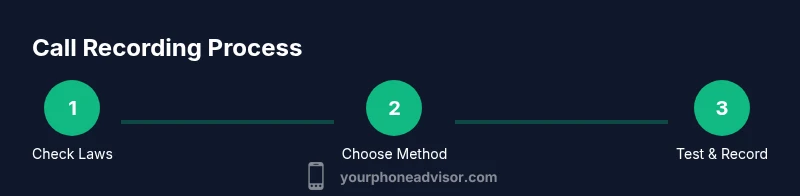
Before you record, verify consent, choose a method, and test the setup.
- Confirm consent: Say a brief notice at the start of the call and obtain explicit agreement.
- Pick a method: Decide on built-in, app-based, or external-device recording based on your device and jurisdiction.
- Test the setup: Run a short practice call to verify audio quality and capture on both sides.
- Start recording: Initiate the recording at the earliest indication of the discussion topic.
- Label and save: Use a consistent naming scheme and save the file to a secure location.
- Back up: Copy the recording to a trusted cloud or separate device.
- Review privacy controls: Ensure only authorized individuals have access and that retention policies are followed.
Troubleshooting common issues and how to avoid them
If you encounter poor audio quality, check microphone permissions, ensure the device isn’t on speaker when recording, and test with another app or device to isolate the problem. If a call isn’t being recorded, confirm that you selected the correct source in the app and that the other party could not be recorded due to network limitations. Keep software updated and review privacy settings to avoid accidental tampering with permissions. Practicing with non-sensitive calls can help you identify and fix issues before important conversations.
Final considerations for responsible use and ongoing practice
Recording calls is a useful tool when used responsibly and legally. Develop a standard operating procedure that includes consent prompts, data handling rules, and clear documentation. Periodically review local laws and update your practices to stay compliant. By prioritizing ethics, transparency, and security, you’ll maximize the value of recordings while minimizing risk to yourself and others.
Tools & Materials
- Phone with call recording capability (built-in or via app)(Ensure your device supports recording and you have permission to install apps.)
- Consent script for all participants(Prepare a brief statement to inform others they are being recorded.)
- Quiet environment or low-noise room(Reduce background noise for better audio quality.)
- External microphone (optional)(If the device mic is poor, use a dedicated mic.)
- Storage option: cloud or local backup(Have space to save recordings and a plan to back up.)
- Legal reference sheet by region(Keep notes on local recording law.)
Steps
Estimated time: 20-40 minutes
- 1
Check legal requirements
Research the consent rules in your jurisdiction and decide on a compliant approach. If required, obtain verbal or written permission at the start of the call.
Tip: If you’re unsure, pause the call and seek guidance before proceeding. - 2
Choose your recording method
Decide whether to use a built-in feature, a third‑party app, or an external device. Consider reliability, ease of use, and whether both parties can be captured.
Tip: Prefer a method that records both sides clearly to avoid disputes. - 3
Set up your device for recording
Install or enable the recording tool and grant necessary permissions (microphone, storage, etc.). Run a quick test with a short call to confirm capture.
Tip: Do a brief dry run to catch configuration issues before a real call. - 4
Prepare consent acknowledgment
Start the call by informing the other party that the conversation will be recorded, and obtain explicit consent.
Tip: Use a concise script: 'I’d like to record this call for accuracy. Is that okay?' - 5
Test the recording quality
Make a quick test call to verify volume, clarity, and that both sides are captured.
Tip: Ask the other person to speak a sentence loudly to confirm balance. - 6
Record the call
Begin recording once consent is confirmed and the call starts. Keep an eye on indicators to ensure ongoing capture.
Tip: Avoid muting the mic or switching sources during the call. - 7
Save and label the recording
Stop recording when finished, then label the file with date, participants, and topic for easy retrieval.
Tip: Use a standard naming convention like YYYY-MM-DD_Participants_Topic. - 8
Store and back up the recording
Save locally and back up to a secure location or encrypted cloud storage.
Tip: Encrypt sensitive files and limit access to authorized users only. - 9
Handle privacy after recording
Review access rights and retention needs; delete or anonymize when appropriate.
Tip: Document retention period and who may view the file. - 10
Review and share if appropriate
If you must share the recording, ensure it’s within the consent scope and transmitted via secure channels.
Tip: Use password-protected files or secure transfer methods.
Got Questions?
Is it legal to record a phone call?
Legal requirements depend on your location. In many places you must obtain consent from at least one party, and in others all participants must agree. Always verify local laws before recording.
Recording laws vary by location, so check your region's rules before recording.
Do I need consent from all parties?
Some jurisdictions require all participants to consent, while others require only one party. When in doubt, obtain consent from everyone involved to stay compliant.
All-party consent is required in some places; when unsure, get consent from everyone.
Can I record calls on iPhone without jailbreaking?
iPhone does not have a universal built‑in cellular call recorder. You can use VoIP-based apps or external devices, noting that results vary by app and region.
iPhone doesn’t offer a built‑in cellular call recorder; you may rely on apps or external devices.
How do I record on Android devices?
Many Android devices offer built‑in call recording or support reputable apps. Availability depends on the OEM and region. Always test prior to important calls.
Android often has built‑in options or apps, but availability varies by device and location.
Are there safe apps for recording calls?
Choose apps with strong privacy controls, permissions, and reliable reviews. Avoid apps that mishandle data and verify they capture both sides of the conversation.
Pick reputable apps with good privacy controls and clear consent prompts.
What should I do with a recording after the call?
Store recordings securely, limit access, and delete when no longer needed per your retention policy. Document who can access and share it.
Store securely, restrict access, and follow a retention policy for sharing and deletion.
Watch Video
What to Remember
- Obtain explicit consent before recording.
- Choose a reliable method compatible with your device.
- Label, back up, and secure recordings properly.
- Follow local laws and organizational policies.
- Test beforehand to ensure high-quality capture.