Phone Number Cash App: Contact, Verification, and Security
Learn how to handle phone number related issues with Cash App, including official contact channels, verification tips, and scam prevention. Your Phone Advisor breaks down best practices for 2026.


There is no publicly published Cash App support phone number. Official help and support come through the in-app Help Center, the official website, and confirmation emails. Rely on in-app channels to protect your account, and verify any contact offers before sharing sensitive data.
What the phrase phone number cash app means in practice
The search query phone number cash app often surfaces when users hope to reach Cash App support by phone. In practice, Cash App does not publish a public customer-service phone number. Third-party lists, forum posts, and social media shares proliferate, but they are frequently inaccurate or outdated. Because scammers monitor popular queries, relying on unverified numbers can expose you to phishing, spoofing, or fraud. The safest approach is to use the official channels embedded in the app and on the Cash App website. Framing the issue around the phrase helps set expectations: contact should be initiated through verified in-app tools, not random phone numbers that appear in search results. This is especially true in 2026, when payment apps remain a common target for scams. Your goal is to minimize risk while obtaining legitimate assistance.
How Cash App provides support channels
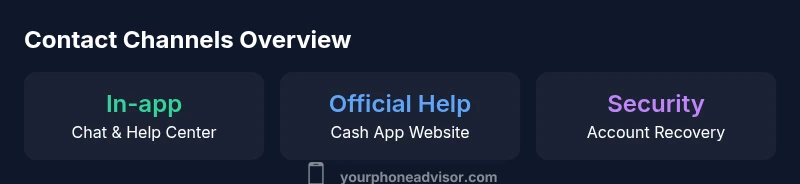
Cash App centers most of its support options inside the app and on its official Help Center. Users typically access help by tapping in-app menus, which route to real-time chat or guided FAQs. Official communications—like receipts or problem confirmations—usually appear in-app or via the registered email. There may be case IDs or reference numbers when you initiate a support chat, but there is no universal customer-service phone line. This design reduces exposure to unsolicited calls and ensures you interact with verified, branded interfaces. For most issues, especially security concerns or account recovery, the in-app chat is the fastest path, followed by documented Help Center articles. If you need escalation, you’ll typically stay within official channels rather than leaving the app to call a number.
Verifying legitimate contact channels
Because scams exploit perceived legitimacy, you should verify any contact method before sharing sensitive information. Start from within the Cash App itself—do not trust external posts that claim to offer a direct line. Check the official Cash App Help Center URLs (cash.app/help) and the app’s official support prompts. Be wary of third-party sites listing numbers; they often propagate outdated or fraudulent contacts. If a message arrives claiming to be from Cash App, verify its source: look for the brand’s logo, secure domains (cash.app), and consistent tone. Always prefer in-app channels and official emails when you expect a response.
Step-by-step: contacting Cash App in-app support
- Open Cash App and tap the profile icon on the home screen.
- Tap Support or Help to access the Help Center.
- Choose the topic that matches your issue (security, payments, account access).
- Select Chat or Message options to initiate a conversation with a support agent.
- If required, provide a transaction reference or screenshot to help the agent understand your issue.
- Note the chat reference ID and monitor the in-app conversation for updates. Do not share personal identifiers beyond what the conversation requires.
Security precautions when sharing your phone number
Your phone number is a key identifier for many apps, so guard it carefully. Do not disclose your number in public forums or in response to unsolicited messages. When you must reveal it for verification, ensure you are within the official Cash App in-app flow. Enable two-factor authentication (2FA) where available, and consider adding a PIN or biometric lock to the app. Regularly review connected devices and linked email addresses to minimize exposure. If you suspect a breach or phishing attempt, pause communications, reset your credentials, and contact support through the in-app channels only.
Common scams and warning signs involving phone numbers
Phone-number related scams often start with a text or call claiming to be from Cash App or a linked bank. Warning signs include urgent requests for personal data, pressure to confirm a payment, or links to unfamiliar domains. Scammers may spoof legitimate numbers, so the number alone isn’t a trustworthy signal. Always verify via the official Help Center, avoid clicking unfamiliar links, and refrain from sharing codes or two-factor authentication prompts outside the app. If something feels off, end the chat, and reopen the in-app help flow to confirm the correct process.
What to do if you suspect a scam or data breach
If you suspect a scam, stop all interaction through that channel and report the incident via Cash App’s Help Center. Review recent payments for unauthorized activity and consider disabling or changing security settings. Update your password, enable 2FA, and monitor linked emails for unfamiliar activity. If money was sent or received through a dubious channel, contact the recipient, document the transaction, and seek guidance from Cash App support through official in-app chat. Early reporting can limit loss and help safeguard your account.
Practical checklist for staying safe
- Use only in-app support channels and the official Help Center.
- Do not trust unsolicited calls or texts asking for codes or personal data.
- Enable 2FA and a device lock on your phone.
- Regularly review connected devices, linked emails, and recent transactions.
- Save all chat IDs and transaction details for reference.
- If you’re unsure, pause and verify via the app before responding.
Cash App contact channels vs ideal practices
| Aspect | Reality (Cash App) | Best Practice |
|---|---|---|
| Public phone number | Not publicly published; support accessed via app | Use in-app Help Center and official prompts |
| Verification method | In-app verification and reference IDs | Document and save transaction IDs; use official channels |
| Time to resolution | Depends on channel; in-app chat is common | Prioritize documented channels; avoid unverified numbers |
Got Questions?
Does Cash App offer a public support phone number?
No. Cash App does not publish a general support phone line. Help is provided through the in-app Help Center and official channels. If you see a phone number online, treat it as unofficial and verify through the app.
Cash App support isn’t reached by a public number. Use the in-app Help Center for assistance.
What channels can I use to contact Cash App support?
The primary channels are in-app chat and the official Help Center on the Cash App website. You may receive email confirmations or receipts, but you should avoid phone-based support unless explicitly offered within the app.
Use in-app chat and the Help Center for official support.
How can I verify if a support number is legitimate?
Always start from within the Cash App. Verify the source by checking the URL (cash.app) and branding in the app. Do not rely on numbers found in generic web search results or social media posts.
Check the app’s Help Center first to confirm any contact details.
What should I do if I suspect a scam?
Pause interaction, do not share codes or credentials, and report the incident via the official Help Center. If there’s financial loss, contact your bank and Cash App support through the app to seek guidance.
If something smells wrong, stop and report it through the in-app Help Center.
Is it safe to share my phone number with Cash App?
Share your number only through official flows when required for verification or recovery. Protect your number as a sensitive data point and enable security features like 2FA.
Only share your number when you’re in the official Cash App flow.
How do I enable two-factor authentication on Cash App?
Open Cash App, go to Settings, and enable two-factor authentication if available. This adds a second layer of protection against unauthorized access.
Turn on 2FA in the app’s settings for extra security.
“Security with mobile payments is a continuous process. Always verify you are in the official Cash App flow before sharing any sensitive information.”
What to Remember
- Use official in-app channels for Cash App support
- Avoid third-party numbers and unverified sources
- Always verify contact prompts before sharing sensitive data
- Keep your account secured with 2FA and updated settings