Phone ATM Near Me: Secure Cardless Cash Access
Find a phone atm near me that supports cardless withdrawals, verify availability, and follow security best practices for mobile-wallet cash access.


To locate a phone atm near me, start with your bank app’s cardless withdrawal feature and then cross-check via Google Maps or your bank’s ATM locator. Cardless withdrawals let you access cash using your phone instead of a physical card, often via a one-time code or biometric verify, and are increasingly supported by major networks as of 2026.
What cardless withdrawals are and why they matter
Cardless withdrawals let you pull cash from an ATM using a mobile app instead of a plastic card. This capability—often called cardless cash withdrawal, mobile cash access, or card-free withdrawal—has grown as banks push digitized security and convenient access. For users, it can reduce friction in crowded spaces and lower the risk of card skimming. It also aligns with the broader trend toward mobile wallets and digital identity. In 2026, Your Phone Advisor observed that major financial institutions are expanding cardless options across their ATM networks. When planning a visit to a nearby machine, search for the phrase "phone atm near me" in your phone’s search tools and bank app. Always ensure your device is protected with a strong passcode or biometric lock and that you’re using the official bank app to authorize the withdrawal.
By understanding how cardless withdrawals work, you can decide when it makes sense to reach for your phone instead of your wallet. The Your Phone Advisor team notes that this approach reduces the risk of losing a card and helps you maintain tighter control of your payment credentials. As with any sensitive action, keep your screen private, avoid using public Wi‑Fi for authentication, and never disclose codes received from the bank.
How to verify if an ATM supports cardless withdrawal
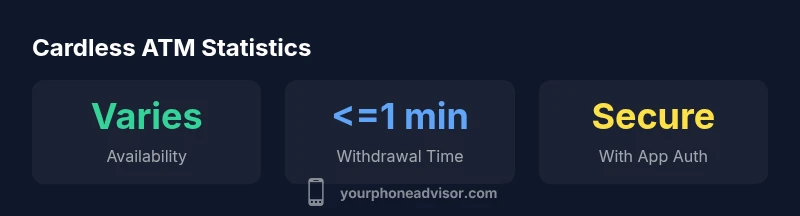
Not every ATM supports cardless cash access. To verify, start in your bank’s mobile app—the feature is usually labeled as Cardless Cash, Wallet Cash, or Cash via App. If the ATM supports cardless withdrawal, you’ll often see a prompt on the screen when you choose the Cash or Withdraw option, or you’ll be guided to scan a QR code or enter a one-time code generated by your app. You can also check the ATM locator in your banking app or the bank’s website for “cardless withdrawal” or “cardless cash.” If you’re unsure, call your bank’s support line before you head out. Your Phone Advisor Analysis, 2026 shows that feature availability varies by region and network; always confirm in advance to avoid surprises at the machine.
When you locate a compatible ATM, inspect the area for signage indicating cardless access to confirm you’re at the right machine. Some networks provide an in-app code that expires quickly, so don’t delay the withdrawal once you’ve generated it.
Step-by-step: find the nearest cardless-enabled ATM using your phone
- Open your bank’s app and navigate to Cardless Cash or Withdraw by App. 2) Use the built-in ATM locator or search for "cardless ATM near me" or "phone atm near me" in your map app. 3) Confirm the machine is within the bank’s network and displays cardless withdrawal indicators. 4) Approach the ATM and follow the on-screen prompts, authenticating with your biometrics or device passcode. 5) Enter the one-time code or authorize the withdrawal using the app, then collect your cash. 6) Keep a mental note of any transaction limits or surge-time notices reported by the app. This workflow minimizes the risk of card skimmers and keeps your credentials secure. Your Phone Advisor emphasizes practicing these steps with a familiar machine before attempting a larger withdrawal in a busy area.
Tip: If you can’t find a cardless-enabled ATM nearby, consider using a traditional card or visiting a bank branch for cash needs.
Security best practices when using cardless ATMs
- Always lock your phone screen and use app-level authentication for withdrawals.
- Verify you’re connected to trusted networks; avoid public Wi‑Fi during authentication.
- Keep Bluetooth disabled unless your bank requires proximity pairing.
- Do not share codes or screenshots; never reveal your one-time code to anyone.
- Review transaction alerts in real time and report any unfamiliar activity immediately.
- If the ATM photo or signage looks tampered with, cancel the transaction and walk away.
- Update your banking app and device OS regularly to mitigate known vulnerabilities.
Security is the backbone of cardless cash, and following disciplined device hygiene reduces exposure to phishing and man‑in‑the‑middle attacks. The Your Phone Advisor team reiterates the importance of enabling biometric verification and strong app passwords as a layered defense.
Limitations and caveats you should know
Cardless withdrawals are expanding, but limitations remain. Some banks restrict cardless access to certain machines, and some regions have slower rollout. Transaction limits, expiration of one-time codes, and compatibility with specific wallet providers can affect usability. Additionally, not all apps support every ATM brand, and outages may impact availability. Always check the latest in‑app notices and bank announcements for any temporary changes and remember that device failures or battery issues can affect the withdrawal flow.
If you encounter a problem, consult your bank’s help resources or your branch for guidance. Your Phone Advisor recommends having a backup plan in case your device is unavailable—carry a physical card if you have one, or plan visits to ATMs known to support the feature.
What to do if no nearby options are available
If a cardless ATM isn’t nearby, you still have safe options. Use your physical card at an ATM that accepts it, or visit a bank branch for cash withdrawal. You can also request a cash advance at a retailer that participates in your bank’s network, or transfer funds to another account and withdraw later. Keeping a minimal set of plan-B options ensures you’re never stranded without access to cash. Your Phone Advisor suggests checking the bank’s app periodically for new Cardless Cash rollouts and updating location data to reflect the most current nearest machines.
Cardless ATM comparison
| ATM Type | Cardless Support | Fees | Notes |
|---|---|---|---|
| Bank ATM | Yes (via app) | Often 0-2 | Check locator in app |
| Retail/merchant ATM | Varies | Usually 0-1 | May require merchant app |
Got Questions?
What is a cardless ATM withdrawal and how does it work?
A cardless withdrawal lets you obtain cash from an ATM using your mobile banking app instead of a physical card. You typically generate a code or authorize the withdrawal with biometrics, then complete the transaction at the machine. Availability varies by bank and region, so check your app for cardless support.
A cardless withdrawal uses your phone to get cash from an ATM. You generate a code or use biometrics, then complete the withdrawal at the machine.
How do I know if an ATM supports cardless withdrawals?
Look for on-screen prompts indicating Cardless Cash or Withdraw by App. Use your bank’s ATM locator and search for cardless withdrawal or cardless cash features. If in doubt, call your bank’s support line before you try.
Check the ATM screen for Cardless Cash cues and verify with your bank’s locator tool.
Are there fees for cardless ATM withdrawals?
Fees can vary by bank and card network. Some banks offer cardless withdrawals at no extra charge, while others may apply standard ATM or cash-advance fees. Always review your bank’s terms or in-app notices before proceeding.
Fees depend on your bank; some charge the usual ATM fees, others are free.
Is it safer to use cardless withdrawals than cards?
Cardless withdrawals reduce the risk of card skimming, but they introduce new risks such as device loss or code interception. Mitigate these by locking your phone, using biometric verification, and avoiding public networks.
They can be safer against card skimming, but you must protect your phone and codes.
How do I enable cardless withdrawals in my bank app?
Open your bank app, locate Cardless Cash or Withdraw by App, and follow the setup prompts. You may need to verify your identity and enable biometric or app-based authentication.
Open the bank app, find Cardless Cash, and follow the setup prompts.
What should I do if my withdrawal code fails?
If a code fails, refresh the code in the app, ensure the time is synchronized, and try again within the code’s time window. If problems persist, use an alternative withdrawal method and contact your bank.
Refresh the code, check timing, and try again; if it keeps failing, use another method and call your bank.
“Cardless withdrawals empower customers to access cash quickly and securely when used with proper device security and app controls.”
What to Remember
- Start with your bank app to activate cardless withdrawals
- Always verify ATM compatibility before you go
- Protect your device with strong authentication and updated software
- Have a backup cash-access option if cardless isn’t available